Apache网站服务器:作为LAMP架构的前端,是一款功能强大、稳定性好的web服务器程序,该服务器直接面向用户提供网站访问,发送网页、图片等文件内容。
1:获取安装包 创建一个目录 用来挂载宿主机上共享文件里的 apache安装包。
2:然后解压 httpd 、apr、apr-util 压缩包 到 /opt 目录下
3:将目录下的 apr、apr-util 复制到httpd目录下的srclib目录下 并命名为apr、apr-util
4: 用yum 安装 gcc gcc-c++ make perl pcre-devel expat-devel libxml2-devel 环境
# mount.cifs //192.168.100.1/gx /gx
# tar xzvf httpd-2.4.2.tar.gz -C /opt
# tar xzvf apr-1.4.6.tar.gz -C /opt (支持Apache上层应用跨平台,提供底层接口库)
# tar xzvf apr-util-1.4.1.tar.gz -C /opt
# cp -R apr-1.4.6 /opt/httpd-2.4.2/srclib/apr
# cp -R apr-util-1.4.1 /opt/httpd-2.4.2/srclib/apr-util
# yum install gcc gcc-c++ make perl pcre-devel expat-devel libxml2-devel -y
5 :编译&&编译安装
# cd /opt/httpd-2.4.2
# ./configure \
--prefix=/usr/local/apache \
--enable-so \
--enable-rewrite \
--enable-mods-shared=most \
--with-mpm=worker \
--disable-cgid \
--disable-cgi
# make && make install
6:过滤apachectl的# 重定向保存到/etc/init.d/httpd中 (启动脚本)
# grep -v "#" /usr/local/apache/bin/apachectl > /etc/init.d/httpd
# vi /etc/init.d/httpd
在开头插入下面
#!/bin/sh
# chkconfig:2345 85 15
# description:Apache is a World Wide Web server.
7:给httpd脚本开启执行权限、添加服务
# chmod +x /etc/init.d/httpd //给httpd开启执行权限
# chkconfig --add httpd //添加httpd服务
# chkconfig --list httpd //查看httpd服务
# chkconfig --level 35 httpd on //把httpd服务的3 5开启
8:给httpd.conf 创建一个软连接 方便管理
# ln -s /usr/local/apache/conf/httpd.conf /etc/httpd.conf
# vim /etc/httpd.conf
Listen:192.168.100.111:80 //修改监听IP
ServerName www.yun.com:80 //修改域名
9:重启httpd服务、关闭防火墙
# service httpd stop
# service httpd start
# service iptables stop
# setenforce 0
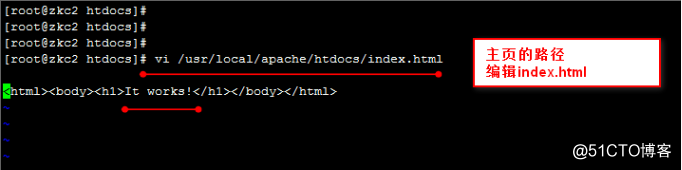
10:编辑 /usr/local/apache/htdocs/index/html
可以修改网页上的内容
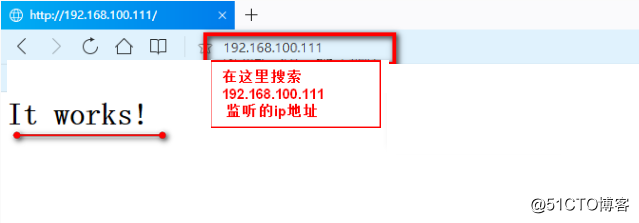
11:在浏览器上输入之前 设置的监听IP