前言
上篇文章介绍了认证服务器搭建教程 https://blog.csdn.net/qq_35270805/article/details/123125144?spm=1001.2014.3001.5501
本篇文章介绍资源服务器端
一、引入依赖
		<!-- 核心依赖,新版resource-->
		<dependency>
            <groupId>org.springframework.boot</groupId>
            <artifactId>spring-boot-starter-oauth2-resource-server</artifactId>
        </dependency>
        <dependency>
            <groupId>org.springframework.boot</groupId>
            <artifactId>spring-boot-starter-security</artifactId>
        </dependency>
        <dependency>
            <groupId>org.springframework.boot</groupId>
            <artifactId>spring-boot-starter-web</artifactId>
        </dependency>

        <dependency>
            <groupId>org.springframework.boot</groupId>
            <artifactId>spring-boot-starter-test</artifactId>
            <scope>test</scope>
        </dependency>
        <dependency>
            <groupId>org.springframework.security</groupId>
            <artifactId>spring-security-test</artifactId>
            <scope>test</scope>
        </dependency>
二、配置WebSecurityConfig资源服务器权限配置
代码如下
@Configuration
@EnableWebSecurity(debug = true)
public class WebSecurityConfig {
    @Bean
    public SecurityFilterChain httpSecurityFilterChain(HttpSecurity httpSecurity) throws Exception {
        httpSecurity.authorizeRequests()
                .antMatchers("/user/info").access("hasAuthority('SCOPE_message.read')")
                .anyRequest().authenticated();
        httpSecurity.sessionManagement().disable();
        httpSecurity.oauth2ResourceServer().jwt();
        return httpSecurity.build();
    }
}
二、配置yml
server:
  port: 9600
spring:
  security:
    oauth2:
      resourceserver:
        jwt:
          issuer-uri: http://127.0.0.1:9500
至此资源服务器配置完成
三.配置测试接口
@RestController
@RequestMapping("user")
public class UserController {
    @RequestMapping("info")
    public String info(){
        Authentication authentication = SecurityContextHolder.getContext().getAuthentication();
        System.out.println(authentication);
        return authentication.toString();
    }

}
可以在这里打断点看看获取到的用户信息
四.开始测试
debug模式启动资源服务器
用授权服务器获取到的token
打开postman,访问路径http://127.0.0.1:9600/user/info
带上token参数请求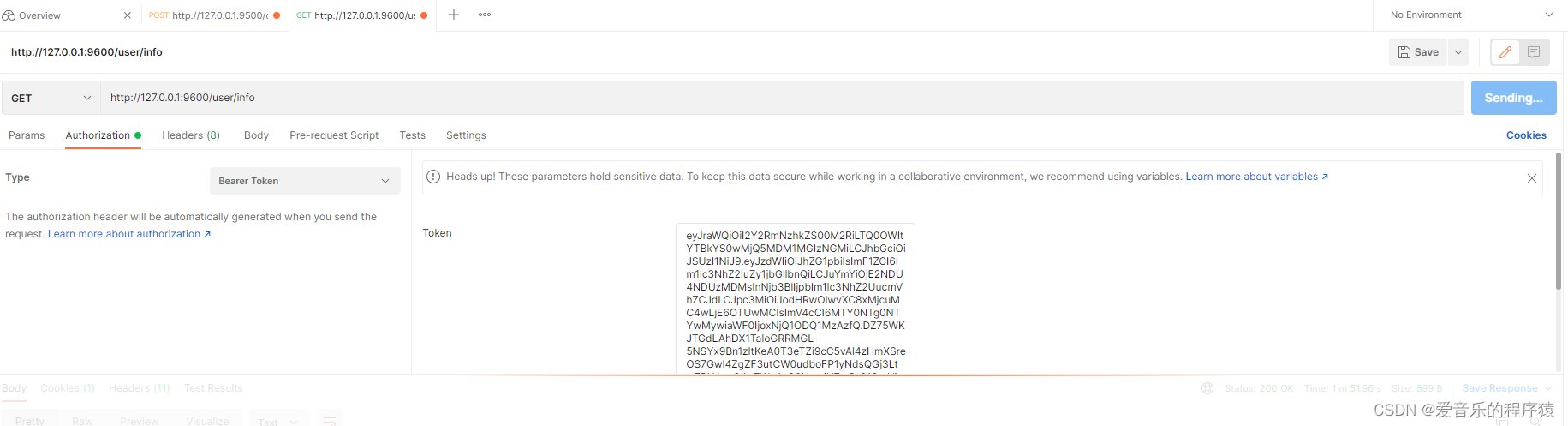
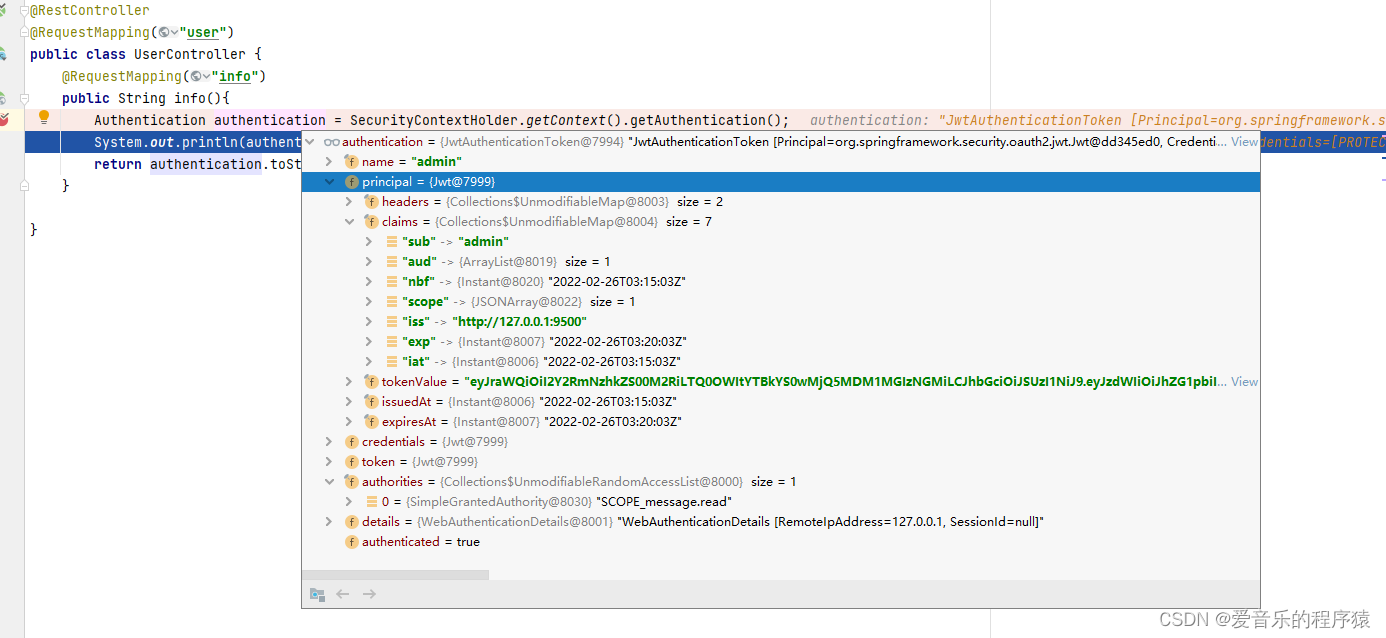
可以看到请求进入了断点,说明接口鉴权通过了,权限列表有的只是scope权限信息。
总结
资源服务器配置完成,目前spring authorization server还没到生产可用阶段,不过看开发计划估计也快了
版权声明:本文为qq_35270805原创文章,遵循CC 4.0 BY-SA版权协议,转载请附上原文出处链接和本声明。