实现效果如图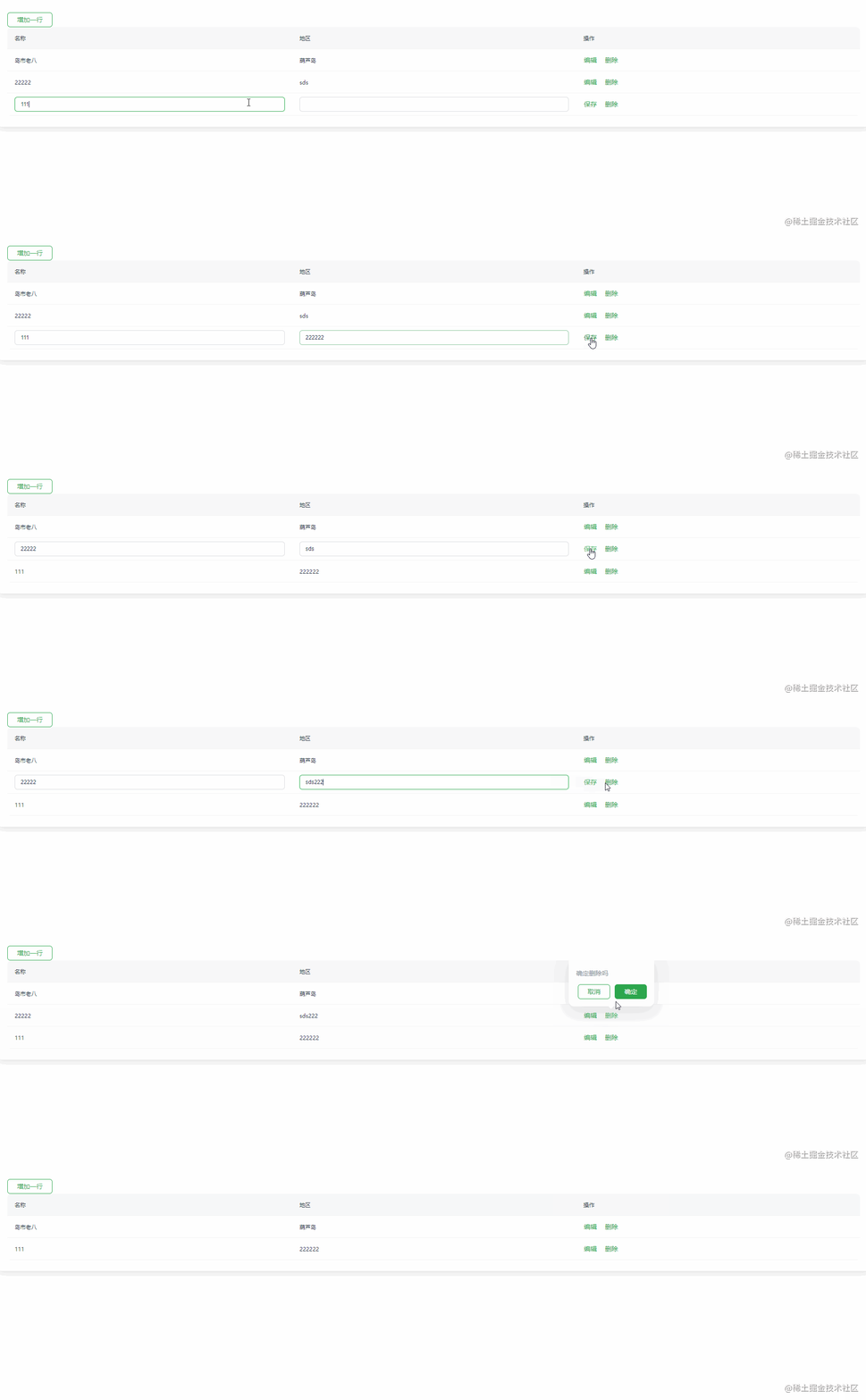
以下为实现代码
<template>
  <el-card>
    <el-button type="" @click="addRow()">增加一行</el-button>
    <el-table :data="tableData">
      <el-table-column
        v-for="column in columnList"
        :key="column.key"
        :label="column.label"
        :prop="column.prop"
        :formatter="column.render"
        :render-header="column.renderHeader"
      />
    </el-table>
  </el-card>
</template>

<script>
export default {
  data() {
    return {
      tableData: [{ id: "1", area: "葫芦岛", name: "岛市老八", edit: false }],
      columnList: [
        {
          id: 1,
          prop: "name",
          label: "名称",
          // eslint-disable-next-line no-unused-vars
          render: (row, column, cellValue, index) => {
            return row.edit ? (
              <el-input v-model={row.name}></el-input>
            ) : (
              row.name
            );
          },
        },
        {
          id: 2,
          prop: "area",
          label: "地区",
          width: 200,
          // eslint-disable-next-line no-unused-vars
          render: (row, column, cellValue, index) => {
            return row.edit ? (
              <el-input v-model={row.area}></el-input>
            ) : (
              row.area
            );
          },
        },
        {
          label: "操作",
          width: 30,
          render: (row, column, cellValue, index) => {
            return (
              <div>
                {row.edit ? (
                  <el-button type="text" onClick={() => this.saveRow(index)}>
                    保存
                  </el-button>
                ) : (
                  <el-button type="text" onClick={() => this.editRow(index)}>
                    编辑
                  </el-button>
                )}
                <el-popover placement="top" ref={`delete-${index}`}>
                  <p>{`确定删除吗`}</p>
                  <div style="text-align: right; margin: 0">
                    <el-button
                      type="primary"
                      onClick={() => {
                        this.$refs[`delete-${index}`].doClose();
                      }}
                      plain
                    >
                      取消
                    </el-button>
                    <el-button
                      type="primary"
                      onClick={() => {
                        this.$refs[`delete-${index}`].doClose();
                        this.deleteRow(index);
                      }}
                    >
                      确定
                    </el-button>
                  </div>
                  <el-button
                    style="margin-left: 16px"
                    type="text"
                    slot="reference"
                  >
                    删除
                  </el-button>
                </el-popover>
              </div>
            );
          },
        },
      ],
    };
  },
  methods: {
    // 添加行
    addRow() {
      const { tableData } = this;
      const rowData = {
        id: "",
        name: "",
        area: "",
        edit: true,
      };
      tableData.push(rowData);
    },
    // 保存行
    saveRow(index) {
      const { tableData } = this;
      tableData[index].edit = false;
    },
    // 编辑行
    editRow(index) {
      const { tableData } = this;
      tableData[index].edit = true;
    },
    // 删除行
    deleteRow(index) {
      this.tableData.splice(index, 1);
    },
  },
};
</script>

<style>
</style>
版权声明:本文为qq_30678943原创文章,遵循CC 4.0 BY-SA版权协议,转载请附上原文出处链接和本声明。