在搭建FTP SERVER的时候,会出现:
You appear to be behind a NAT router. Please configure the passive mode settings and forward a range of ports in your router.的报错,以下是解决方法,大家可以参考:

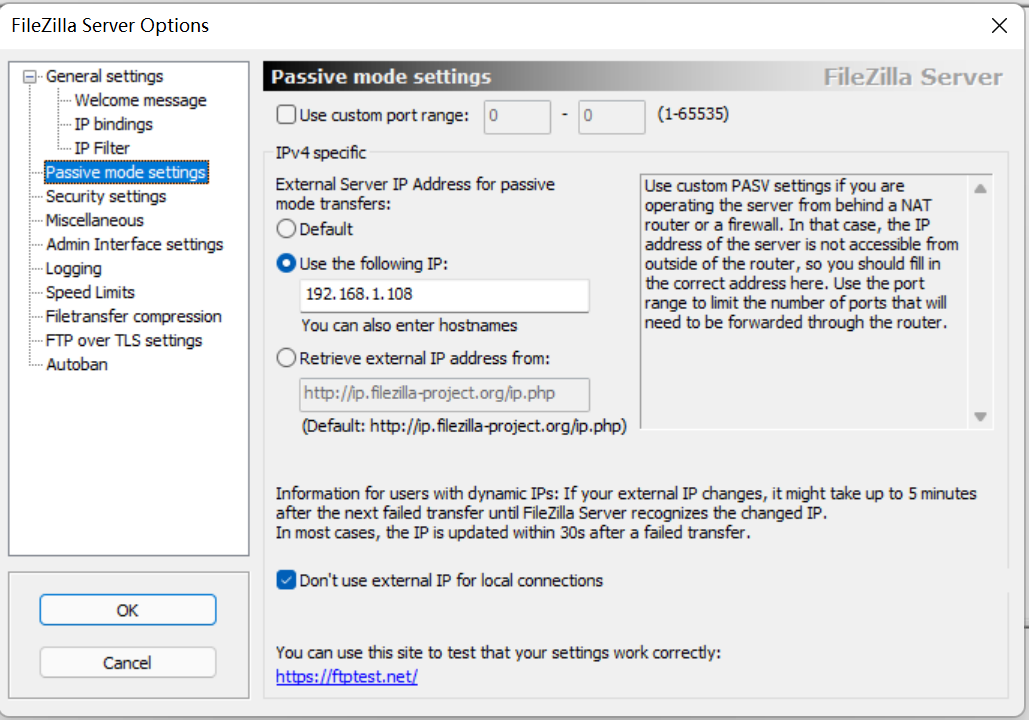
1:根据下图所示:点击“Edit”-“Setting”-“Passive mode settings”-“Use the following IP:”-服务器的IP地址-“OK”保存;
2,如下图所示, “Edit”-“Setting”-“FTP over TLS settings”-“Generate new certificate...” 创建一个许可证,许可证的信息可以根据自己的情况进行填写,邮箱地址可以修改为自己邮箱
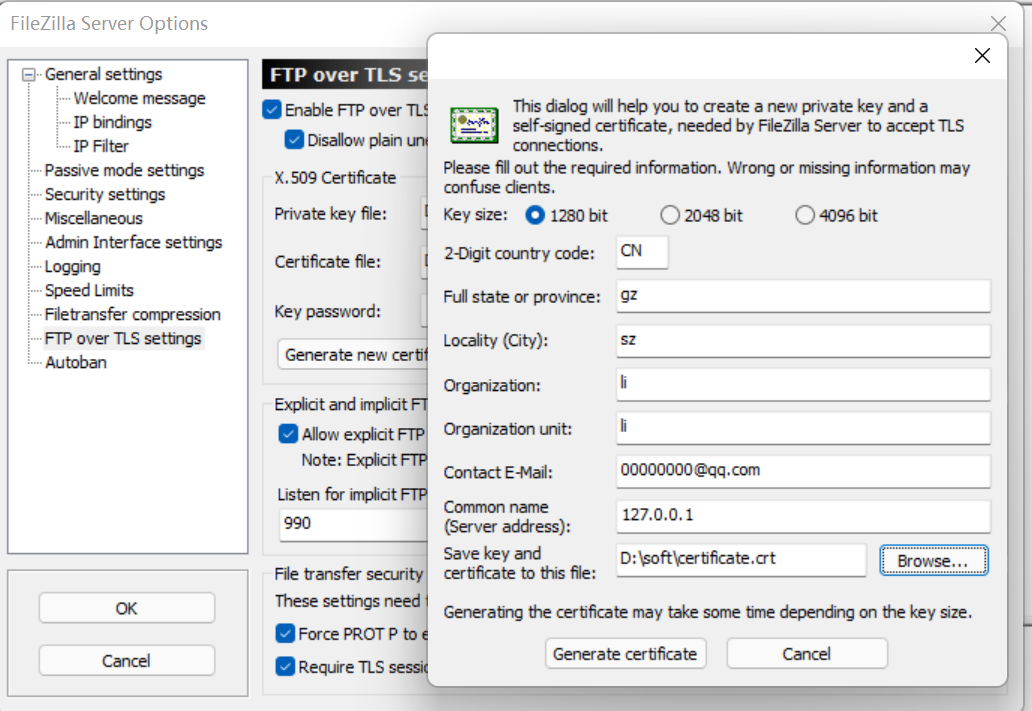
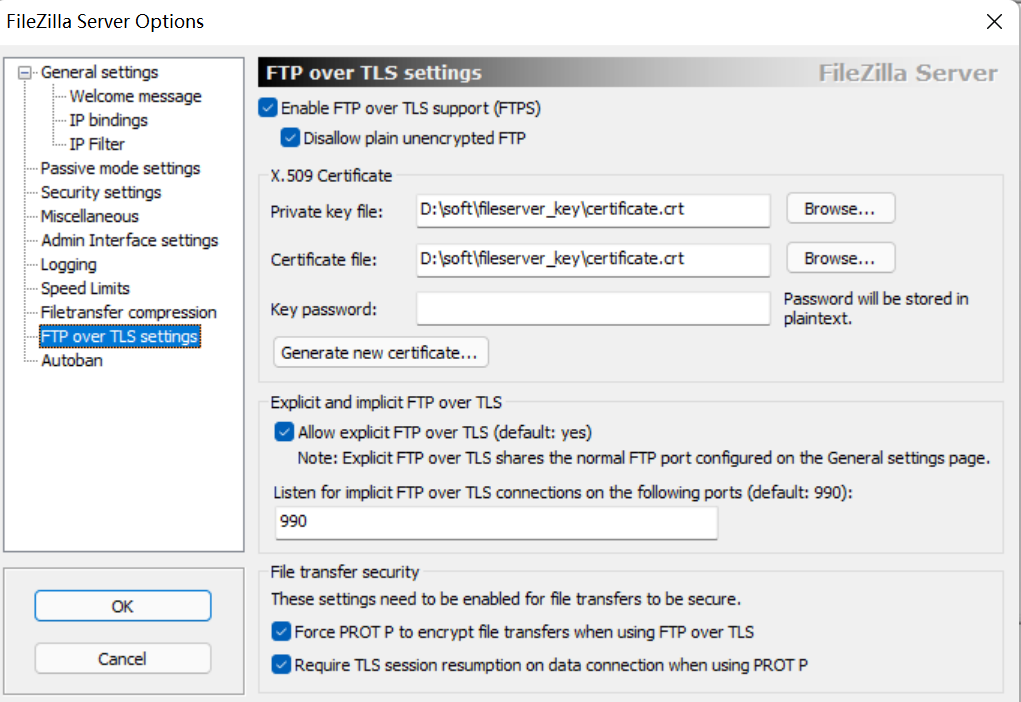
PS:图2和图3的key路径不一致,是因为图2是后面为补充说明增加的。
版权声明:本文为heyjude0919原创文章,遵循CC 4.0 BY-SA版权协议,转载请附上原文出处链接和本声明。