估计很少人知道HTML5 APIS里有一个window.postMessage API。window.postMessage的功能是允许程序员跨域在两个窗口/frames间 和 主线程与web worker线程间发送数据信息。基本上,它就像是跨域的AJAX,但不是浏览器跟服务器之间交互,而是在两个客户端之间通信。让我们来看一下window.postMessage是如何工作的。除了IE6、IE7之外的所有浏览器都支持这个功能。
数据发送端
首先我们要做的是创建通信发起端,也就是数据源”source”。作为发起端,我们可以open一个新窗口,或创建一个iframe,往新窗口里发送数据,简单起见,我们每6秒钟发送一次,然后创建消息监听器,从目标窗口监听它反馈的信息。
//弹出一个新窗口
var domain = 'http://scriptandstyle.com';
var myPopup = window.open(domain
            + '/windowPostMessageListener.html','myWindow');

//周期性的发送消息
setInterval(function(){
	var message = 'Hello!  The time is: ' + (new Date().getTime());
	console.log('blog.local:  sending message:  ' + message);
        //send the message and target URI
	myPopup.postMessage(message,domain);
},6000);

//监听消息反馈
window.addEventListener('message',function(event) {
	if(event.origin !== 'http://scriptandstyle.com') return;
	console.log('received response:  ',event.data);
},false);
这里我使用了window.addEventListener,但在IE里这样是不行的,因为IE使用window.attachEvent。如果你不想判断浏览器的类型,可以使用一些工具库,比如jQuery或Dojo。
假设你的窗口正常的弹出来了,我们发送一条消息——需要指定URI(必要的话需要指定协议、主机、端口号等),消息接收方必须在这个指定的URI上。如果目标窗口被替换了,消息将不会发出。
我们同时创建了一个事件监听器来接收反馈信息。有一点极其重要,你一定要验证消息的来源的URI!只有在目标方合法的情况才你才能处理它发来的消息。
如果是使用iframe,代码应该这样写:
//捕获iframe
var domain = 'http://scriptandstyle.com';
var iframe = document.getElementById('myIFrame').contentWindow;

//发送消息
setInterval(function(){
	var message = 'Hello!  The time is: ' + (new Date().getTime());
	console.log('blog.local:  sending message:  ' + message);
        //send the message and target URI
	iframe.postMessage(message,domain);
},6000);
确保你使用的是iframe的contentWindow属性,而不是节点对象。
数据接收端
下面我们要开发的是数据接收端的页面。接收方窗口里有一个事件监听器,监听“message”事件,一样,你也需要验证消息来源方的地址。消息可以来自任何地址,要确保处理的消息是来自一个可信的地址。
//响应事件
window.addEventListener('message',function(event) {
	if(event.origin !== 'http://davidwalsh.name') return;
	console.log('message received:  ' + event.data,event);
	event.source.postMessage('holla back youngin!',event.origin);
},false);
上面的代码片段是往消息源反馈信息,确认消息已经收到。下面是几个比较重要的事件属性:
- source – 消息源,消息的发送窗口/iframe。
- origin – 消息源的URI(可能包含协议、域名和端口),用来验证数据源。
- data – 发送方发送给接收方的数据。
这三个属性是消息传输中必须用到的数据。
跟其他很web技术一样,如果你不校验数据源的合法性,那使用这种技术将会变得很危险;你的应用的安全需要你对它负责。
实战演示
客户端1.html
<!DOCTYPE html>
<html lang="en">
<head>
    <meta charset="UTF-8">
    <title>客户端1</title>
</head>
<body>
<script>
    //弹出一个新窗口
    var domain = 'http://scriptandstyle.com';
    var myPopup = window.open('通信2.html','myWindow');

    //周期性的发送消息
    setInterval(function(){
        var message = 'Hello!  The time is: ' + (new Date().getTime());
        console.log('blog.local:  sending message:  ' + message);
        //send the message and target URI
        myPopup.postMessage(message,'*');
    },2000);

    //监听消息反馈
    window.addEventListener('message',function(event) {
        // if(event.origin !== 'http://scriptandstyle.com') return;
        console.log('received response:  ',event.data);
    },false);
</script>

</body>
</html>
客户端2.html
<!DOCTYPE html>
<html lang="en">
<head>
    <meta charset="UTF-8">
    <title>客户端2</title>
</head>
<body>
<script>

    //响应事件
    window.addEventListener('message',function(event) {
        console.log('aaa')
        console.log(event.origin)
        // if(event.origin !== 'http://davidwalsh.name') return;
        console.log('message received:  ' + event.data,event);
        event.source.postMessage('holla back youngin!',event.origin);
    },false);
</script>
</body>
</html>
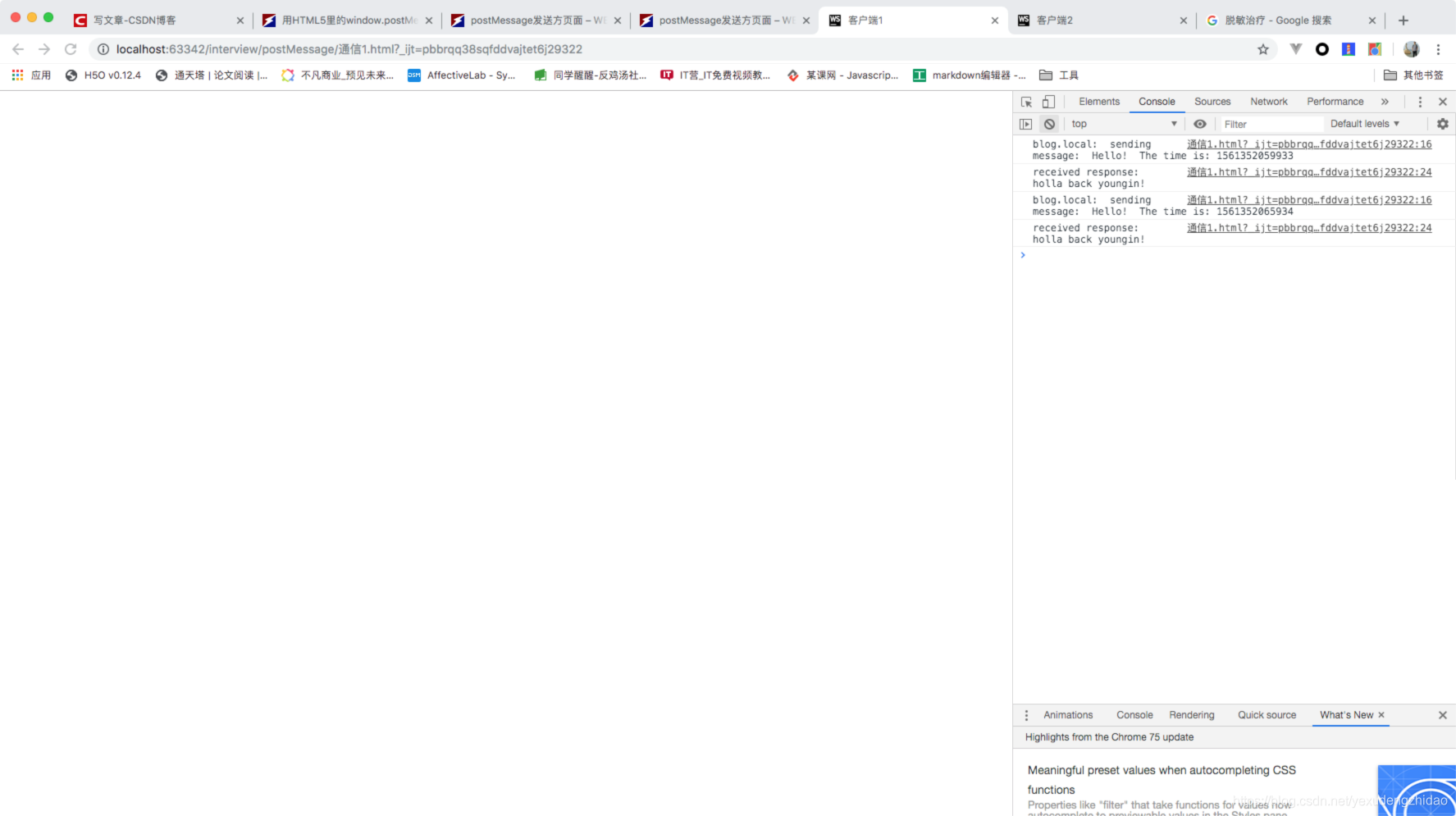
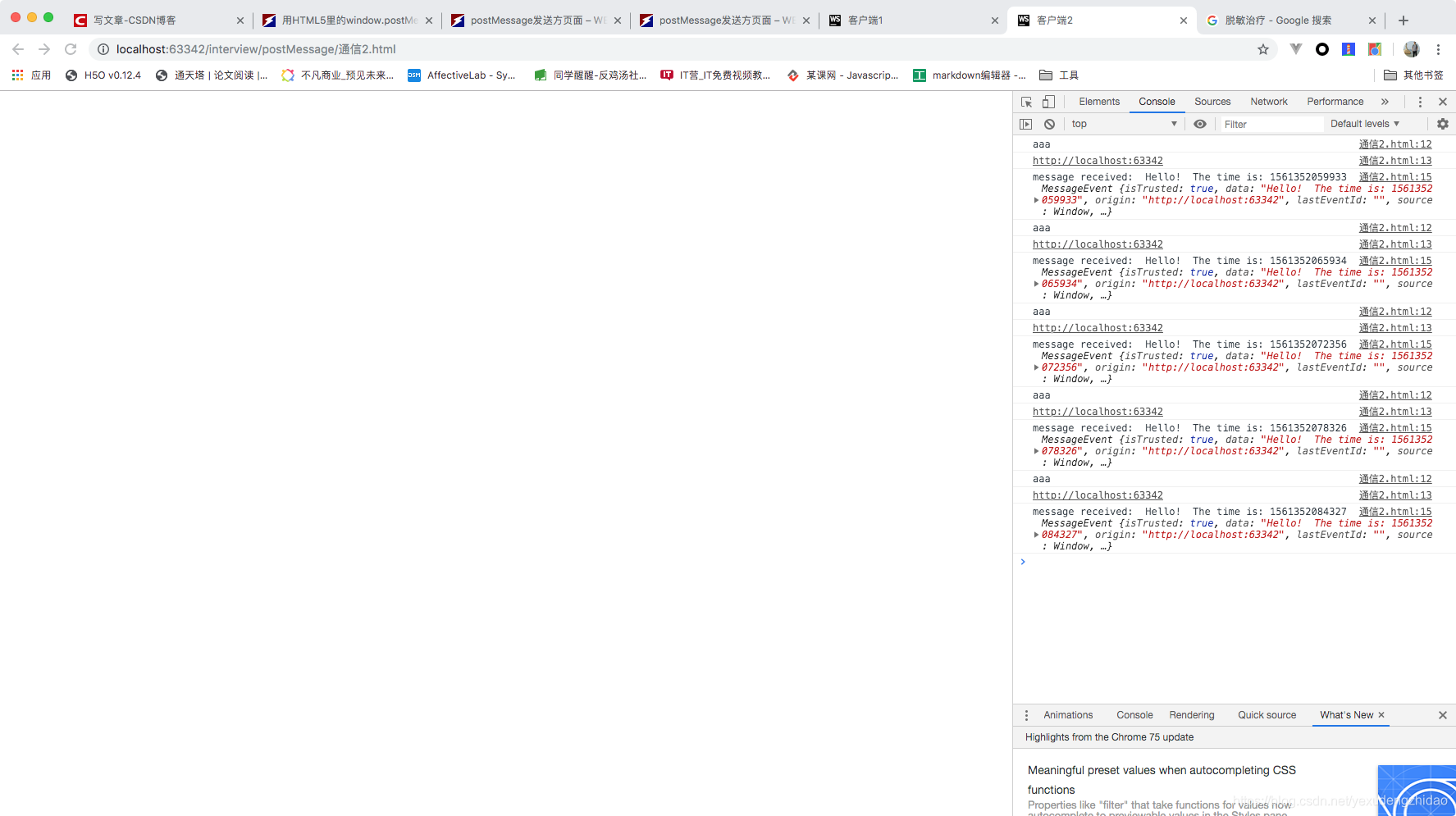
参考链接:http://www.webhek.com/post/window-postmessage-api.html