安装 bumblebee 以管理双显卡,下面命令会自动安装NVIDIA显卡驱动
sudo add-apt-repository ppa:bumblebee/stable
sudo apt-get update
sudo apt-get install bumblebee bumblebee-nvidia
安装成功后,重启电脑
查看显卡状态
lspci | grep VGA00:02.0 VGA compatible controller: Intel Corporation 3rd Gen Core processor Graphics Controller (rev 09)
01:00.0 VGA compatible controller: NVIDIA Corporation GF108M [GeForce GT 630M] (rev ff)
第一行是Intel核芯显卡信息,第二行是NVIDIA独立显卡信息,最后的 rev ff 表示独立显卡已经关闭
查看显卡驱动是否安装成功
sudo optirun nvidia-settings -c :8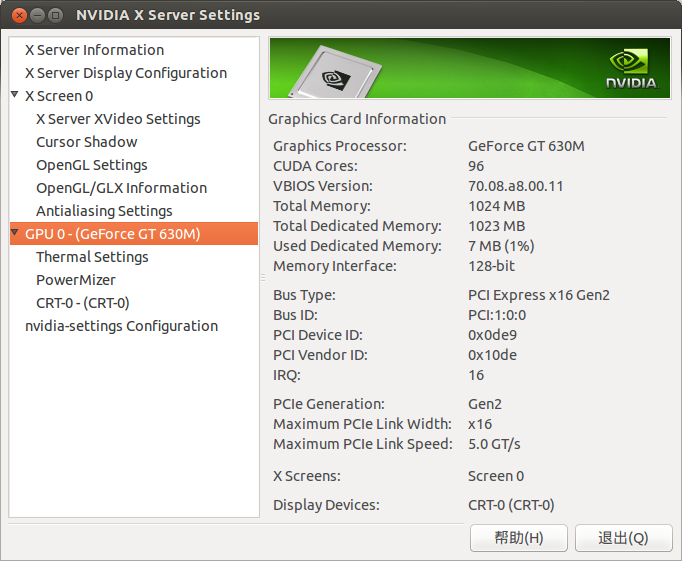
至此,显卡驱动已安装成功,如果要以独立显卡运行某个程序,例如 test 程序
sudo optirun test
版权声明:本文为wxyztuv原创文章,遵循CC 4.0 BY-SA版权协议,转载请附上原文出处链接和本声明。