java生成exe文件这里Launch4j不在熬诉下载资源:
链接:https://pan.baidu.com/s/1s12BTctpmTdcdVLJNytTVw
提取码:npym
里面有教程生成很简单直接下载打开Launch4j安装生成。
实现方式通过winsw方式
下载最新的winsw版本低版本,注册系统服务的时候会报错。

Release WinSW v2.10.3 · winsw/winsw · GitHub
复制到本地jar包项目的文件目录里面并且修改文件名称为当前jar项目名称,必须保持一致。

xml配置:
<service>


  <!-- 服务ID,必须唯一-->
  <id>chmis</id>
  <!-- 服务名称 -->
  <name>chmisService</name>
  <!-- 服务描述 -->
  <description>This service is a service cratead from a sample configuration</description>
  <!-- 环境变量配置 -->
  <!--<env name="MY_APP_HOME" value="F:\service" /> -->
  <!-- 启动可执行文件的路径(C:\java\jdk1.8.0_181\bin\java)
	如果已经配置了java环境变量,可以使用以下(java)简写 -->
  <executable>java</executable>
  <!--
    托管可执行文件失败情况下执行的操作: restart, reboot, none
  -->
  <onfailure action="restart" delay="20 sec"/>
  <onfailure action="restart" delay="40 sec"/>
  <onfailure action="none" />
  <arguments>-Xrs -Xmx256m -jar "D:\shell2\chmis.jar" --server.port=8082</arguments>
  <!--
    如果startarguments被指定,会覆盖arguments标签的配置,
	须与stopexecutable、stoparguments标签配合使用,暂未验证
  -->
  <!--<startarguments></startarguments>
	  <stopexecutable></stopexecutable>
	  <stoparguments></stoparguments>
  -->
  <!--
    设置可执行文件的默认工作目录
    如果不设置,默认为服务包装器可执行文件的目录
  -->
  <workingdirectory>D:\shell2</workingdirectory>
  <!--
    期望的处理优先级: Normal, Idle, High, RealTime, BelowNormal, AboveNormal
    默认: Normal
  -->
  <priority>Normal</priority>
    <!--
      服务启动模式: Automatic, Manual, Boot, System (后者仅支持驱动程序服务)
       默认为Automatic
    -->
    <startmode>Manual</startmode>
	<!-- 日志存储位置 -->
    <logpath>logs</logpath>
  <!--
    按大小和时间模式旋转,在旋转尺寸模式和旋转时间模式的组合中工作,
	如果日志文件大于设定大小,则使用<pattern>提供的旋转。
  -->
    <log mode="roll-by-size-time">
      <sizeThreshold>10240</sizeThreshold>
      <pattern>yyyyMMdd</pattern>
      <autoRollAtTime>00:00:00</autoRollAtTime>
      <zipOlderThanNumDays>5</zipOlderThanNumDays>
      <zipDateFormat>yyyyMM</zipDateFormat>
    </log>


</service>
**.exe  install 初始化服务

**.exe  uninstall 卸载服务

net start 服务id(xml配置的服务id)

net stop 服务id(xml配置的服务id)
打开cmd 窗口切换到当前的目录里面,开始输入 **.exe install 初始化服务

打开后台服务管理
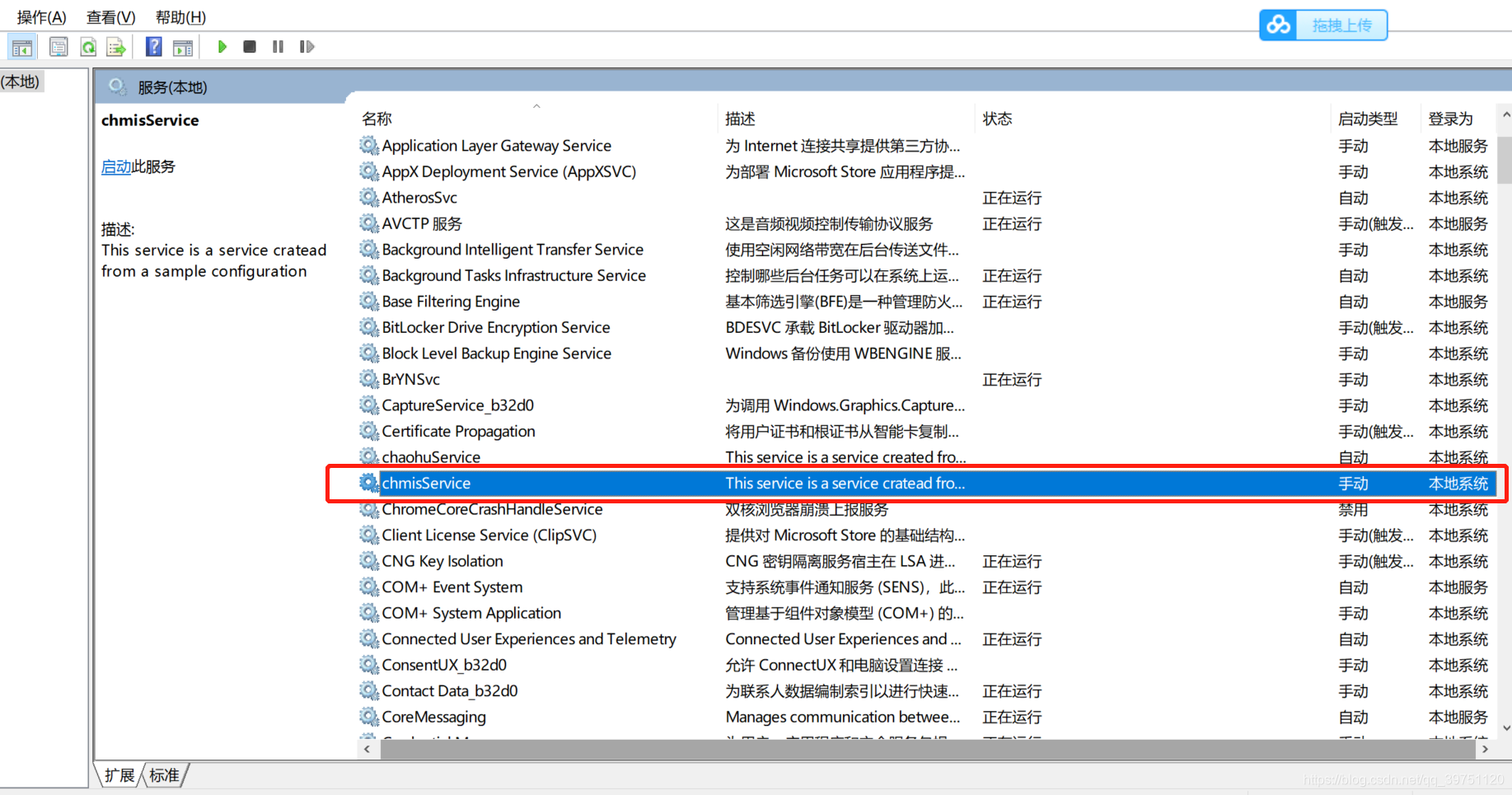
启动关闭就可以了,我们可以通过命令去操作
如果遇到这个问题,那么就是权限不足用系统管理员去执行
net start chmis


net stop chmis
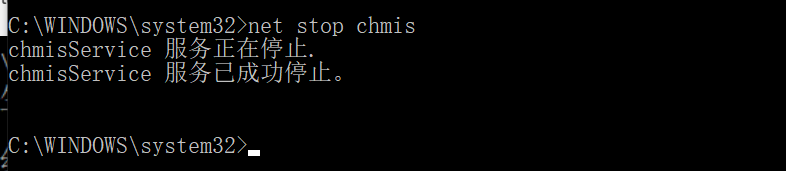
如果卸载直接 **.exe uninstall 卸载服务

exe执行文件的配置:直接把路径换掉,我这里使用nginx 作为系统服务
<service>
    <id>nginx-load-balance</id>
    <name>NginxLoadBanlanceService</name>
    <description>使用nginx负载均衡</description>
      <logpath>D:\ChromeCoreDownloads\nginxlog</logpath>
    <log mode="roll-by-size">
        <sizeThreshold>10240</sizeThreshold>
        <keepFiles>8</keepFiles>
    </log>
      <executable>D:\ChromeCoreDownloads\nginx-1.19.0\nginx.exe</executable>
    <startarguments>-p D:\ChromeCoreDownloads\nginx-1.19.0</startarguments>
    <stopexecutable>D:\ChromeCoreDownloads\nginx-1.19.0\nginx.exe</stopexecutable>
    <stoparguments>-p D:\ChromeCoreDownloads\nginx-1.19.0 -s stop</stoparguments>
</service>

套路都是一样的,直接把名字和xml配置修改掉就行了。
版权声明:本文为qq_39751120原创文章,遵循CC 4.0 BY-SA版权协议,转载请附上原文出处链接和本声明。