一.概念:
- MQ(Message Queue)消息队列,是基础数据结构中“先进先出”的一种数据结构。指把要传输的数据(消息)放在队列中,用队列机制来实现消息传递——生产者产生消息并把消息放入队列,然后由消费者去处理。消费者可以到指定队列拉取消息,或者订阅相应的队列,由MQ服务端给其推送消息
- MQ的作用
- 消息队列中间件是分布式系统中重要的组件,主要解决应用解耦,异步消息,流量削锋等问题,实现高性能,高可用,可伸缩和最终一致性架构。
- 解耦:一个业务需要多个模块共同实现,或者一条消息有多个系统需要对应处理,只需要主业务完成以后,发送一条MQ,其余模块消费MQ消息,即可实现业务,降低模块之间的耦合。
- 异步:主业务执行结束后从属业务通过MQ,异步执行,减低业务的响应时间,提高用户体验。
- 削峰:高并发情况下,业务异步处理,提供高峰期业务处理能力,避免系统瘫痪
- MQ的缺点
- 系统可用性降低。依赖服务越多,服务越容易挂掉。需要考虑MQ瘫痪的情况
- 系统复杂性提高。需要考虑消息丢失、消息重复消费、消息传递的顺序性
- 业务一致性。主业务和从属业务一致性的处理
主要的MQ产品
- 主要的MQ产品包括:
- RabbitMQ、 erlang的 可用性很高 单击吞吐量一般 微秒级 可靠性高
- ActiveMQ、 apache ,java 可用性一般 单击吞吐量差 毫秒级 一般
- RocketMQ、 阿里的,Java 高 单击吞吐量高 毫秒级 高
- ZeroMQ、
- Kafka、 Scala ,Java 高 单击吞吐量非常高 毫秒级 一般
- IBM WebSphere 等
- 主要的MQ产品包括:
RabbitMQ:
- 概念:RabbitMQ是一套开源(MPL)的消息队列服务软件,是由 LShift 提供的一个 Advanced Message Queuing Protocol (AMQP) 的开源实现,由以高性能、健壮以及可伸缩性出名的 Erlang 写成
- docker下载和使用
- 拉取
docker pull rabbitmq:3.8-management
- 查看镜像:
docker images
- 给rabbitmq设置容器
-
docker run \ -e RABBITMQ_DEFAULT_USER=rabbit \ -e RABBITMQ_DEFAULT_PASS=rabbit \ -v mq-plugins:/plugins \ --name mq \ --hostname mq \ -p 15672:15672 \ -p 5672:5672 \ -d \ rabbitmq:3.8-management 
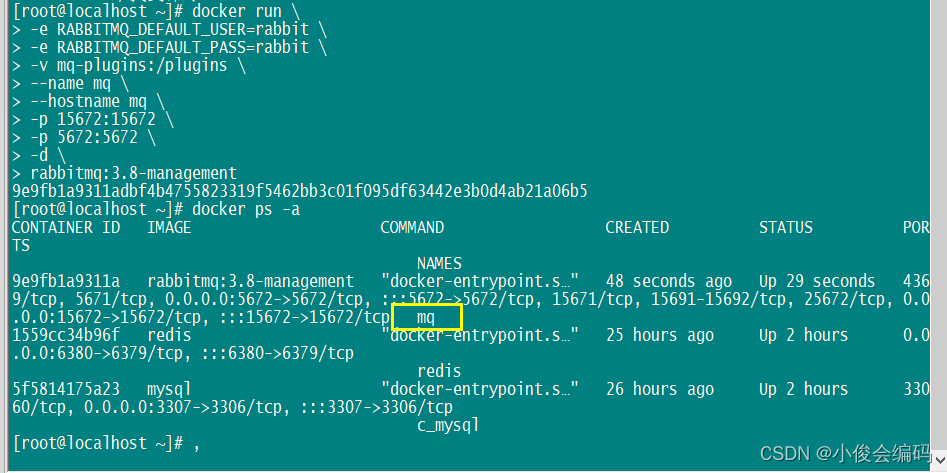
-
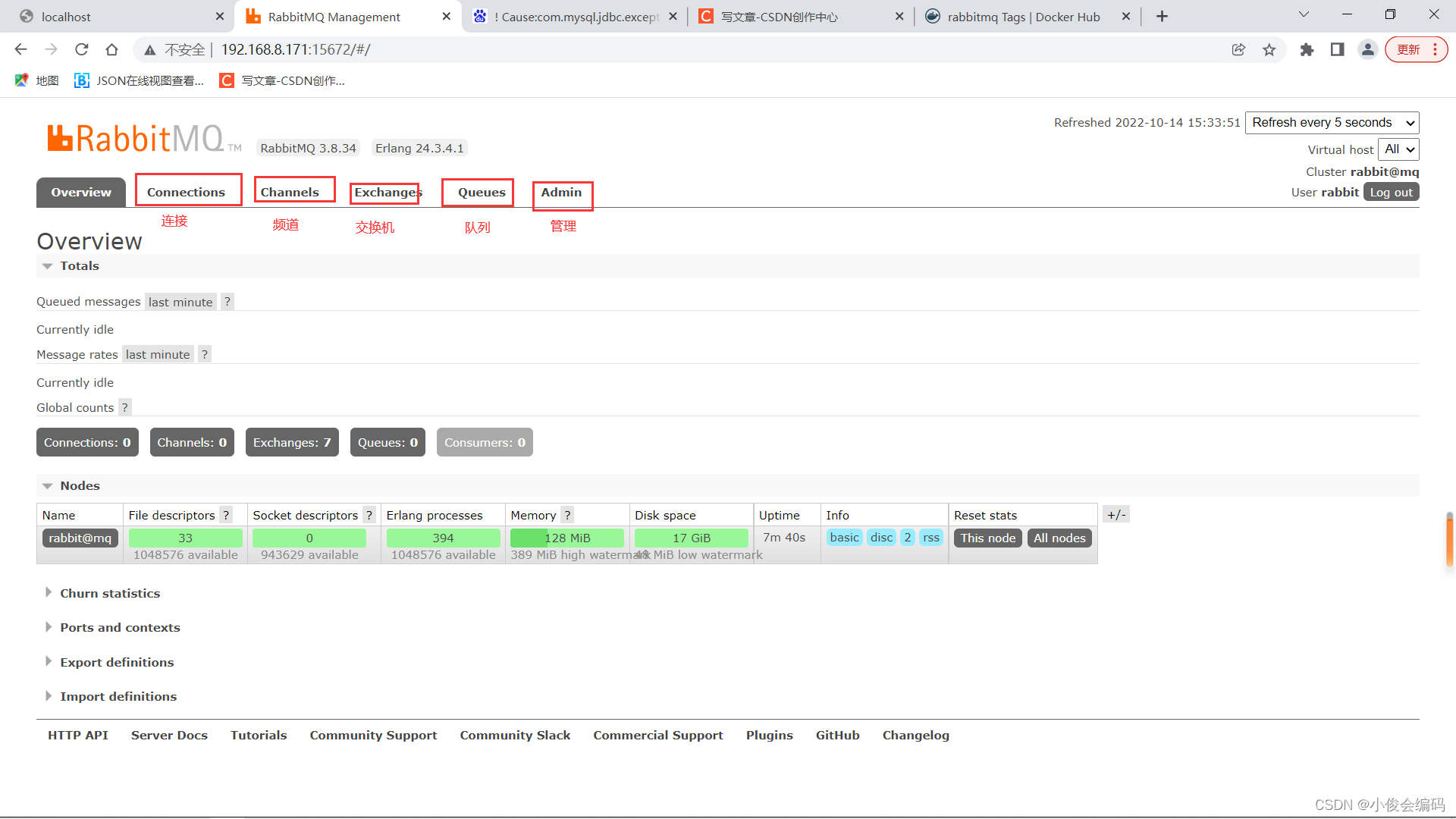
- 然后直接在地址栏访问rabbitmq的后台管理界面
- 192.168.8.171:15672
- 登录密码是刚刚设置的rabbit,rabbit
- 用idea使用MQ
- 新建maven项目,改成2.3.9
- 导入需要用到的依赖
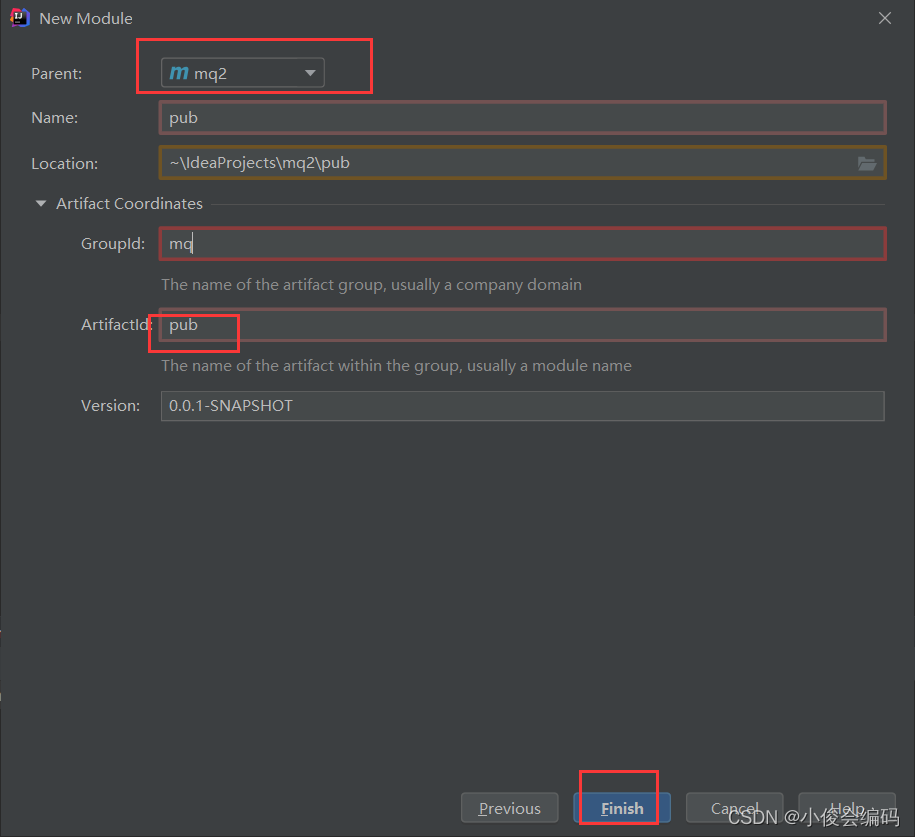
<dependency> <groupId>org.springframework.boot</groupId> <artifactId>spring-boot-starter-amqp</artifactId> </dependency>然后我们在这个mq1父项目当中建两个子模块,一个充当消息的发送者,另一个充当接收者(消费者):pub,consumer
先建发送者,我们选择的是手动配置模块,建maven模块
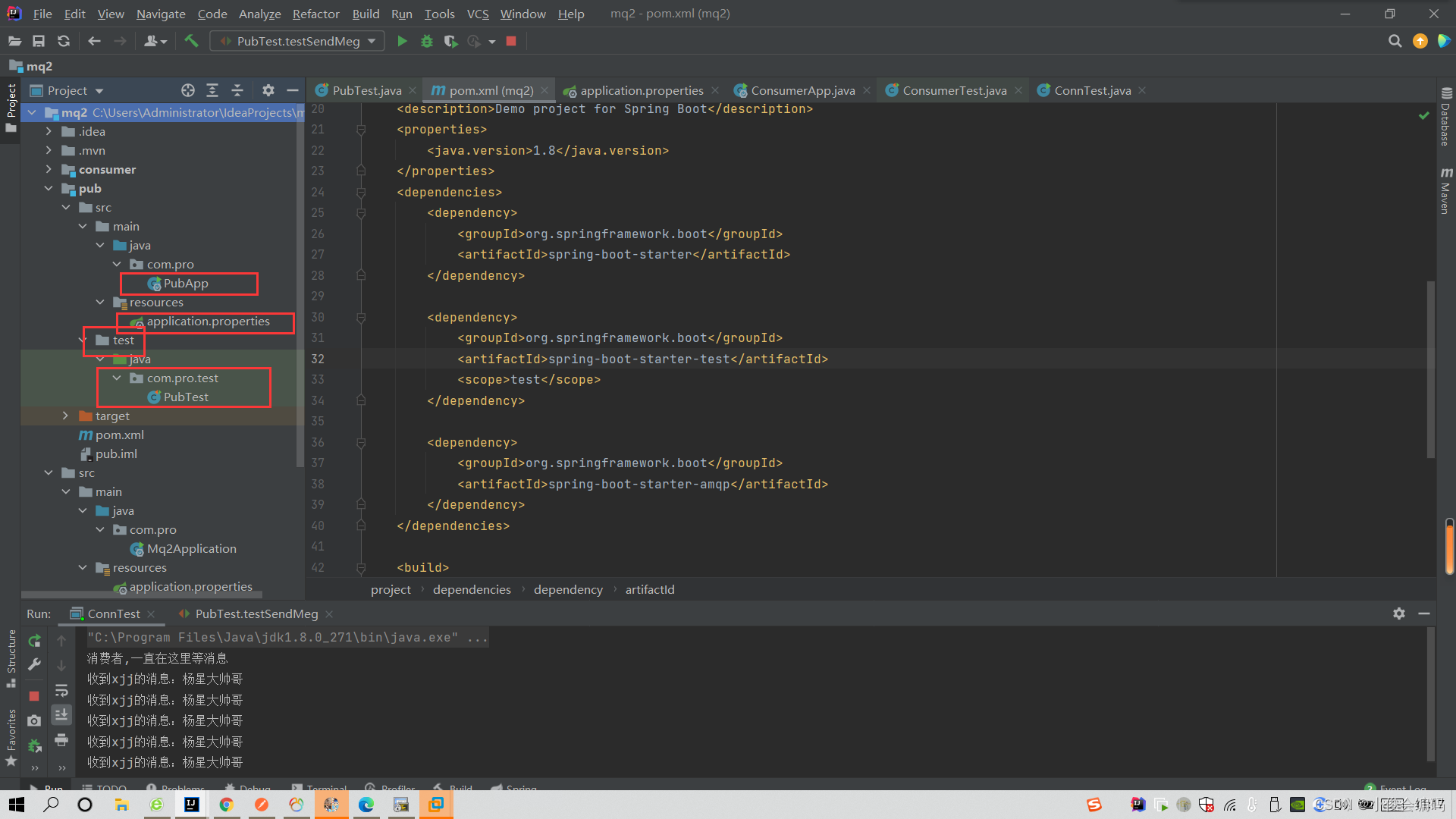
在模块当中,因为我们未选择自动配置springboot项目,我们需要将父项目的主配置文件放入pub这个项目的resource目录下,再建一个启动类,和一个测试类
package com.pro;

import org.springframework.boot.SpringApplication;
import org.springframework.boot.autoconfigure.SpringBootApplication;

@SpringBootApplication
public class PubApp {
    public static void main(String[] args) {
        SpringApplication.run(PubApp.class,args);
    }
}
发送者测试类:
建立连接
建立通道
创建队列
发送消息
关闭资源
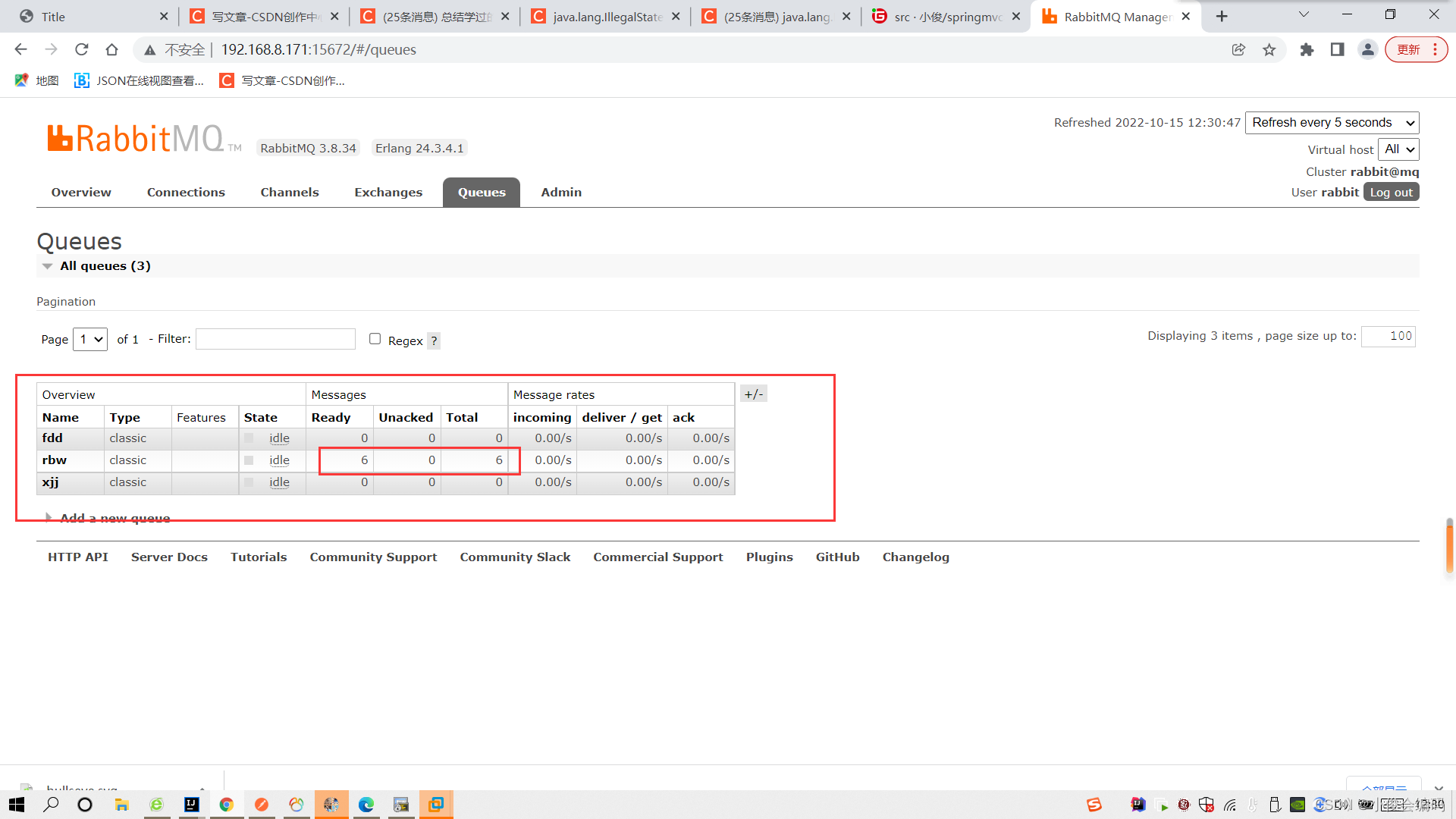
package com.pro.test; import com.rabbitmq.client.Channel; import com.rabbitmq.client.Connection; import com.rabbitmq.client.ConnectionFactory; import org.junit.Test; import org.junit.runner.RunWith; import org.springframework.boot.test.context.SpringBootTest; import org.springframework.test.context.junit4.SpringRunner; @RunWith(SpringRunner.class) @SpringBootTest public class PubTest { @Test public void testSendMeg() throws Exception { ConnectionFactory factory = new ConnectionFactory(); factory.setHost("192.168.8.171"); factory.setPort(5672); factory.setUsername("rabbit"); factory.setPassword("rabbit"); //建立连接 Connection connection = factory.newConnection(); //建立通道 Channel channel = connection.createChannel(); //创建队列 String queueName="xjj"; channel.queueDeclare(queueName,false,false,false,null); for (int i = 0; i < 5; i++) { //发送消息 String message = "杨星大帅哥"; channel.basicPublish("",queueName,null,message.getBytes()); System.out.println("消息发送成功"+message); } //关闭资源 channel.close(); connection.close(); //通道的声明 } }测试发送消息之后,我们就可以在管理平台上很清晰的看到有待消费的消息
- 在第一次测试的时候,报了这样的错
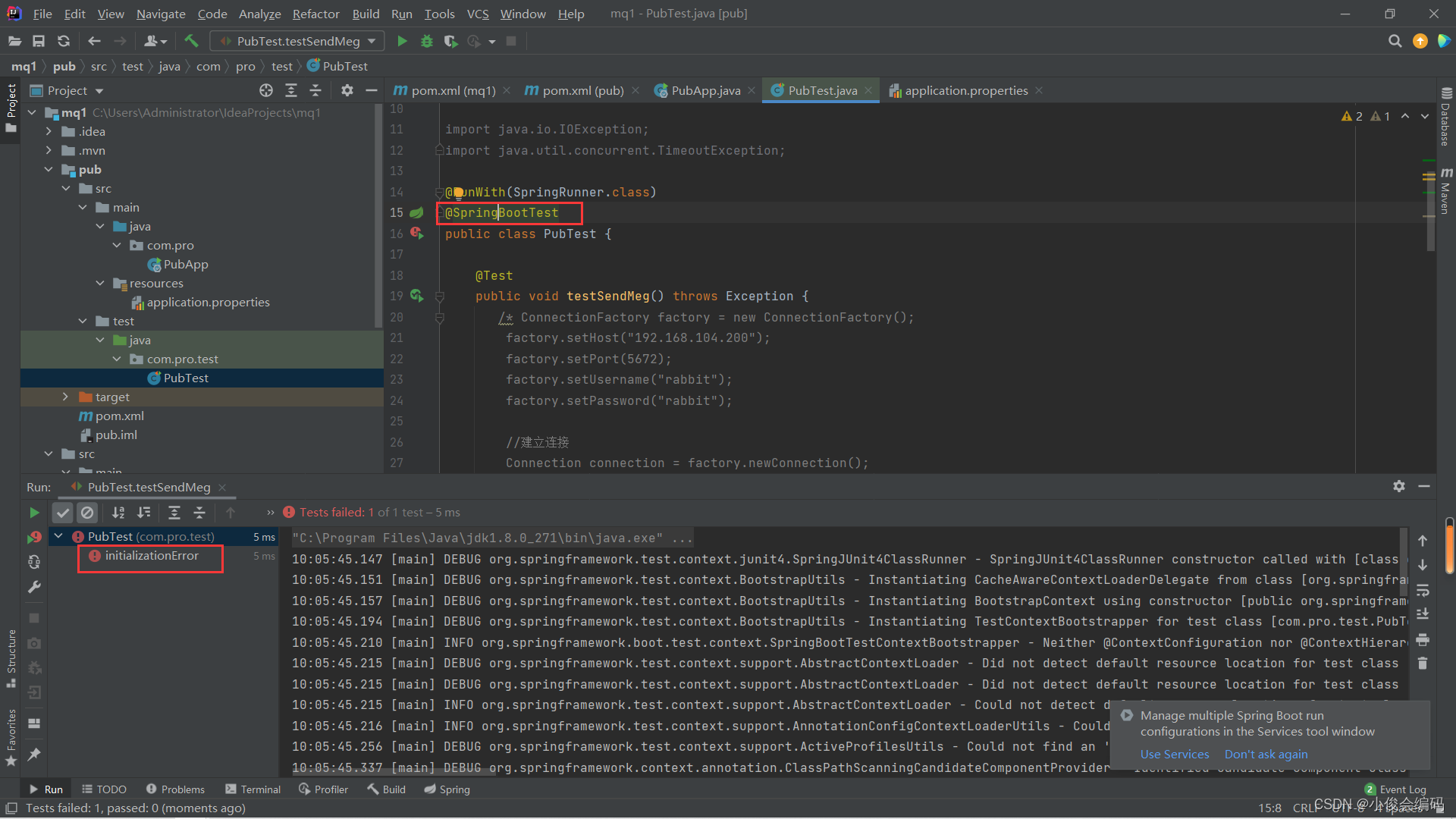

- 但是正常是不会出现这种情况的,发现配置文件都不正常,所以就重新建立一个项目mq2
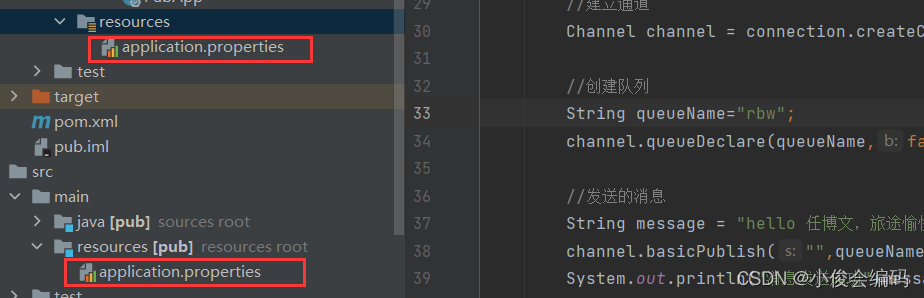
- 步骤就是上面一样的
- 拉取
- 现在,我们来建另一个消费者模块consumer,需要将父项目的主配置文件放入pub这个项目的resource目录下,再建一个启动类,和一个测试类,

package com.pro.test;

import com.rabbitmq.client.*;
import org.junit.Test;
import org.junit.runner.RunWith;
import org.springframework.boot.test.context.SpringBootTest;
import org.springframework.test.context.junit4.SpringRunner;

import java.io.IOException;
import java.util.concurrent.TimeoutException;

@RunWith(SpringRunner.class)
@SpringBootTest
public class ConsumerTest {

    @Test
    public void testConsumerMsg() throws IOException, TimeoutException {
        ConnectionFactory factory = new ConnectionFactory();
        factory.setHost("192.168.8.171");
        factory.setPort(5672);
        factory.setUsername("rabbit");
        factory.setPassword("rabbit");

        //建立连接
        Connection connection = factory.newConnection();
        //建立通道
        Channel channel = connection.createChannel();
        //创建队列
        String queueName="xjj";
        channel.queueDeclare(queueName,false,false,false,null);

        //订阅消息:从队列当中取数据
        channel.basicConsume(queueName,true,new DefaultConsumer(channel){
            @Override
            public void handleDelivery(String consumerTag, Envelope envelope, AMQP.BasicProperties properties, byte[] body) throws IOException {
                //body :就是发过来的消息
                //处理消息
                String msg = new String(body);
                System.out.println("收到"+queueName+"的消息:"+msg);
            }
        });
        System.out.println("消费者,一直在这里等消息");
    }
}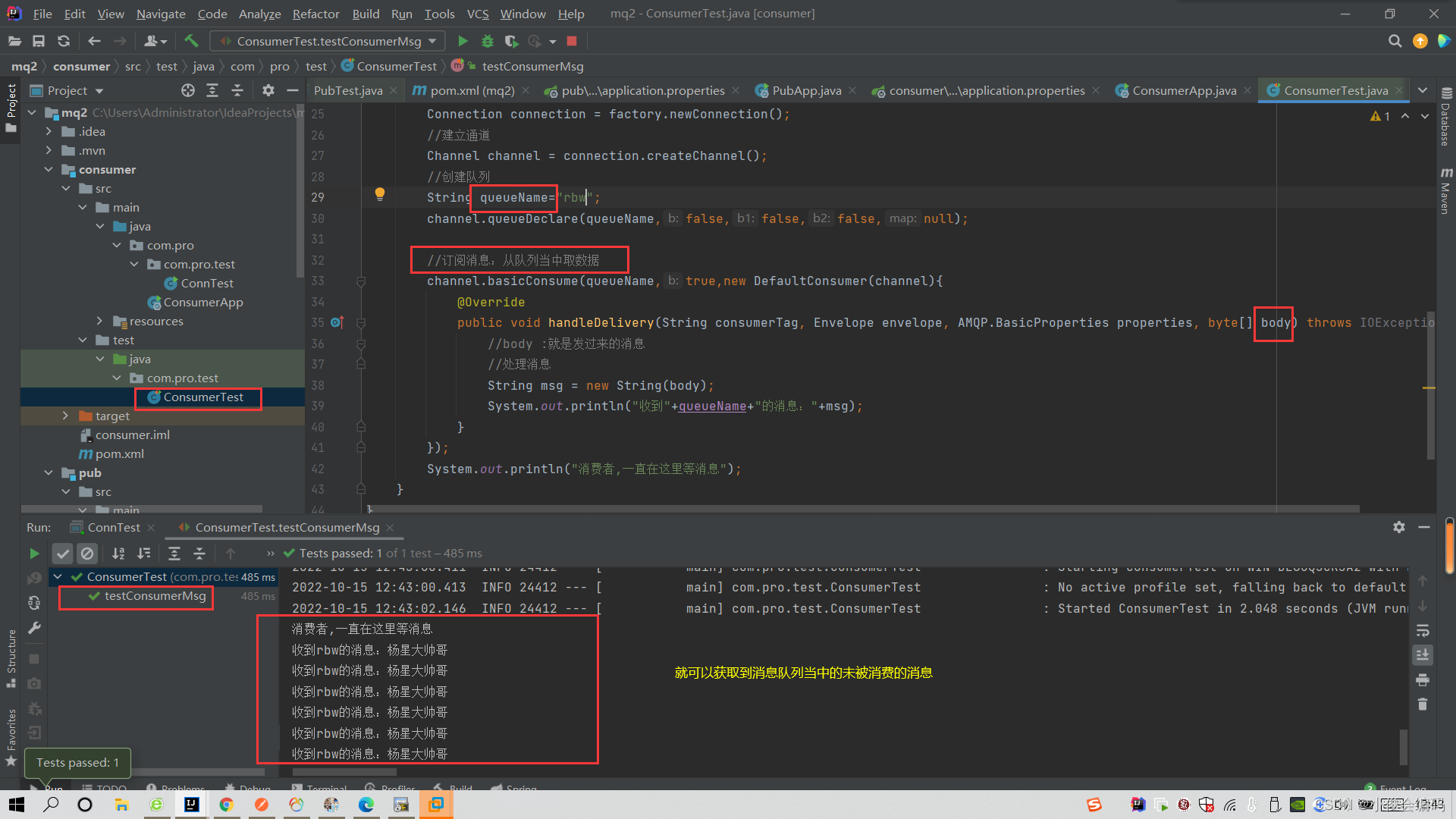
- 如果想实现发送者已发送消息,消费者立马可以看到的效果,就需要写一个测试类ConnTest,来运行刚刚测试类当中的代码,但是需要用到main方法,作为程序运行的主入口,让获取消息队列的消息这个方法一直在后台运行,然后,我们再去发送者模块,发送消息,立马就能获取并打印出来
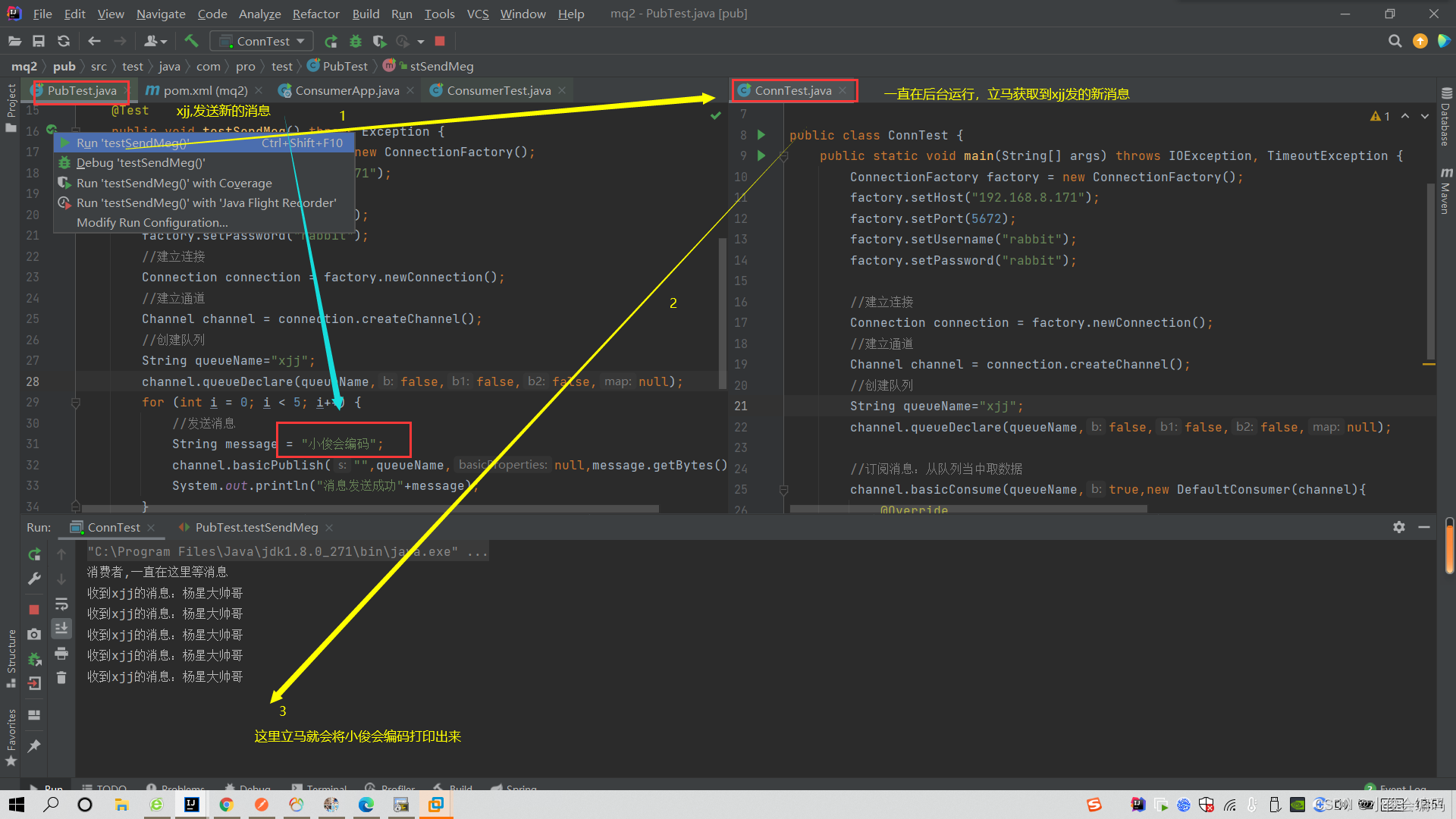

package com.pro.com.pro.test; import com.rabbitmq.client.*; import java.io.IOException; import java.util.concurrent.TimeoutException; public class ConnTest { public static void main(String[] args) throws IOException, TimeoutException { ConnectionFactory factory = new ConnectionFactory(); factory.setHost("192.168.8.171"); factory.setPort(5672); factory.setUsername("rabbit"); factory.setPassword("rabbit"); //建立连接 Connection connection = factory.newConnection(); //建立通道 Channel channel = connection.createChannel(); //创建队列 String queueName="xjj"; channel.queueDeclare(queueName,false,false,false,null); //订阅消息:从队列当中取数据 channel.basicConsume(queueName,true,new DefaultConsumer(channel){ @Override public void handleDelivery(String consumerTag, Envelope envelope, AMQP.BasicProperties properties, byte[] body) throws IOException { //body :就是发过来的消息 //处理消息 String msg = new String(body); System.out.println("收到"+queueName+"的消息:"+msg); } }); System.out.println("消费者,一直在这里等消息"); } }- 通过这个案例的练习,我们可以知道,消息中间件可以实现
- 发送者发送完消息,消费者不去取,中间件会一直保存(快递驿站)
- 取完之后,驿站里面的快递(消息)就不存在消息队列当中了
- 可以应用到发短信上面
10月17日使用AMQP简化冗长的代码
- amqp:
- 首先在配置文件当中配置好连接消息队列
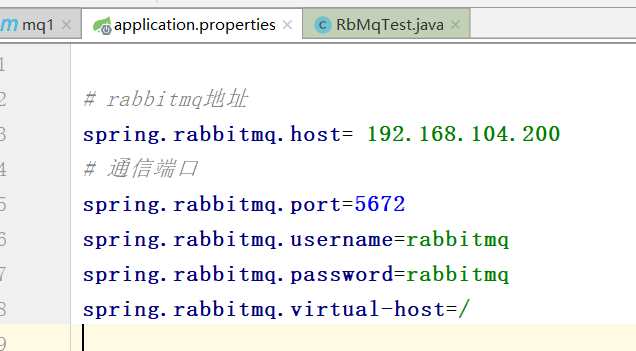
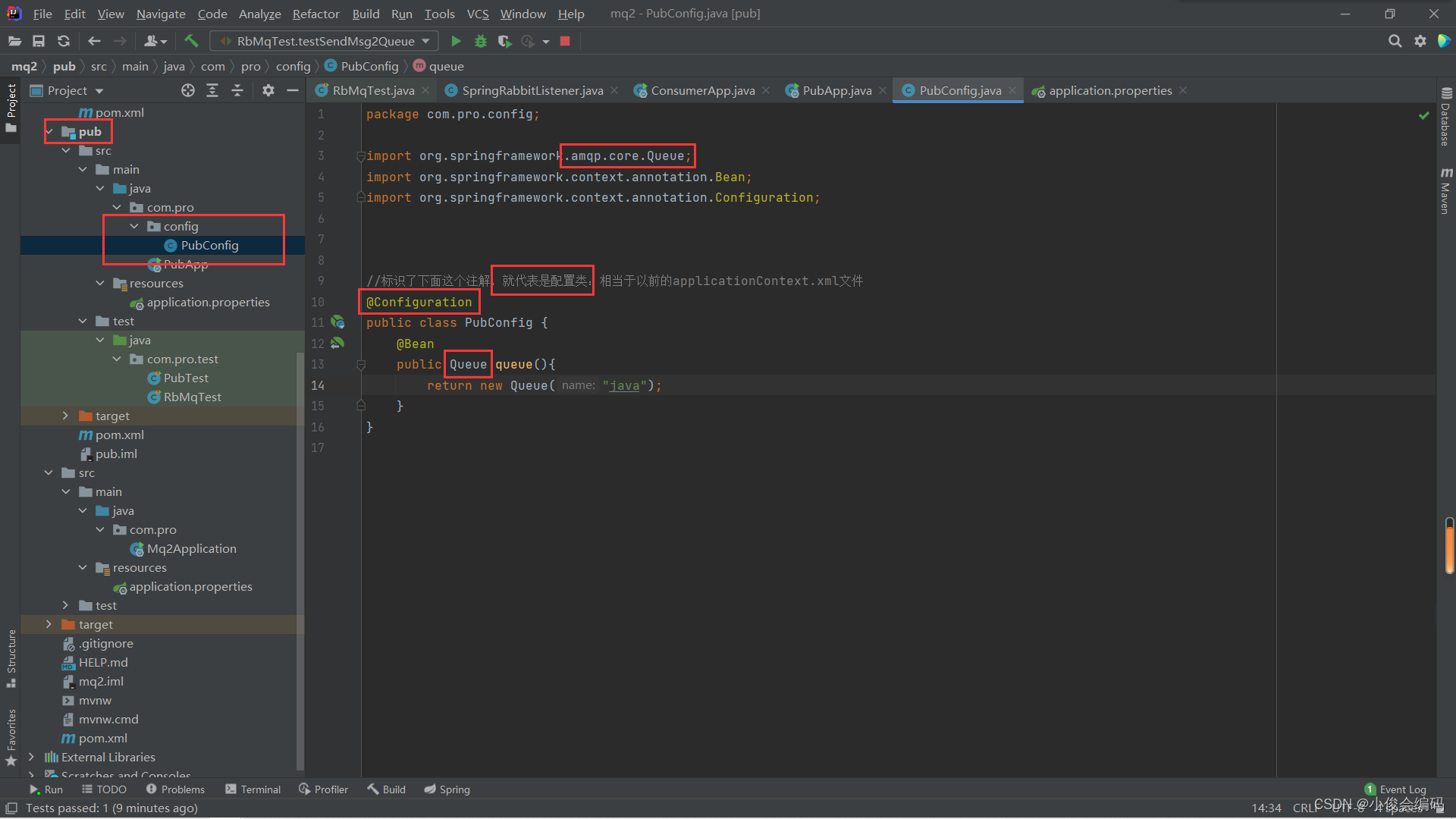
- 然后先来简化发送者的代码,先写一个配置类来配置队列queue(也可以在pubApp启动类当中来配置),不然后面你发送的时候,还没有创建队列,就无法发送到队列当中
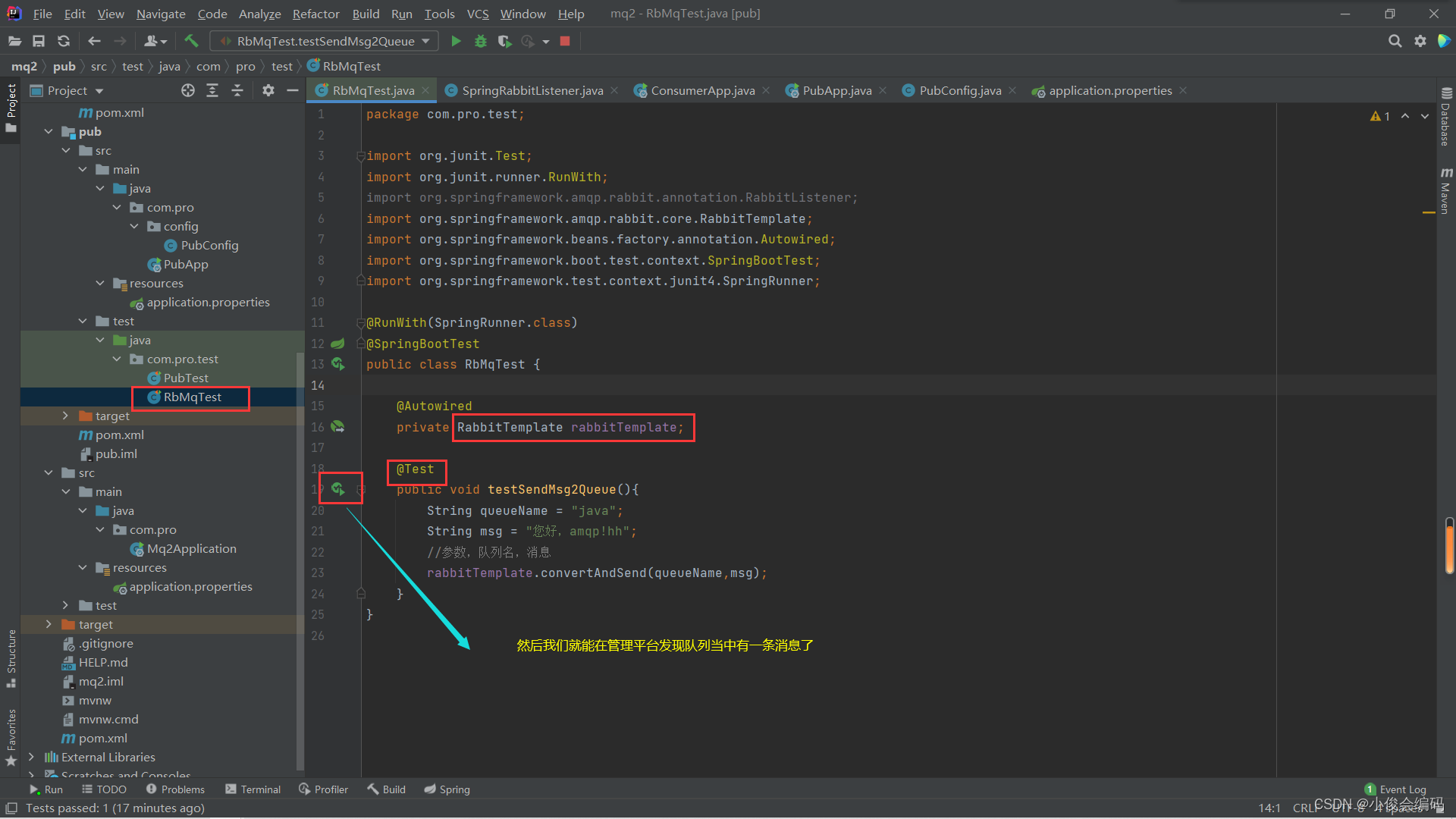
- 然后我们再执行这个测试类来发消息(很清晰的发现代码量相比昨天少了很多)
有了发送者,现在我们需要修改接收者
- 修改这也是一样需要在配置文件当中配置连接地址
- 然后写一个监听类来监听队列名为“Java”的队列,然后读取里面的消息
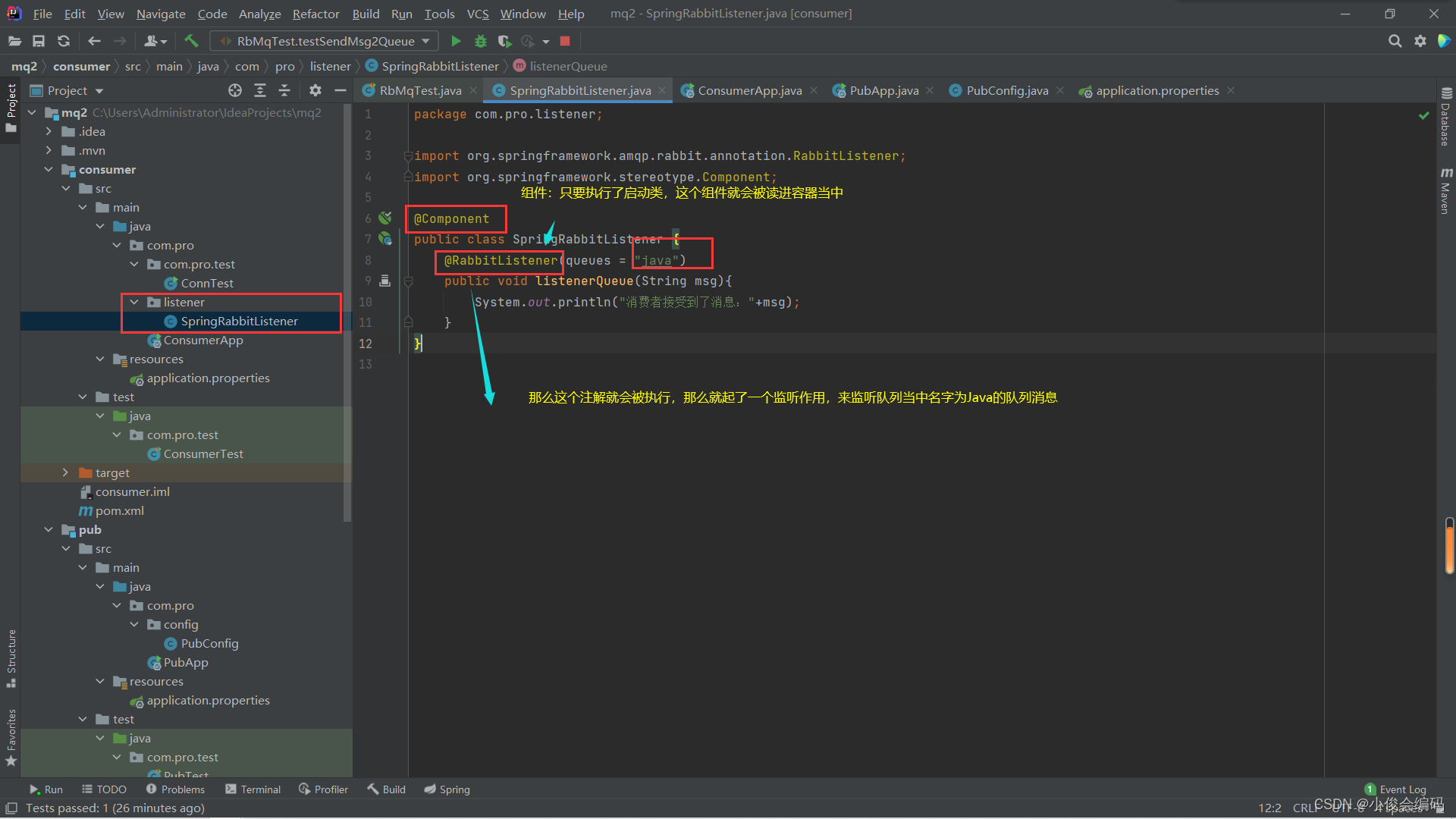
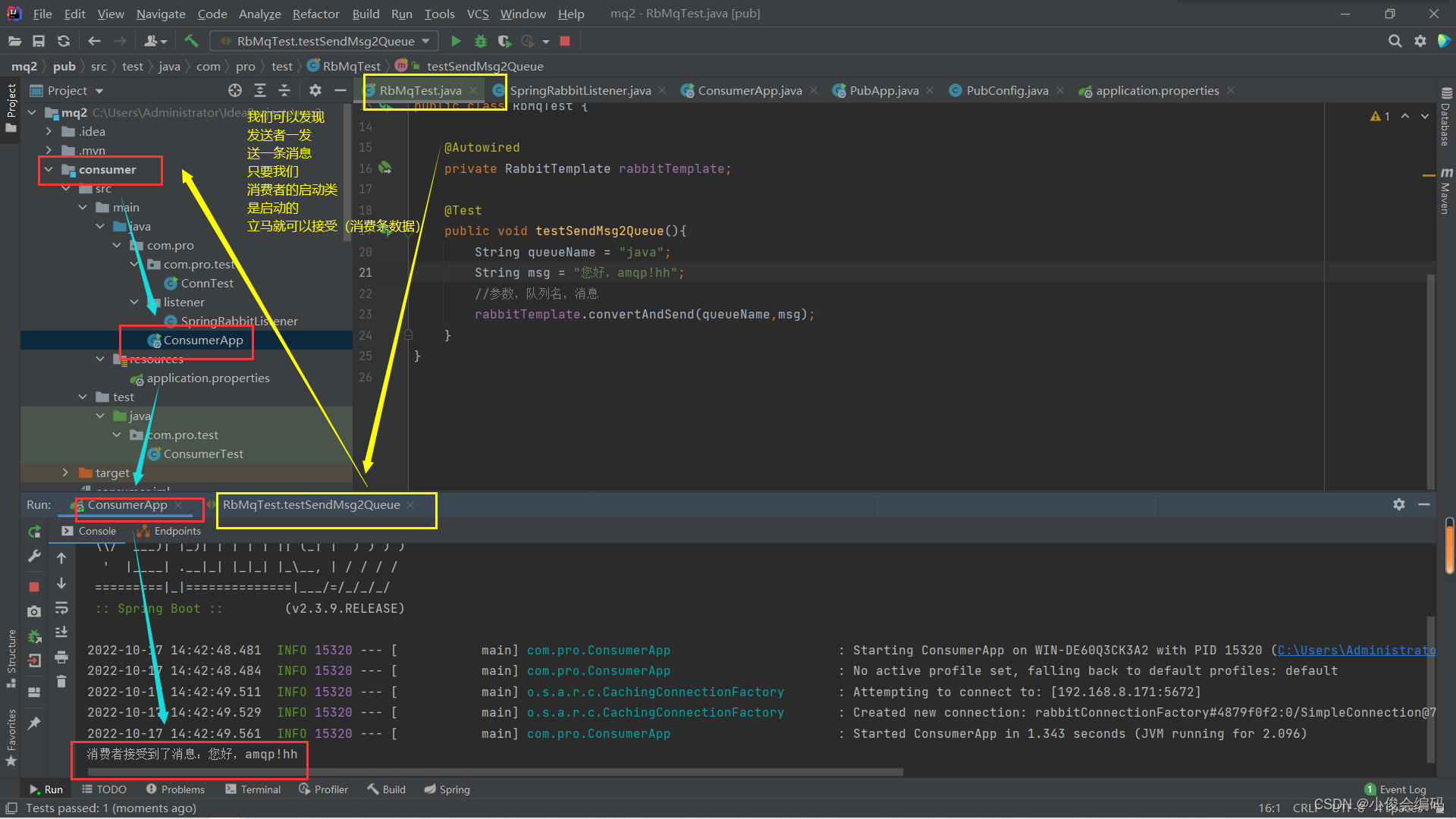
- 然后启动启动类就可以发现效果了
work工作队列
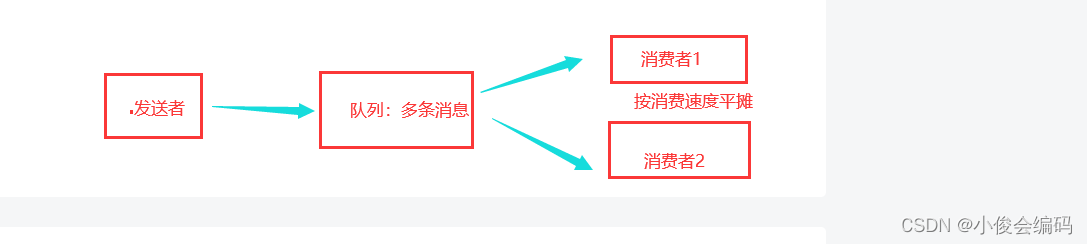
- 可以共享队列,实现消息分摊
- 假设发送者发了50条消息
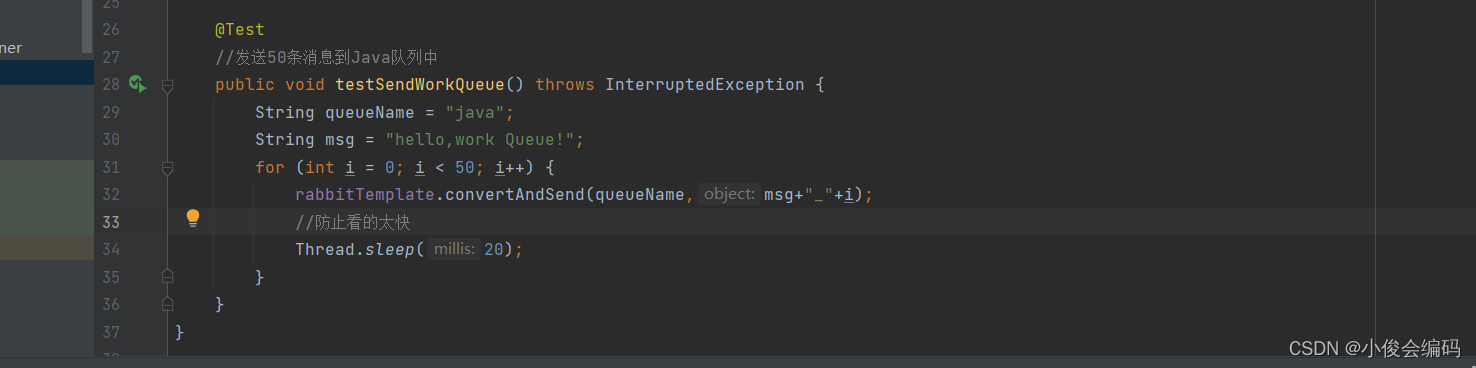

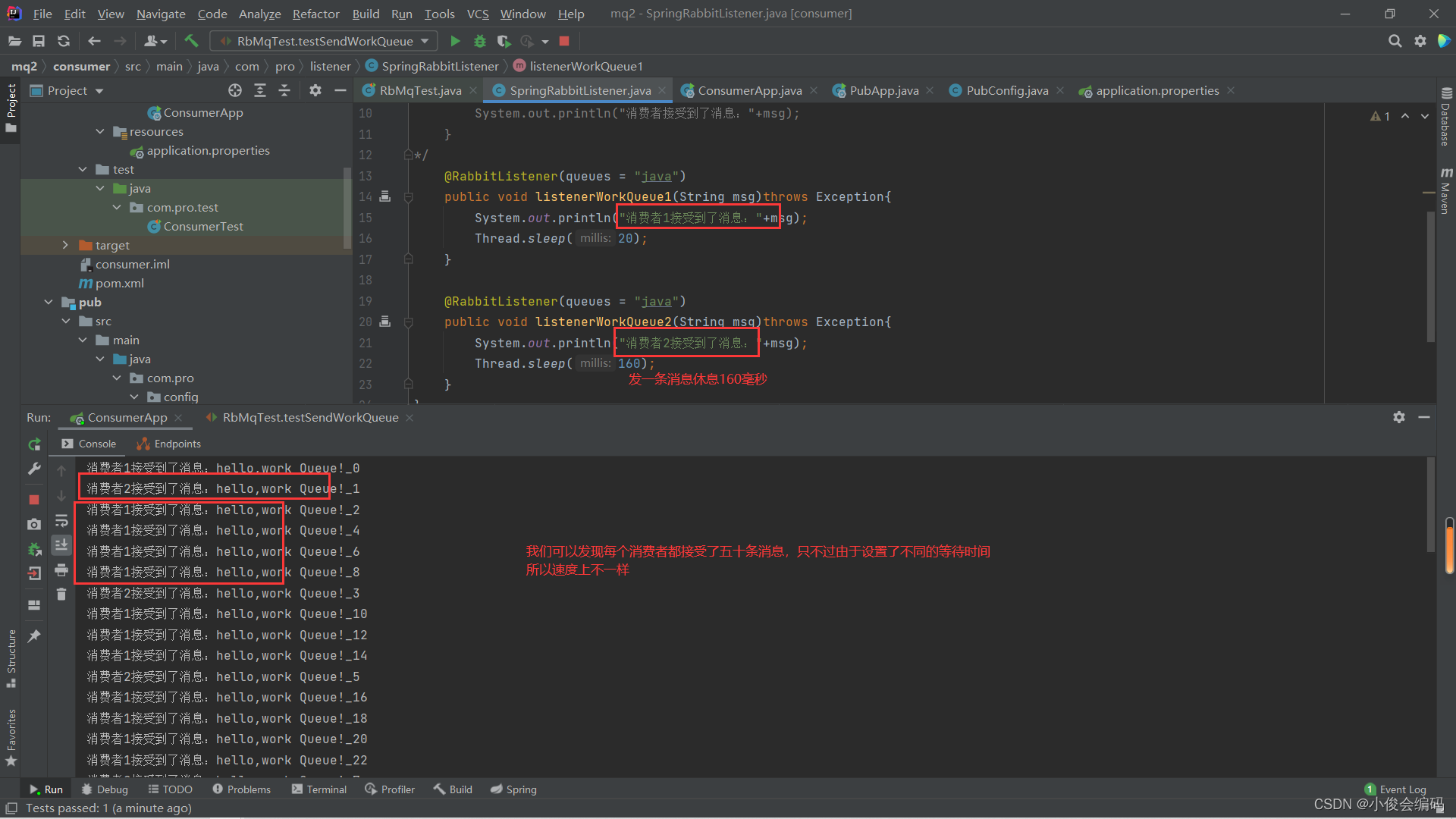
- 现在写两个消费者来消费,监听器里面配置两个消费者,通过启动类启动后观察消费情况
- 下图中搞错了,是两个消费者平摊了50条数据,可以看到按单双消费
- 但是我们现在想要实现按需分配,能者多劳,速度快的做的多
- 那么我们需要在消费者的配置文件当中加上一个配置prefetch

#表示处理完一个才再分配一个
spring.rabbitmq.listener.simple.prefetch=1
广播
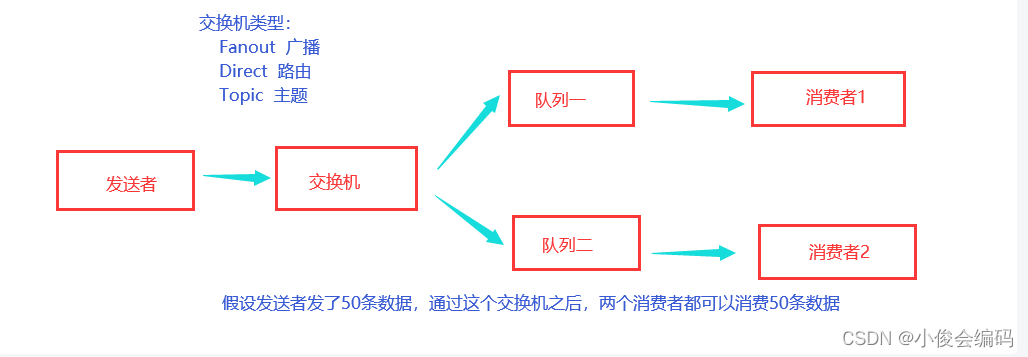
- 我们先把交换机绑定两个队列
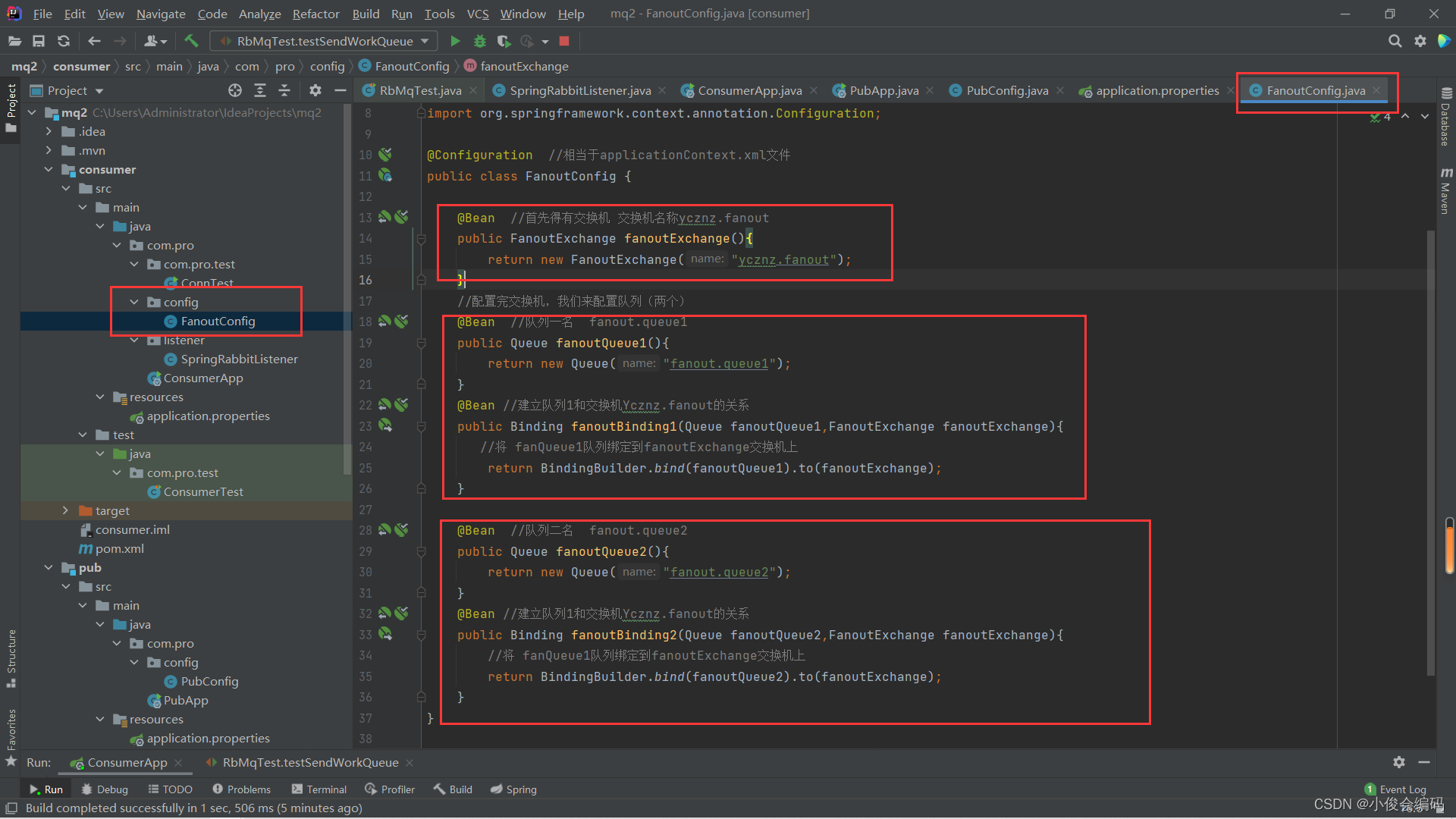
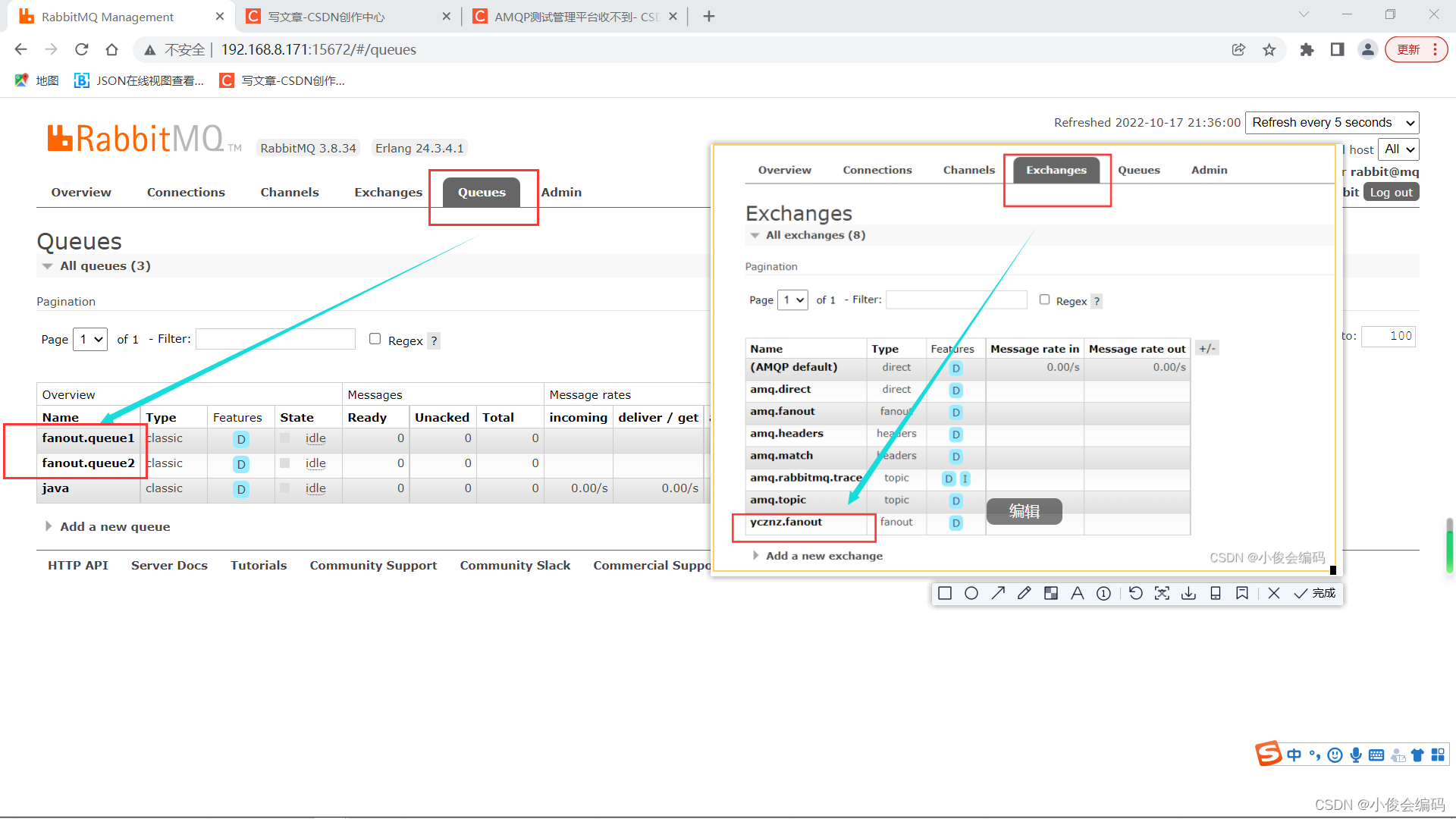
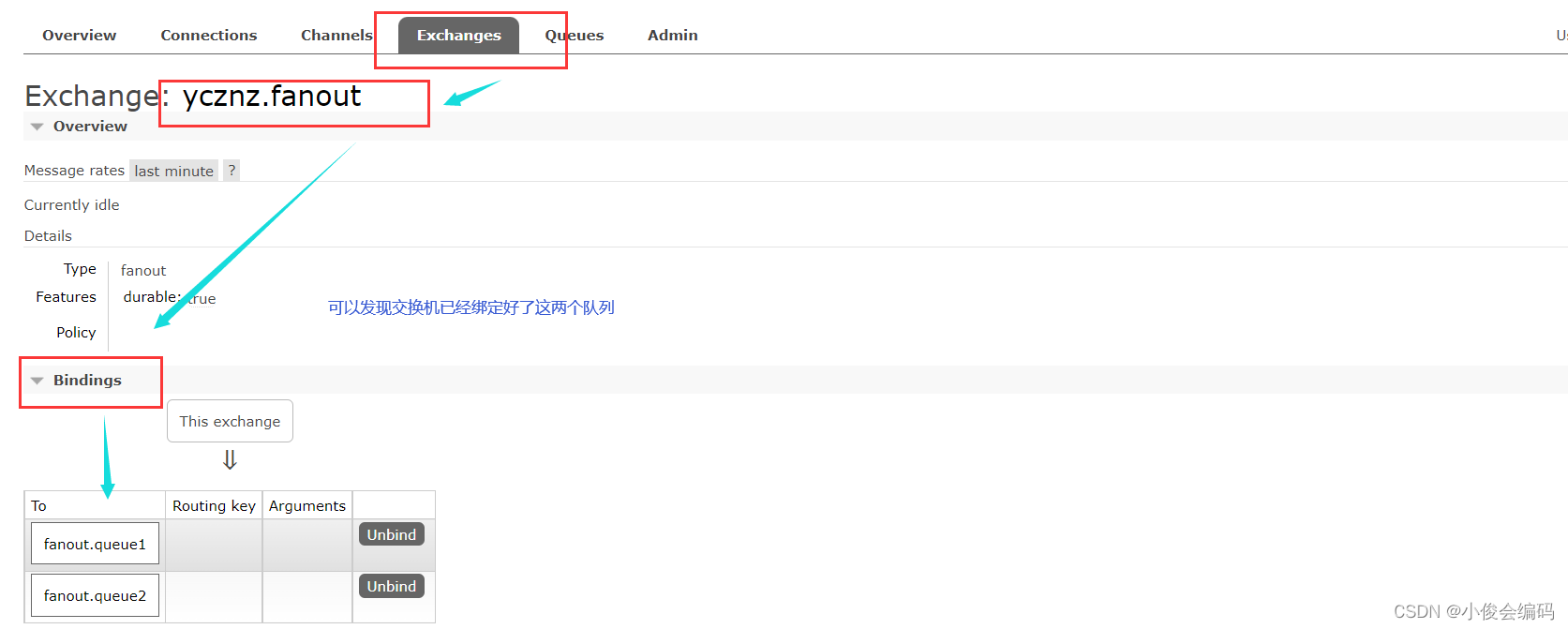
然后我们要在监听器里面监听这两个队列,来获取消息
  @RabbitListener(queues = "fanout.queue1")
    public void listenerFanoutQueue1(String msg)throws Exception{
        System.out.println("消费者接受到了fanout.queue1的消息:"+msg);
    }
    @RabbitListener(queues = "fanout.queue2")
    public void listenerFanoutQueue2(String msg)throws Exception{
        System.out.println("消费者接受到了fanout.queue2的消息:"+msg);
    }
然后,我们现在要到生产者这边生产并发送消息:指定交换机和消息
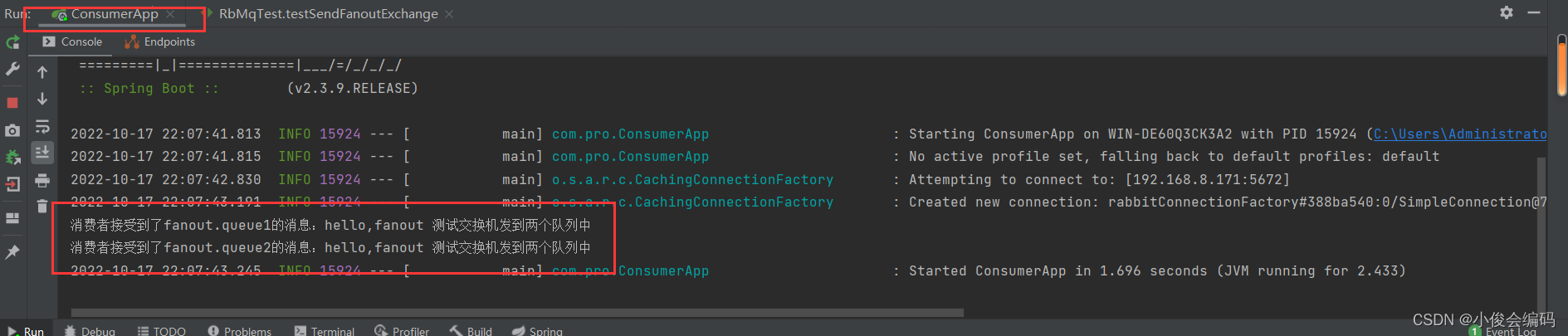
@Test //发送50条消息到Java队列中 public void testSendFanoutExchange() throws InterruptedException { String exchange = "ycznz.fanout"; String msg = "hello,fanout 测试交换机发到两个队列中"; //指定交换机,和指定消息 rabbitTemplate.convertAndSend(exchange, "", msg); }- 可以发现两个消费者都收到了这条消息,这样测试的目的在于知道,通过交换机指定队列,消费者再从队列当中得到消息,两个消费者都是均衡的得到发送者发送的消息
- 好
版权声明:本文为qq_60555957原创文章,遵循CC 4.0 BY-SA版权协议,转载请附上原文出处链接和本声明。