可恶的UI非要搞一个和系统的UISearchBar的不一样的效果,但是系统自带的用实现不了效果,就自能自定义了。
把一个UISearchBar放到UINavigationBar上。并且还要有搜索的结果在整个页面上。。。
先看看效果图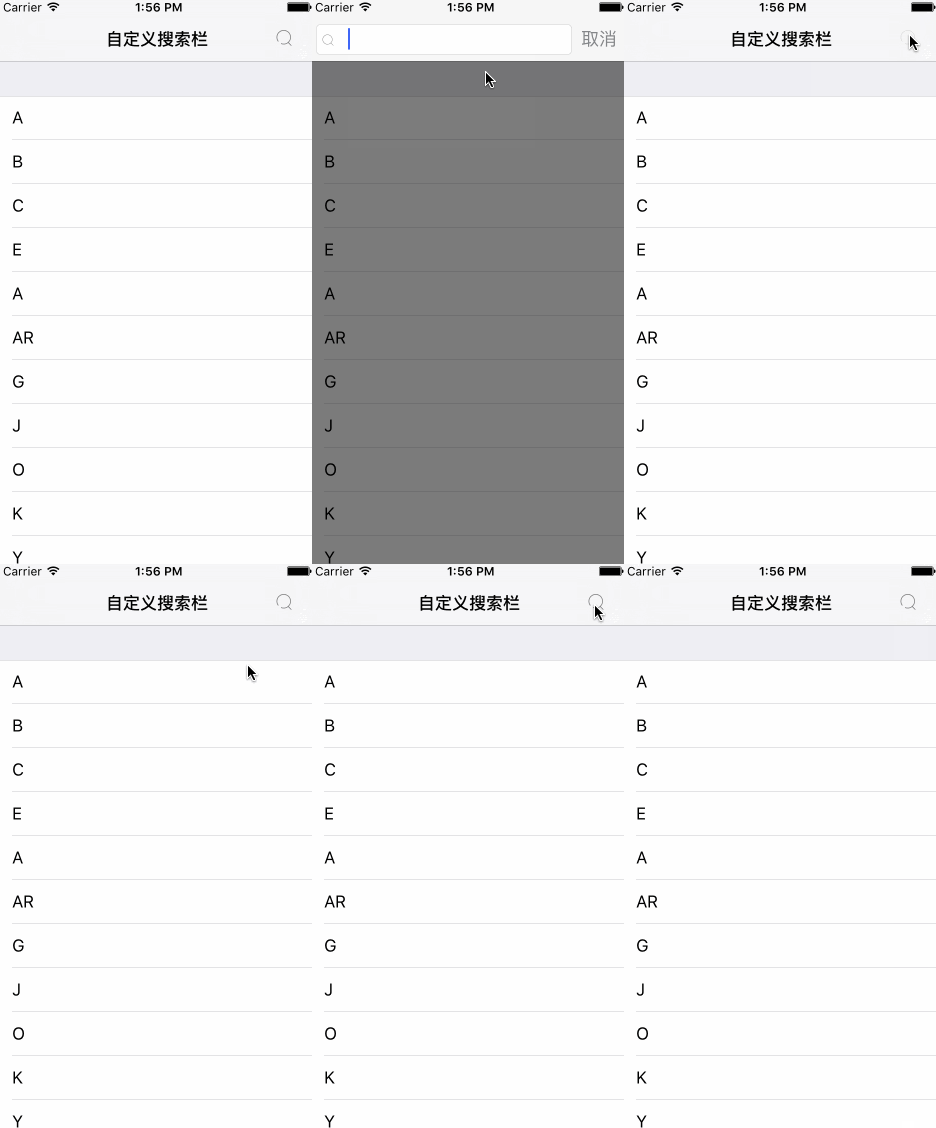
HZSearchBar
自定义searcher,完全模仿系统样式
选择遵循协议
- CustomsearchResultsUpdater
及时筛选代理同系统的searchResultsUpdater代理一样的用法。
- CustomSearchBarDataSouce
设置数据源
// 设置显示列的内容
-(NSInteger)searchBarNumberOfRowInSection;\
// 设置显示没行的内容
-(NSString *)CustomSearchBar:(CustomSearchBar *)searchBar titleForRowAtIndexPath:(NSIndexPath *)indexPath;
设置每行显示的图片
// 每行图片
-(NSString *)CustomSearchBar:(CustomSearchBar *)searchBar imageNameForRowAtIndexPath:(NSIndexPath *)indexPath;
- CustomSearchBarDelegate
设置点击效果和监听取消按钮动作
// 点击每一行的效果
- (void)CustomSearchBar:(CustomSearchBar *)searchBar didSelectRowAtIndexPath:(NSIndexPath *)indexPath;

-(void)CustomSearchBar:(CustomSearchBar *)searchBar cancleButton:(UIButton *)sender;
添加HZSearchBar(以添加到导航栏为例)
    self.customSearchBar = [CustomSearchBar show:CGPointMake(0, 0) andHeight:SEMHEIGHT];
    self.customSearchBar.searchResultsUpdater = self;
    self.customSearchBar.DataSource = self;
    self.customSearchBar.delegate = self;
    [self.navigationController.view insertSubview:self.customSearchBar aboveSubview:self.navigationController.navigationBar];
代理的使用
/**第一步根据输入的字符检索 必须实现*/
-(void)CustomSearch:(CustomSearchBar *)searchBar inputText:(NSString *)inputText {
    [self.resultFileterArry removeAllObjects];
    NSPredicate * predicate = [NSPredicate predicateWithFormat:@"SELF CONTAINS %@",inputText];
    NSArray * arry = [self.myData filteredArrayUsingPredicate:predicate];
    for (NSString * taxChat in arry) {
        [self.resultFileterArry addObject:taxChat];
    }
}
// 设置显示列的内容
-(NSInteger)searchBarNumberOfRowInSection {
    return self.resultFileterArry.count;
}
// 设置显示没行的内容
-(NSString *)CustomSearchBar:(CustomSearchBar *)menu titleForRowAtIndexPath:(NSIndexPath *)indexPath {
    return self.resultFileterArry[indexPath.row];
}
- (void)CustomSearchBar:(CustomSearchBar *)segment didSelectRowAtIndexPath:(NSIndexPath *)indexPath {
    NSLog(@"---->>>>>>>>>%ld",indexPath.row);
}

-(void)CustomSearchBar:(CustomSearchBar *)segment cancleButton:(UIButton *)sender {

}
-(NSString *)CustomSearchBar:(CustomSearchBar *)searchBar imageNameForRowAtIndexPath:(NSIndexPath *)indexPath {
    return @"Search_noraml";
}
##各位看官如有不明白的地方可以查看Demo或者添加洲洲哥的QQ号:1290925041
还可以
关注洲洲哥的公众号,提高装逼技能就靠他了

版权声明:本文为whuizhou原创文章,遵循CC 4.0 BY-SA版权协议,转载请附上原文出处链接和本声明。