现象
创建文件 framework.drawio.svg.使用drawio编辑,然后打开WPS 文字,插入图片,选择该svg文件。插入的图看上去没有问题,但是仔细看会有一行小字 does not support full SVG 1.1,本文给出一种办法解决这个问题
解决办法
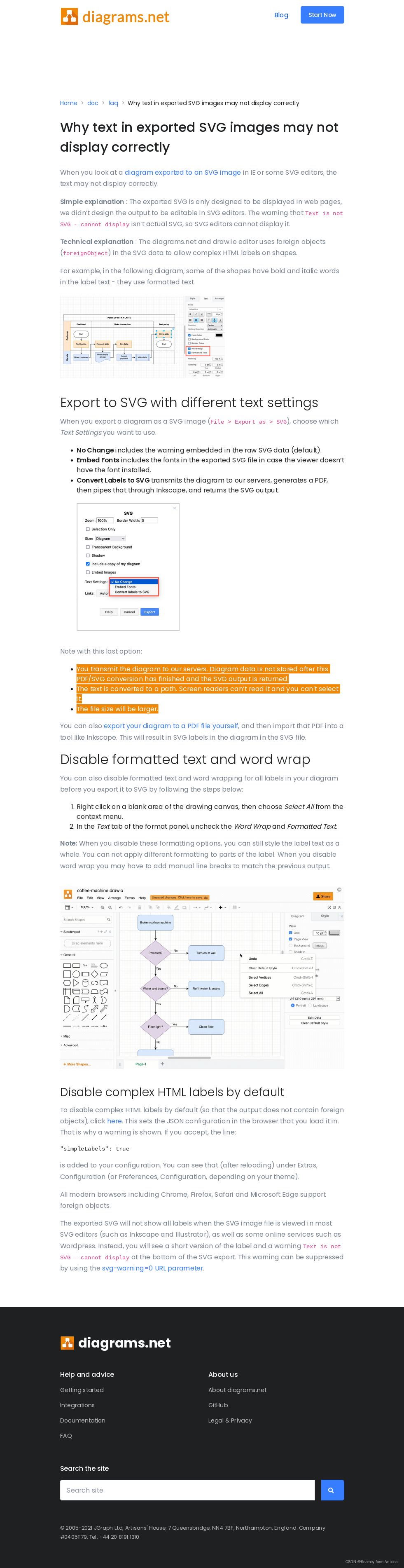
根据参考一,我用文本编辑器打开svg在末尾does not support full SVG 1.1的位置附近找到一个网址Why text in exported SVG images may not display correctly
里面的内容已经和参考一的不太一样了,参考一中的图也说了问题过于复杂暂时没想明白。
现在里面给出的简单解释如下:
Simple explanation : The exported SVG is only designed to be displayed in web pages, we didn’t design the output to be editable in SVG editors. The warning that Text is not SVG - cannot display isn’t actual SVG, so SVG editors cannot display it.
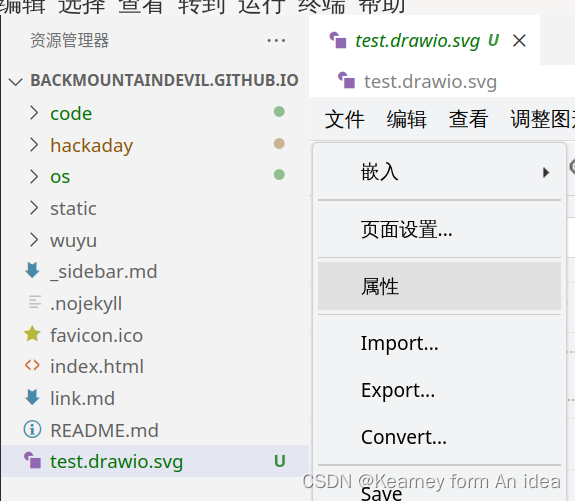
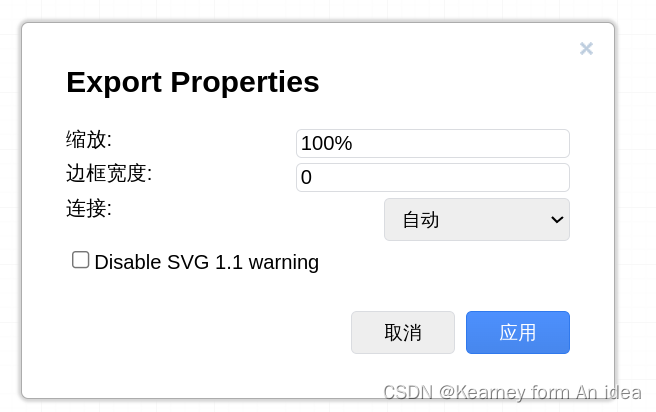
里面说的办法和参考一的我都尝试过,还是会有那行提示。参考二的直接编辑源代码我不是很赞同,于是我在drawio的菜单里发现了这个(文件-属性),选中 disable即可
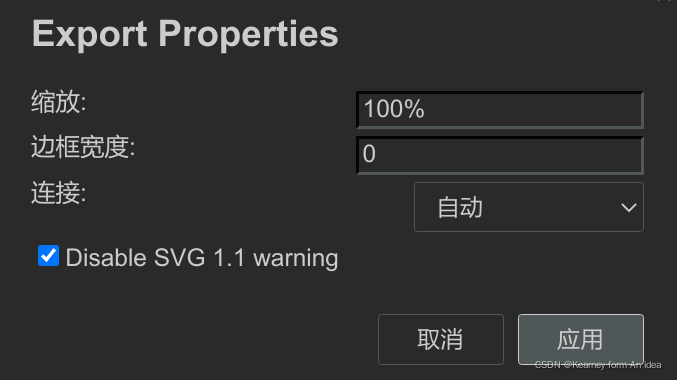
detail
参考
- 解决draw.io生成SVG矢量图导入Word显示有误的问题以及推荐几种SVG绘图方法 Casperflip于 2020-11-25:https://desk.draw.io/support/solutions/articles/16000042487
- 解决draw.io生成SVG矢量图导入Word显示Viewer does not support full SVG 1.1的问题 for mac EltonQu 已于 2022-03-05
把.svg图片用Sublime Text打开,删除“ Viewer does not support full SVG 1.1 ”然后保存,再导入就没问题
版权声明:本文为weixin_43031092原创文章,遵循CC 4.0 BY-SA版权协议,转载请附上原文出处链接和本声明。