问题描述:
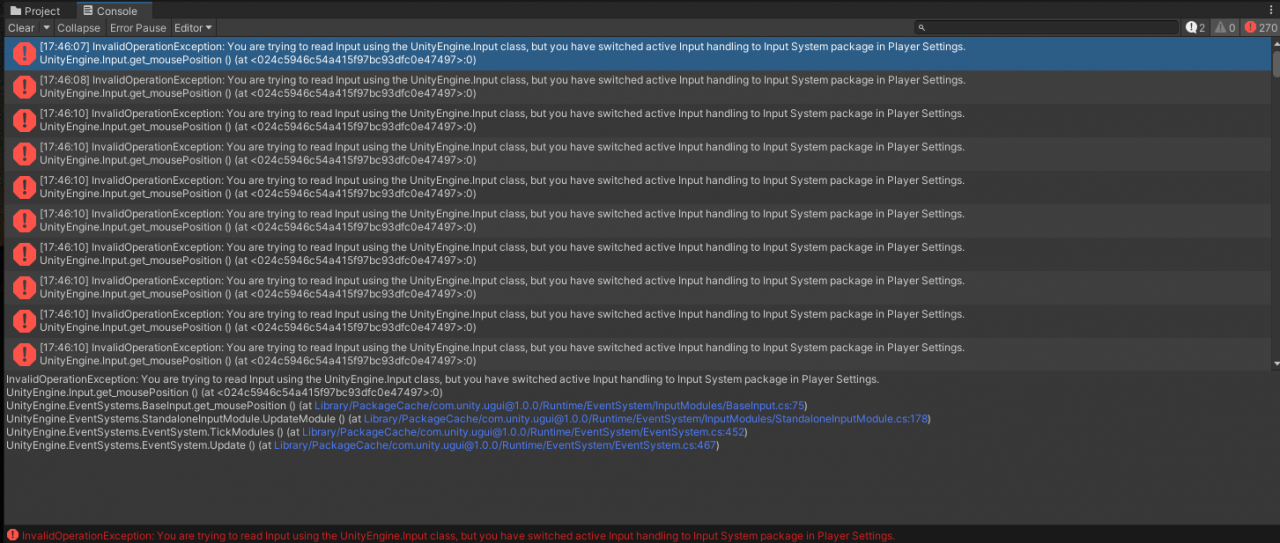
我在运行steam VR的Interaction_Example时报错,其中unity为2021.3.6f1c1,steam VR(2.7.3),头显为HTC Vive pro2。报错具体内容如下:
InvalidOperationException: You are trying to read Input using the UnityEngine.Input class, but you have switched active Input handling to Input System package in Player Settings.
UnityEngine.Input.get_mousePosition () (at <024c5946c54a415f97bc93dfc0e47497>:0)
问题解决:
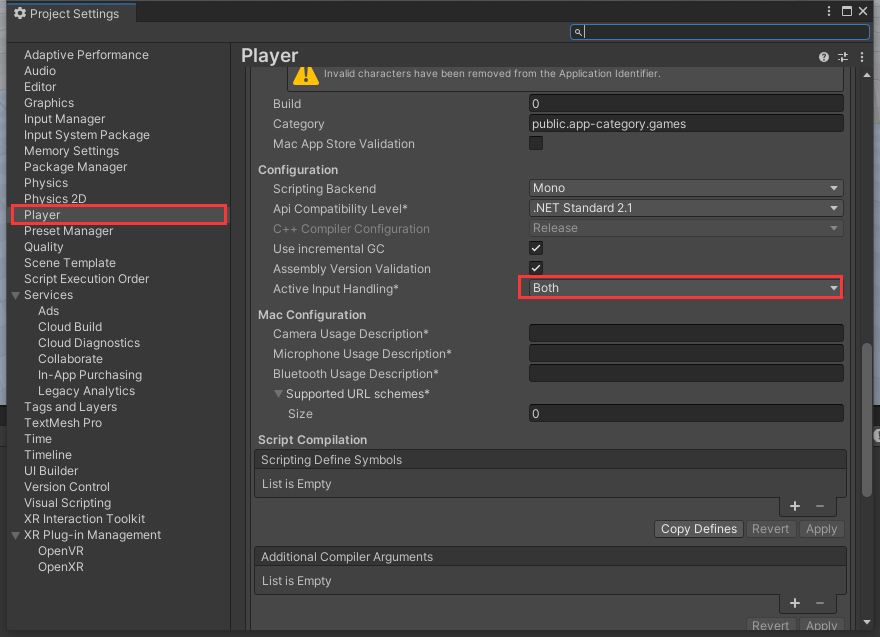
点击Edit->Project Settings...->Player->Other settings,将active lnput handling选项设置为Both。即可解决问题。
版权声明:本文为weixin_43042683原创文章,遵循CC 4.0 BY-SA版权协议,转载请附上原文出处链接和本声明。