最近发现一个比较好用的多点导航程序,分享出来。。。
先看一下仿真的效果。。。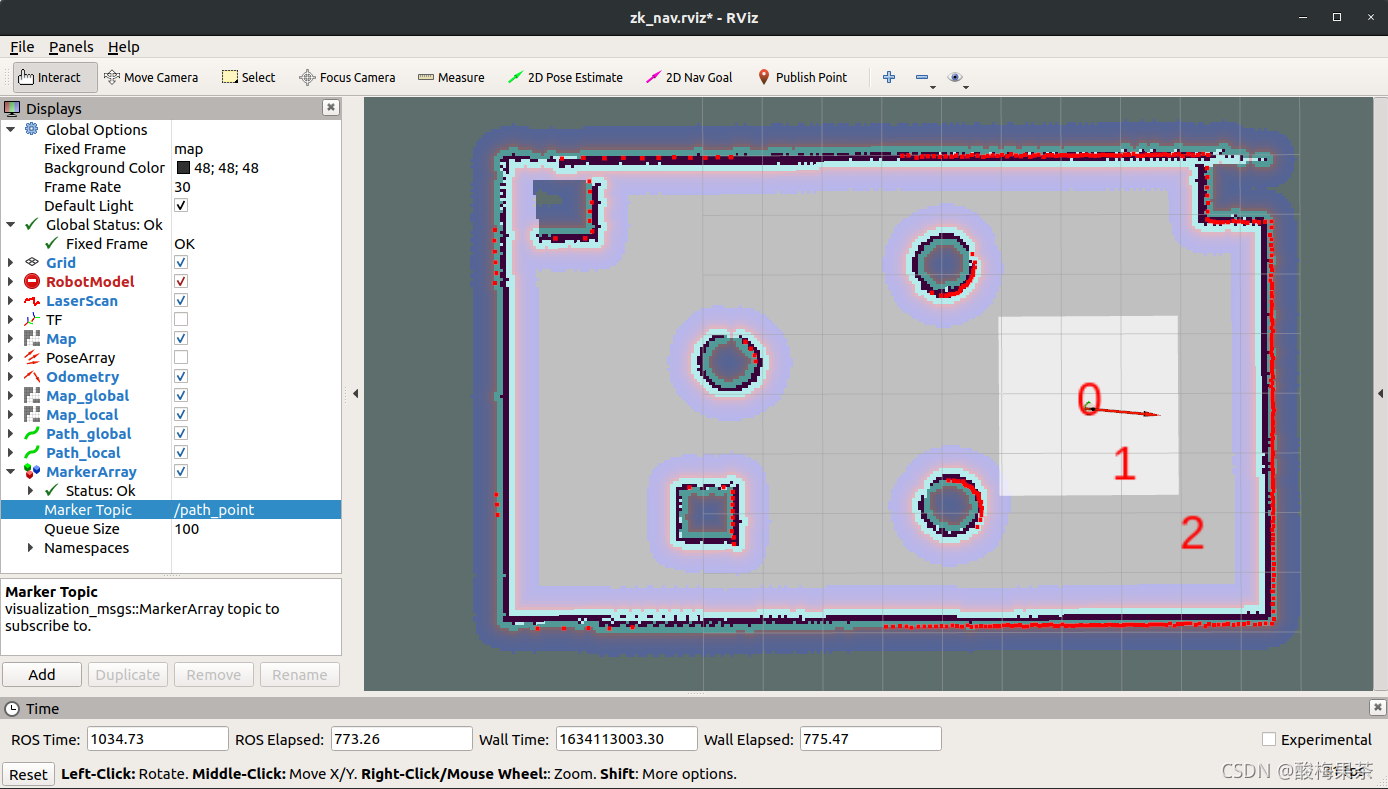
再上源码。。。
show_mark.py
#!/usr/bin/env python
# encoding: utf-8

from visualization_msgs.msg import Marker
from visualization_msgs.msg import MarkerArray
import rospy
import math
from geometry_msgs.msg import PointStamped, PoseStamped
import actionlib
from move_base_msgs.msg import *


def status_callback(msg):
    global try_again, index, add_more_point
    if msg.status.status == 3:
        try_again = 1
        if add_more_point == 0:
            print 'Goal reached'
        if index < count:
            pose = PoseStamped()
            pose.header.frame_id = 'map'
            pose.header.stamp = rospy.Time.now()
            pose.pose.position.x = markerArray.markers[index].pose.position.x
            pose.pose.position.y = markerArray.markers[index].pose.position.y
            pose.pose.orientation.w = 1
            goal_pub.publish(pose)
            index += 1
        elif index == count:
            print 'finish all point'
            index = 0
            pose = PoseStamped()
            pose.header.frame_id = 'map'
            pose.header.stamp = rospy.Time.now()
            pose.pose.position.x = markerArray.markers[index].pose.position.x
            pose.pose.position.y = markerArray.markers[index].pose.position.y
            pose.pose.orientation.w = 1
            goal_pub.publish(pose)
            add_more_point = 1

    else:
        print 'Goal cannot reached has some error : ', msg.status.status, 'try again!!!'
        if try_again == 1:
            pose = PoseStamped()
            pose.header.frame_id = 'map'
            pose.header.stamp = rospy.Time.now()
            pose.pose.position.x = markerArray.markers[index -
                                                       1].pose.position.x
            pose.pose.position.y = markerArray.markers[index -
                                                       1].pose.position.y
            pose.pose.orientation.w = 1
            goal_pub.publish(pose)
            try_again = 0
        elif index < len(markerArray.markers):
            pose = PoseStamped()
            pose.header.frame_id = 'map'
            pose.header.stamp = rospy.Time.now()
            pose.pose.position.x = markerArray.markers[index].pose.position.x
            pose.pose.position.y = markerArray.markers[index].pose.position.y
            pose.pose.orientation.w = 1
            goal_pub.publish(pose)
            index += 1


def click_callback(msg):
    global index, add_more_point, count
    marker = Marker()
    marker.header.frame_id = 'map'
    marker.type = marker.TEXT_VIEW_FACING
    marker.action = marker.ADD
    marker.scale.x = 1
    marker.scale.y = 1
    marker.scale.z = 1
    marker.color.a = 1
    marker.color.r = 1
    marker.color.g = 0
    marker.color.b = 0
    marker.pose.orientation.w = 1
    marker.pose.position.x = msg.point.x
    marker.pose.position.y = msg.point.y
    marker.pose.position.z = msg.point.z
    marker.text = str(count)
    markerArray.markers.append(marker)
    id = 0
    for m in markerArray.markers:
        m.id = id
        id += 1

    mark_pub.publish(markerArray)
    if count == 0:
        pose = PoseStamped()
        pose.header.frame_id = 'map'
        pose.header.stamp = rospy.Time.now()
        pose.pose.position.x = msg.point.x
        pose.pose.position.y = msg.point.y
        pose.pose.orientation.w = 1
        goal_pub.publish(pose)
        index += 1
    if add_more_point and count > 0:
        add_more_point = 0
        move = MoveBaseActionResult()
        move.status.status = 3
        move.header.stamp = rospy.Time.now()
        goal_status_pub.publish(move)
    count += 1
    print 'add a path goal point'


def Show_mark():
    global markerArray, count, index, add_more_point, try_again, mark_pub, goal_pub, goal_status_sub, goal_status_pub
    markerArray = MarkerArray()
    count = 0
    index = 0
    add_more_point = 0
    try_again = 1

    rospy.init_node('path_point_demo')
    mark_pub = rospy.Publisher('/path_point', MarkerArray, queue_size=100)
    click_sub = rospy.Subscriber(
        '/clicked_point', PointStamped, click_callback)
    goal_pub = rospy.Publisher(
        '/move_base_simple/goal', PoseStamped, queue_size=1)
    goal_status_sub = rospy.Subscriber(
        '/move_base/result', MoveBaseActionResult, status_callback)
    goal_status_pub = rospy.Publisher(
        'move_base/result', MoveBaseActionResult, queue_size=1)
    rospy.spin()


if __name__ == '__main__':
    Show_mark()
使用方法。。。
- 新建功能包
- 创建script存放python文件
- 创建show_mark.py文件
- 设置成可执行文件
- 复制代码show_mark.py源码
- 启动机器人模型
- 启动导航算法
- 打开Rviz
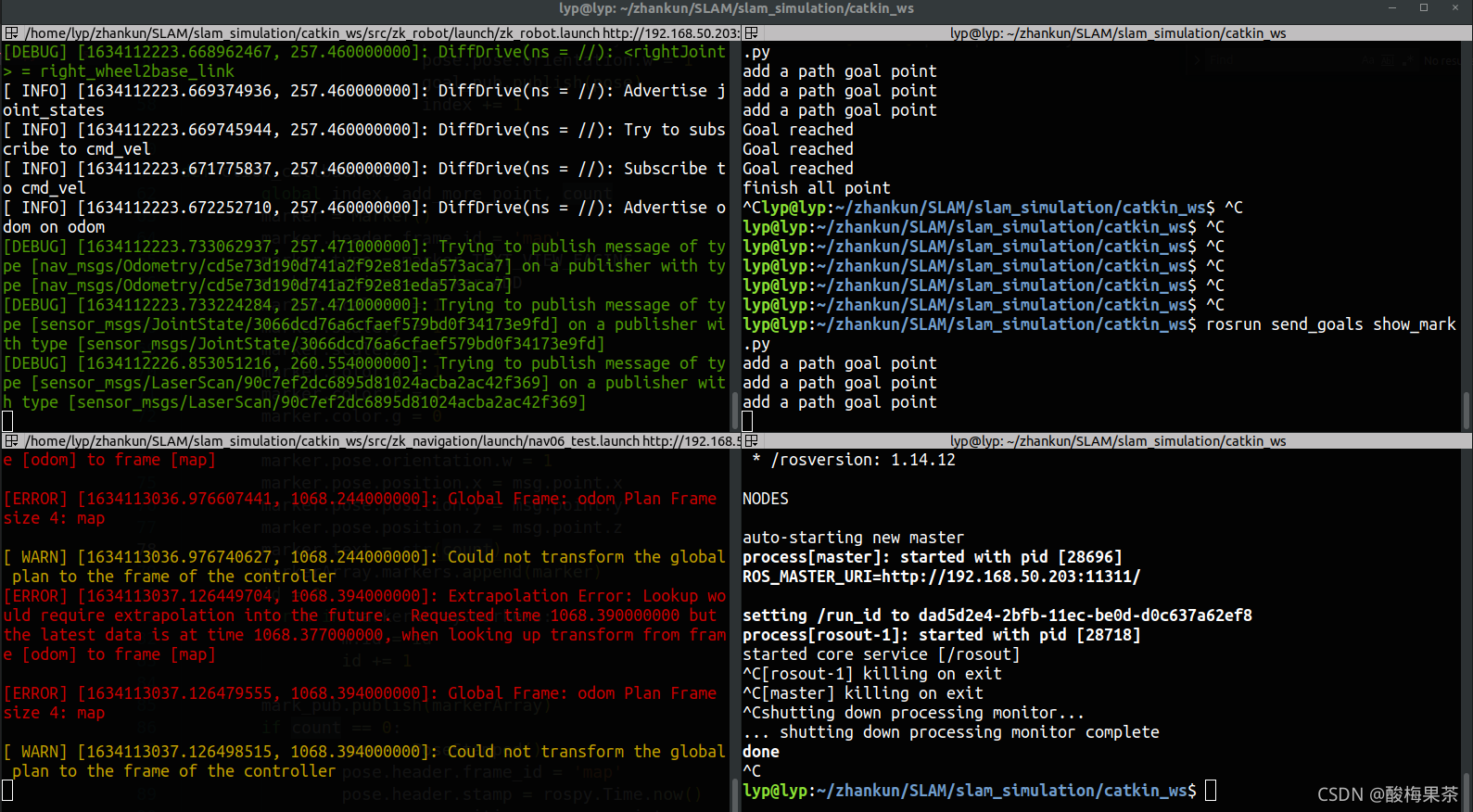
- 启动多点导航任务
rosrun 功能包名 show_mark.py - Rviz添加 MarkerArray,订阅/path_point话题
- 点击Rviz中的Publish Point,设置导航点
- 完成多点循环导航任务
版权声明:本文为qq_41821678原创文章,遵循CC 4.0 BY-SA版权协议,转载请附上原文出处链接和本声明。