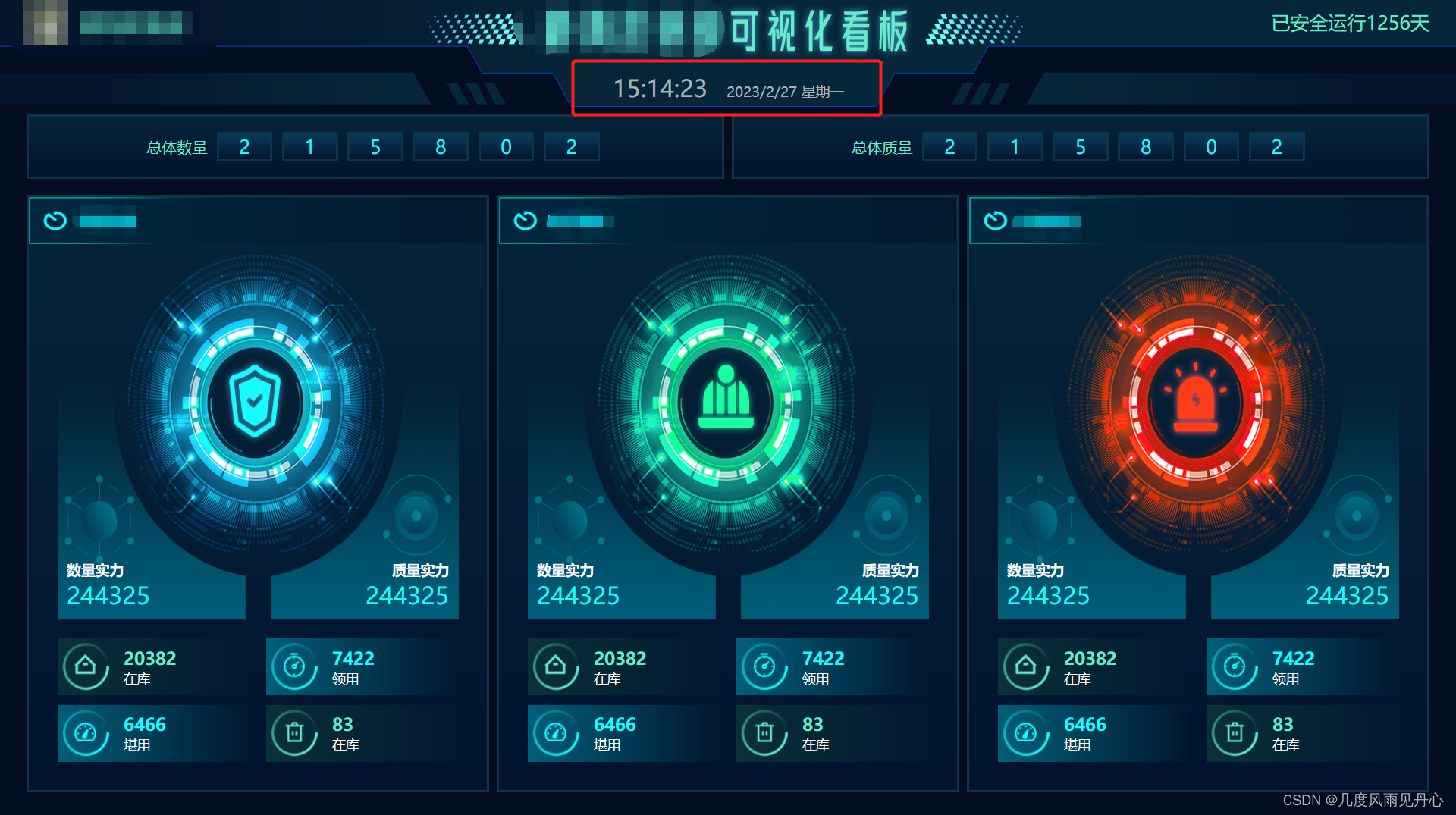
 业务需求如图,在“可视化看板”下方有一个实时展示的时间,格式为“09:00:00 2022/07/08 星期五”
以下为代码实现过程
<template>
	<div class="fulldiv_title">
	  <div class="current_time">
	    <span class="nowTime">{{ nowTime }}</span>
	    <span class="currntDay">{{ currntDay }}</span>
	  </div>
	</div>
</template>

<script>
export default {
  data() {
    return {
			// 计时器
			timer: null,
			//   当前时间
			nowTime: "09:00:00",
			// 当前日期与星期几
			currntDay: "2022/01/02 星期五"
		}
	},
	created() {
		//设置一个定时器,每秒调用一次函数
	    this.timer = window.setInterval
	      (() => {
	        this.getNowTime();
	      },
	      1000);
  },
  destroyed() {
  	//清除定时器
    clearInterval(this.timer);
    this.timer = null;
  },
   methods: {
		getNowTime() {
	      let time = new Date();
	      let times = time.toLocaleString("en-US", { hour12: false }).split(" ");
	      let hourTime = times[1];
	      let mdy = times[0];
	      mdy = mdy.split("/");
	      let month = parseInt(mdy[0]);
	      let day = parseInt(mdy[1]);
	      let year = parseInt(mdy[2]);
	      let weekList = ["日", "一", , "二", "三", "四", "五", "六"];
	      let week = time.getDay();
	      let nowWeek = weekList[week];
	      this.nowTime = hourTime;
	      this.currntDay = year + "/" + month + "/" + day + " " + "星期" + nowWeek;
	    }
	}
}
</script>

<style lang="scss" scoped>
  .fulldiv_title {
    width: 100%;
    height: 13.1%;
    background-size: 100% 100%;
    background-repeat: no-repeat;
    background-image: url(/visualization/title.png);
    position: relative;
    .current_time {
      position: absolute;
      bottom: 0;
      //水平居中
      left: 50%;
      transform: translate(-50%, -30%);
      .nowTime {
        font-size: 25px;
        font-family: Adobe Heiti Std;
        font-weight: normal;
        color: #ffffff;
        line-height: 19px;
        opacity: 0.64;
        margin-right: 20px;
      }
      .currntDay {
        font-size: 15px;
        font-family: Microsoft YaHei;
        color: #ffffff;
        line-height: 19px;
        opacity: 0.64;
      }
    }
  }
 </style>
版权声明:本文为mmwanwen原创文章,遵循CC 4.0 BY-SA版权协议,转载请附上原文出处链接和本声明。