Flutter使用贝塞尔曲线的基础使用
原创:@As.Kai
博客地址:https://blog.csdn.net/qq_42362997
如果以下内容对您有帮助,点赞点赞点赞~
公式

Flutter中的贝塞尔曲线
/// Adds a quadratic bezier segment that curves from the current
  /// point to the given point (x2,y2), using the control point
  /// (x1,y1).二阶贝塞尔曲线,控制点为(x1,y1),终点为(x2,y2),起点为当前path所在的点
  void quadraticBezierTo(double x1, double y1, double x2, double y2) native 'Path_quadraticBezierTo';

/// Adds a cubic bezier segment that curves from the current point
  /// to the given point (x3,y3), using the control points (x1,y1) and
  /// (x2,y2).三阶贝塞尔曲线,控制点为(x1,y1),(x2,y2),终点为(x3,y3),起点为当前path所在的点
  void cubicTo(double x1, double y1, double x2, double y2, double x3, double y3) native 'Path_cubicTo';
实例操作
创建个ClipPath()提供一个绘画剪辑路径
    ......
    ......
  @override
  Widget build(BuildContext context) {
    return Scaffold(
      body: Container(
        color: Colors.grey,
        child: Column(
          children: [
            ClipPath(
              clipper: MyClipPath(),
              child: Container(
                height: 600,
                color: Colors.brown,
              ),
            )
          ],
        ),
      ),
    );
  }
创建我们自定义二阶贝塞尔曲线路径MyClipPath()
//背景曲线初试
class MyClipPath extends CustomClipper<Path>{
  @override
  Path getClip(Size size) {
    // TODO: implement getClip
    var path = new Path();
    //起点 从原点开始
    path.lineTo(-20, size.height / 2);
    //p1  锚点
    var point1 = Offset(80,size.height);
    //p2  结束点
    var point2 = Offset(size.width ,size.height);
    //绘制贝塞尔曲线
    path.quadraticBezierTo(point1.dx, point1.dy, point2.dx, point2.dy);
    path.lineTo(size.width, size.height);
    path.lineTo(size.width, 0);
    return path;
  }

  @override
  bool shouldReclip(covariant CustomClipper<Path> oldClipper) {
    // TODO: implement shouldReclip
    return true;
  }
}
效果: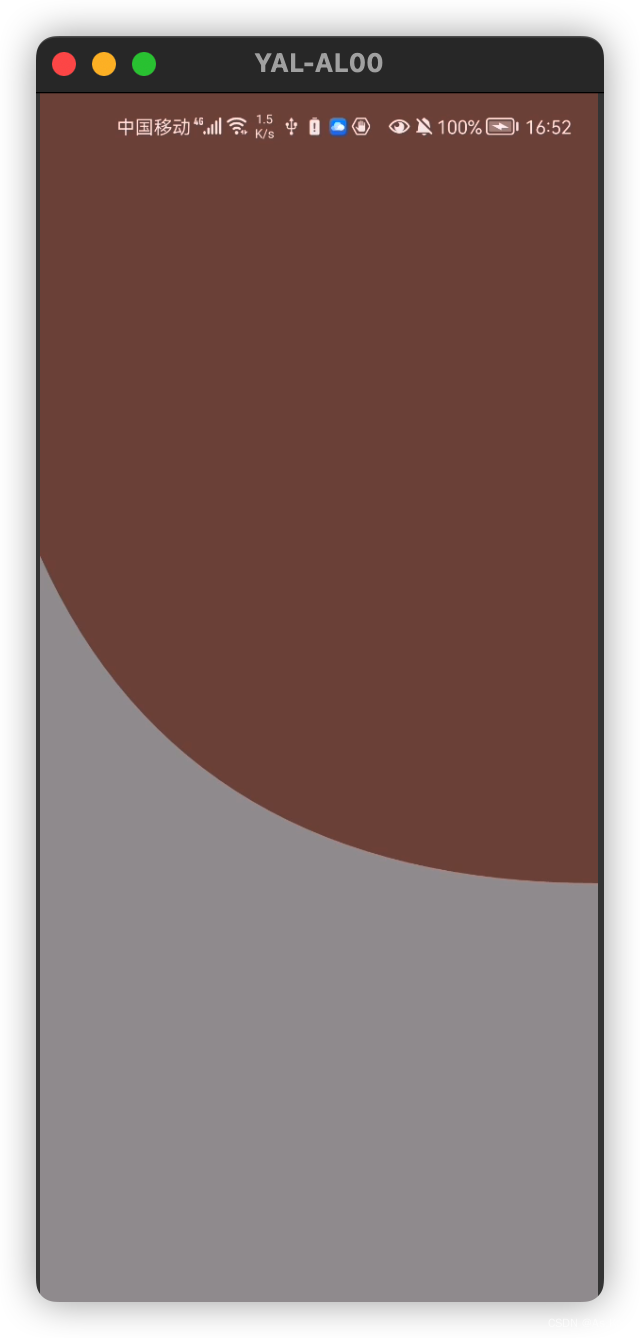
二阶贝塞尔曲线 个人理解p1点有点类似ps中钢笔工具的锚点
路径移动到起始点,控制终点位置 设置锚点位置
版权声明:本文为qq_42362997原创文章,遵循CC 4.0 BY-SA版权协议,转载请附上原文出处链接和本声明。