
iOS11之后,UITableView新增了方法
- (UISwipeActionsConfiguration *)tableView:(UITableView *)tableView trailingSwipeActionsConfigurationForRowAtIndexPath:(NSIndexPath *)indexPath
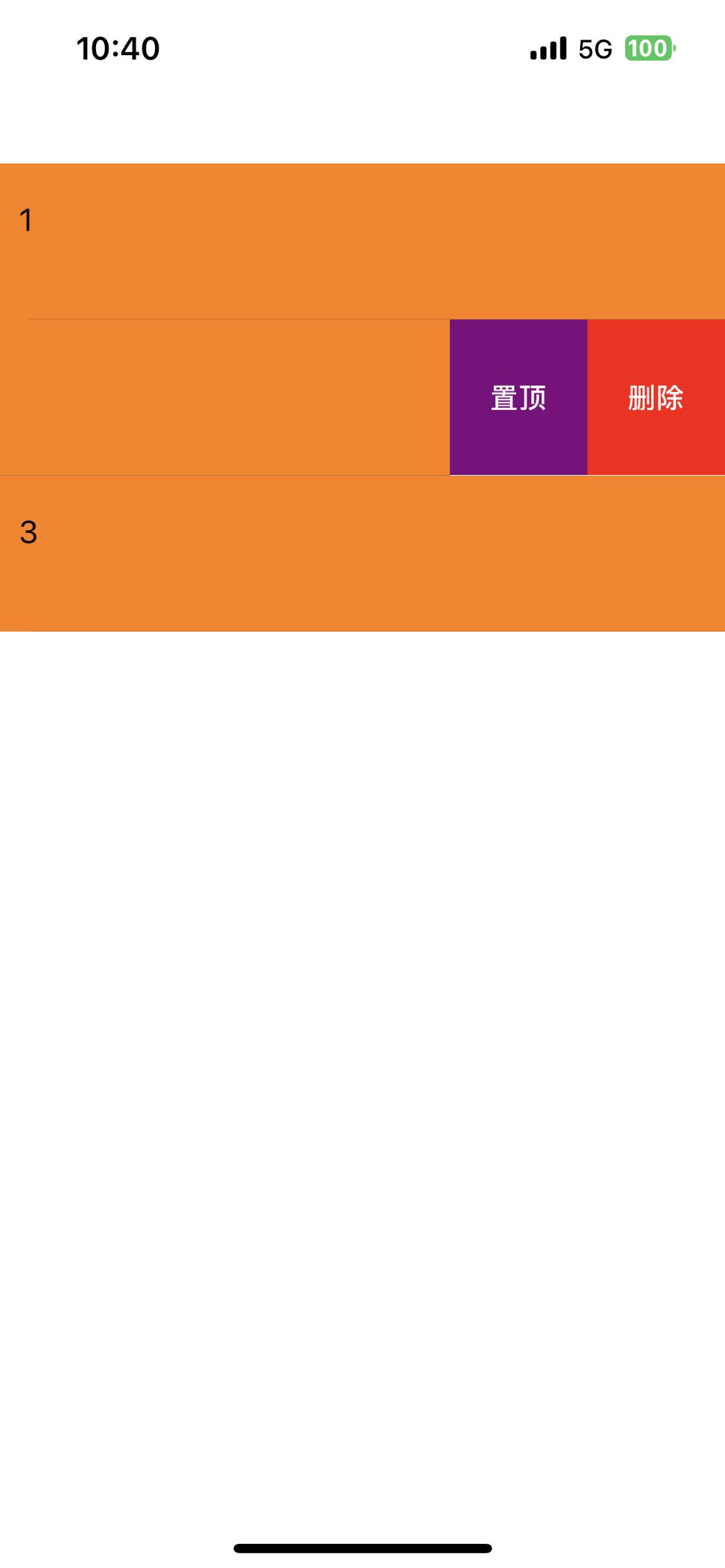
在函数中自定义两个按钮,代码如下。
 (UISwipeActionsConfiguration *)tableView:(UITableView *)tableView trailingSwipeActionsConfigurationForRowAtIndexPath:(NSIndexPath *)indexPath {
    UIContextualAction *deleteAction1 = [UIContextualAction contextualActionWithStyle:UIContextualActionStyleNormal title:@"   1   " handler:^(UIContextualAction * _Nonnull action, __kindof UIView * _Nonnull sourceView, void (^ _Nonnull completionHandler)(BOOL)) {
        [tableView setEditing:NO animated:YES];  // 这句很重要,退出编辑模式,隐藏左滑菜单
        NSLog(@"click");
        [self.dataArray removeObjectAtIndex:indexPath.row];
        [tableView deleteRowsAtIndexPaths:[NSArray arrayWithObject:indexPath] withRowAnimation:UITableViewRowAnimationFade];
    }];

    UIContextualAction *deleteAction2 = [UIContextualAction contextualActionWithStyle:UIContextualActionStyleNormal title:@"   2   " handler:^(UIContextualAction * _Nonnull action, __kindof UIView * _Nonnull sourceView, void (^ _Nonnull completionHandler)(BOOL)) {
        [tableView setEditing:NO animated:YES];
        NSLog(@"click");
        [self.dataArray exchangeObjectAtIndex:indexPath.row withObjectAtIndex:0];
        [self.tableView reloadData];
    }];
    //只能设置背景颜色,图片,文字
    deleteAction1.backgroundColor = [[UIColor redColor] colorWithAlphaComponent:1.0];
//    deleteAction1.image = [UIImage imageNamed:@"list_deleting"];
    deleteAction1.title = @"删除";

    deleteAction2.backgroundColor = [[UIColor purpleColor] colorWithAlphaComponent:1.0];
//    deleteAction2.image = [UIImage imageNamed:@"top"];
    deleteAction2.title = @"置顶";
    NSArray<UIContextualAction*> *contextualAction = @[deleteAction1,deleteAction2];
    UISwipeActionsConfiguration *actions = [UISwipeActionsConfiguration configurationWithActions:contextualAction];
//    actions.performsFirstActionWithFullSwipe = NO;       // 禁止侧滑无线拉伸
    return actions;
}版权声明:本文为qq_43441647原创文章,遵循CC 4.0 BY-SA版权协议,转载请附上原文出处链接和本声明。