一:创建项目
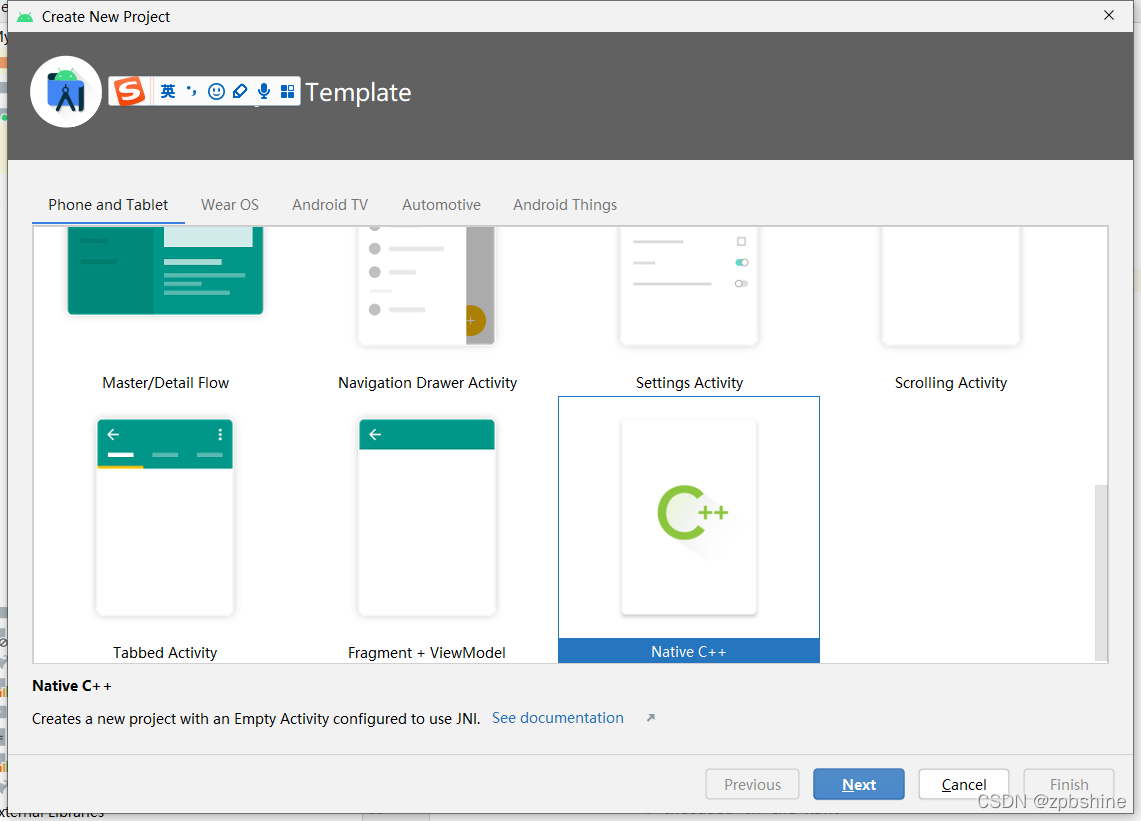
选择Native C++选项,创建出的项目会自动创建一个cpp文件夹,文件夹内容如下

CMakeLists.txt内容如下

此时编译项目,就会在build文件夹下生产我们需要的.so库

但一般情况下,会有多个.c文件相互调用,我们需要把这些文件都打包进一个.so

那就需要更改CMakelists.txt里的内容,如下:

cmake_minimum_required(VERSION 3.10.2)
## Declares and names the project.
#set方法,相当于设置别名,即JniSDK=${CMAKE_SOURCE_DIR}/
set(JniSDK ${CMAKE_SOURCE_DIR}/)
#设置头文件目录,JniSDK在上面设置的,等于${CMAKE_SOURCE_DIR}
include_directories(${JniSDK}/include)
#将JniSDK下面所有的.cpp文件添加到cpp_srcs中
file(GLOB_RECURSE cpp_srcs ${JniSDK}/*.cpp)
#将JniSDK下面所有的.c文件添加到c_srcs中
file(GLOB_RECURSE c_srcs ${JniSDK}/*.c)
#将c_srcs添加到cpp_srcs中
list(APPEND cpp_srcs ${c_srcs})
project("myapplication")
add_library( # Sets the name of the library.
        jniSdk-lib
        # Sets the library as a shared library.
        SHARED
        # Provides a relative path to your source file(s).
        ${cpp_srcs} )
find_library( # Sets the name of the path variable.
              log-lib
              # Specifies the name of the NDK library that
              # you want CMake to locate.
              log )
#生成动态链接库jniSdk_lib
target_link_libraries( # Specifies the target library.
        jniSdk-lib

        # Links the target library to the log library
        # included in the NDK.
        ${log-lib} )
直接编译,即可获得我们需要的.so库文件
版权声明:本文为zpbshine原创文章,遵循CC 4.0 BY-SA版权协议,转载请附上原文出处链接和本声明。