核心要点
- 公众号配置
- 通过授权获取code
一、公众号配置
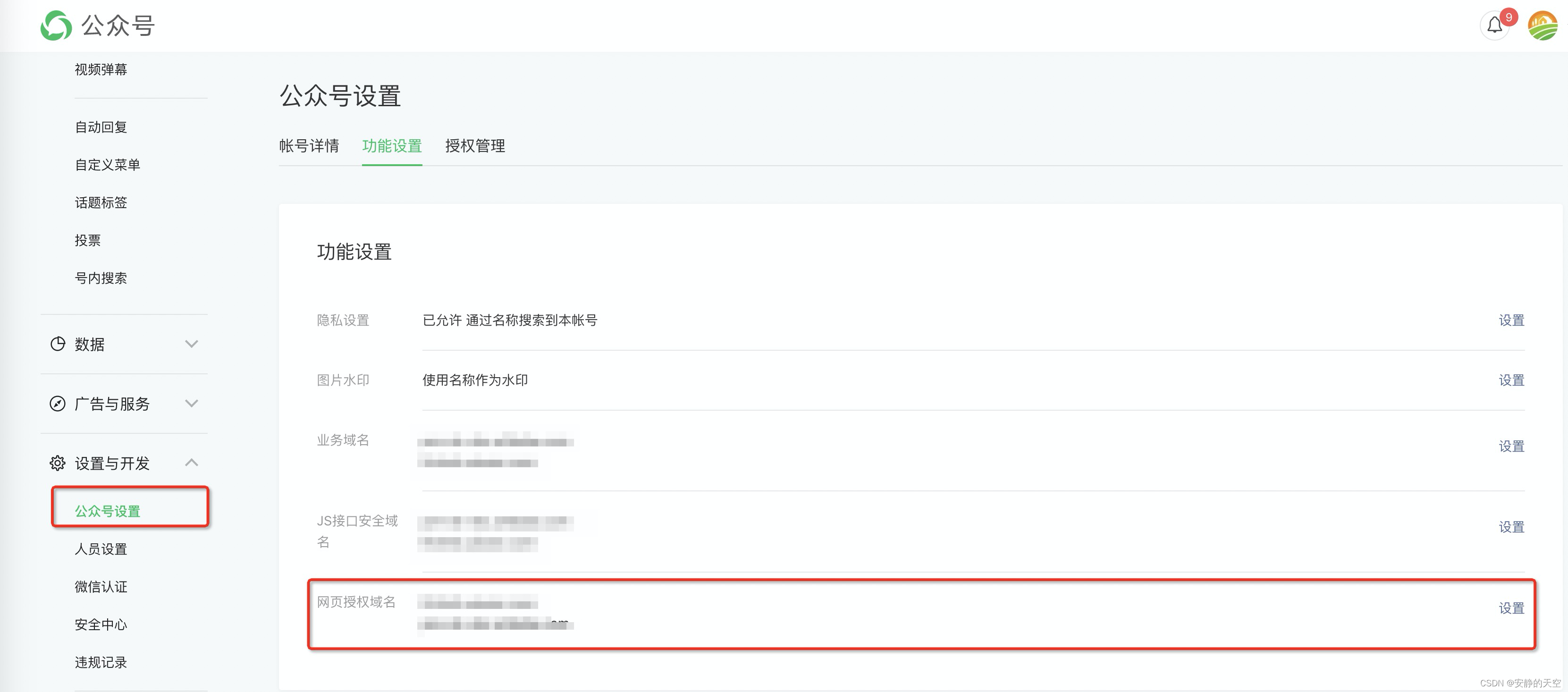
- 配置安全域名,配置你的域名
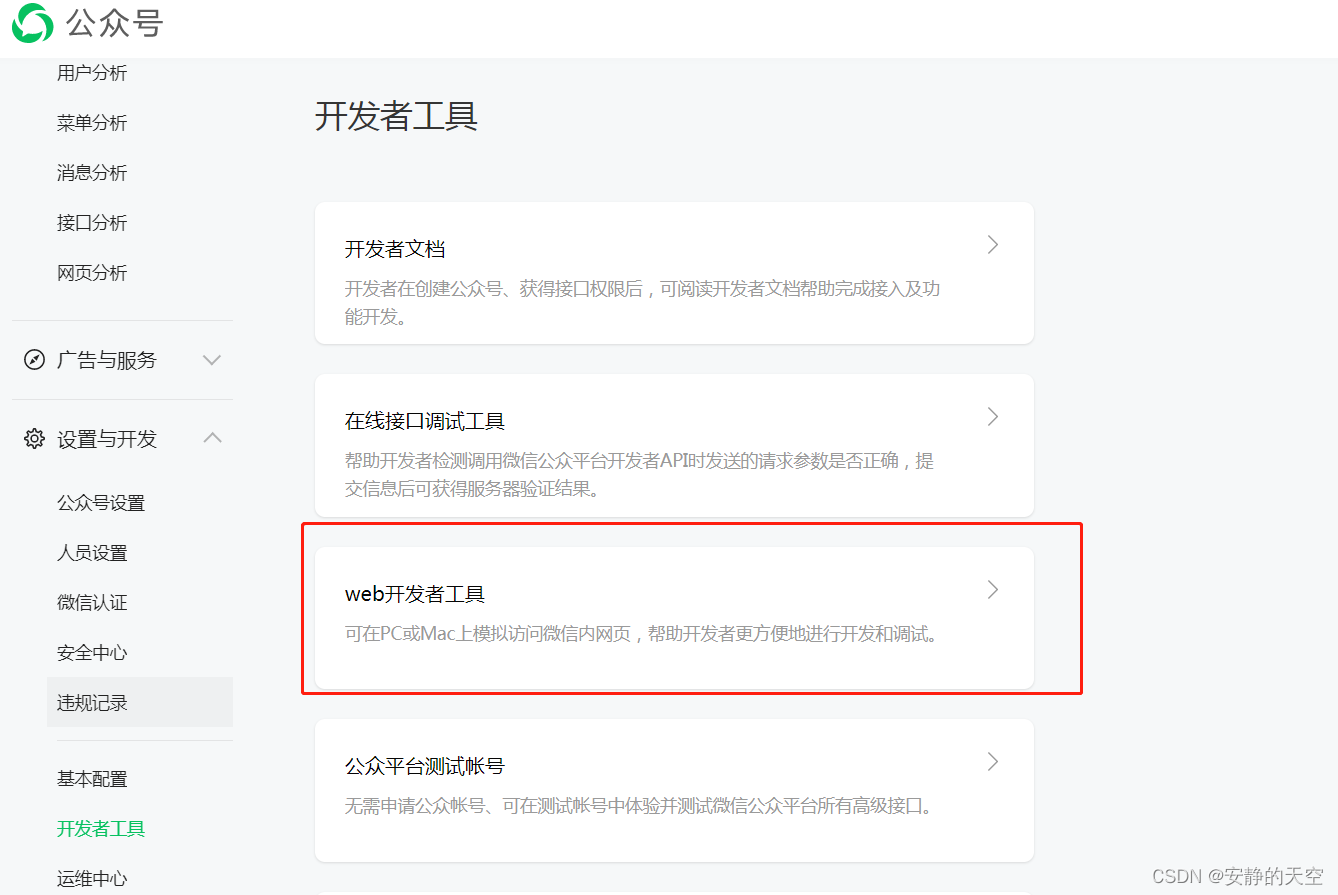
- 配置开发者,如果你要用微信开发工具调试的情况
二、授权获取code
//login.vue

<template>
    <div class="wrap">
        <div class="head">
            <div class="head__logo">
                <img class="head__img" src="@/assets/login-logo.png"/>
                <p>您好 请登录</p>
            </div>
        </div>
        <div class="form">
            <div class="form__bottom">
                <button class="form__btn" @click="onLogin">微信授权用户信息</button>
                <div class="form__read">
                    请完成微信授权以后继续使用
                </div>
            </div>
        </div>
    </div>
</template>

<script>
    import qs from 'qs';

    export default {
        data() {
            return {};
        },

        created() {
            let pagePath = decodeURIComponent(window.location.href); // 页面路径
            let pageArray = pagePath.split('?');
            if (pageArray.length > 1) {
                let pageParam = qs.parse(pageArray[1]) || {};
                // 重定向回来后截取code
                if (pageParam.code) {
                    this.getUserInfoByAccount(pageParam.code)
                }
            }
        },

        methods: {

            //返回首页
            onLogin() {
                loginWechat();
            },

			// 判断是否是微信环境
			getIsWechat() {
			    let ua = navigator.userAgent.toLowerCase();
			    let isWechat = false;
			    if (String(ua.match(/MicroMessenger/i)) === 'micromessenger') {
			        isWechat = true;
			    } else {
			        isWechat = false;
			    }
			    return isWechat;
			}

			// 微信授权登录
			loginWechat(wxAppId = '你的公众号id', wxRedirectUrl = '你要重定向的地址,要和上面配置的域名一致') {
			    if (!getIsWechat()) return;
			    if (!wxAppId) return;
			    let wxState = 'authorize';
			    wxRedirectUrl = encodeURIComponent(wxRedirectUrl);
			    window.location.href = `https://open.weixin.qq.com/connect/oauth2/authorize?appid=${wxAppId}&redirect_uri=${wxRedirectUrl}&response_type=code&scope=snsapi_userinfo&state=${wxState}#wechat_redirect`;
			}

            //用户登录,用code与后端接口交互,实现登录
            getUserInfoByAccount(code) {
                //请求后端接口,根据你的具体接口
                login({
                    code: code
                }).then(res => {
                    let data = res.data || {};
                    //登录成功,执行到这里,自个做其他逻辑
                })
            },

        },
    };
</script>
<style lang="scss" scoped>
    .wrap {
        background-color: #ffffff;
        flex: 1;

        .head {
            display: flex;
            justify-content: center;
            padding: 30px 20px 20px 20px;

            .head__logo {
                display: flex;
                flex-direction: column;
                align-items: center;
                font-size: 28px;

                .head__img {
                    width: 80px;
                    height: 80px;
                    display: block;
                    margin-bottom: 10px;
                }
            }
        }

        .form {
            padding: 30px 20px;

            .form__row {
                display: flex;
                flex-wrap: nowrap;
                align-items: center;
                min-height: 50px;
                padding: 10px 0;
                margin-bottom: 10px;
                font-size: 16px;
            }

            .form__icon {
                flex: none;
                font-size: 24px;
                margin-right: 15px;
                color: #666666;
            }

            .form__ipt {
                flex: auto;
                border: none;
                font-size: 16px;
                height: 50px;
            }

            .form__yzm {
                border-left: 1px solid #c1c1c1;
                display: flex;
                align-items: center;
                height: 24px;
                padding-left: 20px;
                word-break: keep-all;
                color: #666666;
            }

            .form__bottom {
                margin-top: 30px;
                padding: 20px 0;
            }

            .form__btn {
                height: 0.5rem;
                width: 100%;
                background: #53B1FE;
                display: flex;
                align-items: center;
                justify-content: center;
                border: none;
                color: #ffffff;
                border-radius: 50px;
                font-size: 18px;
            }

            .form__btn--grey {
                background-color: #F5F5F5 !important;
                color: #ABABAB;
            }

            .form__read {
                display: flex;
                justify-content: center;
                align-items: center;
                margin-top: 20px;
                font-size: 14px;
                color: #666666;
            }
        }

    }
</style>
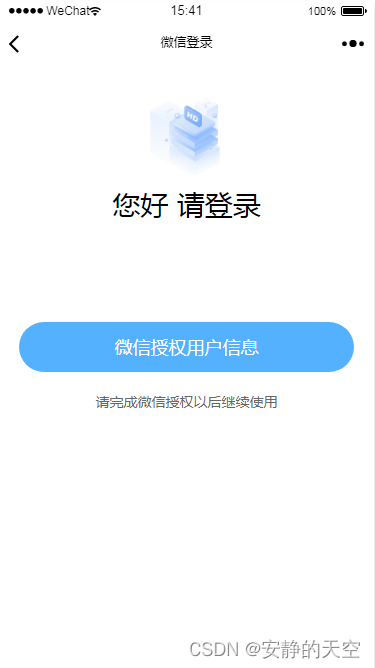
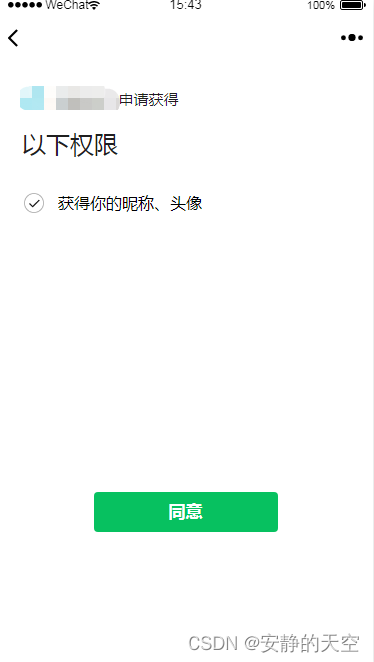
三、效果
版权声明:本文为weixin_42855188原创文章,遵循CC 4.0 BY-SA版权协议,转载请附上原文出处链接和本声明。