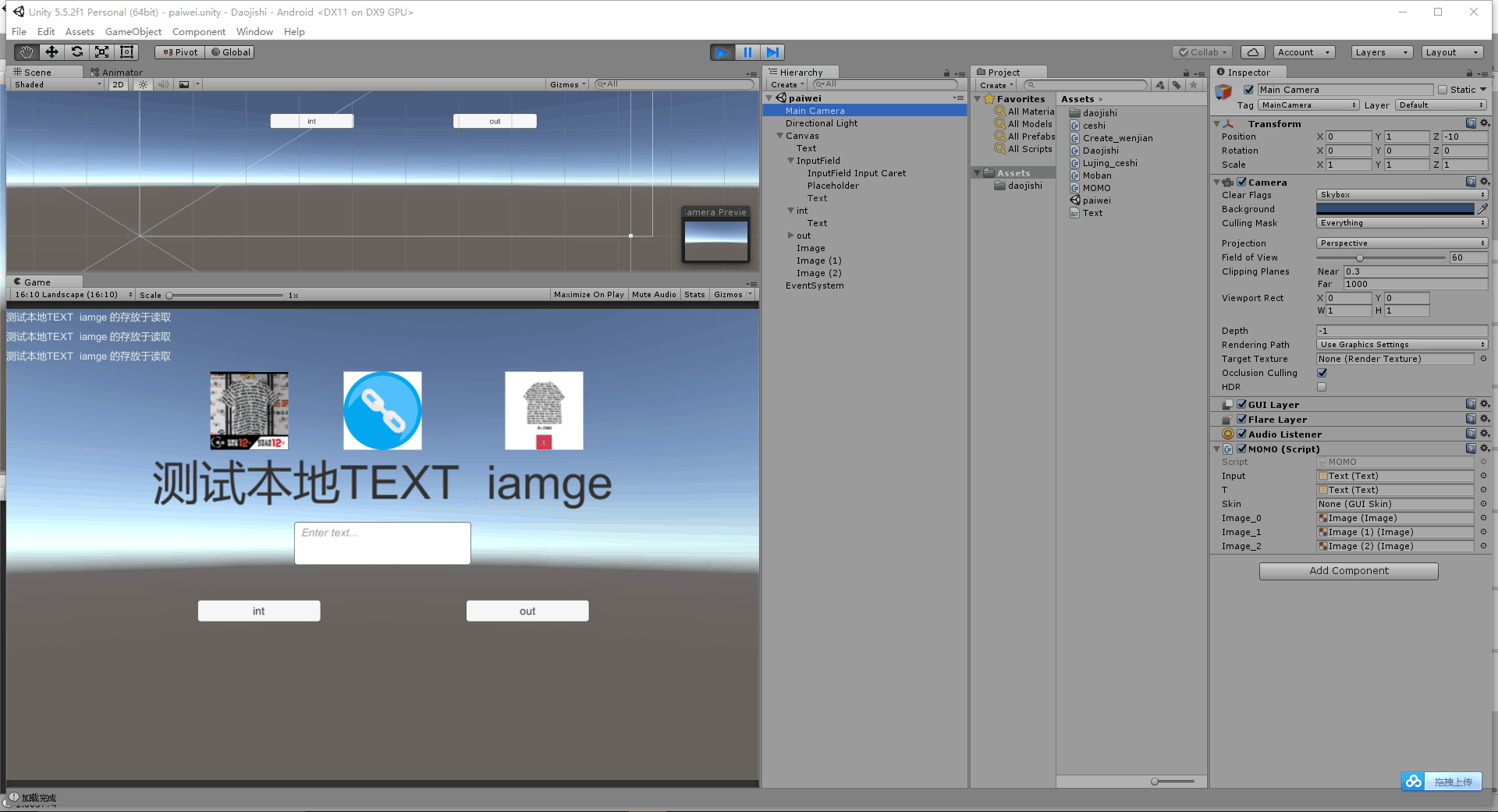
 大家可以参考这位博主的内容 很详细http://blog..net/ynnmnm/article/details/52253674
和还有是momo雨松写的 text的创建及其读取 http://www.xuanyusong.com/archives/1069
这个也不错哦~ http://blog..net/dingxiaowei2013/article/details/19084859
//不同平台下StreamingAssets的路径是不同的,这里需要注意一下。
public static readonly string PathURL =
#if UNITY_ANDROID //安卓
"jar:file://" + Application.dataPath + "!/assets/";
#elif UNITY_IPHONE //iPhone
Application.dataPath + "/Raw/";
#elif UNITY_STANDALONE_WIN || UNITY_EDITOR //windows平台和web平台
"file://" + Application.dataPath + "/StreamingAssets/";
#else
string.Empty;
#endif
我把下载图片 跟本地保存text 与读取 写道一起了 下面是模板using UnityEngine.UI;
using UnityEngine;
using System.Collections;
using System.IO;
using System.Collections.Generic;
using System;
public class MOMO : MonoBehaviour {
public Text Input;//输入文本
public Text T; //输出文本
//文本中每行的内容
ArrayList infoall;//存放从本地的TEXT中读取的TEXT
//皮肤资源,这里用于显示中文
public GUISkin skin;//GUISkin的显示
void Start ()
{
Get_server_active_image ("0");
print("当前文件路径:"+Application.persistentDataPath);
//删除文件
DeleteFile(Application.persistentDataPath,"FileName.txt");//此方法是自定义的
//创建文件,共写入3次数据
CreateFile(Application.persistentDataPath,"FileName.txt","测试本地TEXT iamge 的存放于读取");//------此方法是自定义的
CreateFile(Application.persistentDataPath,"FileName.txt","测试本地TEXT iamge 的存放于读取");
CreateFile(Application.persistentDataPath,"FileName.txt","测试本地TEXT iamge 的存放于读取");//------此方法是自定义的
//得到文本中每一行的内容
infoall = LoadFile(Application.persistentDataPath,"FileName.txt");//------下角标对应相应的第几行
}
public void button_int(){//按键 用于存放输入框中的内容
CreateFile(Application.persistentDataPath,"FileName.txt",Input.text);
}
public void button_out(){//用于读取显示内容
infoall = LoadFile(Application.persistentDataPath,"FileName.txt");
foreach (string str in infoall) {
T.text = str;//遍历数组 进行赋值
}
}
/**
/* path:文件创建目录
* name:文件的名称
* info:写入的内容
*/
void CreateFile(string path,string name,string info)
{
//文件流信息
StreamWriter sw;
FileInfo t = new FileInfo(path+"//"+ name);
if(!t.Exists)
{
//如果此文件不存在则创建
sw = t.CreateText();
}
else
{
//如果此文件存在则打开
sw = t.AppendText();
}
//以行的形式写入信息
sw.WriteLine(info);
//关闭流
sw.Close();
//销毁流
sw.Dispose();
}
/**
* path:读取文件的路径
* name:读取文件的名称
*/
ArrayList LoadFile(string path,string name)
{
//使用流的形式读取
StreamReader sr =null;
try{
sr = File.OpenText(path+"//"+ name);
}catch(Exception e)
{
//路径与名称未找到文件则直接返回空
return null;
}
string line;
ArrayList arrlist = new ArrayList();
while ((line = sr.ReadLine()) != null)
{
//一行一行的读取
//将每一行的内容存入数组链表容器中
arrlist.Add(line);
}
//关闭流
sr.Close();
//销毁流
sr.Dispose();
//将数组链表容器返回
return arrlist;
}
/**
* path:删除文件的路径
* name:删除文件的名称
*/
void DeleteFile(string path,string name)
{
File.Delete(path+"//"+ name);
}
void OnGUI()
{
//用新的皮肤资源,显示中文
GUI.skin = skin;
//读取文件中的所有内容
foreach(string str in infoall)
{ T.text = str;
//绘制在屏幕当中,哇咔咔!
GUILayout.Label(str);
}
}
//***************************************************活动页面*********************************************************************
public void Get_server_active_image (string active_image)
{//获取活动图片的信息
active_image = "http://img.alicdn.com/bao/uploaded/i2/TB2Zpr1r0FopuFjSZFHXXbSlXXa_!!2989268369.jpg|http://img.alicdn.com/bao/uploaded/i2/TB2x7C0nFXXXXbsXpXXXXXXXXXX_!!101742512.jpg|http://img.alicdn.com/bao/uploaded/i1/TB2OI65qQqvpuFjSZFhXXaOgXXa_!!160430558.jpg";
string [] active_image_www = active_image.Split ('|');//将获取到的进行拆分
StartCoroutine (LoadImg (active_image_www.Length + "", active_image_www));
}
public Image Image_0;//-----测试用于显示图片
public Image Image_1;//
public Image Image_2;//-----测试用于显示图片
//图片下载测试
WWW www;
//请求
string filePath;
//保存的文件路径
Texture2D texture2D;
//下载的图片
ArrayList active_image = new ArrayList ();//将从本地读取到的图片 读取出来存放在数组中 便于使用
IEnumerator LoadImg (string num, string[] active_image_)
{
for (int i = 0; i < int.Parse (num); i++) {
DirectoryInfo mydirectoryinfo = new DirectoryInfo (Application.persistentDataPath+"Image/active");//开始创建文件夹 这样路径会主
if (!mydirectoryinfo.Exists) {
Debug.Log ("路径途径不存在,需要创建一个");
Directory.CreateDirectory (mydirectoryinfo + "");
}
filePath = mydirectoryinfo+""+ "/active"+i+""+".jpg";//先建立一个这样的地址 ———— |
//开始下载图片 |
www = new WWW (active_image_ [i]);// |
yield return www; // |
Debug.Log ("333333333333333333333333333");// |
//下载完成,保存图片到路径filePath |
texture2D = www.texture;// |
byte[] bytes = texture2D.EncodeToPNG ();// 将图片转化为流 |
File.WriteAllBytes(filePath, bytes);//将图片存放起来 用上面之前建立的空间---------|
Debug.Log ("加载完成");
}
Get_bendi_image (num);//下载完了 读取这个写图片
Image_0.sprite = active_image [0]as Sprite;//--------读取本都完毕 将图片显示
Image_1.sprite = active_image [1]as Sprite;
Image_2.sprite = active_image [2]as Sprite;//--------读取本都完毕 将图片显示
}
public void Get_bendi_image(string num){
for (int i = 0; i
//创建文件读取流-------------------------------------这个位置就是那张图片 打开 读取
FileStream fileStream = new FileStream(Application.persistentDataPath+"Image/active/active"+i+""+".jpg", FileMode.Open, FileAccess.Read);
fileStream.Seek(0, SeekOrigin.Begin);
//创建文件长度缓冲区
byte[] bytes = new byte[fileStream.Length];
//读取文件
fileStream.Read(bytes, 0, (int)fileStream.Length);
//释放文件读取流
fileStream.Close();
fileStream.Dispose();
fileStream = null;
//创建Texture
int width=800;
int height=640; //定义宽高
Texture2D texture = new Texture2D(width, height); //定义图片大小
texture.LoadImage(bytes);
Sprite tempSp = Sprite.Create(texture, new Rect(0,0,texture.width,texture.height),new Vector2(0,0));//将图片 用代码的形式转化为 Sprite 型的 也就是贴图
active_image.Add (tempSp);//图片读取出来存在数组中 方便调取
}
}
}这个是效果图 中间的是图片
~~