在idea上使用git建立连接gitee上的仓库
- 步骤
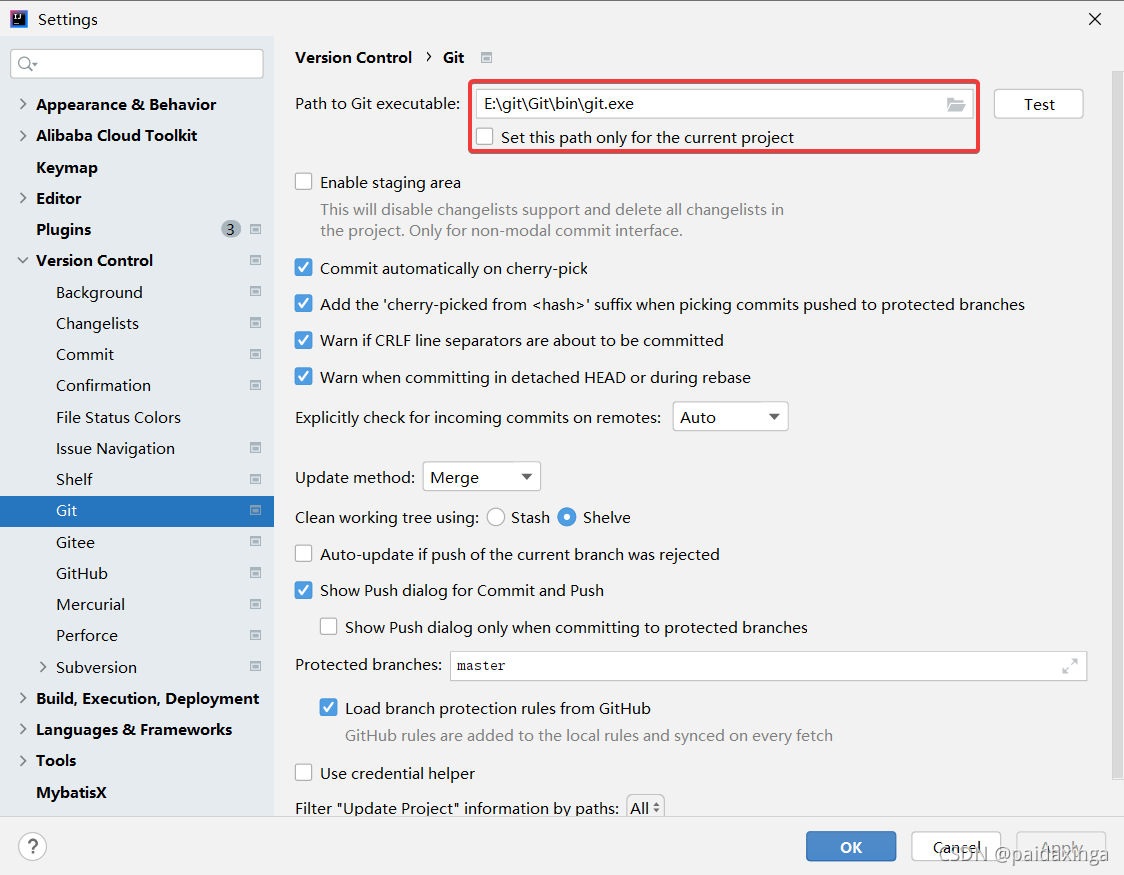
- 1、Settings中找到git,在Path to Git executable中选择你已经安装好的git目录里的bin目录下的git.exe
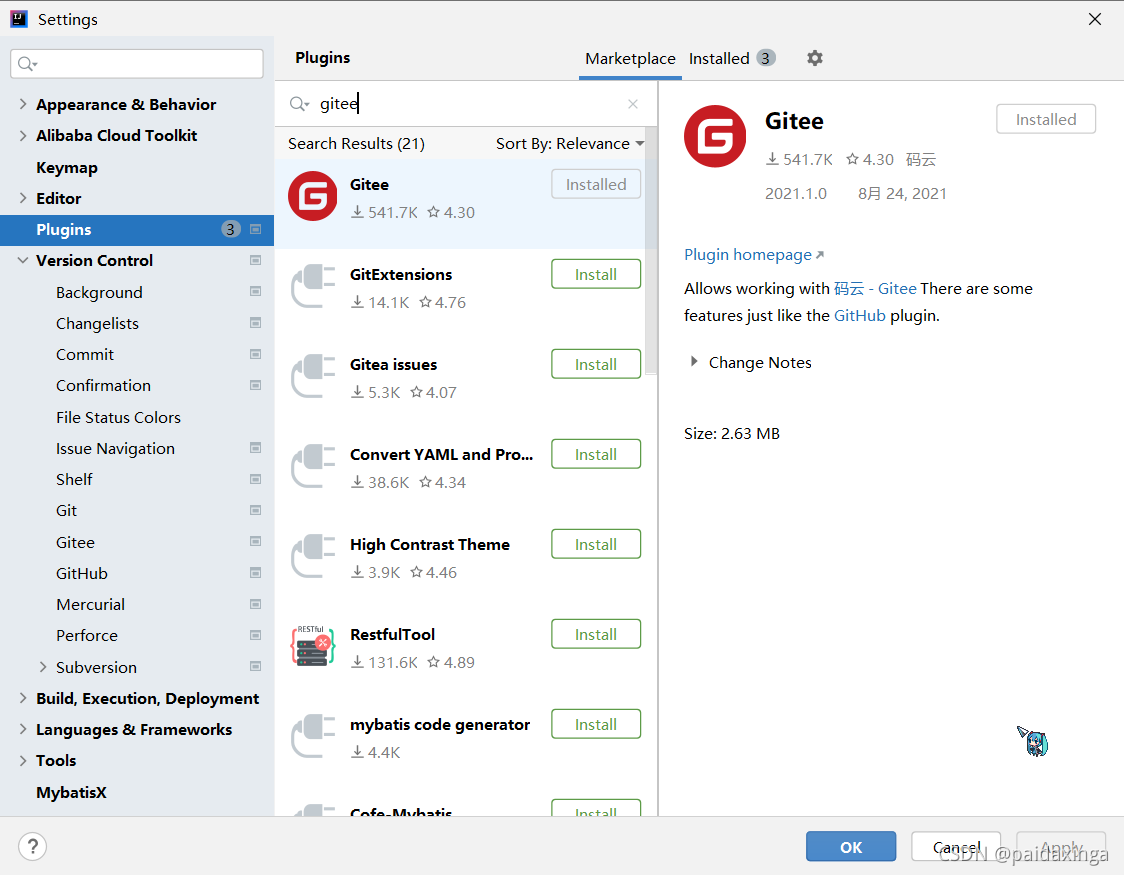
- 2、下载gitee插件
- 3、Settings中找到gitee,点击Add Account,输入你在gitee上的账号密码
- 4、在gitee上建立一个仓库
- 5、idea中在你的项目上点击VCS->Create Git Repository
- 6、右键项目,点击Add,然后文件都变成绿色
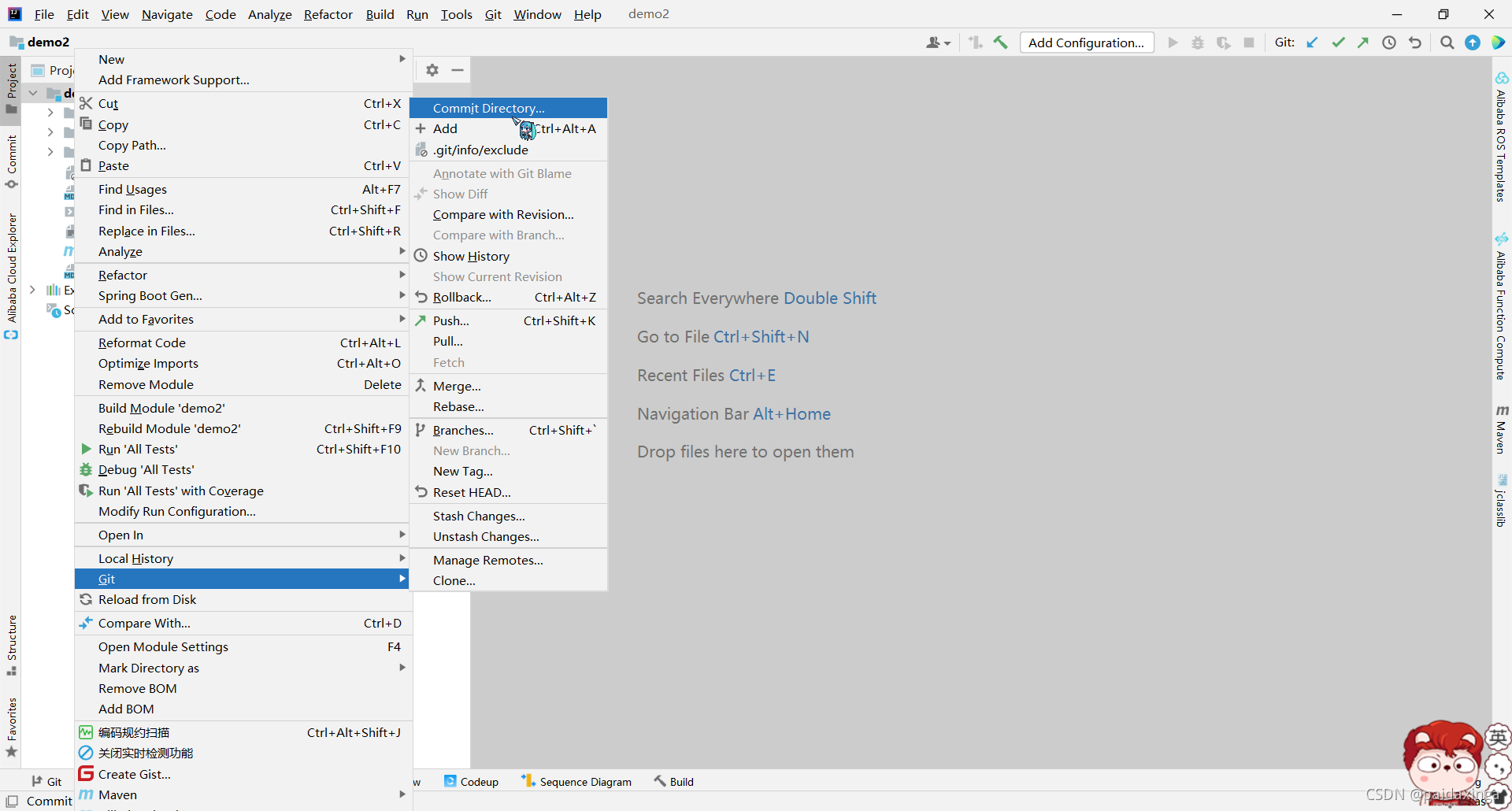
- 7、再右键点击Commit Directory提交
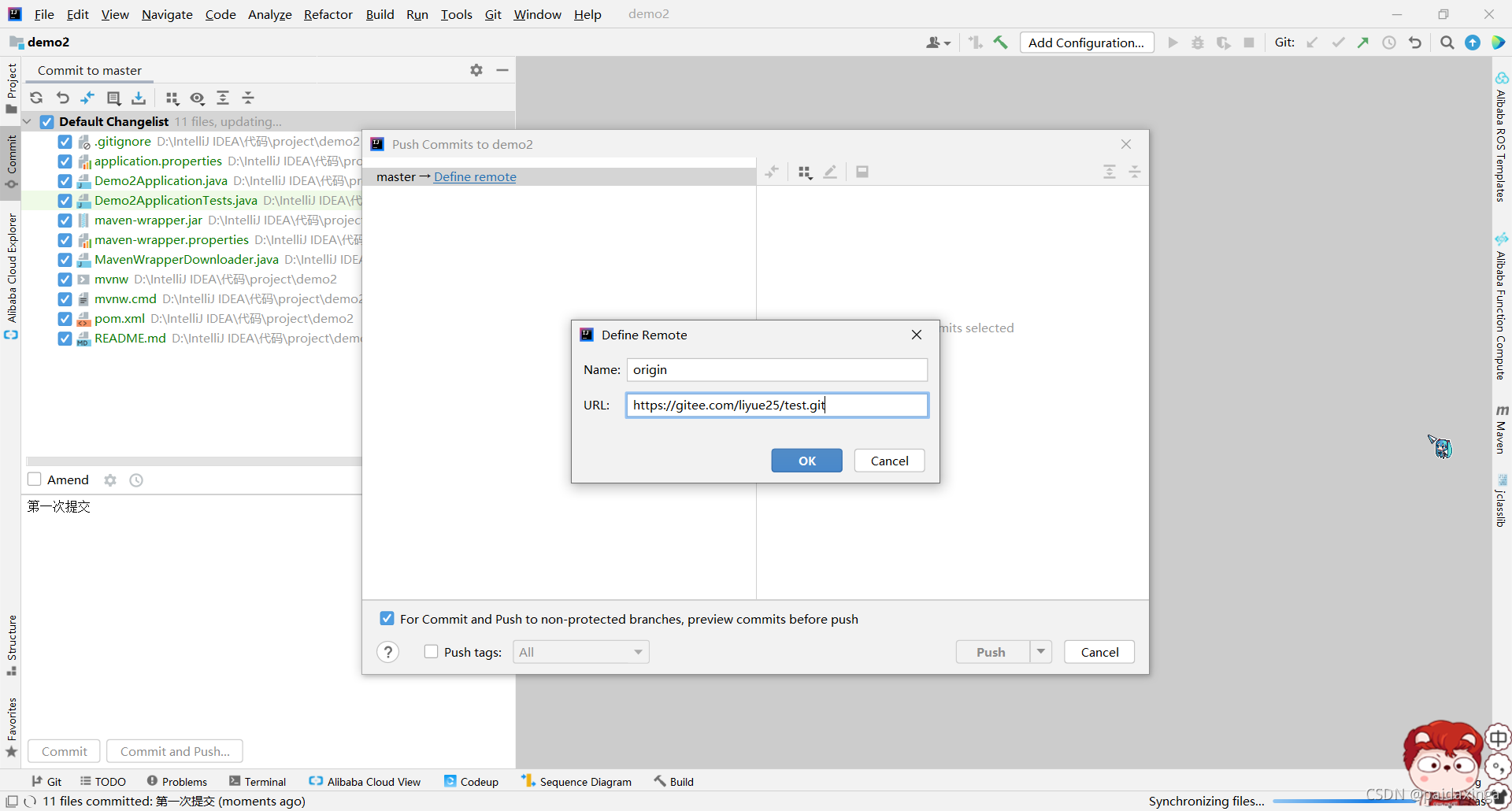
- 8、输入描述“第一次提交”后,点击Commit and Push,点击Define remote输入远程仓库的地址
- 9、上传时可能失败,出现以下错误。
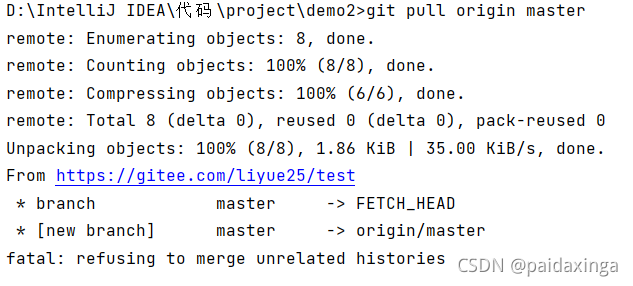
- 10、在控制台上输入git pull origin master
- 11、在控制台上输入git push -f origin master
- 12、查看到gitee仓库提交成功:
步骤
1、Settings中找到git,在Path to Git executable中选择你已经安装好的git目录里的bin目录下的git.exe
2、下载gitee插件
3、Settings中找到gitee,点击Add Account,输入你在gitee上的账号密码


4、在gitee上建立一个仓库

5、idea中在你的项目上点击VCS->Create Git Repository


此时上方VCS就变成了Git。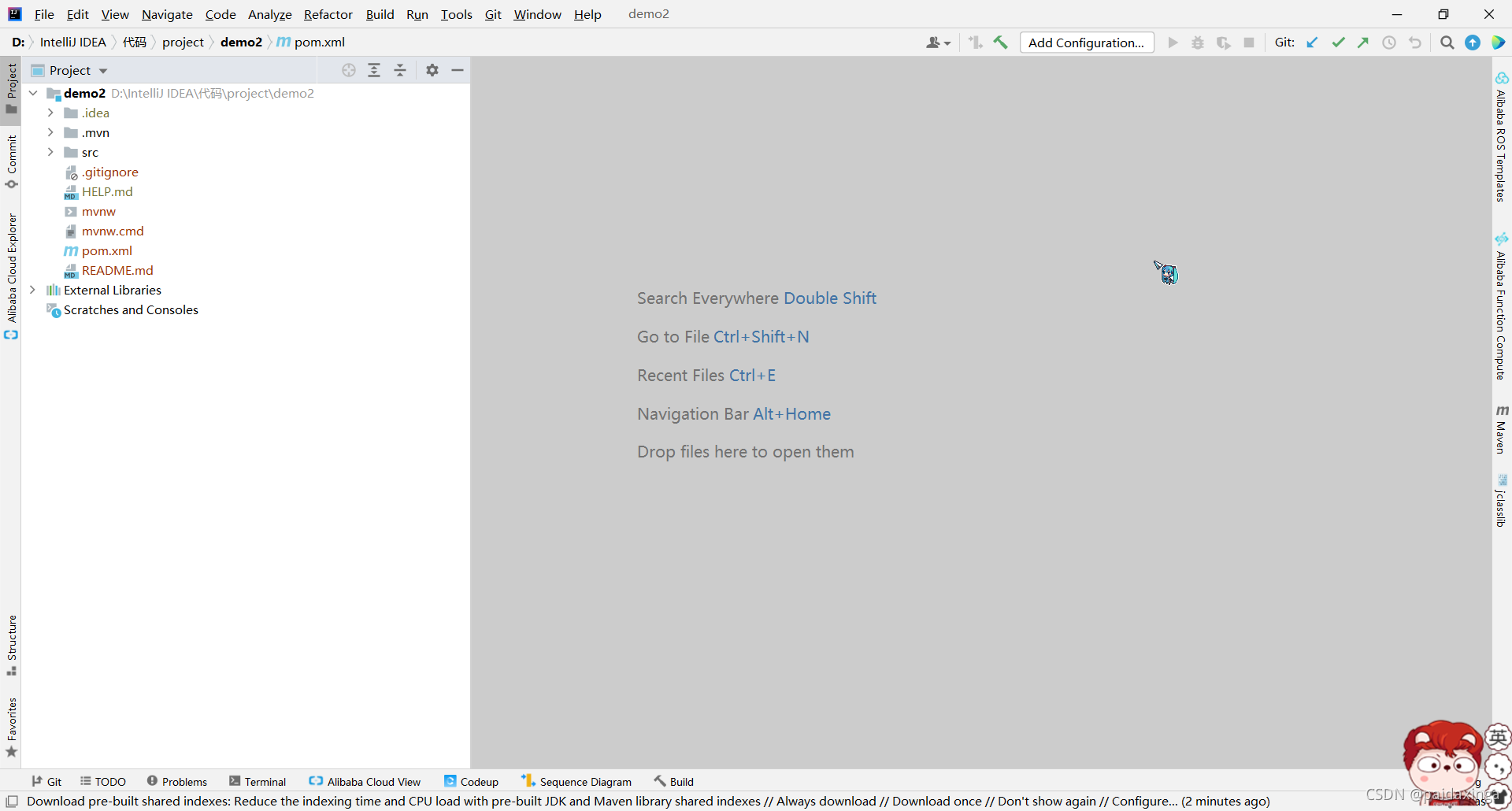
6、右键项目,点击Add,然后文件都变成绿色

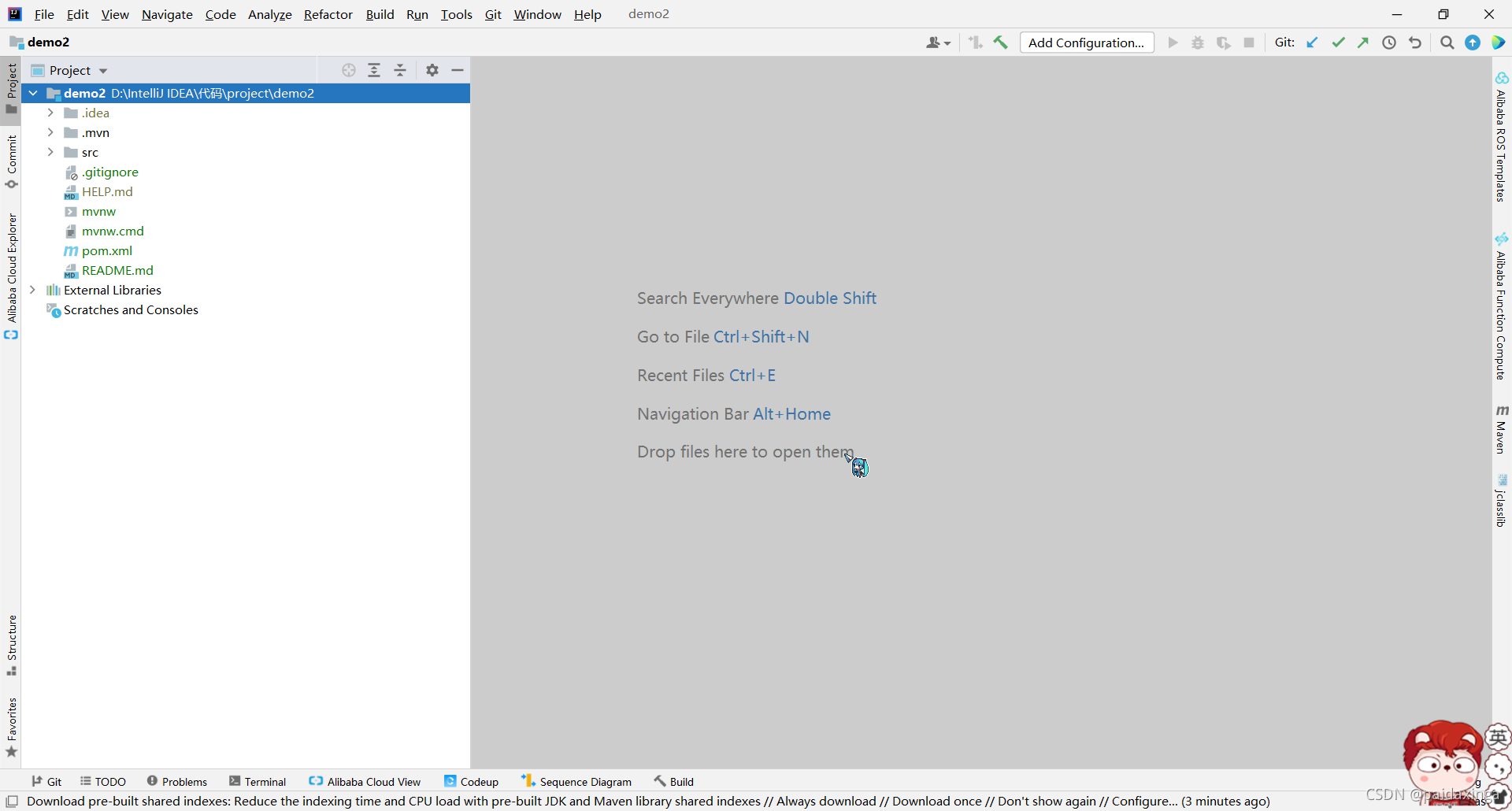
7、再右键点击Commit Directory提交
8、输入描述“第一次提交”后,点击Commit and Push,点击Define remote输入远程仓库的地址

9、上传时可能失败,出现以下错误。

 create mode 100644 mvnw.cmd
 create mode 100644 pom.xml
 create mode 100644 src/main/java/com/example/demo/Demo2Application.java
 create mode 100644 src/main/resources/application.properties
 create mode 100644 src/test/java/com/example/demo/Demo2ApplicationTests.java
02:01:22.658: [demo2] git -c credential.helper= -c core.quotepath=false -c log.showSignature=false push --progress --porcelain origin refs/heads/master:master --set-upstream
error: failed to push some refs to 'https://gitee.com/liyue25/test.git'
To https://gitee.com/liyue25/test.git
hint: Updates were rejected because the remote contains work that you do
hint: not have locally. This is usually caused by another repository pushing
!	refs/heads/master:refs/heads/master	[rejected] (fetch first)
hint: to the same ref. You may want to first integrate the remote changes
Done
hint: (e.g., 'git pull ...') before pushing again.
hint: See the 'Note about fast-forwards' in 'git push --help' for details.
因为与远程仓库有冲突,不能提交。
10、在控制台上输入git pull origin master
11、在控制台上输入git push -f origin master
注意:-f是强制覆盖的,由于新建的仓库还没什么可以使用一下
12、查看到gitee仓库提交成功:

版权声明:本文为paidaxinga_原创文章,遵循CC 4.0 BY-SA版权协议,转载请附上原文出处链接和本声明。