需求:用户通过拖动表格列宽来实现保存用户自己的个性化设置
解决:
因为是要动态获取用户设置的列宽,所以需要去监听列宽变化才行,百度找了好几个都不太合适,然后发现element文档自带这个事件,所以浪费了一堆时间,所以文档还是得仔细瞅
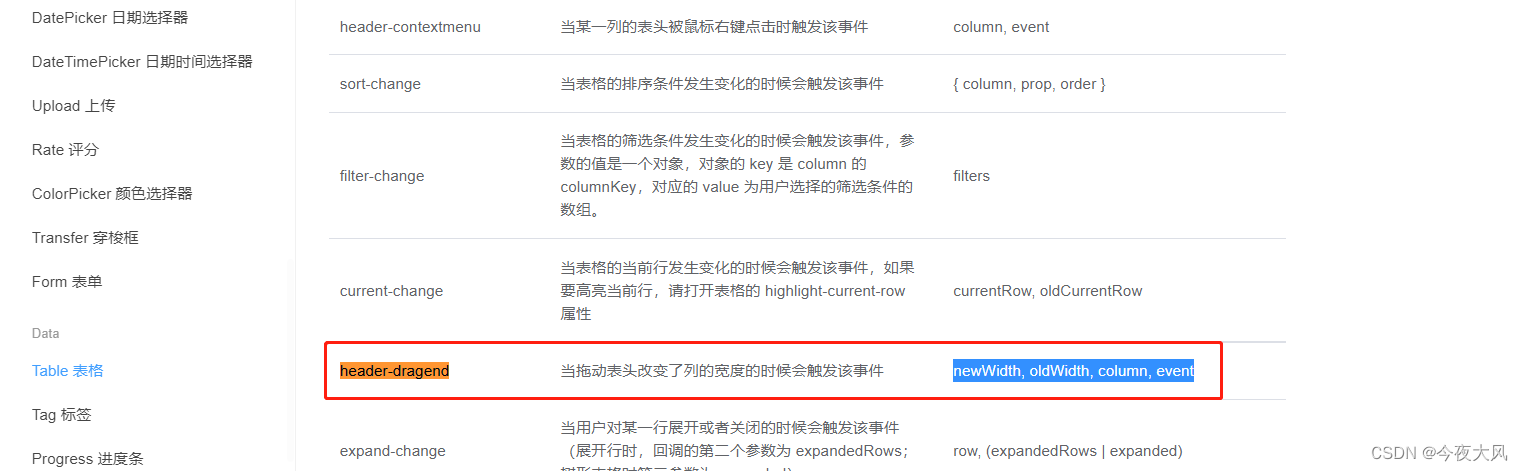
但是呢,我用的是umyui的ux-grid,而umy只是改造了element-ui等等库的表格组,所以umy中ux-grid这个事件返回的参数和element是有区别的,并没有直接返回列宽
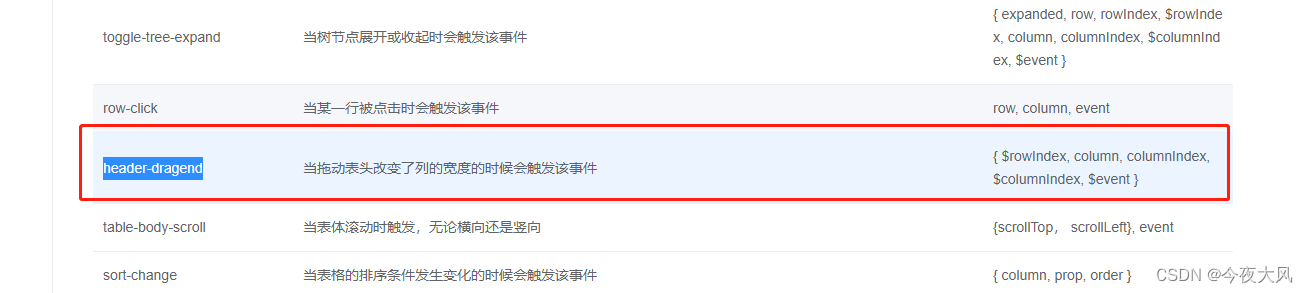
经过测试发现返回参数中column里面的width是原宽度,renderWidth是新宽度,于是问题就解决了
主要代码如下:
html:
<ux-grid border
      ref="saleBill"
      :data="saleBill"
      show-overflow
      height="500"
      show-summary
      @header-dragend="changeColumnWidth">
      <ux-table-column type="checkbox" width="50" align="center"></ux-table-column>
      <ux-table-column field="sort" title="排序" prop="sort" width="50" align="center"></ux-table-column>
      <ux-table-column v-for="items in tableHeadList"
      :resizable="true" :width="items.width ? items.width : 120"
      :field="items.aliasName!=null ? items.aliasName : items.name" :title="items.ZDM"
      :key="Math.random()"
      :edit-render="items.isEdit == '1' ? {autofocus: '.el-input__inner'} : false" align="center">

          <el-input v-if="items.type=='7'" :readonly="mainBill.IsDel_kcsl == 1"
                    v-model="row[items.name]"
                    @keyup.native.enter="nextFocus($event,row,items.name,$rowIndex)"></el-input>
      </ux-table-column>
    </ux-grid>
method:
changeColumnWidth({ column, columnIndex}){
 if(column.width != column.renderWidth){
   this.tableHeadList[columnIndex-2].width = column.renderWidth
   // this.saveHeadConfig()
 }
}
版权声明:本文为qq_38425904原创文章,遵循CC 4.0 BY-SA版权协议,转载请附上原文出处链接和本声明。