代码资源:https://download.csdn.net/download/qq_36926037/85106594
1 项目基本配置
1.1 创建项目
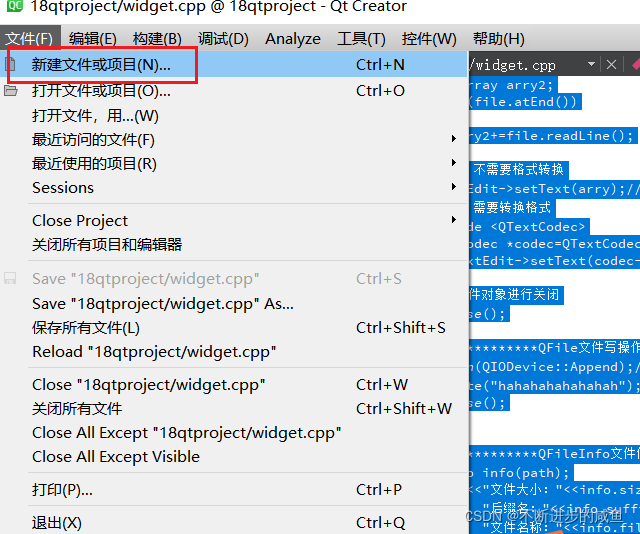
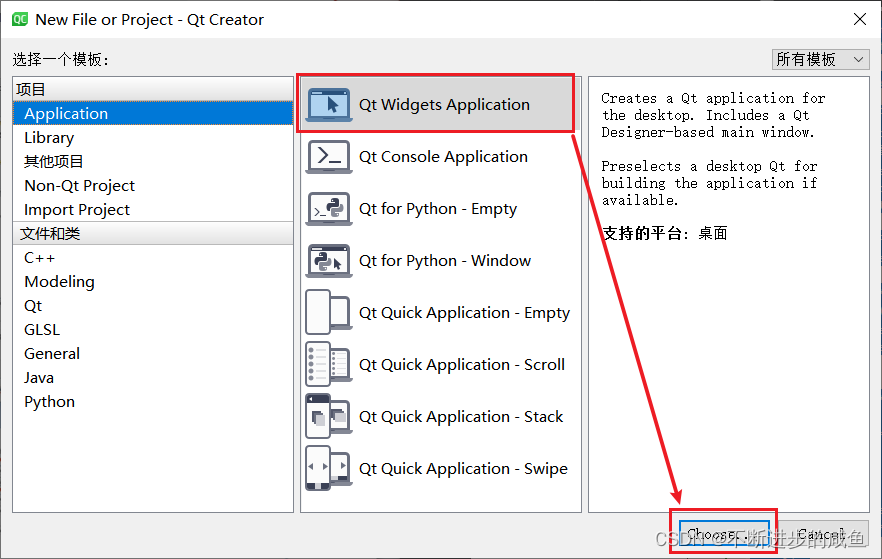
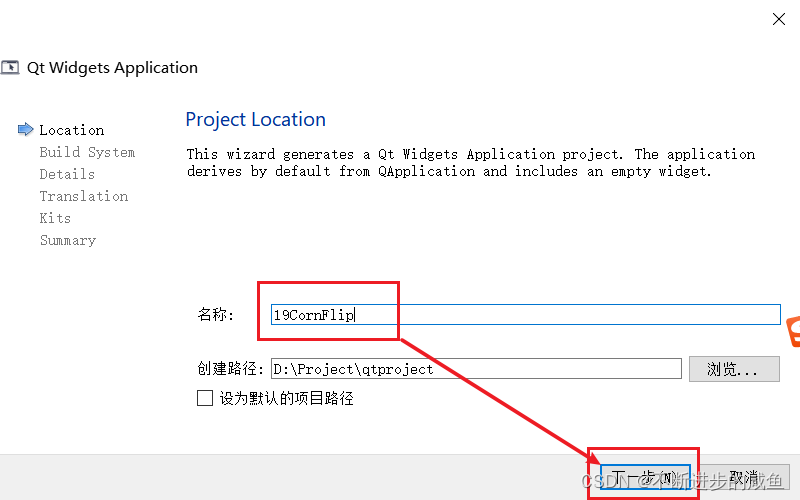
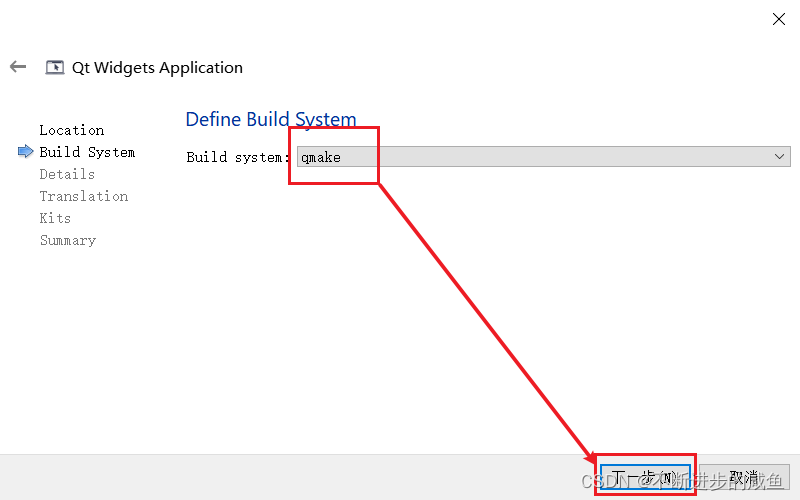
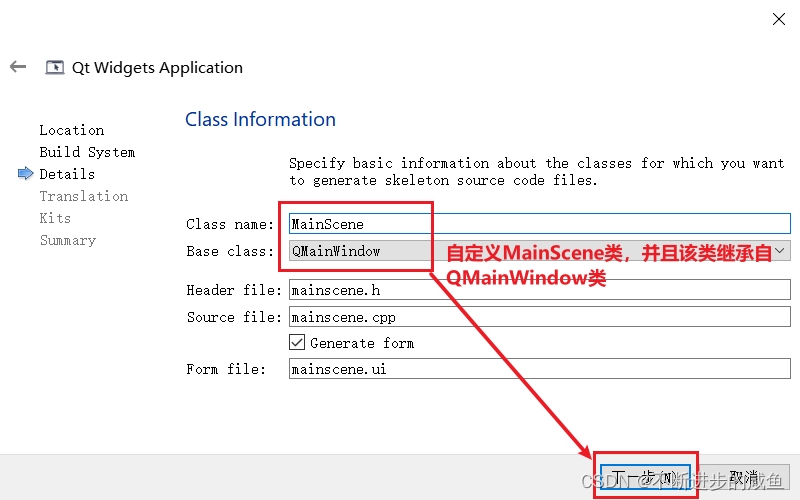
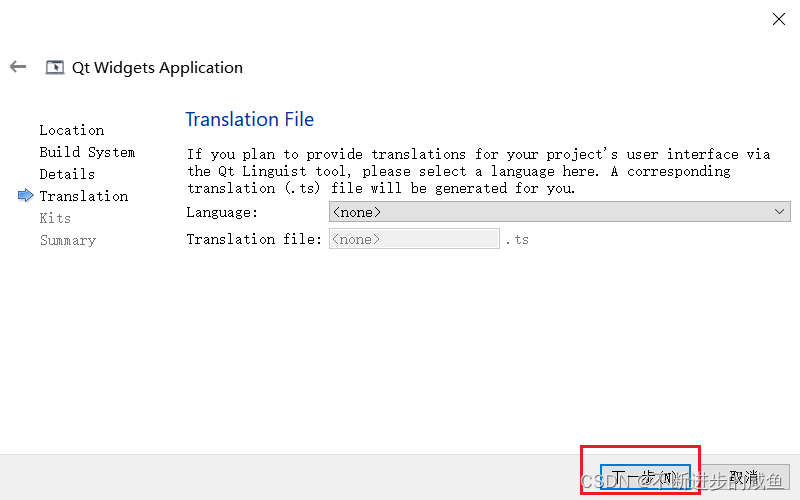
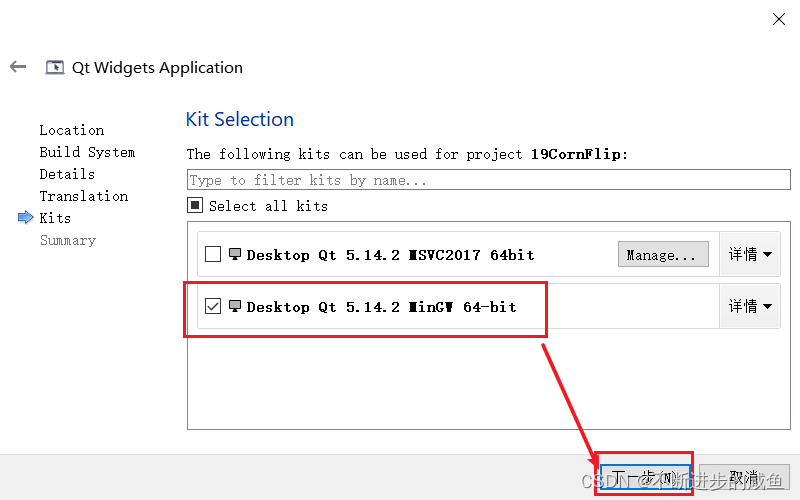
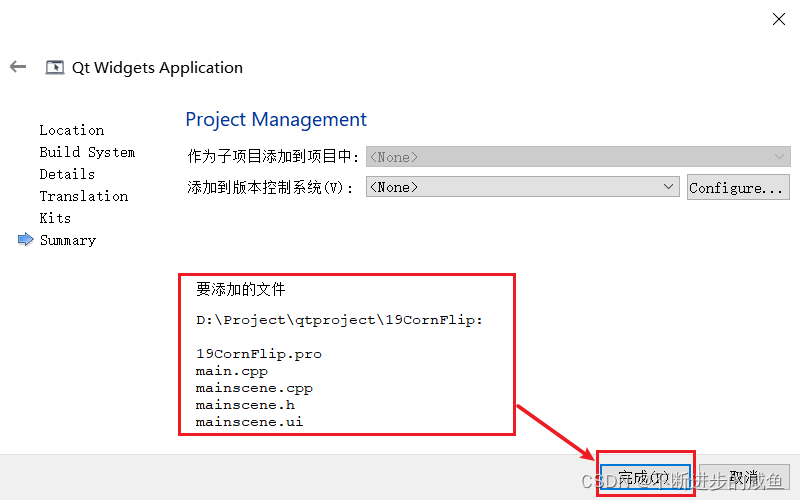
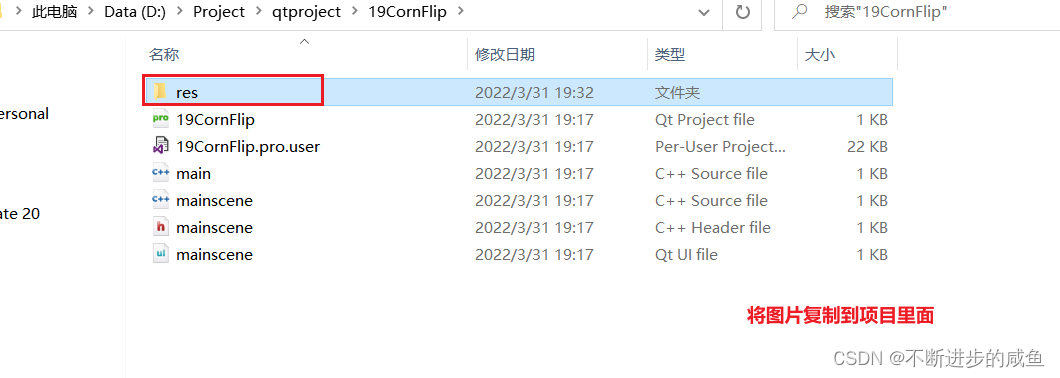
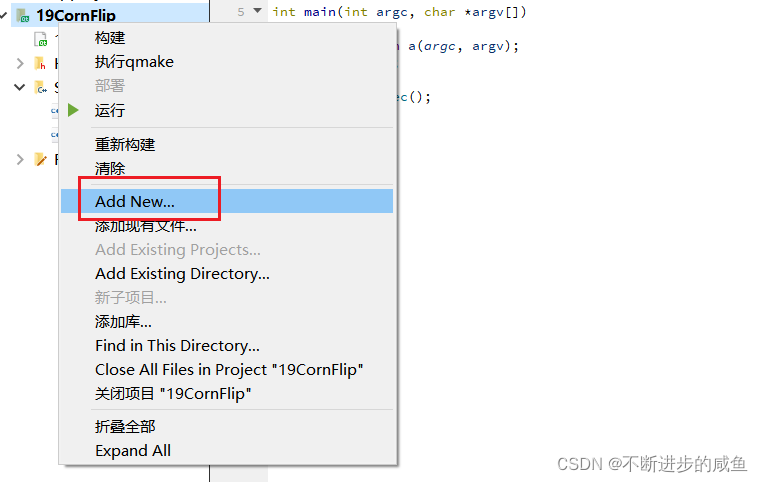
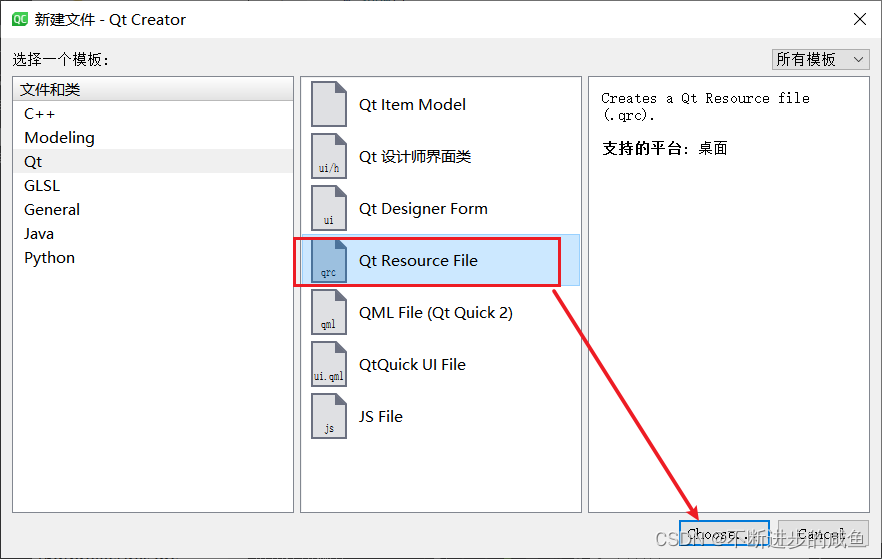
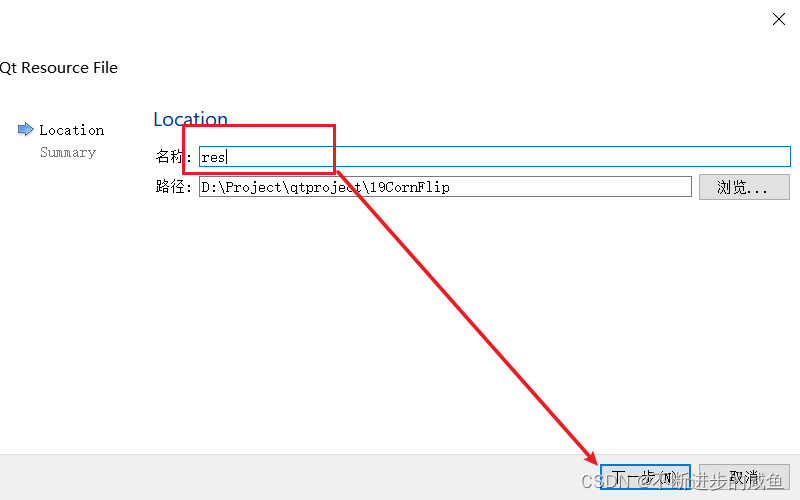
1.2 添加资源文件
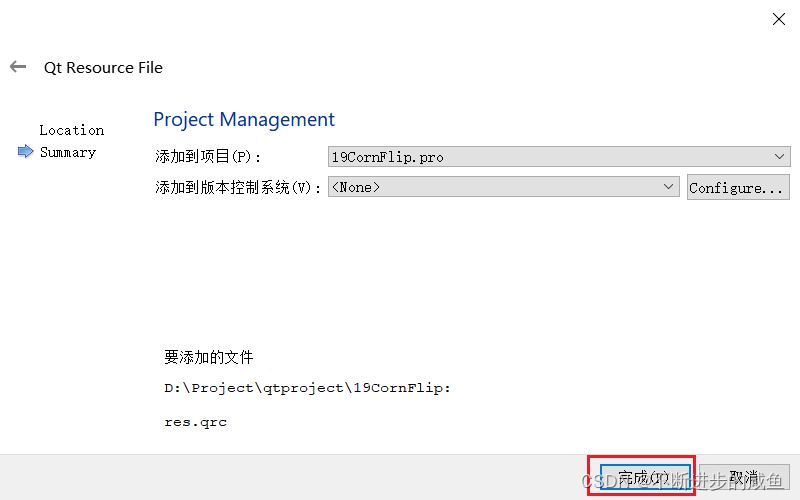
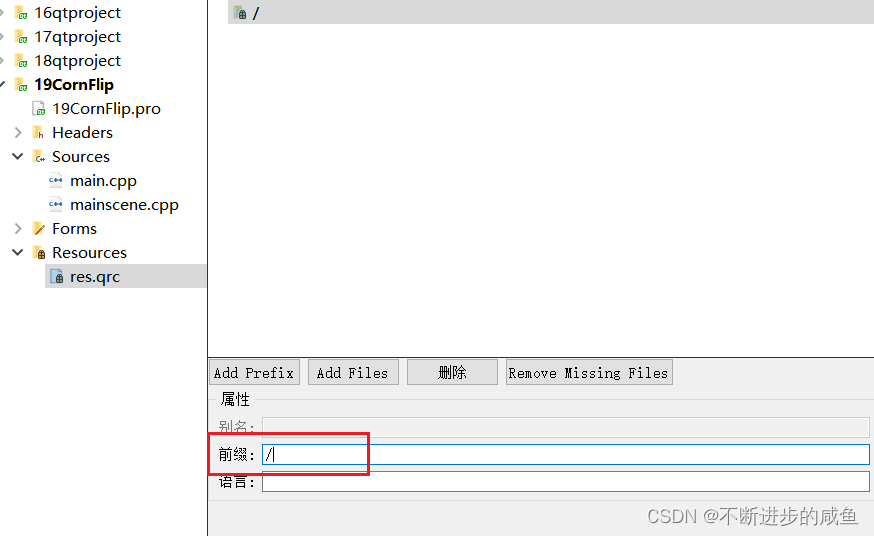
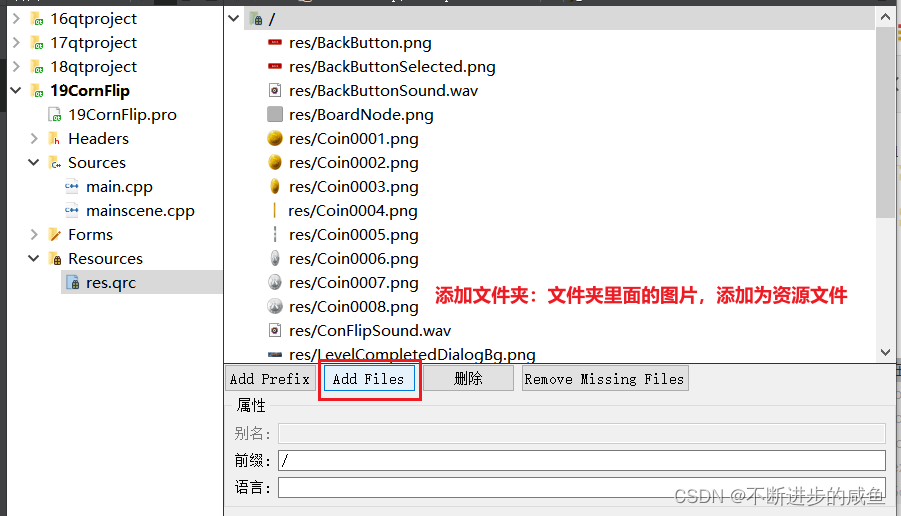
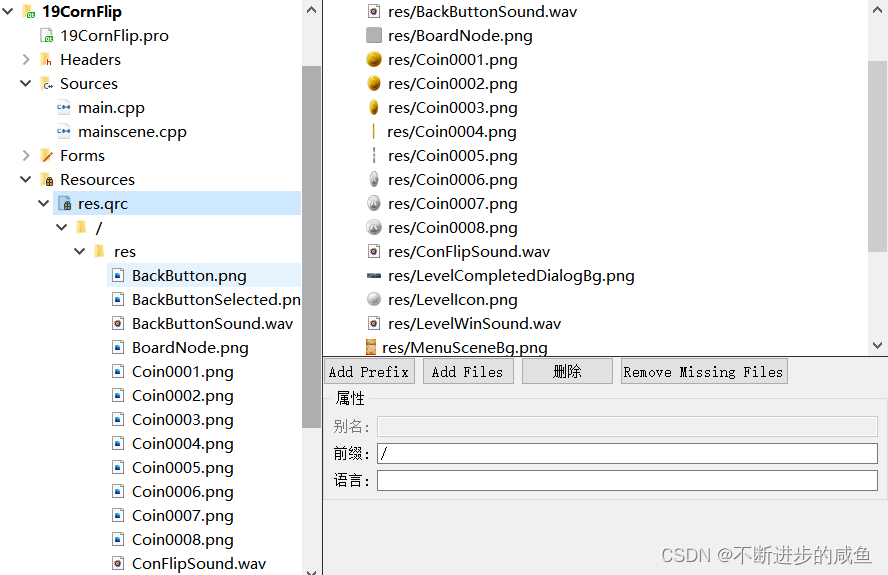
2 主场景
2.1 设置游戏主场景配置
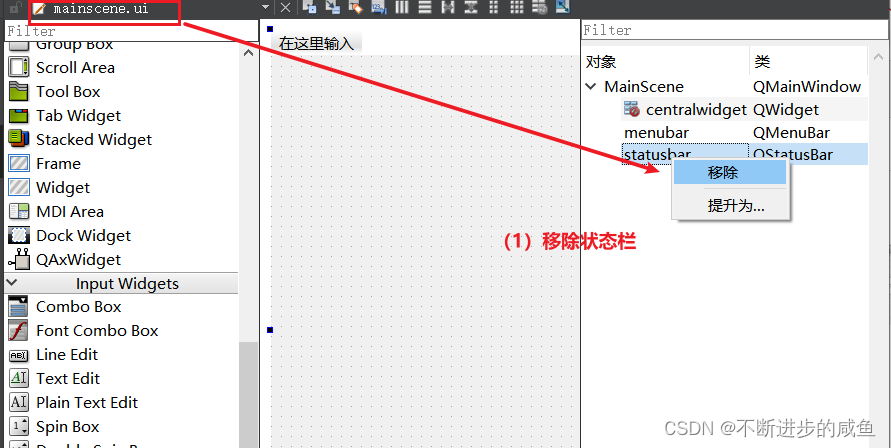
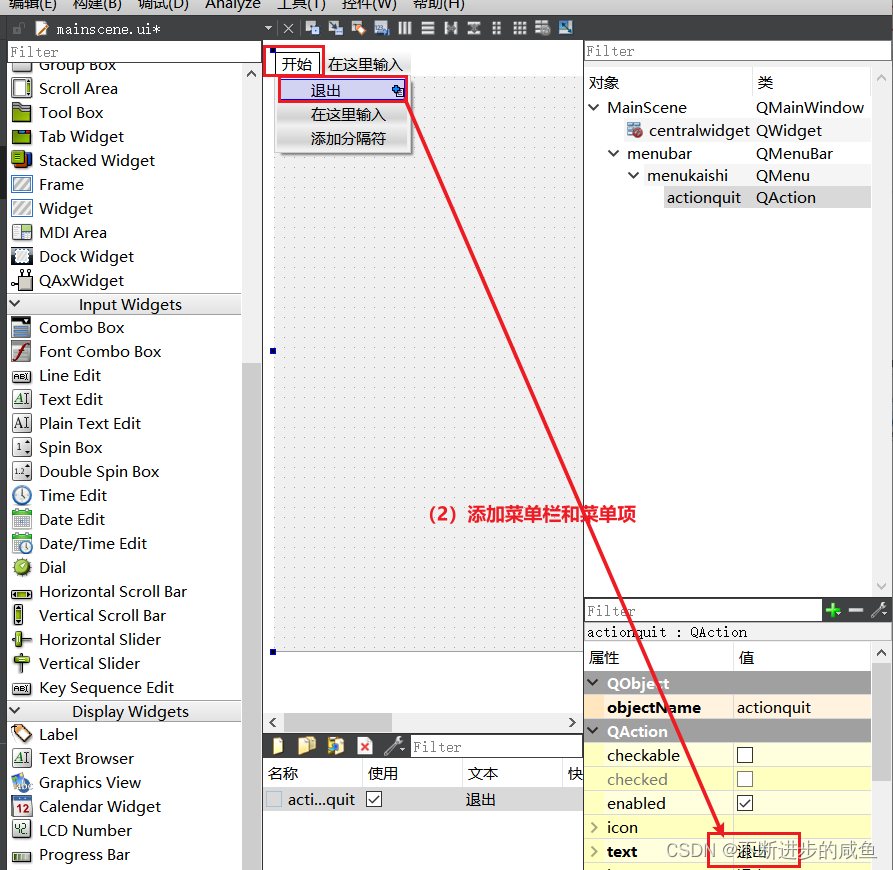
#include "mainscene.h"
#include "ui_mainscene.h"

MainScene::MainScene(QWidget *parent)
    : QMainWindow(parent)
    , ui(new Ui::MainScene)
{
    ui->setupUi(this);
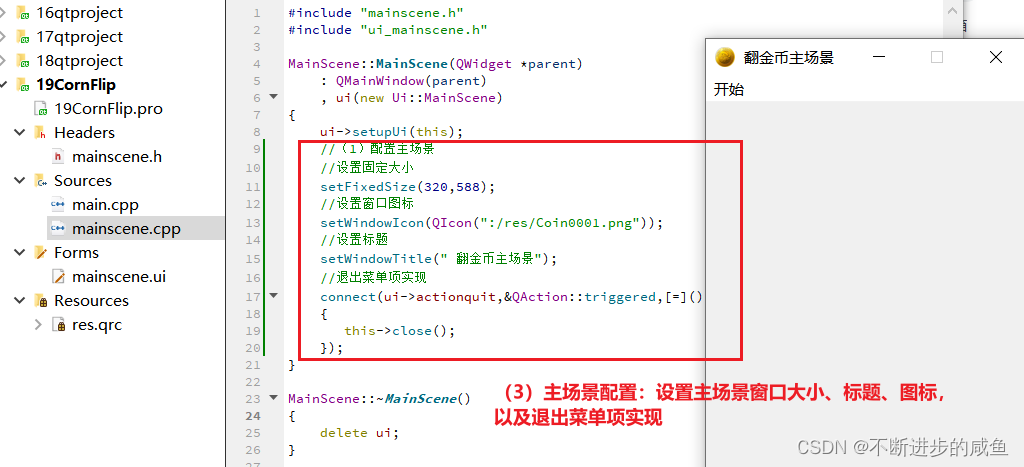
    //(1)配置主场景
    //设置固定大小
    setFixedSize(320,588);
    //设置窗口图标
    setWindowIcon(QIcon(":/res/Coin0001.png"));
    //设置标题
    setWindowTitle(" 翻金币主场景");
    //退出菜单项实现
    connect(ui->actionquit,&QAction::triggered,[=]()
    {
       this->close();
    });
}

MainScene::~MainScene()
{
    delete ui;
}
2.2 设置主场景背景图片
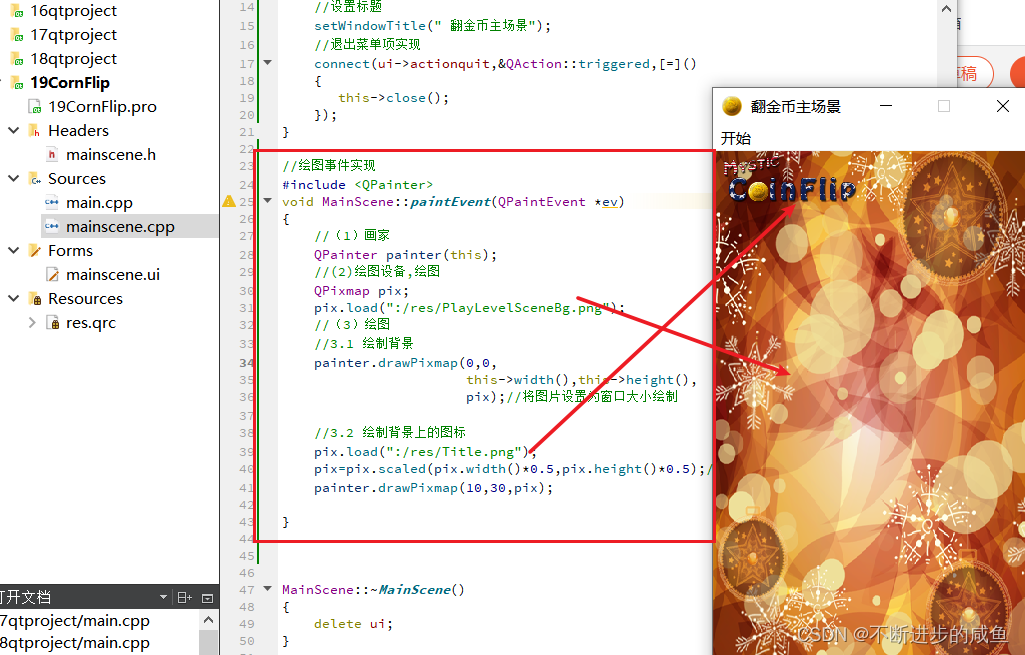
思路:重写paintEvent事件,并添加代码,绘制背景图片
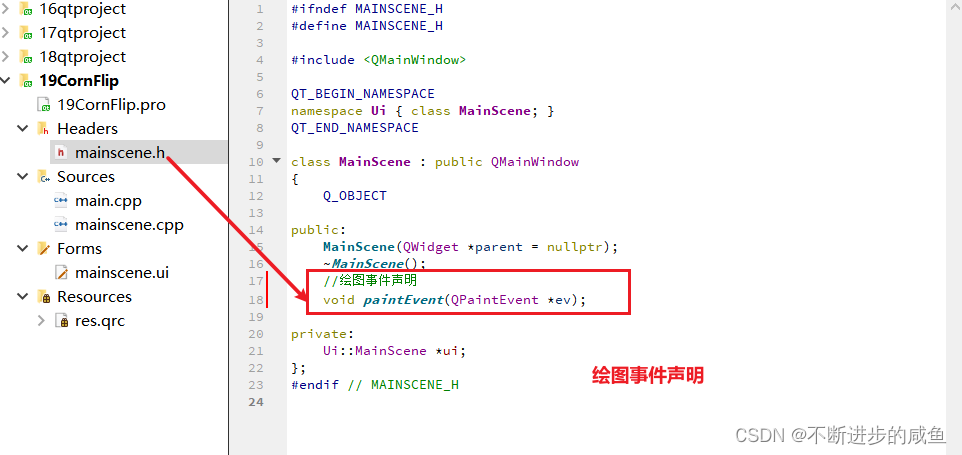
(1)paintEvent事件声明:在mainscene.h中声明绘图事件
#ifndef MAINSCENE_H
#define MAINSCENE_H

#include <QMainWindow>

QT_BEGIN_NAMESPACE
namespace Ui { class MainScene; }
QT_END_NAMESPACE

class MainScene : public QMainWindow
{
    Q_OBJECT

public:
    MainScene(QWidget *parent = nullptr);
    ~MainScene();
    //绘图事件声明
    void paintEvent(QPaintEvent *ev);

private:
    Ui::MainScene *ui;
};
#endif // MAINSCENE_H
(2)绘图事件实现:在mainscene.cpp中实现绘图事件
//绘图事件实现
#include <QPainter>
void MainScene::paintEvent(QPaintEvent *ev)
{
    //(1)画家
    QPainter painter(this);
    //(2)绘图设备,绘图
    QPixmap pix;
    pix.load(":/res/PlayLevelSceneBg.png");
    //(3)绘图
    //3.1 绘制背景
    painter.drawPixmap(0,0,
                       this->width(),this->height(),
                       pix);//将图片设置为窗口大小绘制

    //3.2 绘制背景上的图标
    pix.load(":/res/Title.png");
    pix=pix.scaled(pix.width()*0.5,pix.height()*0.5);//缩放
    painter.drawPixmap(10,30,pix);

}
2.3 创建开始按钮
需求分析: 开始按钮点击后,有弹跳的效果,这个效果我们利用自定义控件来实现,自己封装一个按钮来实现这个效果。
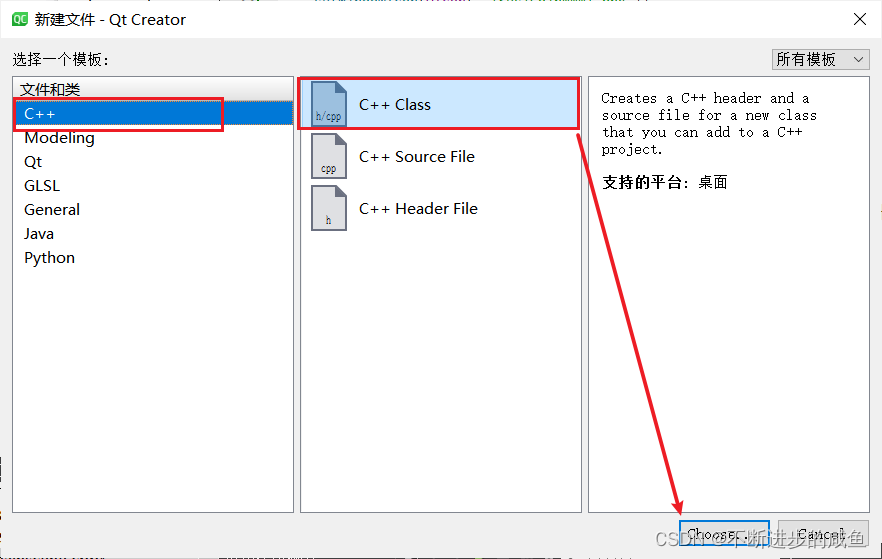
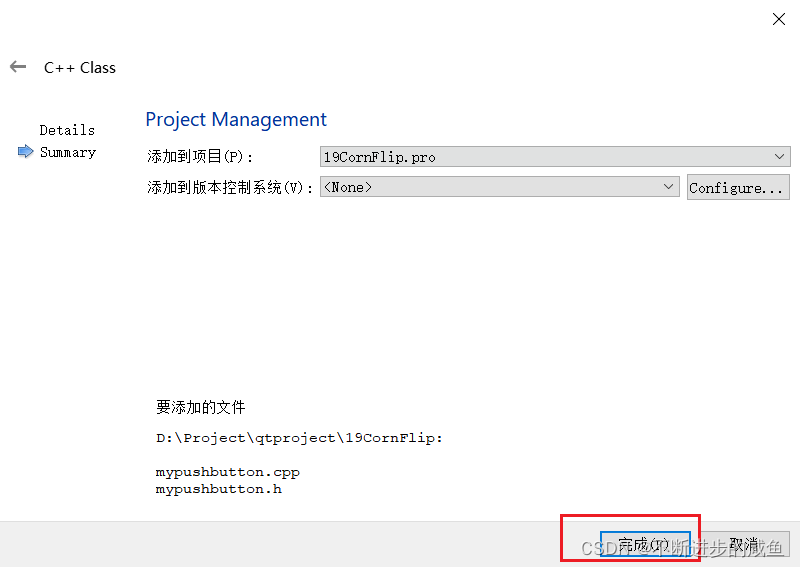
(1)创建MyPushbutton类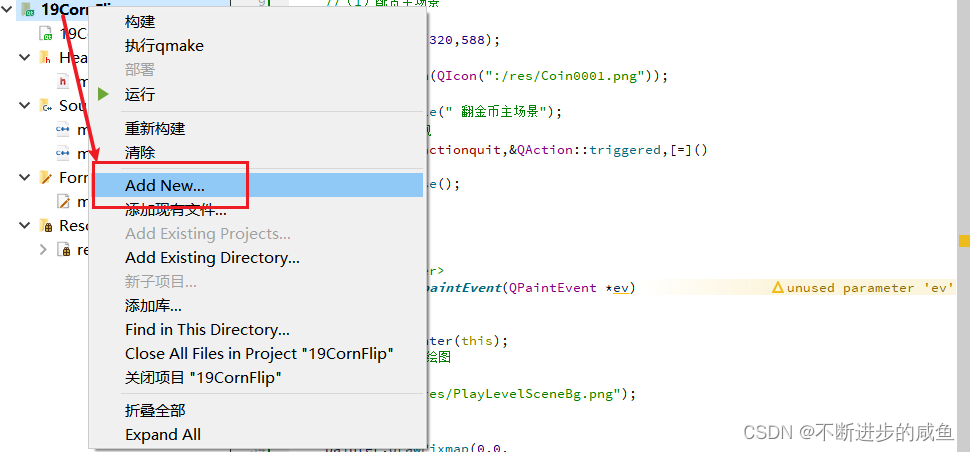
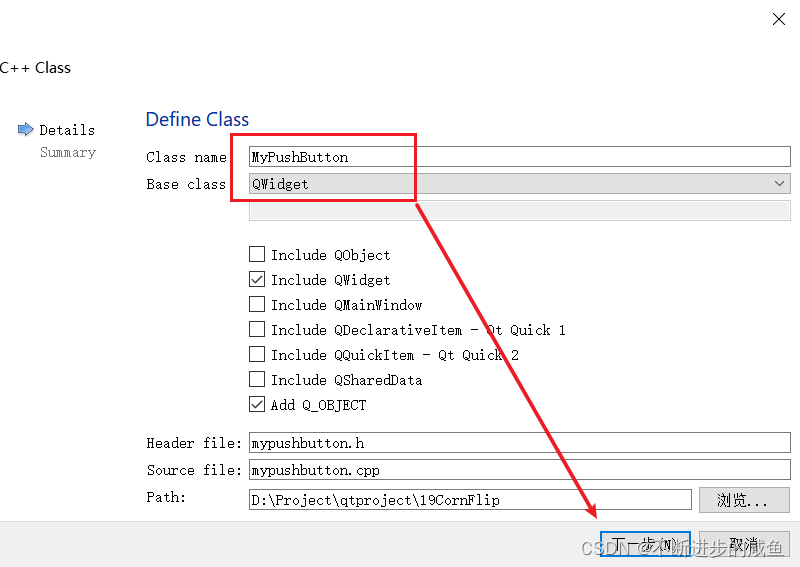
(2)修改MyPushbutton类的基类为QPushButton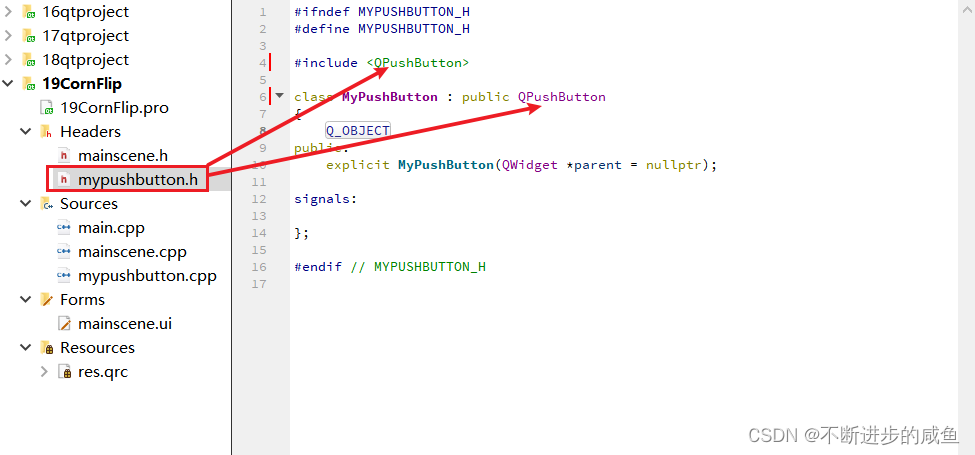
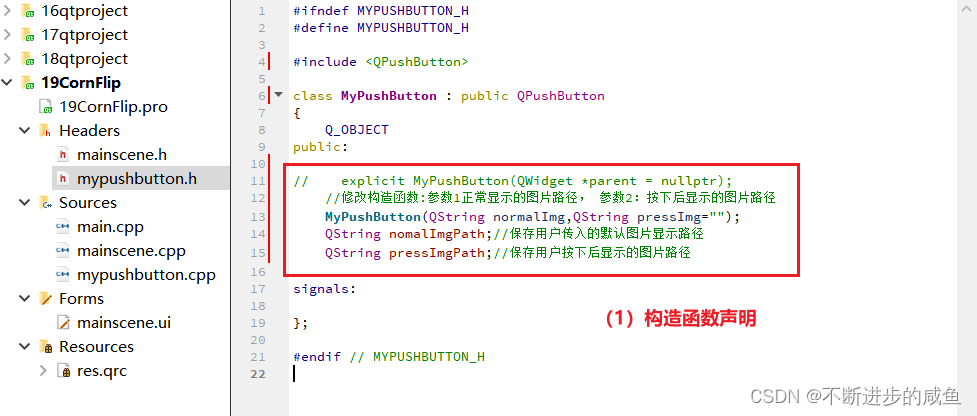
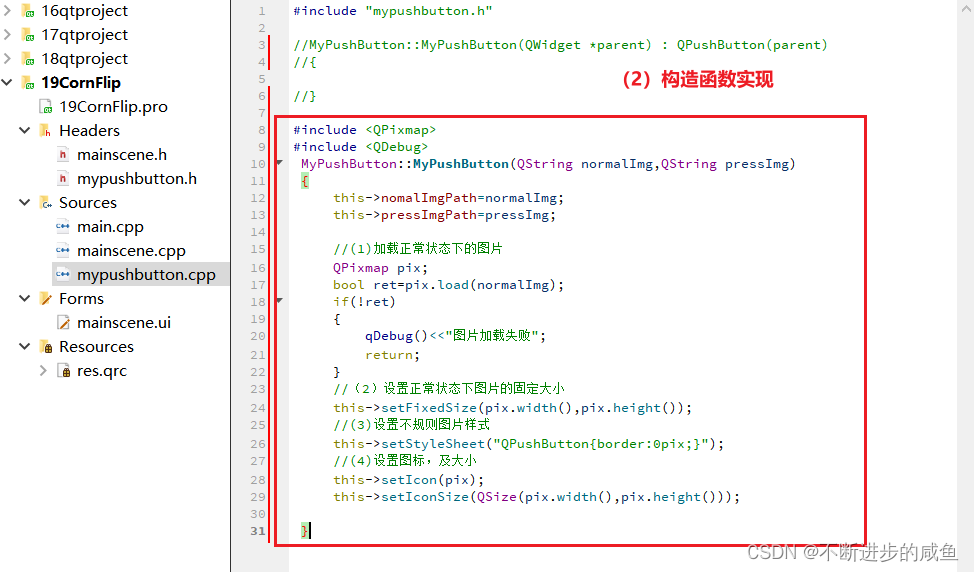
(3)修改MyPushbutton类的构造函数,及构造函数的实现
#ifndef MYPUSHBUTTON_H
#define MYPUSHBUTTON_H

#include <QPushButton>

class MyPushButton : public QPushButton
{
    Q_OBJECT
public:

//    explicit MyPushButton(QWidget *parent = nullptr);
    //修改构造函数:参数1正常显示的图片路径, 参数2:按下后显示的图片路径
    MyPushButton(QString normalImg,QString pressImg="");
    QString nomalImgPath;//保存用户传入的默认图片显示路径
    QString pressImgPath;//保存用户按下后显示的图片路径

signals:

};

#endif // MYPUSHBUTTON_H
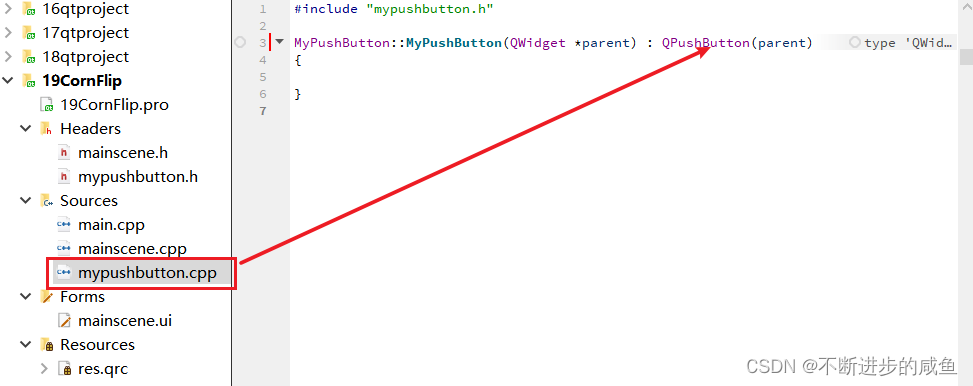
#include "mypushbutton.h"

//MyPushButton::MyPushButton(QWidget *parent) : QPushButton(parent)
//{
//}

#include <QPixmap>
#include <QDebug>
 MyPushButton::MyPushButton(QString normalImg,QString pressImg)
 {
     this->nomalImgPath=normalImg;
     this->pressImgPath=pressImg;

     //(1)加载正常状态下的图片
     QPixmap pix;
     bool ret=pix.load(normalImg);
     if(!ret)
     {
         qDebug()<<"图片加载失败";
         return;
     }
     //(2)设置正常状态下图片的固定大小
     this->setFixedSize(pix.width(),pix.height());
     //(3)设置不规则图片样式
     this->setStyleSheet("QPushButton{border:0pix;}");
     //(4)设置图标,及大小
     this->setIcon(pix);
     this->setIconSize(QSize(pix.width(),pix.height()));
 }
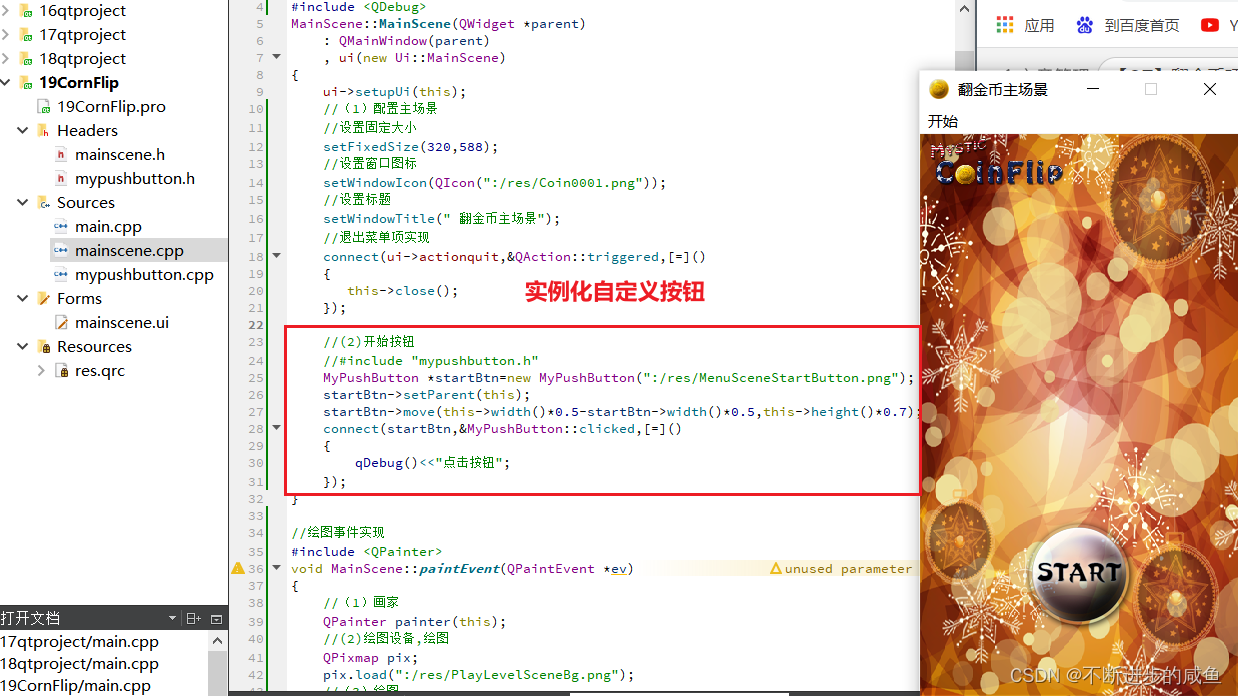
(4)开始按钮实现:在mainscene.cpp中使用自定义的mypushbutton控件
MainScene::MainScene(QWidget *parent)
    : QMainWindow(parent)
    , ui(new Ui::MainScene)
{
    ui->setupUi(this);
    //(1)配置主场景
    //设置固定大小
    setFixedSize(320,588);
    //设置窗口图标
    setWindowIcon(QIcon(":/res/Coin0001.png"));
    //设置标题
    setWindowTitle(" 翻金币主场景");
    //退出菜单项实现
    connect(ui->actionquit,&QAction::triggered,[=]()
    {
       this->close();
    });

    //(2)开始按钮
    //#include "mypushbutton.h"
    MyPushButton *startBtn=new MyPushButton(":/res/MenuSceneStartButton.png");
    startBtn->setParent(this);
    startBtn->move(this->width()*0.5-startBtn->width()*0.5,this->height()*0.7);
    connect(startBtn,&MyPushButton::clicked,[=]()
    {
        qDebug()<<"点击按钮";
    });
}
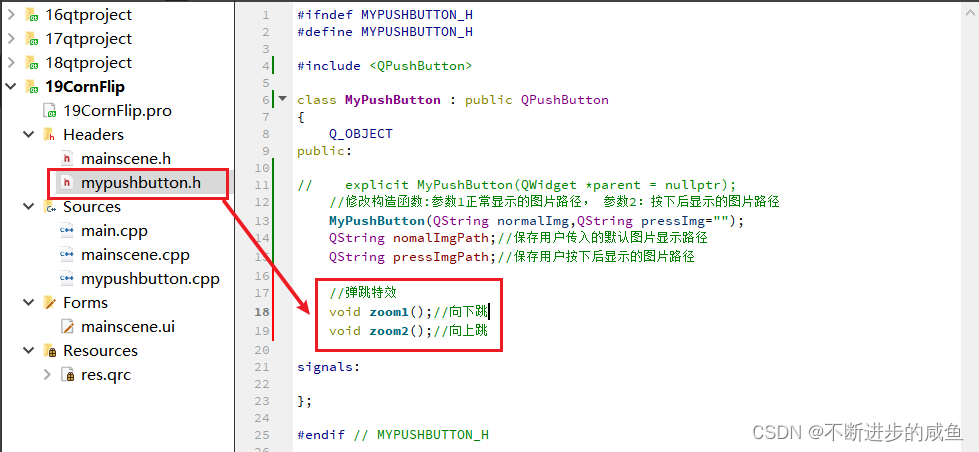
2.4 开始按钮跳跃效果实现
(1)MyPushButton.h中声明弹跳特效
#ifndef MYPUSHBUTTON_H
#define MYPUSHBUTTON_H

#include <QPushButton>

class MyPushButton : public QPushButton
{
    Q_OBJECT
public:

//    explicit MyPushButton(QWidget *parent = nullptr);
    //修改构造函数:参数1正常显示的图片路径, 参数2:按下后显示的图片路径
    MyPushButton(QString normalImg,QString pressImg="");
    QString nomalImgPath;//保存用户传入的默认图片显示路径
    QString pressImgPath;//保存用户按下后显示的图片路径

    //弹跳特效
    void zoom1();//向下跳
    void zoom2();//向上跳

signals:

};

#endif // MYPUSHBUTTON_H
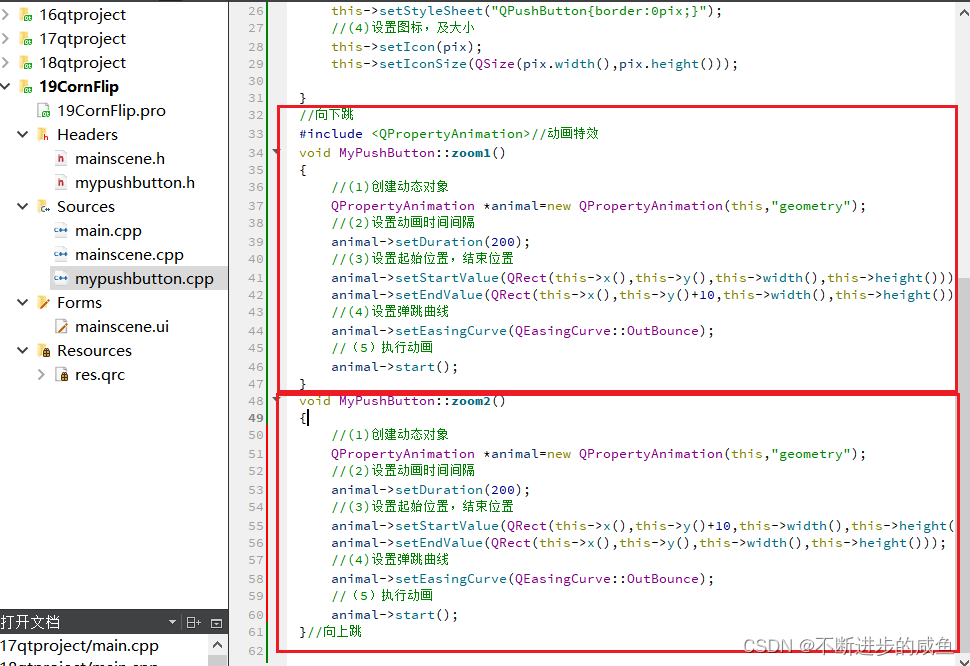
(2)MyPushButton.cpp中实现弹跳特效
//向下跳
 #include <QPropertyAnimation>//动画特效
 void MyPushButton::zoom1()
 {
     //(1)创建动态对象
     QPropertyAnimation *animal=new QPropertyAnimation(this,"geometry");
     //(2)设置动画时间间隔
     animal->setDuration(200);
     //(3)设置起始位置,结束位置
     animal->setStartValue(QRect(this->x(),this->y(),this->width(),this->height()));
     animal->setEndValue(QRect(this->x(),this->y()+10,this->width(),this->height()));
     //(4)设置弹跳曲线
     animal->setEasingCurve(QEasingCurve::OutBounce);
     //(5)执行动画
     animal->start();
 }
 void MyPushButton::zoom2()
 {
     //(1)创建动态对象
     QPropertyAnimation *animal=new QPropertyAnimation(this,"geometry");
     //(2)设置动画时间间隔
     animal->setDuration(200);
     //(3)设置起始位置,结束位置
     animal->setStartValue(QRect(this->x(),this->y()+10,this->width(),this->height()));
     animal->setEndValue(QRect(this->x(),this->y(),this->width(),this->height()));
     //(4)设置弹跳曲线
     animal->setEasingCurve(QEasingCurve::OutBounce);
     //(5)执行动画
     animal->start();
 }//向上跳
(3)mainscene.cpp中使用弹跳特效
MainScene::MainScene(QWidget *parent)
    : QMainWindow(parent)
    , ui(new Ui::MainScene)
{
    ui->setupUi(this);
    //(1)配置主场景
    //设置固定大小
    setFixedSize(320,588);
    //设置窗口图标
    setWindowIcon(QIcon(":/res/Coin0001.png"));
    //设置标题
    setWindowTitle(" 翻金币主场景");
    //退出菜单项实现
    connect(ui->actionquit,&QAction::triggered,[=]()
    {
       this->close();
    });

    //(2)开始按钮
    //#include "mypushbutton.h"
    MyPushButton *startBtn=new MyPushButton(":/res/MenuSceneStartButton.png");
    startBtn->setParent(this);
    startBtn->move(this->width()*0.5-startBtn->width()*0.5,
                   this->height()*0.7);
    connect(startBtn,&MyPushButton::clicked,[=]()
    {
        qDebug()<<"点击按钮";
        //弹跳特效
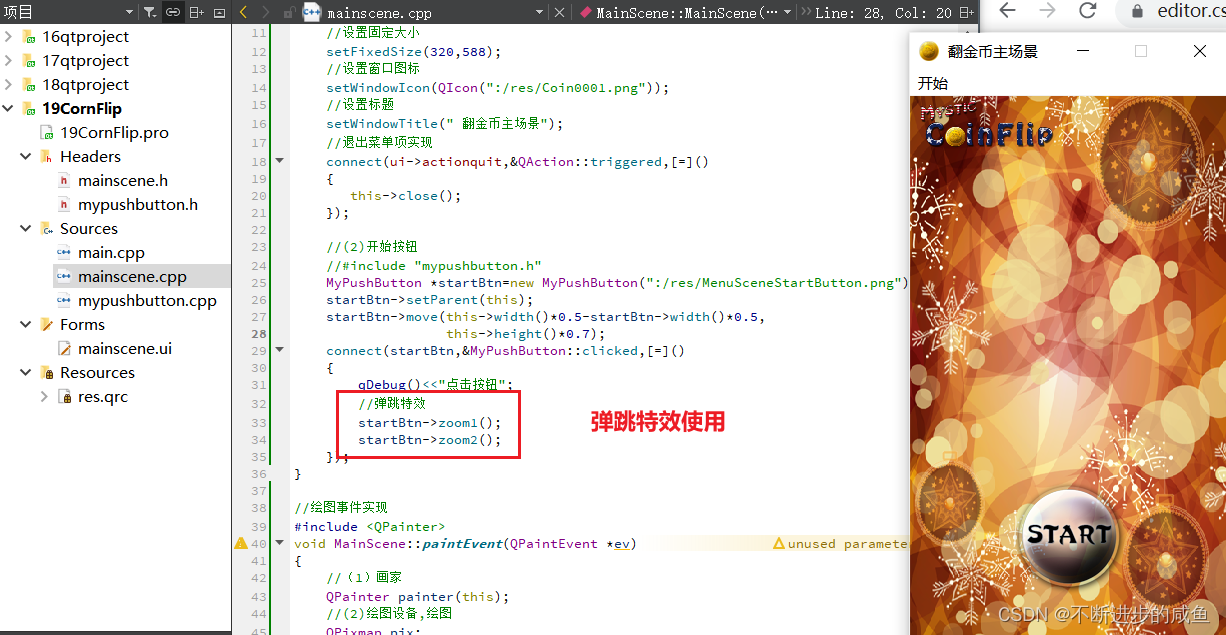
        startBtn->zoom1();
        startBtn->zoom2();
    });
}
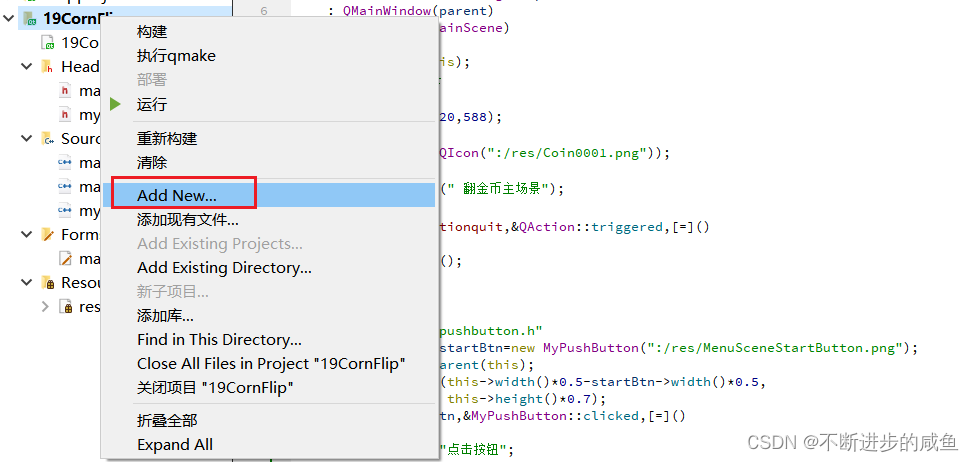
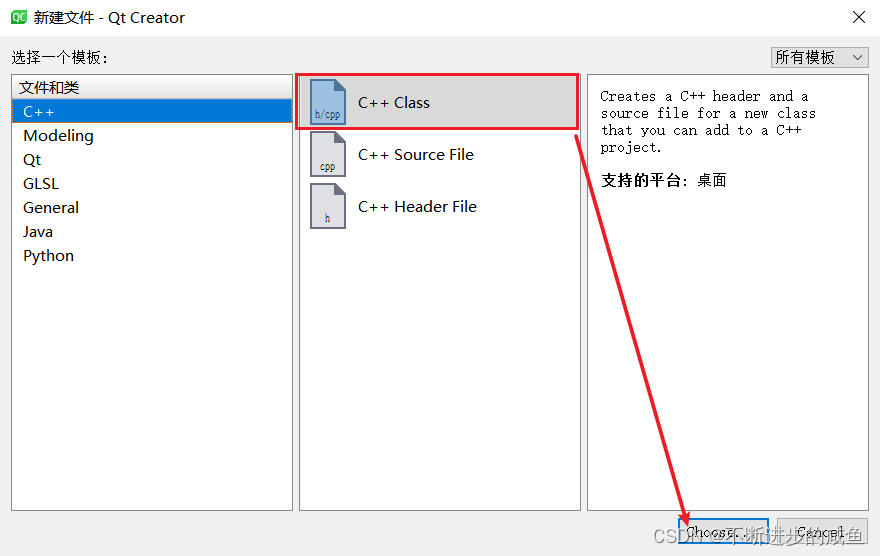
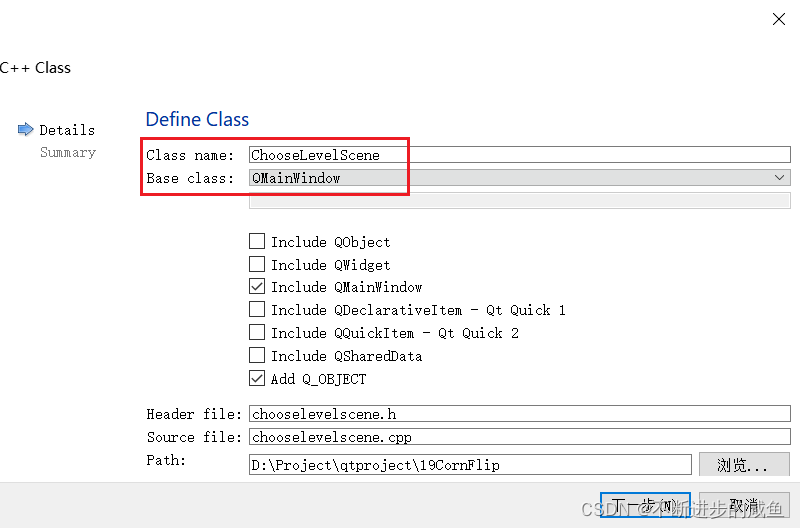
2.5 创建选择关卡场景
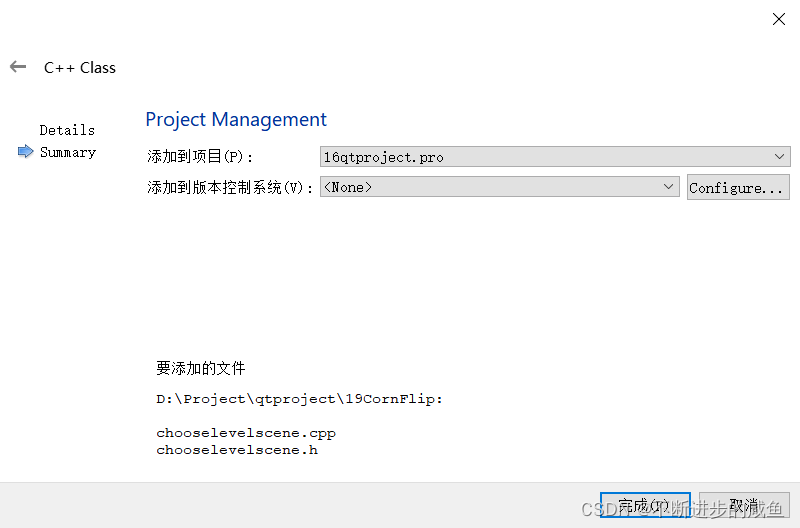
2.6 点击按钮进入选择关卡场景
(1)在mainscene.h中声明选择关卡场景
#ifndef MAINSCENE_H
#define MAINSCENE_H

#include <QMainWindow>
#include "chooselevelscene.h"

QT_BEGIN_NAMESPACE
namespace Ui { class MainScene; }
QT_END_NAMESPACE

class MainScene : public QMainWindow
{
    Q_OBJECT

public:
    MainScene(QWidget *parent = nullptr);
    ~MainScene();
    //绘图事件声明
    void paintEvent(QPaintEvent *ev);

    //创建选择关卡场景
    ChooseLevelScene *chooseScene=NULL;


private:
    Ui::MainScene *ui;
};
#endif // MAINSCENE_H
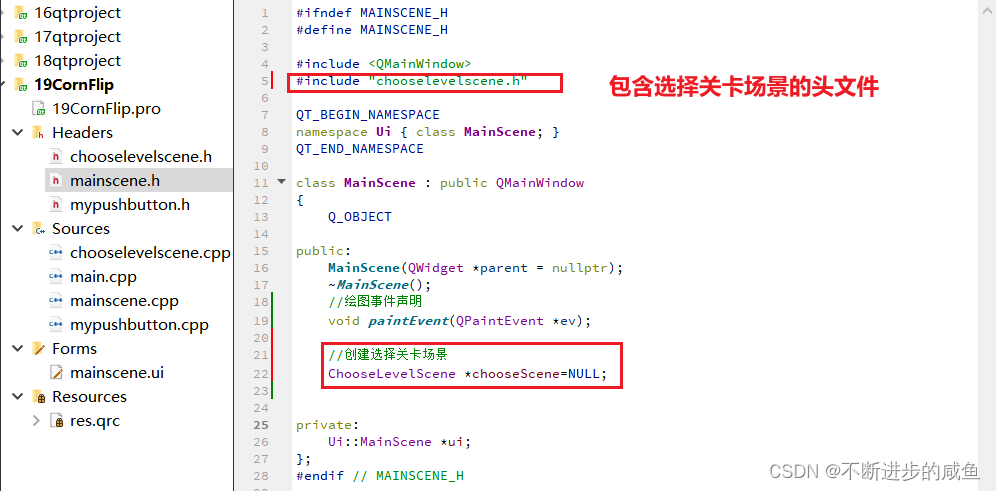
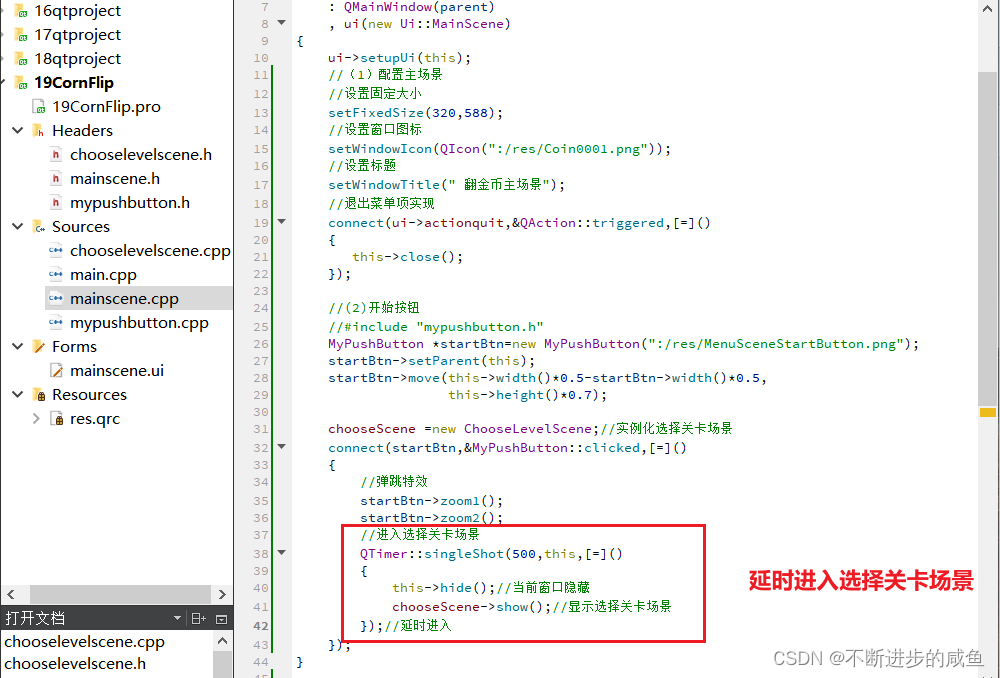
(2)实例化进入关卡场景,并通过点击开始按钮,进入该场景:在mainscene.cpp中实现
MainScene::MainScene(QWidget *parent)
    : QMainWindow(parent)
    , ui(new Ui::MainScene)
{
    ui->setupUi(this);
    //(1)配置主场景
    //设置固定大小
    setFixedSize(320,588);
    //设置窗口图标
    setWindowIcon(QIcon(":/res/Coin0001.png"));
    //设置标题
    setWindowTitle(" 翻金币主场景");
    //退出菜单项实现
    connect(ui->actionquit,&QAction::triggered,[=]()
    {
       this->close();
    });

    //(2)开始按钮
    //#include "mypushbutton.h"
    MyPushButton *startBtn=new MyPushButton(":/res/MenuSceneStartButton.png");
    startBtn->setParent(this);
    startBtn->move(this->width()*0.5-startBtn->width()*0.5,
                   this->height()*0.7);

    chooseScene =new ChooseLevelScene;//实例化选择关卡场景
    connect(startBtn,&MyPushButton::clicked,[=]()
    {
        //弹跳特效
        startBtn->zoom1();
        startBtn->zoom2();
        //进入选择关卡场景
        QTimer::singleShot(500,this,[=]()
        {
            this->hide();//当前窗口隐藏
            chooseScene->show();//显示选择关卡场景
        });//延时进入
    });
}
3 选择关卡场景
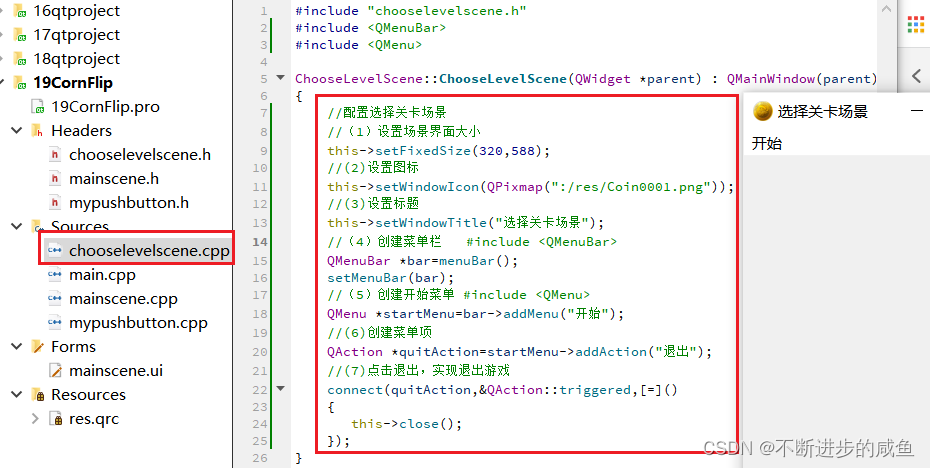
3.1 场景关卡基本配置
目标: 配置选择关卡场景菜单栏,窗口大小,窗口标题,窗口图标
#include "chooselevelscene.h"
#include <QMenuBar>
#include <QMenu>

ChooseLevelScene::ChooseLevelScene(QWidget *parent) : QMainWindow(parent)
{
    //配置选择关卡场景
    //(1)设置场景界面大小
    this->setFixedSize(320,588);
    //(2)设置图标
    this->setWindowIcon(QPixmap(":/res/Coin0001.png"));
    //(3)设置标题
    this->setWindowTitle("选择关卡场景");
    //(4)创建菜单栏   #include <QMenuBar>
    QMenuBar *bar=menuBar();
    setMenuBar(bar);
    //(5)创建开始菜单 #include <QMenu>
    QMenu *startMenu=bar->addMenu("开始");
    //(6)创建菜单项
    QAction *quitAction=startMenu->addAction("退出");
    //(7)点击退出,实现退出游戏
    connect(quitAction,&QAction::triggered,[=]()
    {
       this->close();
    });
}
3.2 设置选择关卡场景背景图片
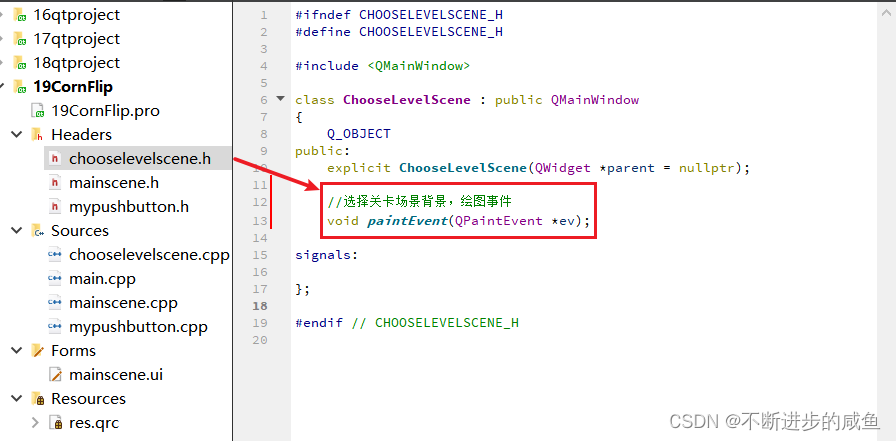
(1)绘图事件声明
#ifndef CHOOSELEVELSCENE_H
#define CHOOSELEVELSCENE_H

#include <QMainWindow>

class ChooseLevelScene : public QMainWindow
{
    Q_OBJECT
public:
    explicit ChooseLevelScene(QWidget *parent = nullptr);

    //选择关卡场景背景,绘图事件
    void paintEvent(QPaintEvent *ev);

signals:

};
#endif // CHOOSELEVELSCENE_H
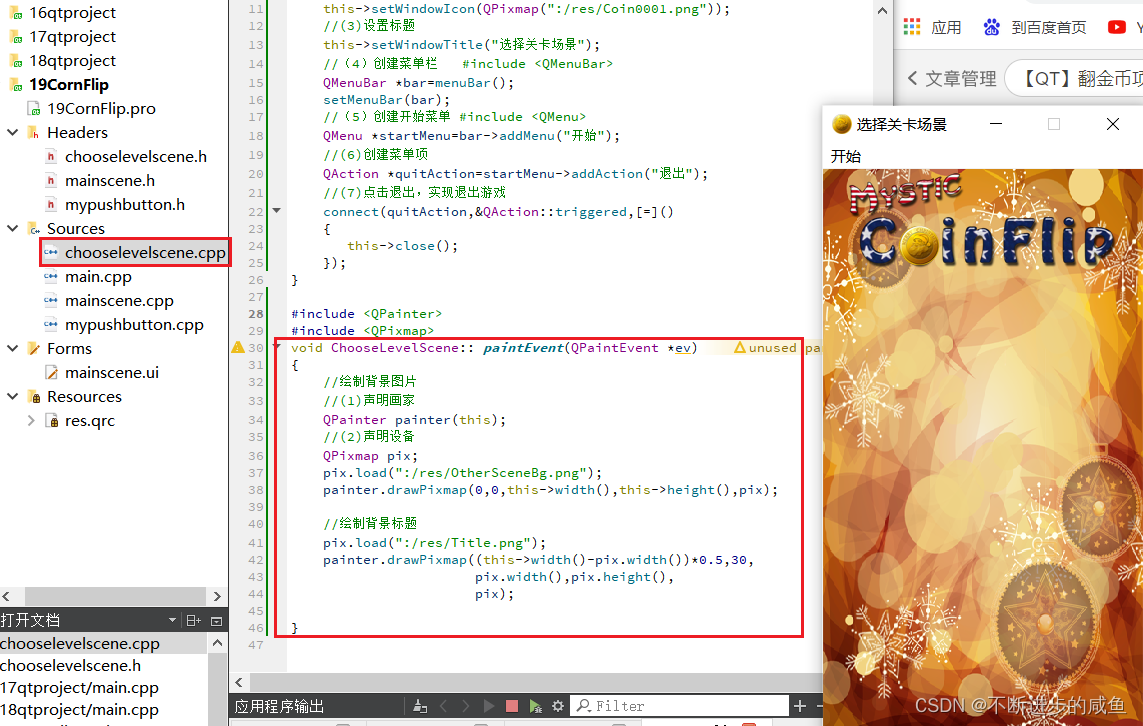
(2)绘图事件实现
#include <QPainter>
#include <QPixmap>
void ChooseLevelScene:: paintEvent(QPaintEvent *ev)
{
    //绘制背景图片
    //(1)声明画家
    QPainter painter(this);
    //(2)声明设备
    QPixmap pix;
    pix.load(":/res/OtherSceneBg.png");
    painter.drawPixmap(0,0,this->width(),this->height(),pix);

    //绘制背景标题
    pix.load(":/res/Title.png");
    painter.drawPixmap((this->width()-pix.width())*0.5,30,
                       pix.width(),pix.height(),
                       pix);

}
3.3 返回按钮的图片切换
重写void mousePressEvent()实现和void mouseReleaseEvent()事件。不同的事件下,自定义按钮显示不同的icon图片
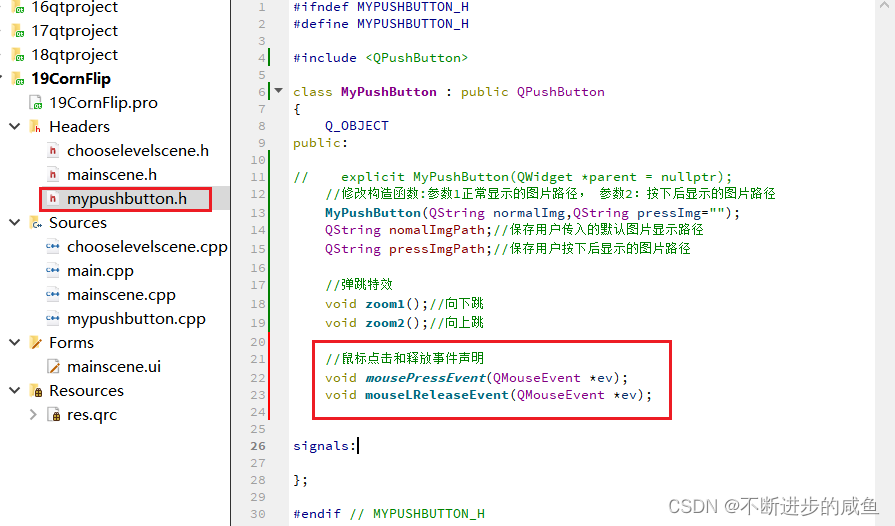
(1)按钮按下和释放事件的声明:mypushbutton.h中声明
#ifndef MYPUSHBUTTON_H
#define MYPUSHBUTTON_H

#include <QPushButton>

class MyPushButton : public QPushButton
{
    Q_OBJECT
public:

//    explicit MyPushButton(QWidget *parent = nullptr);
    //修改构造函数:参数1正常显示的图片路径, 参数2:按下后显示的图片路径
    MyPushButton(QString normalImg,QString pressImg="");
    QString nomalImgPath;//保存用户传入的默认图片显示路径
    QString pressImgPath;//保存用户按下后显示的图片路径

    //弹跳特效
    void zoom1();//向下跳
    void zoom2();//向上跳

    //鼠标点击和释放事件声明
    void mousePressEvent(QMouseEvent *ev);
    void mouseReleaseEvent(QMouseEvent *ev);
signals:
};

#endif // MYPUSHBUTTON_H
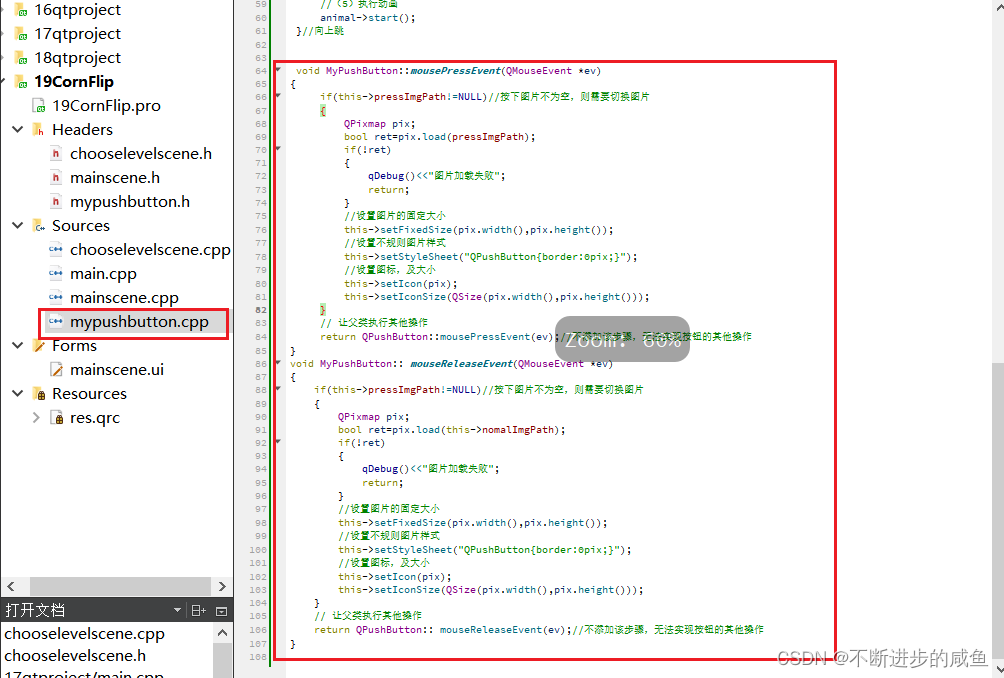
(2)按钮按下和释放事件的实现:mypushbutton.cpp中实现
 void MyPushButton::mousePressEvent(QMouseEvent *ev)
{
     if(this->pressImgPath!=NULL)//按下图片不为空,则需要切换图片
     {
         QPixmap pix;
         bool ret=pix.load(pressImgPath);
         if(!ret)
         {
             qDebug()<<"图片加载失败";
             return;
         }
         //设置图片的固定大小
         this->setFixedSize(pix.width(),pix.height());
         //设置不规则图片样式
         this->setStyleSheet("QPushButton{border:0pix;}");
         //设置图标,及大小
         this->setIcon(pix);
         this->setIconSize(QSize(pix.width(),pix.height()));
     }
     // 让父类执行其他操作
     return QPushButton::mousePressEvent(ev);//不添加该步骤,无法实现按钮的其他操作
}
void MyPushButton:: mouseReleaseEvent(QMouseEvent *ev)
{
    if(this->pressImgPath!=NULL)//按下图片不为空,则需要切换图片
    {
        QPixmap pix;
        bool ret=pix.load(this->nomalImgPath);
        if(!ret)
        {
            qDebug()<<"图片加载失败";
            return;
        }
        //设置图片的固定大小
        this->setFixedSize(pix.width(),pix.height());
        //设置不规则图片样式
        this->setStyleSheet("QPushButton{border:0pix;}");
        //设置图标,及大小
        this->setIcon(pix);
        this->setIconSize(QSize(pix.width(),pix.height()));
    }
    // 让父类执行其他操作
    return QPushButton:: mouseReleaseEvent(ev);//不添加该步骤,无法实现按钮的其他操作
}
3.4 点击返回按钮切换至主场景
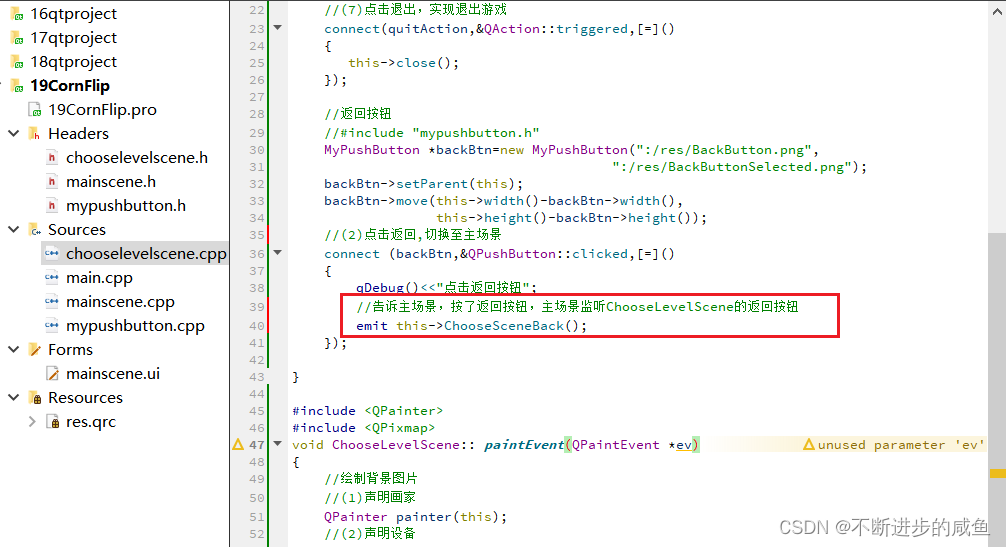
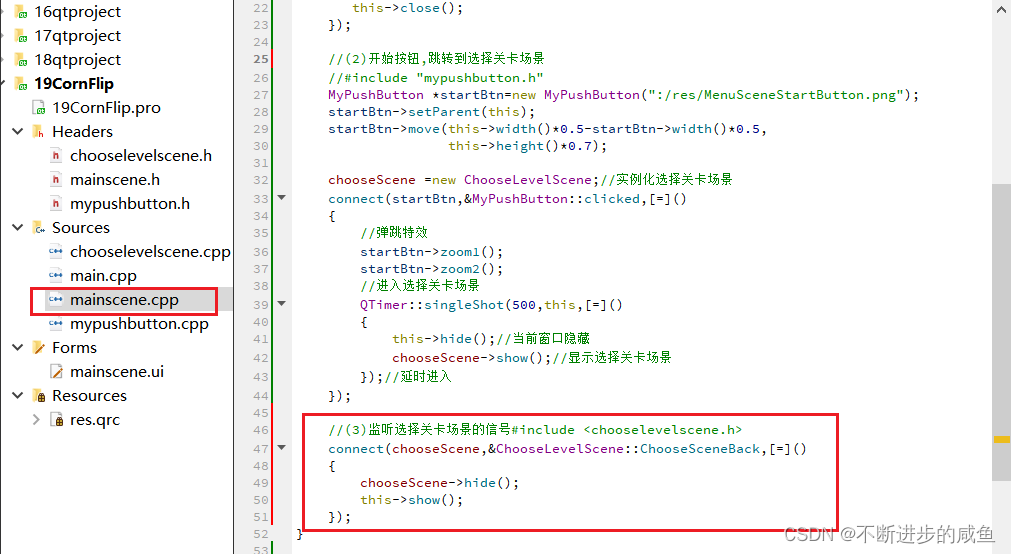
首先点击选择关卡场景中返回按钮,发送一个自定义信号;主场景中监听自定义信号,收到自定义信号后,隐藏选择关卡场景,显示主场景。
(1)在选择关卡场景中自定义信号:在chooselevelsecne.h中声明信号,告诉主场景点击了返回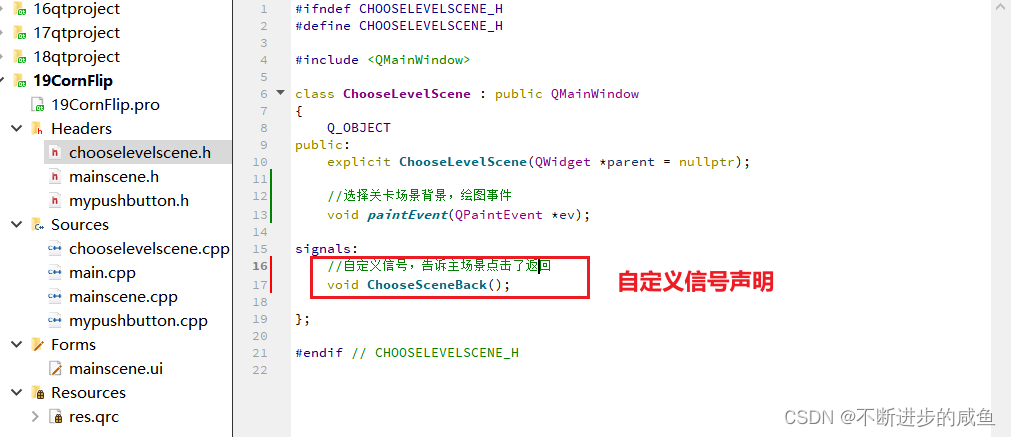
(2)在选择关卡场景中设置点击按钮,发送信号:chooselevelscene.cpp实现,点击返回按钮发送信号。emit this->ChooseSceneBack();
ChooseLevelScene::ChooseLevelScene(QWidget *parent) : QMainWindow(parent)
{
    //配置选择关卡场景
    //(1)设置场景界面大小
    this->setFixedSize(320,588);
    //(2)设置图标
    this->setWindowIcon(QPixmap(":/res/Coin0001.png"));
    //(3)设置标题
    this->setWindowTitle("选择关卡场景");
    //(4)创建菜单栏   #include <QMenuBar>
    QMenuBar *bar=menuBar();
    setMenuBar(bar);
    //(5)创建开始菜单 #include <QMenu>
    QMenu *startMenu=bar->addMenu("开始");
    //(6)创建菜单项
    QAction *quitAction=startMenu->addAction("退出");
    //(7)点击退出,实现退出游戏
    connect(quitAction,&QAction::triggered,[=]()
    {
       this->close();
    });

    //返回按钮
    //#include "mypushbutton.h"
    MyPushButton *backBtn=new MyPushButton(":/res/BackButton.png",
                                        ":/res/BackButtonSelected.png");
    backBtn->setParent(this);
    backBtn->move(this->width()-backBtn->width(),
                  this->height()-backBtn->height());
    //(2)点击返回,切换至主场景
    connect (backBtn,&QPushButton::clicked,[=]()
    {
        qDebug()<<"点击返回按钮";
        //告诉主场景,按了返回按钮,主场景监听ChooseLevelScene的返回按钮
        emit this->ChooseSceneBack();
    });
}
(3)在主场景中,监听返回关卡场景的发送的信号:mainscene.cpp中监听信号
MainScene::MainScene(QWidget *parent)
    : QMainWindow(parent)
    , ui(new Ui::MainScene)
{
    ui->setupUi(this);
    //(1)配置主场景
    //设置固定大小
    setFixedSize(320,588);
    //设置窗口图标
    setWindowIcon(QIcon(":/res/Coin0001.png"));
    //设置标题
    setWindowTitle(" 翻金币主场景");
    //退出菜单项实现
    connect(ui->actionquit,&QAction::triggered,[=]()
    {
       this->close();
    });

    //(2)开始按钮,跳转到选择关卡场景
    //#include "mypushbutton.h"
    MyPushButton *startBtn=new MyPushButton(":/res/MenuSceneStartButton.png");
    startBtn->setParent(this);
    startBtn->move(this->width()*0.5-startBtn->width()*0.5,
                   this->height()*0.7);

    chooseScene =new ChooseLevelScene;//实例化选择关卡场景
    connect(startBtn,&MyPushButton::clicked,[=]()
    {
        //弹跳特效
        startBtn->zoom1();
        startBtn->zoom2();
        //进入选择关卡场景
        QTimer::singleShot(500,this,[=]()
        {
            this->hide();//当前窗口隐藏
            chooseScene->show();//显示选择关卡场景
        });//延时进入
    });

    //(3)监听选择关卡场景的信号#include <chooselevelscene.h>
    connect(chooseScene,&ChooseLevelScene::ChooseSceneBack,[=]()
    {
        chooseScene->hide();
        this->show();
    });
}
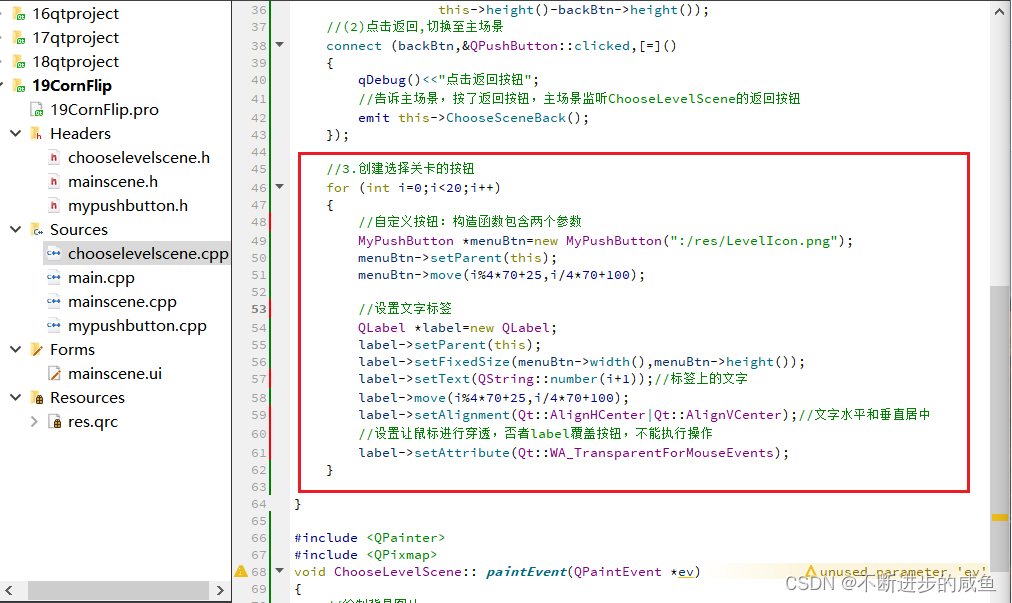
3.5 选择关卡场景关卡按钮创建
ChooseLevelScene::ChooseLevelScene(QWidget *parent) : QMainWindow(parent)
{
    //1.配置选择关卡场景
    //(1)设置场景界面大小
    this->setFixedSize(320,588);
    //(2)设置图标
    this->setWindowIcon(QPixmap(":/res/Coin0001.png"));
    //(3)设置标题
    this->setWindowTitle("选择关卡场景");
    //(4)创建菜单栏   #include <QMenuBar>
    QMenuBar *bar=menuBar();
    setMenuBar(bar);
    //(5)创建开始菜单 #include <QMenu>
    QMenu *startMenu=bar->addMenu("开始");
    //(6)创建菜单项
    QAction *quitAction=startMenu->addAction("退出");
    //(7)点击退出,实现退出游戏
    connect(quitAction,&QAction::triggered,[=]()
    {
       this->close();
    });


    //2.返回按钮
    //#include "mypushbutton.h"
    MyPushButton *backBtn=new MyPushButton(":/res/BackButton.png",
                                        ":/res/BackButtonSelected.png");
    backBtn->setParent(this);
    backBtn->move(this->width()-backBtn->width(),
                  this->height()-backBtn->height());
    //(2)点击返回,切换至主场景
    connect (backBtn,&QPushButton::clicked,[=]()
    {
        qDebug()<<"点击返回按钮";
        //告诉主场景,按了返回按钮,主场景监听ChooseLevelScene的返回按钮
        emit this->ChooseSceneBack();
    });

    //3.创建选择关卡的按钮
    for (int i=0;i<20;i++)
    {
        //自定义按钮:构造函数包含两个参数
        MyPushButton *menuBtn=new MyPushButton(":/res/LevelIcon.png");
        menuBtn->setParent(this);
        menuBtn->move(i%4*70+25,i/4*70+100);

        //设置文字标签
        QLabel *label=new QLabel;
        label->setParent(this);
        label->setFixedSize(menuBtn->width(),menuBtn->height());
        label->setText(QString::number(i+1));//标签上的文字
        label->move(i%4*70+25,i/4*70+100);
        label->setAlignment(Qt::AlignHCenter|Qt::AlignVCenter);//文字水平和垂直居中
        //设置让鼠标进行穿透,否者label覆盖按钮,不能执行操作
        label->setAttribute(Qt::WA_TransparentForMouseEvents);
    }
}
3.6 创建翻金币场景
(1)创建翻金币场景.h和.cpp文件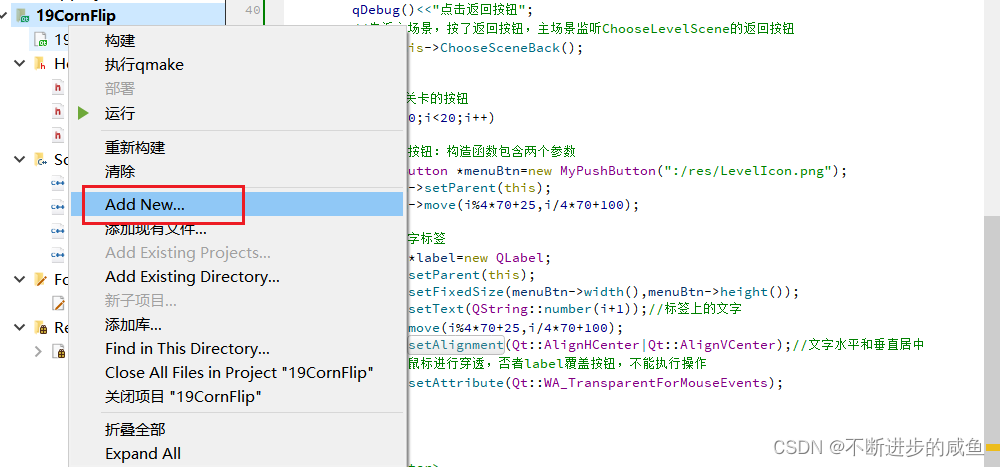
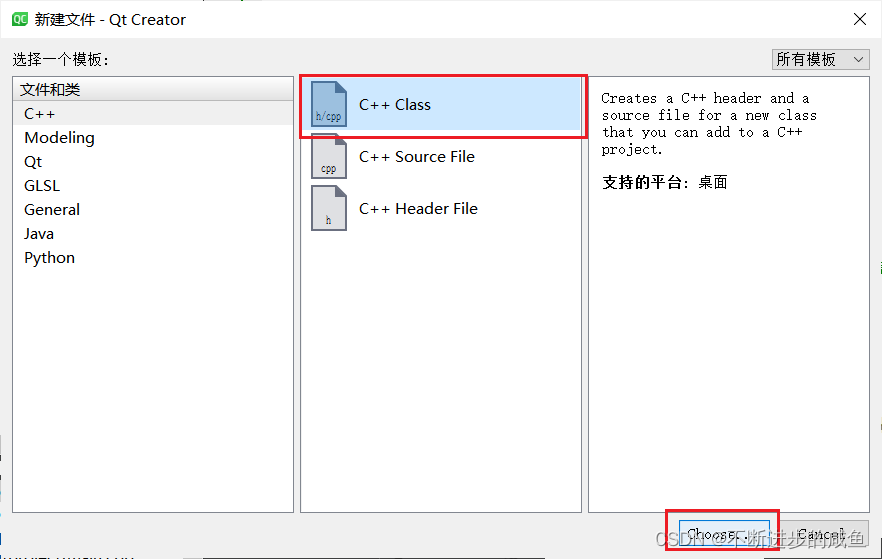
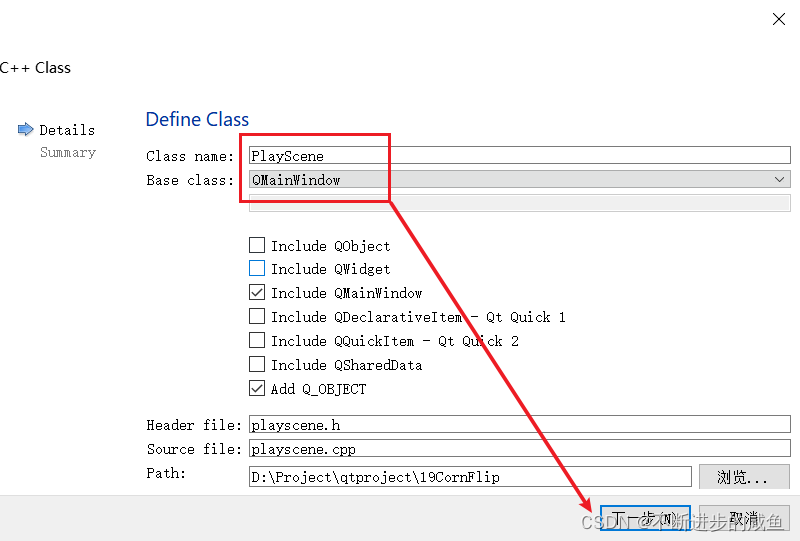
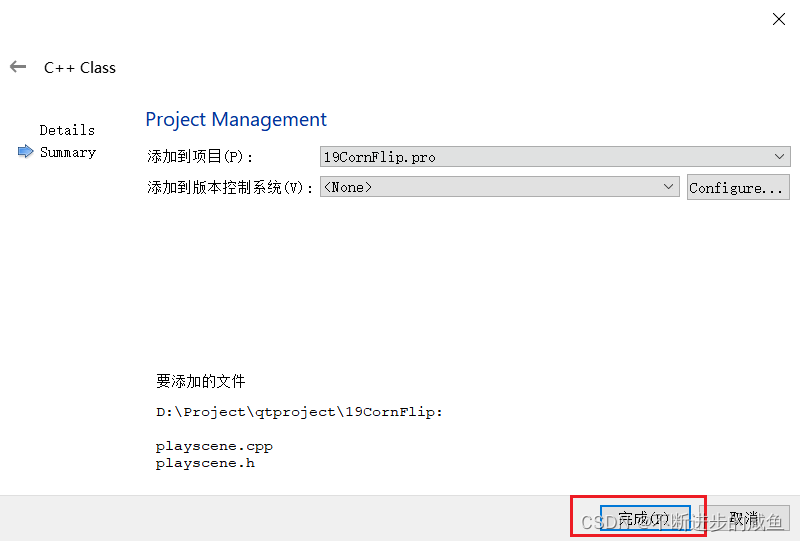
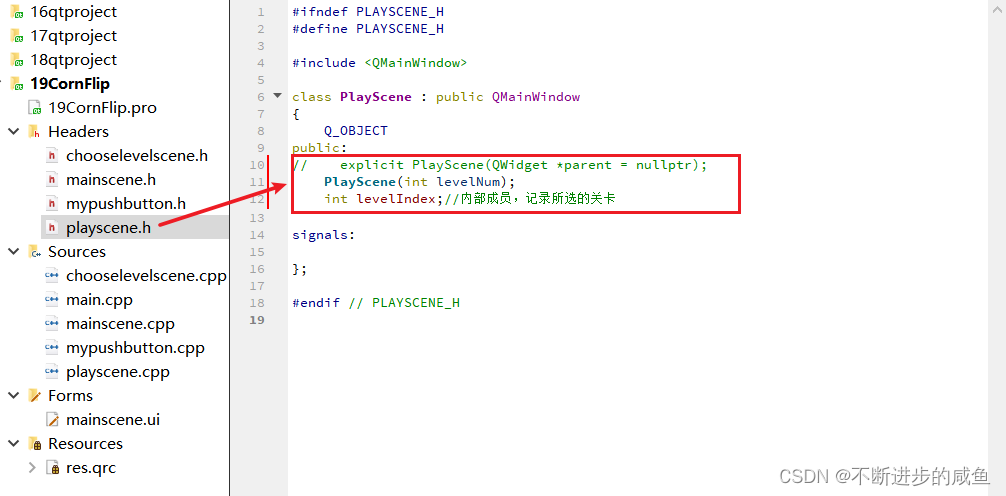
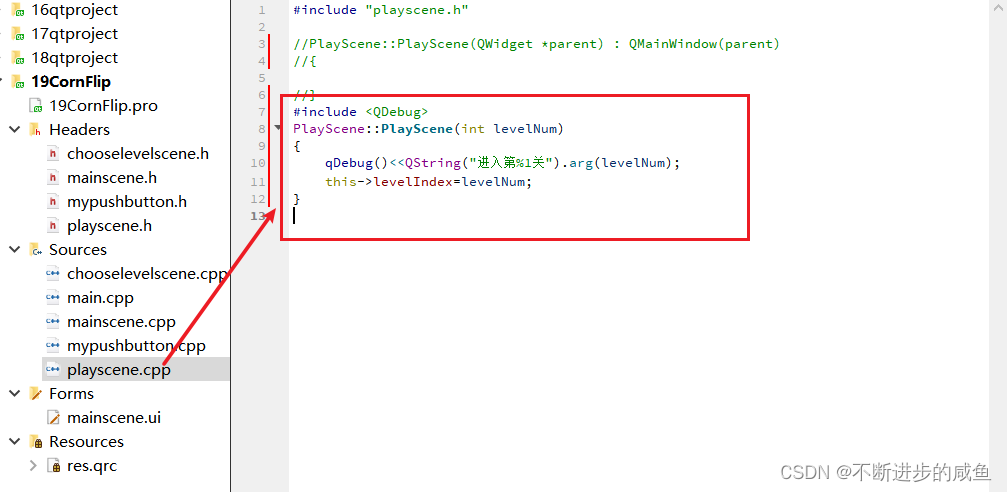
(2)修改翻金币场景的构造函数:playscene.h/.cpp构造函数修改
#ifndef PLAYSCENE_H
#define PLAYSCENE_H

#include <QMainWindow>

class PlayScene : public QMainWindow
{
    Q_OBJECT
public:
//    explicit PlayScene(QWidget *parent = nullptr);
    PlayScene(int levelNum);
    int levelIndex;//内部成员,记录所选的关卡

signals:

};

#endif // PLAYSCENE_H
#include "playscene.h"

//PlayScene::PlayScene(QWidget *parent) : QMainWindow(parent)
//{

//}
#include <QDebug>
PlayScene::PlayScene(int levelNum)
{
    qDebug()<<QString("进入第%1关").arg(levelNum);
    this->levelIndex=levelNum;
}
3.7 点击关卡按钮进入翻金币场景
(1)在选择关卡场景中引入翻金币场景:chooselevelscene.cpp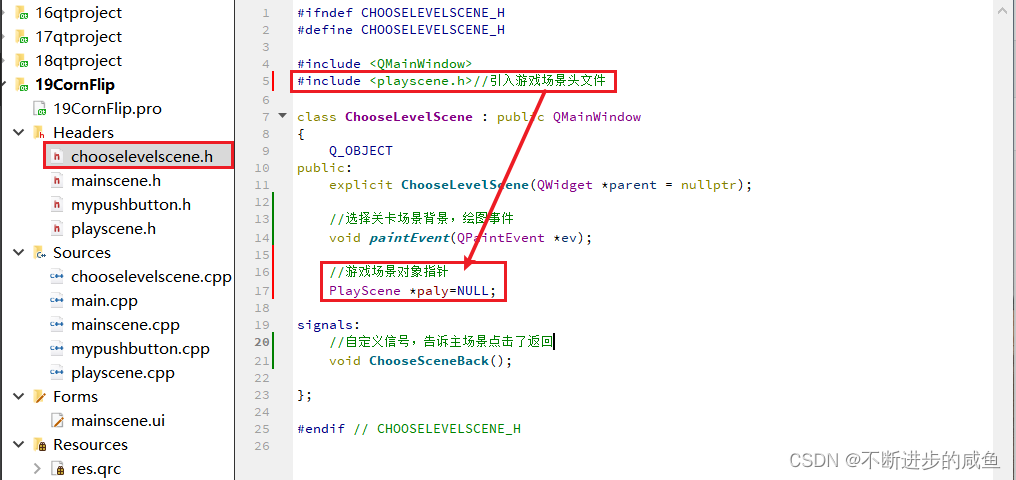
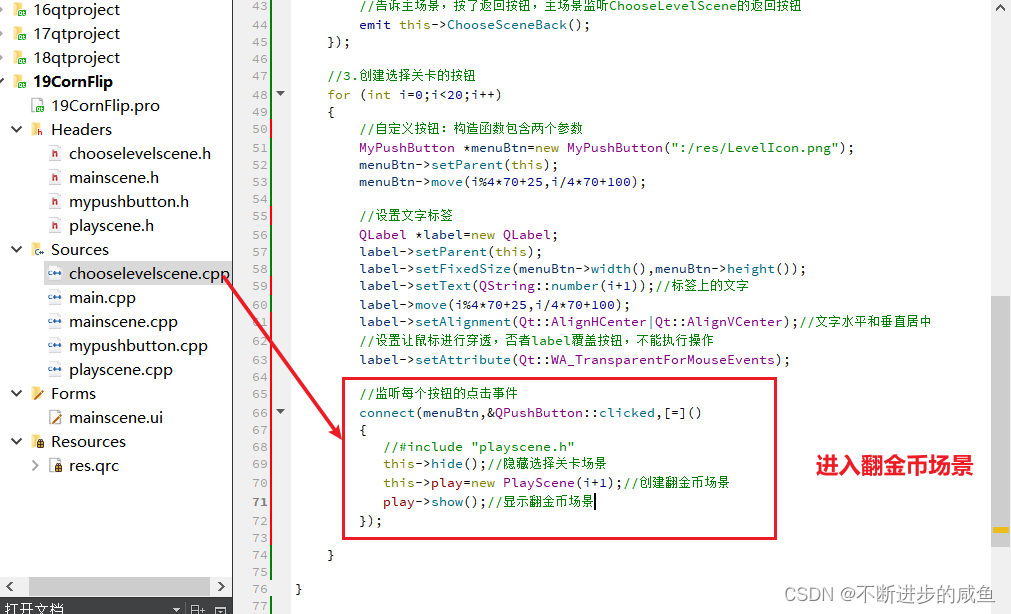
(2)选择关卡场景中,通过点击选择关卡按钮进入相应的翻金币场景:ChooseLevelScene.cpp
ChooseLevelScene::ChooseLevelScene(QWidget *parent) : QMainWindow(parent)
{
    //1.配置选择关卡场景
    //(1)设置场景界面大小
    this->setFixedSize(320,588);
    //(2)设置图标
    this->setWindowIcon(QPixmap(":/res/Coin0001.png"));
    //(3)设置标题
    this->setWindowTitle("选择关卡场景");
    //(4)创建菜单栏   #include <QMenuBar>
    QMenuBar *bar=menuBar();
    setMenuBar(bar);
    //(5)创建开始菜单 #include <QMenu>
    QMenu *startMenu=bar->addMenu("开始");
    //(6)创建菜单项
    QAction *quitAction=startMenu->addAction("退出");
    //(7)点击退出,实现退出游戏
    connect(quitAction,&QAction::triggered,[=]()
    {
       this->close();
    });


    //2.返回按钮
    //#include "mypushbutton.h"
    MyPushButton *backBtn=new MyPushButton(":/res/BackButton.png",
                                        ":/res/BackButtonSelected.png");
    backBtn->setParent(this);
    backBtn->move(this->width()-backBtn->width(),
                  this->height()-backBtn->height());
    //(2)点击返回,切换至主场景
    connect (backBtn,&QPushButton::clicked,[=]()
    {
        qDebug()<<"点击返回按钮";
        //告诉主场景,按了返回按钮,主场景监听ChooseLevelScene的返回按钮
        emit this->ChooseSceneBack();
    });

    //3.创建选择关卡的按钮
    for (int i=0;i<20;i++)
    {
        //自定义按钮:构造函数包含两个参数
        MyPushButton *menuBtn=new MyPushButton(":/res/LevelIcon.png");
        menuBtn->setParent(this);
        menuBtn->move(i%4*70+25,i/4*70+100);

        //设置文字标签
        QLabel *label=new QLabel;
        label->setParent(this);
        label->setFixedSize(menuBtn->width(),menuBtn->height());
        label->setText(QString::number(i+1));//标签上的文字
        label->move(i%4*70+25,i/4*70+100);
        label->setAlignment(Qt::AlignHCenter|Qt::AlignVCenter);//文字水平和垂直居中
        //设置让鼠标进行穿透,否者label覆盖按钮,不能执行操作
        label->setAttribute(Qt::WA_TransparentForMouseEvents);

        //监听每个按钮的点击事件
        connect(menuBtn,&QPushButton::clicked,[=]()
        {
           //#include "playscene.h"
           this->hide();//隐藏选择关卡场景
           this->play=new PlayScene(i+1);//创建翻金币场景
           play->show();//显示翻金币场景
        });
    }
}
4 翻金币场景
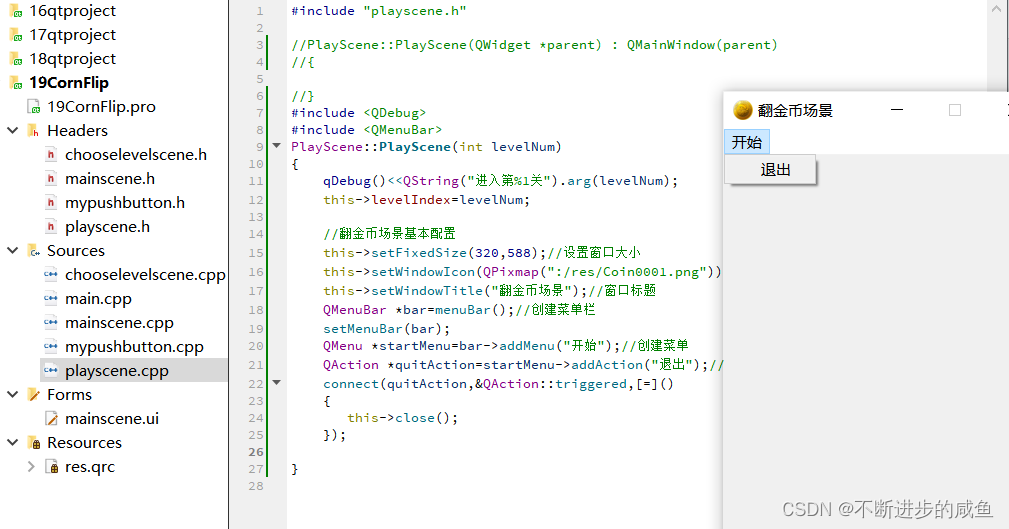
4.1 翻金币场景基本配置
#include "playscene.h"

//PlayScene::PlayScene(QWidget *parent) : QMainWindow(parent)
//{

//}
#include <QDebug>
#include <QMenuBar>
PlayScene::PlayScene(int levelNum)
{
    qDebug()<<QString("进入第%1关").arg(levelNum);
    this->levelIndex=levelNum;

    //翻金币场景基本配置
    this->setFixedSize(320,588);//设置窗口大小
    this->setWindowIcon(QPixmap(":/res/Coin0001.png"));//窗口图标
    this->setWindowTitle("翻金币场景");//窗口标题
    QMenuBar *bar=menuBar();//创建菜单栏
    setMenuBar(bar);
    QMenu *startMenu=bar->addMenu("开始");//创建菜单
    QAction *quitAction=startMenu->addAction("退出");//创建菜单项
    connect(quitAction,&QAction::triggered,[=]()
    {
       this->close();
    });
}
4.2 翻金币场景背景图片
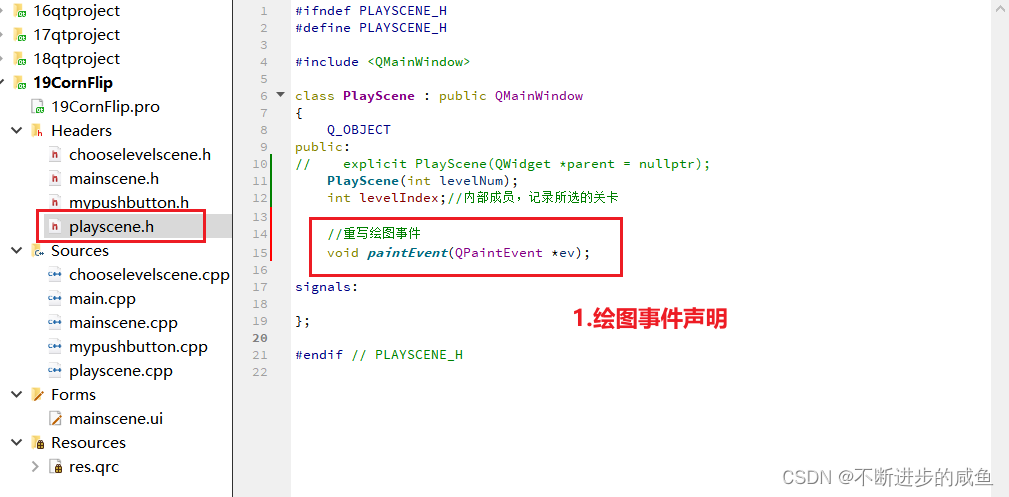
(1)声明绘图事件:palyscene.h
#ifndef PLAYSCENE_H
#define PLAYSCENE_H

#include <QMainWindow>

class PlayScene : public QMainWindow
{
    Q_OBJECT
public:
//    explicit PlayScene(QWidget *parent = nullptr);
    PlayScene(int levelNum);
    int levelIndex;//内部成员,记录所选的关卡

    //重写绘图事件
    void paintEvent(QPaintEvent *ev);

signals:

};

#endif // PLAYSCENE_H
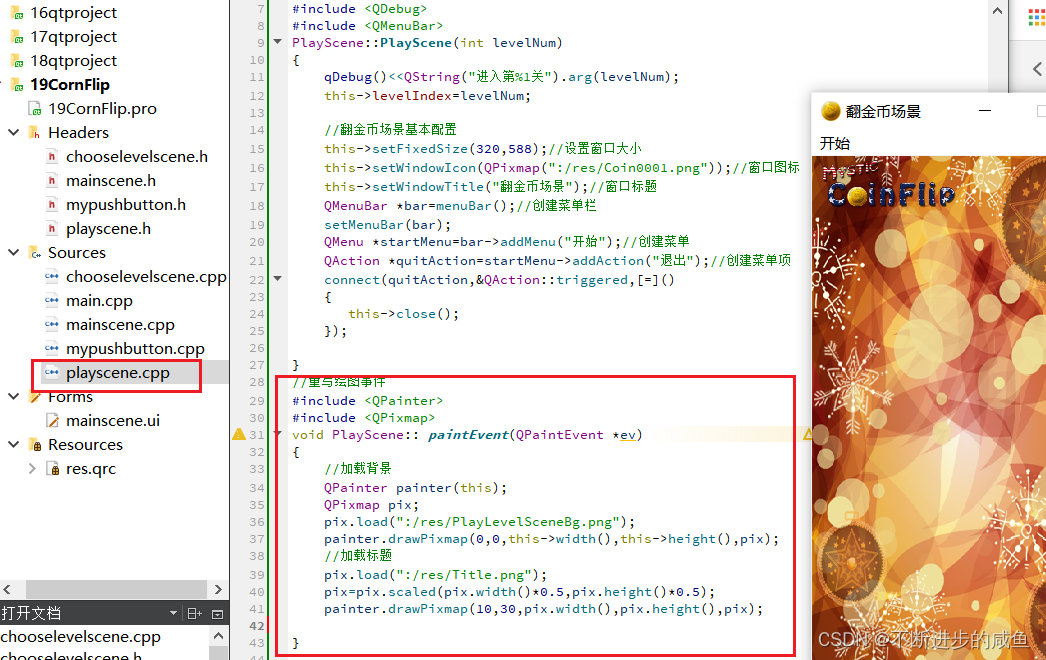
(2)实现绘图事件:playscene.cpp
//重写绘图事件
#include <QPainter>
#include <QPixmap>
void PlayScene:: paintEvent(QPaintEvent *ev)
{
    //加载背景
    QPainter painter(this);
    QPixmap pix;
    pix.load(":/res/PlayLevelSceneBg.png");
    painter.drawPixmap(0,0,this->width(),this->height(),pix);
    //加载标题
    pix.load(":/res/Title.png");
    pix=pix.scaled(pix.width()*0.5,pix.height()*0.5);
    painter.drawPixmap(10,30,pix.width(),pix.height(),pix);

}
4.3 翻金币场景返回按钮
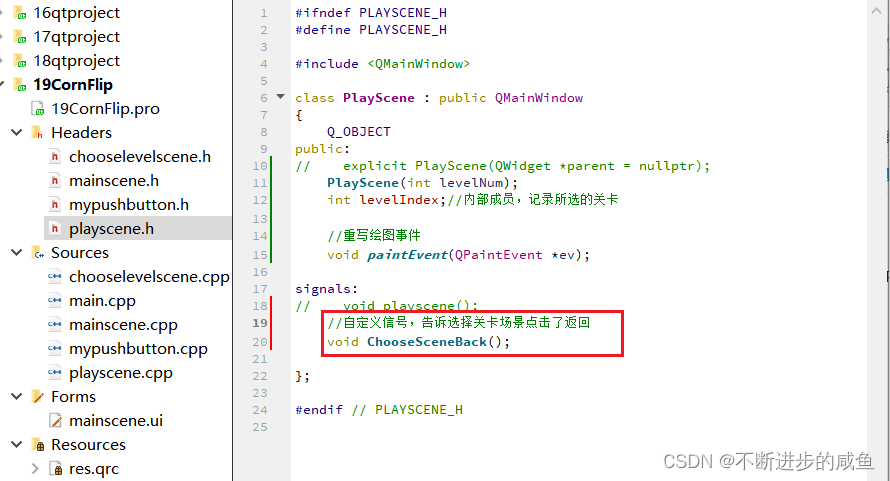
(1)声明返回按钮的信号:palyscene.h
#ifndef PLAYSCENE_H
#define PLAYSCENE_H

#include <QMainWindow>

class PlayScene : public QMainWindow
{
    Q_OBJECT
public:
//    explicit PlayScene(QWidget *parent = nullptr);
    PlayScene(int levelNum);
    int levelIndex;//内部成员,记录所选的关卡

    //重写绘图事件
    void paintEvent(QPaintEvent *ev);

signals:
//    void playscene();
    //自定义信号,告诉选择关卡场景点击了返回
    void ChooseSceneBack();

};

#endif // PLAYSCENE_H
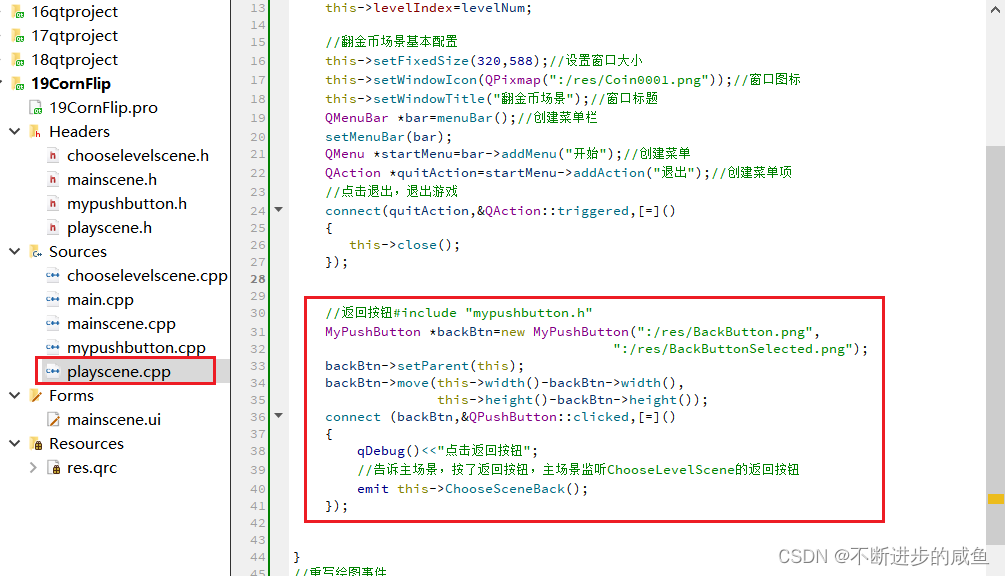
(2)在翻金币场景中,通过点击返回按钮释放信号
PlayScene::PlayScene(int levelNum)
{
    qDebug()<<QString("进入第%1关").arg(levelNum);
    this->levelIndex=levelNum;

    //翻金币场景基本配置
    this->setFixedSize(320,588);//设置窗口大小
    this->setWindowIcon(QPixmap(":/res/Coin0001.png"));//窗口图标
    this->setWindowTitle("翻金币场景");//窗口标题
    QMenuBar *bar=menuBar();//创建菜单栏
    setMenuBar(bar);
    QMenu *startMenu=bar->addMenu("开始");//创建菜单
    QAction *quitAction=startMenu->addAction("退出");//创建菜单项
    //点击退出,退出游戏
    connect(quitAction,&QAction::triggered,[=]()
    {
       this->close();
    });


    //返回按钮#include "mypushbutton.h"
    MyPushButton *backBtn=new MyPushButton(":/res/BackButton.png",
                                        ":/res/BackButtonSelected.png");
    backBtn->setParent(this);
    backBtn->move(this->width()-backBtn->width(),
                  this->height()-backBtn->height());
    connect (backBtn,&QPushButton::clicked,[=]()
    {
        qDebug()<<"点击返回按钮";
        //告诉主场景,按了返回按钮,主场景监听ChooseLevelScene的返回按钮
        emit this->ChooseSceneBack();
    });
}
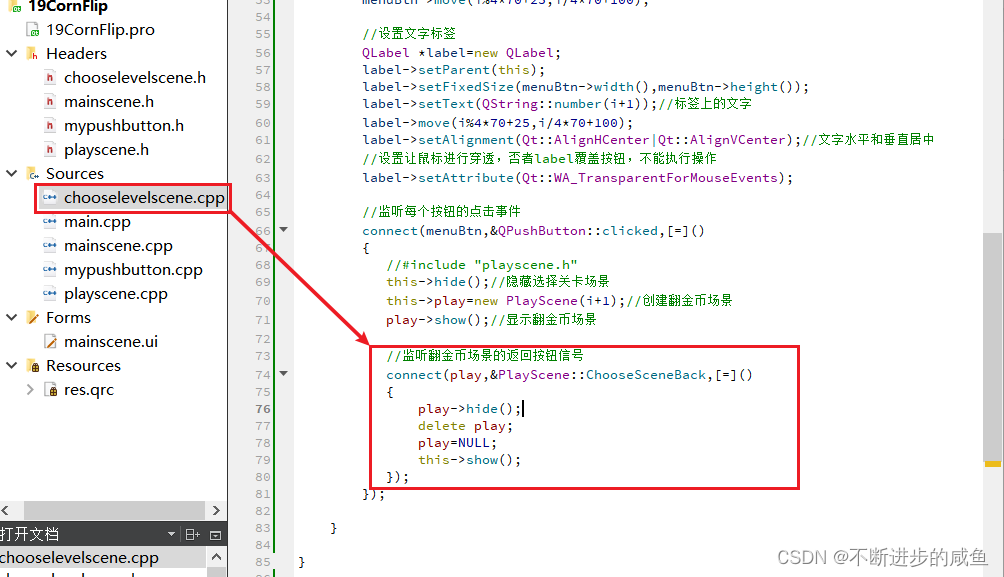
(3)选择关卡场景中,监听发送的信号
ChooseLevelScene::ChooseLevelScene(QWidget *parent) : QMainWindow(parent)
{
    //1.配置选择关卡场景
    //(1)设置场景界面大小
    this->setFixedSize(320,588);
    //(2)设置图标
    this->setWindowIcon(QPixmap(":/res/Coin0001.png"));
    //(3)设置标题
    this->setWindowTitle("选择关卡场景");
    //(4)创建菜单栏   #include <QMenuBar>
    QMenuBar *bar=menuBar();
    setMenuBar(bar);
    //(5)创建开始菜单 #include <QMenu>
    QMenu *startMenu=bar->addMenu("开始");
    //(6)创建菜单项
    QAction *quitAction=startMenu->addAction("退出");
    //(7)点击退出,实现退出游戏
    connect(quitAction,&QAction::triggered,[=]()
    {
       this->close();
    });


    //2.返回按钮
    //#include "mypushbutton.h"
    MyPushButton *backBtn=new MyPushButton(":/res/BackButton.png",
                                        ":/res/BackButtonSelected.png");
    backBtn->setParent(this);
    backBtn->move(this->width()-backBtn->width(),
                  this->height()-backBtn->height());
    //(2)点击返回,切换至主场景
    connect (backBtn,&QPushButton::clicked,[=]()
    {
        qDebug()<<"点击返回按钮";
        //告诉主场景,按了返回按钮,主场景监听ChooseLevelScene的返回按钮
        emit this->ChooseSceneBack();
    });

    //3.创建选择关卡的按钮
    for (int i=0;i<20;i++)
    {
        //自定义按钮:构造函数包含两个参数
        MyPushButton *menuBtn=new MyPushButton(":/res/LevelIcon.png");
        menuBtn->setParent(this);
        menuBtn->move(i%4*70+25,i/4*70+100);

        //设置文字标签
        QLabel *label=new QLabel;
        label->setParent(this);
        label->setFixedSize(menuBtn->width(),menuBtn->height());
        label->setText(QString::number(i+1));//标签上的文字
        label->move(i%4*70+25,i/4*70+100);
        label->setAlignment(Qt::AlignHCenter|Qt::AlignVCenter);//文字水平和垂直居中
        //设置让鼠标进行穿透,否者label覆盖按钮,不能执行操作
        label->setAttribute(Qt::WA_TransparentForMouseEvents);

        //监听每个按钮的点击事件
        connect(menuBtn,&QPushButton::clicked,[=]()
        {
           //#include "playscene.h"
           this->hide();//隐藏选择关卡场景
           this->play=new PlayScene(i+1);//创建翻金币场景
           play->show();//显示翻金币场景

           //监听翻金币场景的返回按钮信号
           connect(play,&PlayScene::ChooseSceneBack,[=]()
           {
               play->hide();
               delete play;
               play=NULL;
               this->show();
           });
        });
    }
}
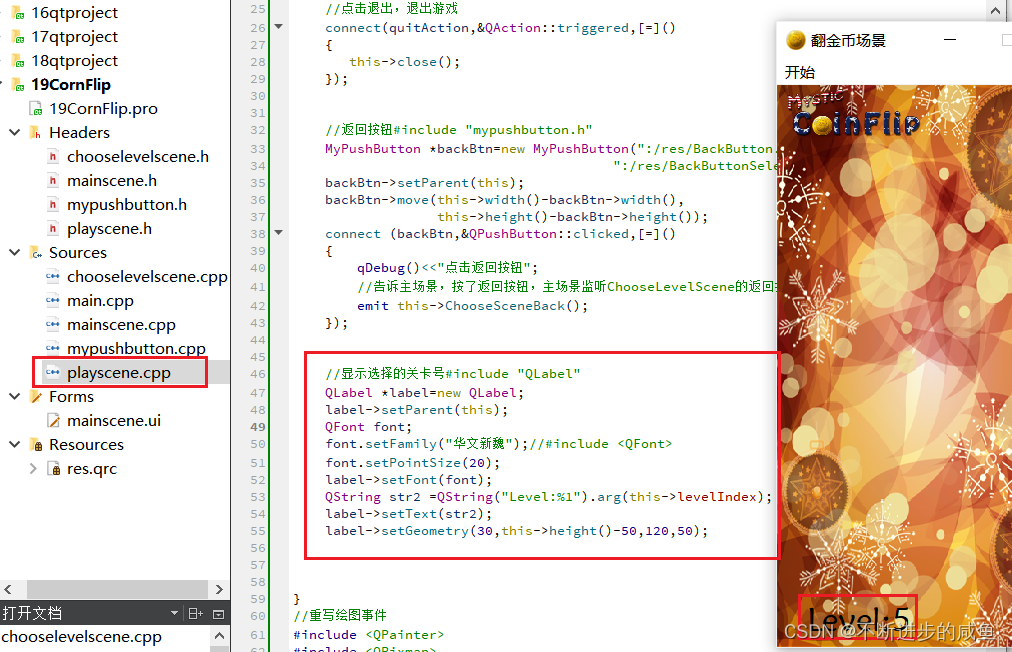
4.4 显示选择的关卡号
PlayScene::PlayScene(int levelNum)
{
    qDebug()<<QString("进入第%1关").arg(levelNum);
    this->levelIndex=levelNum;

    //翻金币场景基本配置
    this->setFixedSize(320,588);//设置窗口大小
    this->setWindowIcon(QPixmap(":/res/Coin0001.png"));//窗口图标
    this->setWindowTitle("翻金币场景");//窗口标题
    QMenuBar *bar=menuBar();//创建菜单栏
    setMenuBar(bar);
    QMenu *startMenu=bar->addMenu("开始");//创建菜单
    QAction *quitAction=startMenu->addAction("退出");//创建菜单项
    //点击退出,退出游戏
    connect(quitAction,&QAction::triggered,[=]()
    {
       this->close();
    });


    //返回按钮#include "mypushbutton.h"
    MyPushButton *backBtn=new MyPushButton(":/res/BackButton.png",
                                        ":/res/BackButtonSelected.png");
    backBtn->setParent(this);
    backBtn->move(this->width()-backBtn->width(),
                  this->height()-backBtn->height());
    connect (backBtn,&QPushButton::clicked,[=]()
    {
        qDebug()<<"点击返回按钮";
        //告诉主场景,按了返回按钮,主场景监听ChooseLevelScene的返回按钮
        emit this->ChooseSceneBack();
    });


    //显示选择的关卡号#include "QLabel"
    QLabel *label=new QLabel;
    label->setParent(this);
    QFont font;
    font.setFamily("华文新魏");//#include <QFont>
    font.setPointSize(20);
    label->setFont(font);
    QString str2 =QString("Level:%1").arg(this->levelIndex);
    label->setText(str2);
    label->setGeometry(30,this->height()-50,120,50);
}
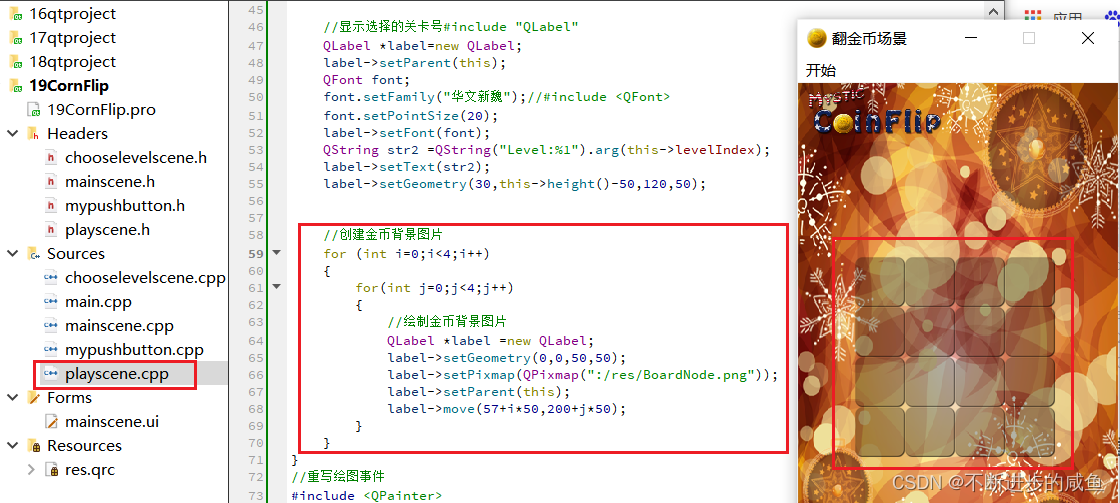
4.5 创建金币背景图片
PlayScene::PlayScene(int levelNum)
{
    qDebug()<<QString("进入第%1关").arg(levelNum);
    this->levelIndex=levelNum;

    //翻金币场景基本配置
    this->setFixedSize(320,588);//设置窗口大小
    this->setWindowIcon(QPixmap(":/res/Coin0001.png"));//窗口图标
    this->setWindowTitle("翻金币场景");//窗口标题
    QMenuBar *bar=menuBar();//创建菜单栏
    setMenuBar(bar);
    QMenu *startMenu=bar->addMenu("开始");//创建菜单
    QAction *quitAction=startMenu->addAction("退出");//创建菜单项
    //点击退出,退出游戏
    connect(quitAction,&QAction::triggered,[=]()
    {
       this->close();
    });


    //返回按钮#include "mypushbutton.h"
    MyPushButton *backBtn=new MyPushButton(":/res/BackButton.png",
                                        ":/res/BackButtonSelected.png");
    backBtn->setParent(this);
    backBtn->move(this->width()-backBtn->width(),
                  this->height()-backBtn->height());
    connect (backBtn,&QPushButton::clicked,[=]()
    {
        qDebug()<<"点击返回按钮";
        //告诉主场景,按了返回按钮,主场景监听ChooseLevelScene的返回按钮
        emit this->ChooseSceneBack();
    });


    //显示选择的关卡号#include "QLabel"
    QLabel *label=new QLabel;
    label->setParent(this);
    QFont font;
    font.setFamily("华文新魏");//#include <QFont>
    font.setPointSize(20);
    label->setFont(font);
    QString str2 =QString("Level:%1").arg(this->levelIndex);
    label->setText(str2);
    label->setGeometry(30,this->height()-50,120,50);


    //创建金币背景图片
    for (int i=0;i<4;i++)
    {
        for(int j=0;j<4;j++)
        {
            //绘制金币背景图片
            QLabel *label =new QLabel;
            label->setGeometry(0,0,50,50);
            label->setPixmap(QPixmap(":/res/BoardNode.png"));
            label->setParent(this);
            label->move(57+i*50,200+j*50);
        }
    }
}
4.6 创建金币类
4.6.1 创建金币类
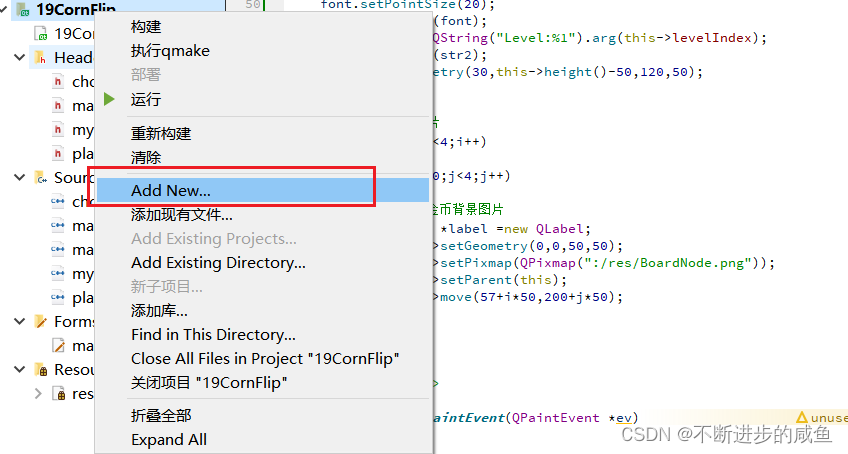
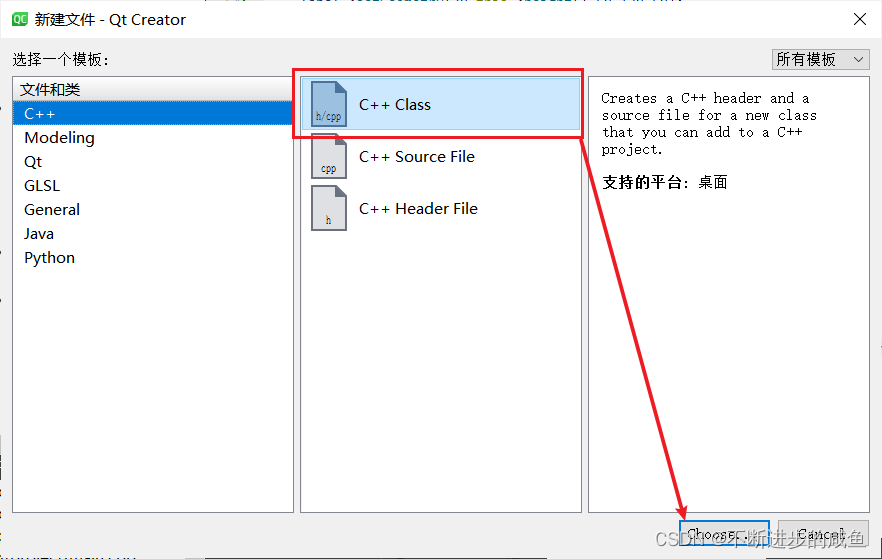
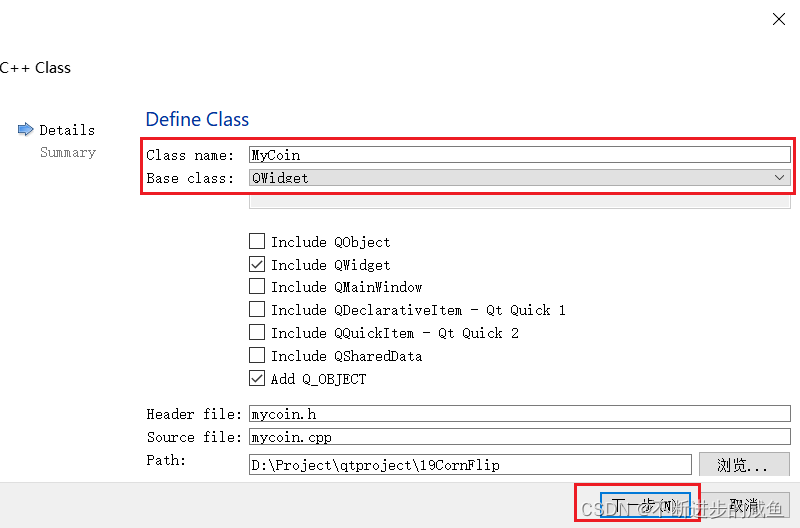
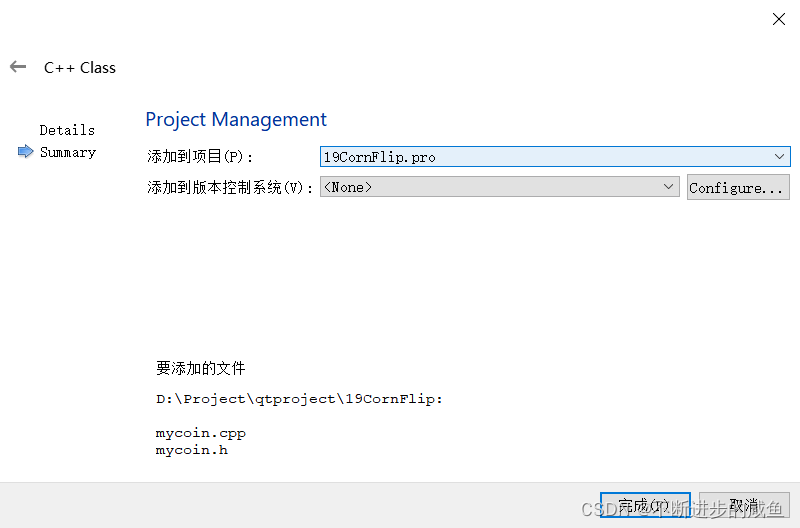
修改基类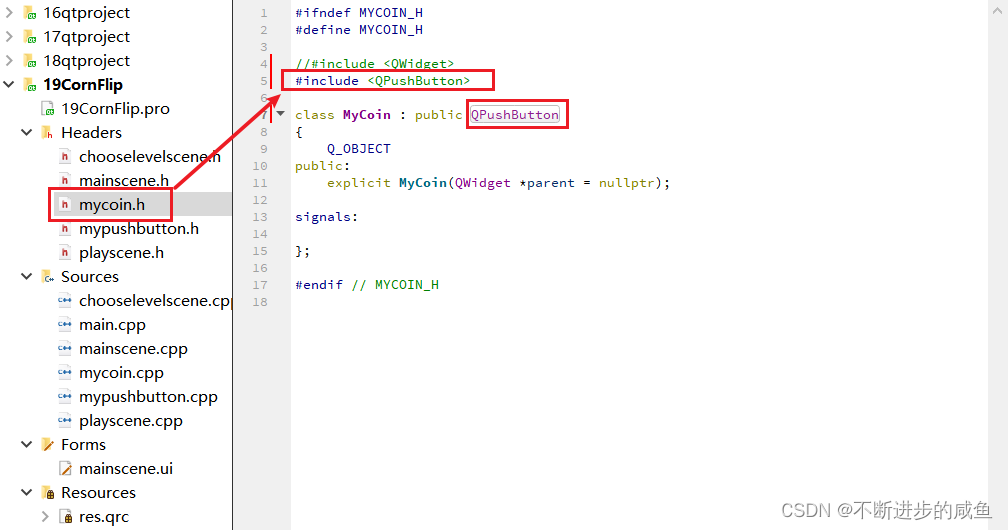
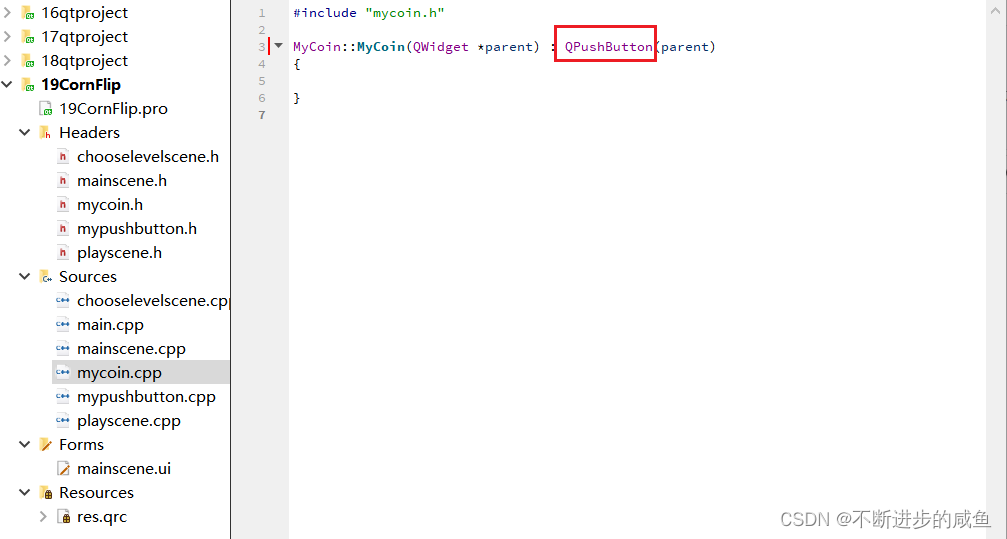
4.6.2 金币类构造函数
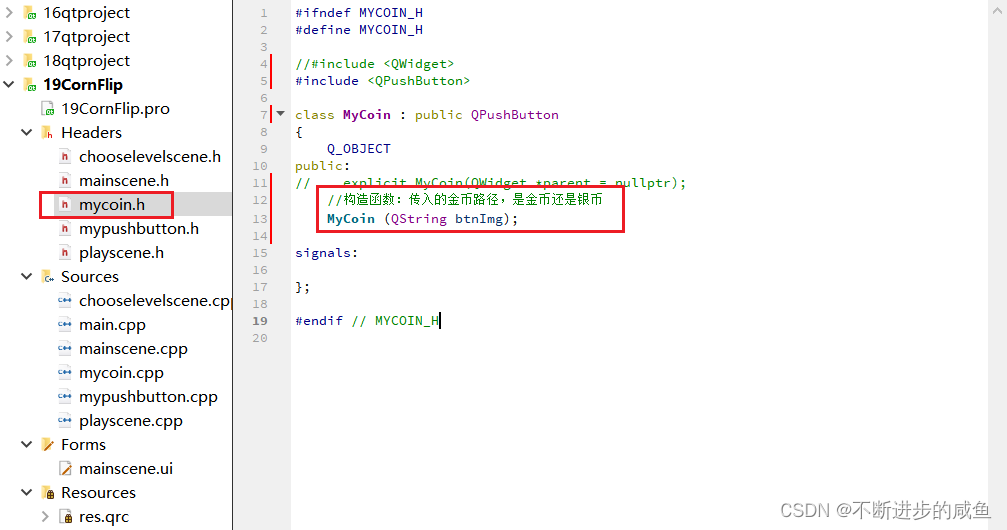
(1)构造函数声明
#ifndef MYCOIN_H
#define MYCOIN_H

//#include <QWidget>
#include <QPushButton>

class MyCoin : public QPushButton
{
    Q_OBJECT
public:
//    explicit MyCoin(QWidget *parent = nullptr);
    //构造函数:传入的金币路径,是金币还是银币
    MyCoin (QString btnImg);

signals:

};
#endif // MYCOIN_H
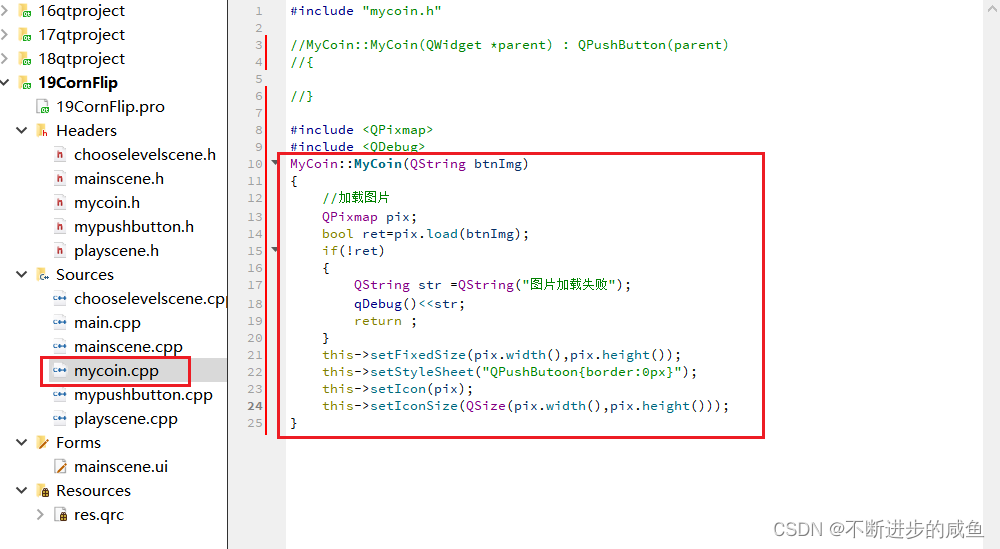
(2)构造函数实现
#include "mycoin.h"

//MyCoin::MyCoin(QWidget *parent) : QPushButton(parent)
//{

//}

#include <QPixmap>
#include <QDebug>
MyCoin::MyCoin(QString btnImg)
{
    //加载图片
    QPixmap pix;
    bool ret=pix.load(btnImg);
    if(!ret)
    {
        QString str =QString("图片加载失败");
        qDebug()<<str;
        return ;
    }
    this->setFixedSize(pix.width(),pix.height());
    this->setStyleSheet("QPushButoon{border:0px}");
    this->setIcon(pix);
    this->setIconSize(QSize(pix.width(),pix.height()));
}
(3)测试:包含金币类头文件playscene.cpp中
#include "mycoin.h"
PlayScene::PlayScene(int levelNum)
{
    qDebug()<<QString("进入第%1关").arg(levelNum);
    this->levelIndex=levelNum;

    //翻金币场景基本配置
    this->setFixedSize(320,588);//设置窗口大小
    this->setWindowIcon(QPixmap(":/res/Coin0001.png"));//窗口图标
    this->setWindowTitle("翻金币场景");//窗口标题
    QMenuBar *bar=menuBar();//创建菜单栏
    setMenuBar(bar);
    QMenu *startMenu=bar->addMenu("开始");//创建菜单
    QAction *quitAction=startMenu->addAction("退出");//创建菜单项
    connect(quitAction,&QAction::triggered,[=]()
    {
       this->close();
    });//点击退出,退出游戏


    //返回按钮#include "mypushbutton.h"
    MyPushButton *backBtn=new MyPushButton(":/res/BackButton.png",
                                        ":/res/BackButtonSelected.png");
    backBtn->setParent(this);
    backBtn->move(this->width()-backBtn->width(),
                  this->height()-backBtn->height());
    connect (backBtn,&QPushButton::clicked,[=]()
    {
        qDebug()<<"点击返回按钮";
        //告诉主场景,按了返回按钮,主场景监听ChooseLevelScene的返回按钮
        emit this->ChooseSceneBack();
    });


    //显示选择的关卡号#include "QLabel"
    QLabel *label=new QLabel;
    label->setParent(this);
    QFont font;
    font.setFamily("华文新魏");//#include <QFont>
    font.setPointSize(20);
    label->setFont(font);
    QString str2 =QString("Level:%1").arg(this->levelIndex);
    label->setText(str2);
    label->setGeometry(30,this->height()-50,120,50);


    //创建金币背景图片
    for (int i=0;i<4;i++)
    {
        for(int j=0;j<4;j++)
        {
            //绘制金币背景图片
            QLabel *label =new QLabel;
            label->setGeometry(0,0,50,50);
            label->setPixmap(QPixmap(":/res/BoardNode.png"));
            label->setParent(this);
            label->move(57+i*50,200+j*50);

            //创建金币
            MyCoin *coin =new MyCoin(":/res/Coin0001.png");
            coin->setParent(this);
            coin->move(59+i*50,204+j*50);
        }
    }
}
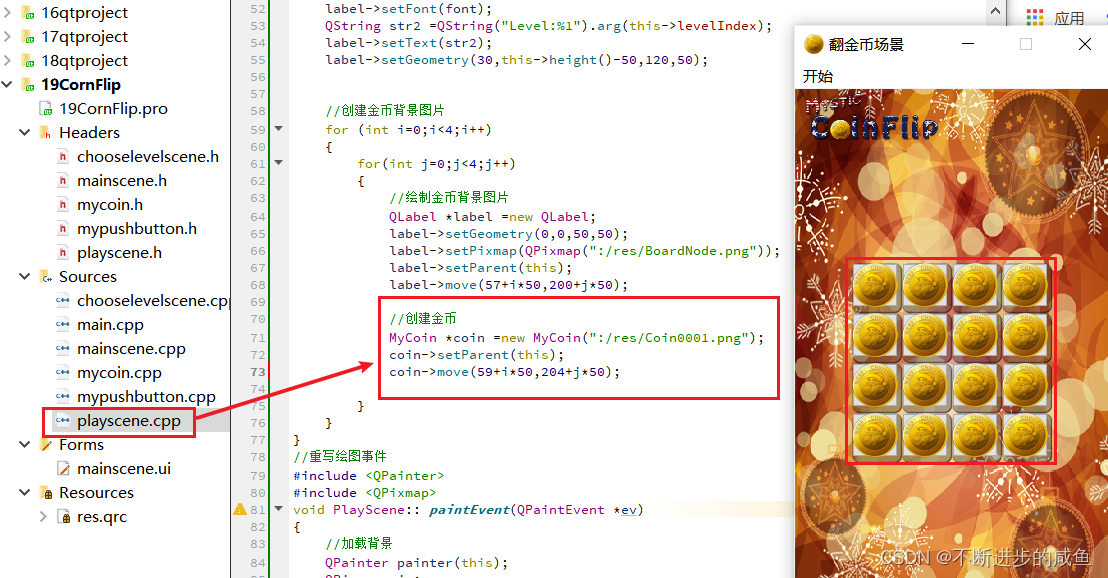
4.7 引入关卡数据
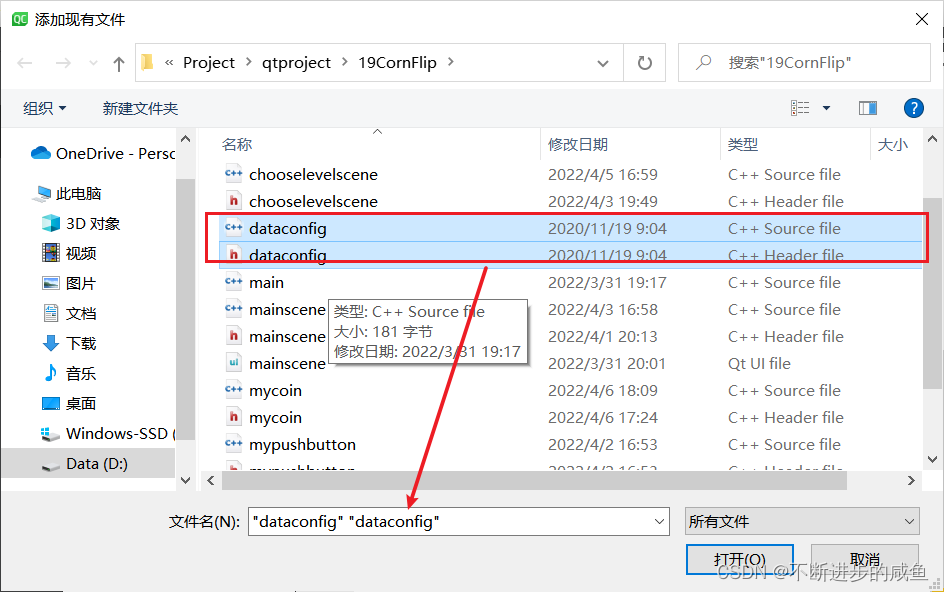
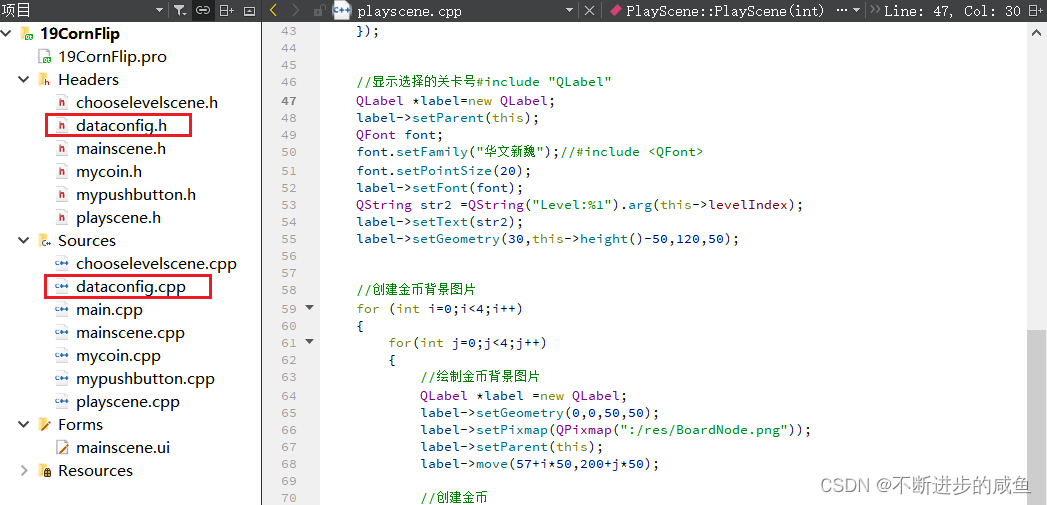
(1)添加配置文件(cpp/h)到翻金币项目中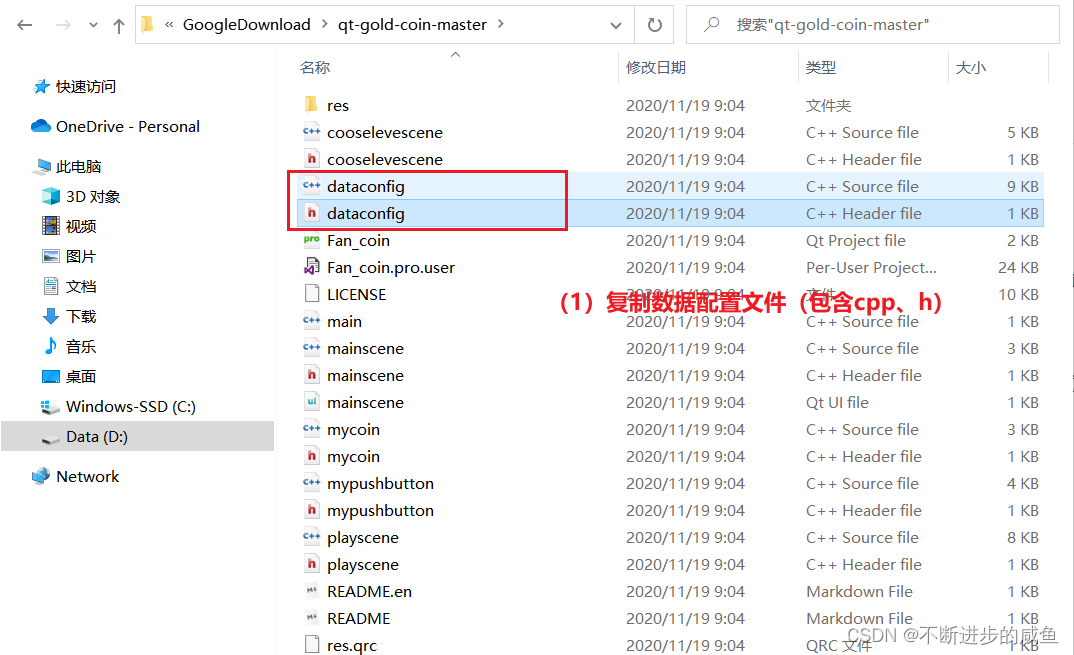
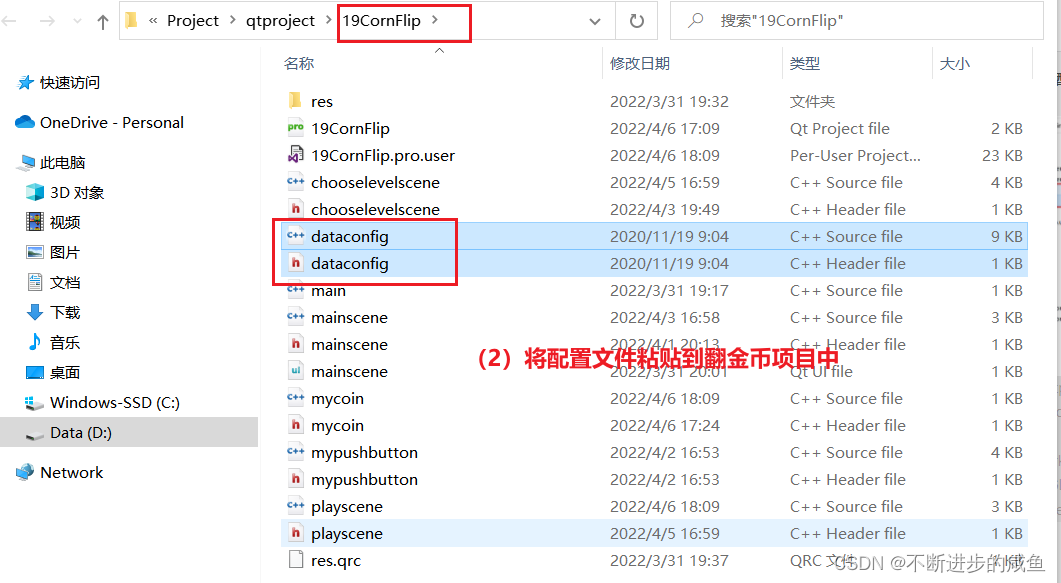
(2)将配置文件设置为资源文件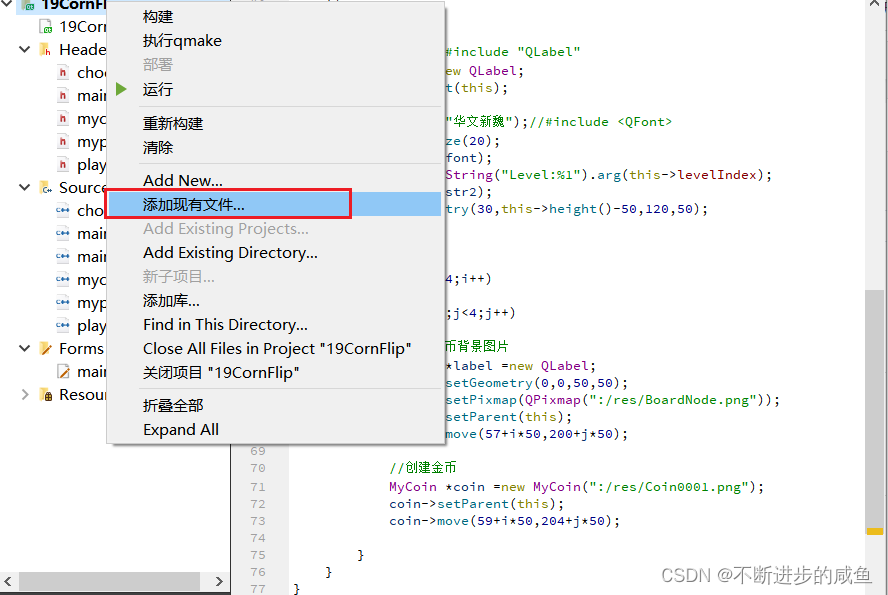
4.8 初始化各个关卡
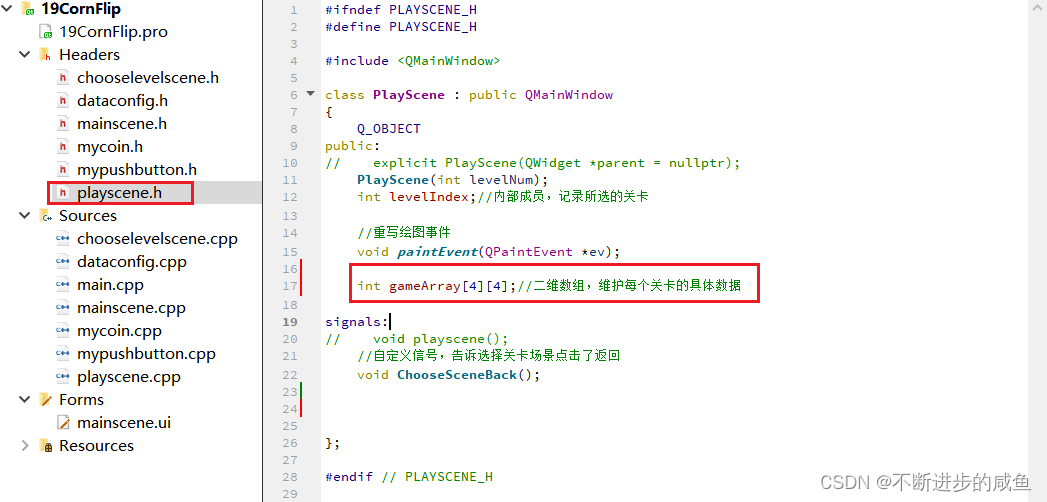
(1)在playscene.h中声明二维数组,维护每个关卡的具体数据。
#ifndef PLAYSCENE_H
#define PLAYSCENE_H

#include <QMainWindow>

class PlayScene : public QMainWindow
{
    Q_OBJECT
public:
//    explicit PlayScene(QWidget *parent = nullptr);
    PlayScene(int levelNum);
    int levelIndex;//内部成员,记录所选的关卡

    //重写绘图事件
    void paintEvent(QPaintEvent *ev);

    int gameArray[4][4];//二维数组,维护每个关卡的具体数据

signals:
//    void playscene();
    //自定义信号,告诉选择关卡场景点击了返回
    void ChooseSceneBack();

};

#endif // PLAYSCENE_H
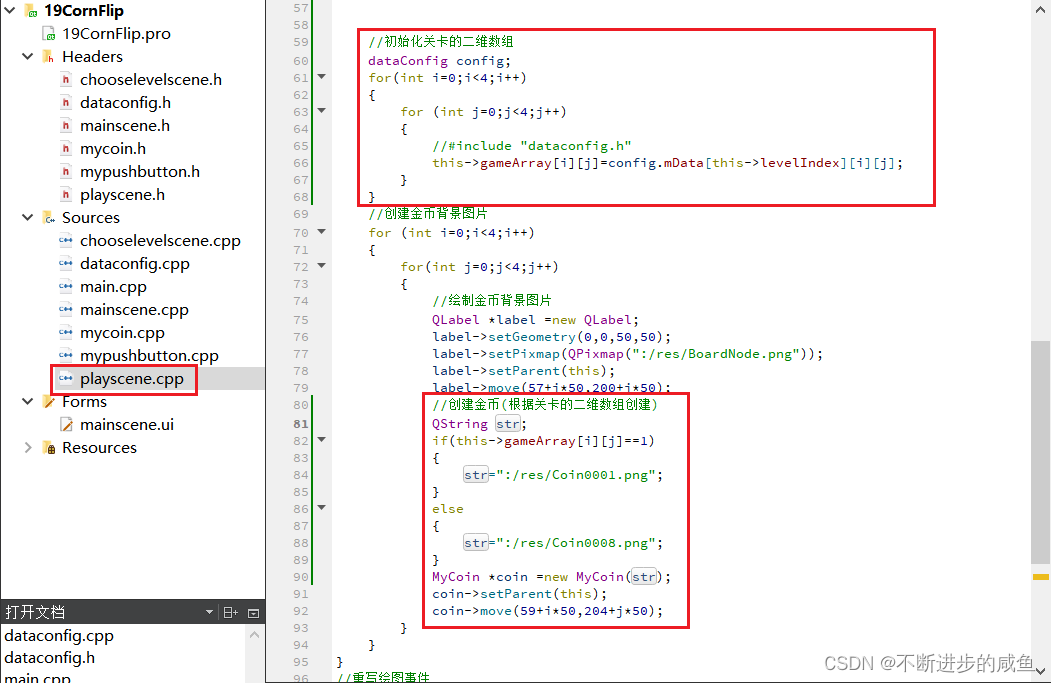
(2)在palyscene.cpp中初始化每个关卡的二维数组。
PlayScene::PlayScene(int levelNum)
{
    qDebug()<<QString("进入第%1关").arg(levelNum);
    this->levelIndex=levelNum;

    //翻金币场景基本配置
    this->setFixedSize(320,588);//设置窗口大小
    this->setWindowIcon(QPixmap(":/res/Coin0001.png"));//窗口图标
    this->setWindowTitle("翻金币场景");//窗口标题
    QMenuBar *bar=menuBar();//创建菜单栏
    setMenuBar(bar);
    QMenu *startMenu=bar->addMenu("开始");//创建菜单
    QAction *quitAction=startMenu->addAction("退出");//创建菜单项
    connect(quitAction,&QAction::triggered,[=]()
    {
       this->close();
    });//点击退出,退出游戏


    //返回按钮#include "mypushbutton.h"
    MyPushButton *backBtn=new MyPushButton(":/res/BackButton.png",
                                        ":/res/BackButtonSelected.png");
    backBtn->setParent(this);
    backBtn->move(this->width()-backBtn->width(),
                  this->height()-backBtn->height());
    connect (backBtn,&QPushButton::clicked,[=]()
    {
        qDebug()<<"点击返回按钮";
        //告诉主场景,按了返回按钮,主场景监听ChooseLevelScene的返回按钮
        emit this->ChooseSceneBack();
    });


    //显示选择的关卡号#include "QLabel"
    QLabel *label=new QLabel;
    label->setParent(this);
    QFont font;
    font.setFamily("华文新魏");//#include <QFont>
    font.setPointSize(20);
    label->setFont(font);
    QString str2 =QString("Level:%1").arg(this->levelIndex);
    label->setText(str2);
    label->setGeometry(30,this->height()-50,120,50);


    //初始化关卡的二维数组
    dataConfig config;
    for(int i=0;i<4;i++)
    {
        for (int j=0;j<4;j++)
        {
            //#include "dataconfig.h"
            this->gameArray[i][j]=config.mData[this->levelIndex][i][j];
        }
    }
    //创建金币背景图片
    for (int i=0;i<4;i++)
    {
        for(int j=0;j<4;j++)
        {
            //绘制金币背景图片
            QLabel *label =new QLabel;
            label->setGeometry(0,0,50,50);
            label->setPixmap(QPixmap(":/res/BoardNode.png"));
            label->setParent(this);
            label->move(57+i*50,200+j*50);
            //创建金币(根据关卡的二维数组创建)
            QString str;
            if(this->gameArray[i][j]==1)
            {
                str=":/res/Coin0001.png";
            }
            else
            {
                str=":/res/Coin0008.png";
            }
            MyCoin *coin =new MyCoin(str);
            coin->setParent(this);
            coin->move(59+i*50,204+j*50);
        }
    }
}
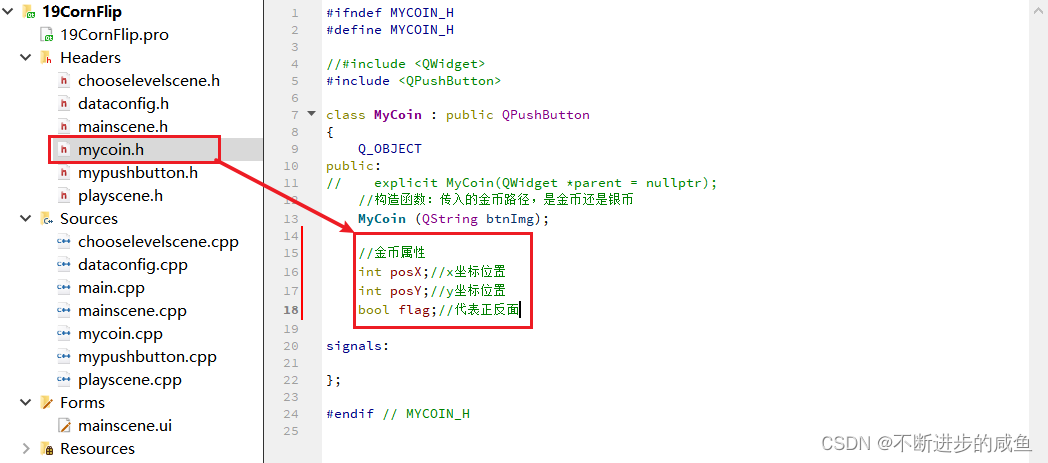
(3)金币类增加位置及标志属性:mycoin.h
#ifndef MYCOIN_H
#define MYCOIN_H

//#include <QWidget>
#include <QPushButton>

class MyCoin : public QPushButton
{
    Q_OBJECT
public:
//    explicit MyCoin(QWidget *parent = nullptr);
    //构造函数:传入的金币路径,是金币还是银币
    MyCoin (QString btnImg);

    //金币属性
    int posX;//x坐标位置
    int posY;//y坐标位置
    bool flag;//代表正反面

signals:

};

#endif // MYCOIN_H
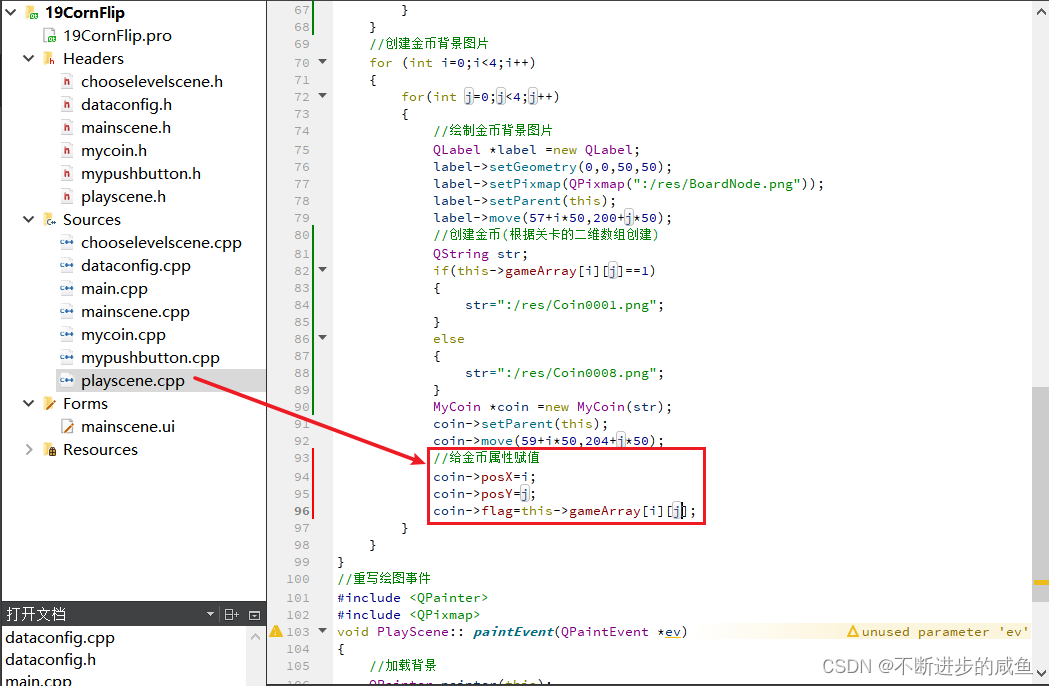
(4)在创建关卡的场景中,对金币类的各个属性同时赋值:palyscene.cpp
PlayScene::PlayScene(int levelNum)
{
    qDebug()<<QString("进入第%1关").arg(levelNum);
    this->levelIndex=levelNum;

    //翻金币场景基本配置
    this->setFixedSize(320,588);//设置窗口大小
    this->setWindowIcon(QPixmap(":/res/Coin0001.png"));//窗口图标
    this->setWindowTitle("翻金币场景");//窗口标题
    QMenuBar *bar=menuBar();//创建菜单栏
    setMenuBar(bar);
    QMenu *startMenu=bar->addMenu("开始");//创建菜单
    QAction *quitAction=startMenu->addAction("退出");//创建菜单项
    connect(quitAction,&QAction::triggered,[=]()
    {
       this->close();
    });//点击退出,退出游戏


    //返回按钮#include "mypushbutton.h"
    MyPushButton *backBtn=new MyPushButton(":/res/BackButton.png",
                                        ":/res/BackButtonSelected.png");
    backBtn->setParent(this);
    backBtn->move(this->width()-backBtn->width(),
                  this->height()-backBtn->height());
    connect (backBtn,&QPushButton::clicked,[=]()
    {
        qDebug()<<"点击返回按钮";
        //告诉主场景,按了返回按钮,主场景监听ChooseLevelScene的返回按钮
        emit this->ChooseSceneBack();
    });


    //显示选择的关卡号#include "QLabel"
    QLabel *label=new QLabel;
    label->setParent(this);
    QFont font;
    font.setFamily("华文新魏");//#include <QFont>
    font.setPointSize(20);
    label->setFont(font);
    QString str2 =QString("Level:%1").arg(this->levelIndex);
    label->setText(str2);
    label->setGeometry(30,this->height()-50,120,50);


    //初始化关卡的二维数组
    dataConfig config;
    for(int i=0;i<4;i++)
    {
        for (int j=0;j<4;j++)
        {
            //#include "dataconfig.h"
            this->gameArray[i][j]=config.mData[this->levelIndex][i][j];
        }
    }
    //创建金币背景图片
    for (int i=0;i<4;i++)
    {
        for(int j=0;j<4;j++)
        {
            //绘制金币背景图片
            QLabel *label =new QLabel;
            label->setGeometry(0,0,50,50);
            label->setPixmap(QPixmap(":/res/BoardNode.png"));
            label->setParent(this);
            label->move(57+i*50,200+j*50);
            //创建金币(根据关卡的二维数组创建)
            QString str;
            if(this->gameArray[i][j]==1)
            {
                str=":/res/Coin0001.png";
            }
            else
            {
                str=":/res/Coin0008.png";
            }
            MyCoin *coin =new MyCoin(str);
            coin->setParent(this);
            coin->move(59+i*50,204+j*50);
            //给金币属性赋值
            coin->posX=i;
            coin->posY=j;
            coin->flag=this->gameArray[i][j];
        }
    }
}
4.9 金币翻转特效实现
4.9.1 MyCoin类拓展属性和行为
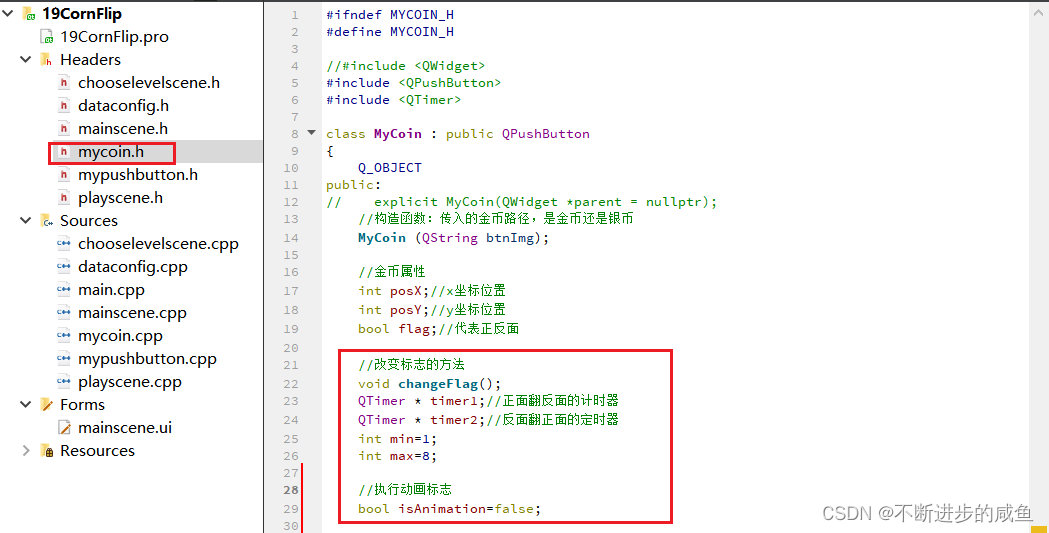
(1)在mycoin.h头文件中声明属性和行为
#ifndef MYCOIN_H
#define MYCOIN_H

//#include <QWidget>
#include <QPushButton>
#include <QTimer>

class MyCoin : public QPushButton
{
    Q_OBJECT
public:
//    explicit MyCoin(QWidget *parent = nullptr);
    //构造函数:传入的金币路径,是金币还是银币
    MyCoin (QString btnImg);

    //金币属性
    int posX;//x坐标位置
    int posY;//y坐标位置
    bool flag;//代表正反面

    //改变标志的方法
    void changeFlag();
    QTimer * timer1;//正面翻反面的计时器
    QTimer * timer2;//反面翻正面的定时器
    int min=1;
    int max=8;

 //执行动画标志
    bool isAnimation=false;

signals:

};

#endif // MYCOIN_H
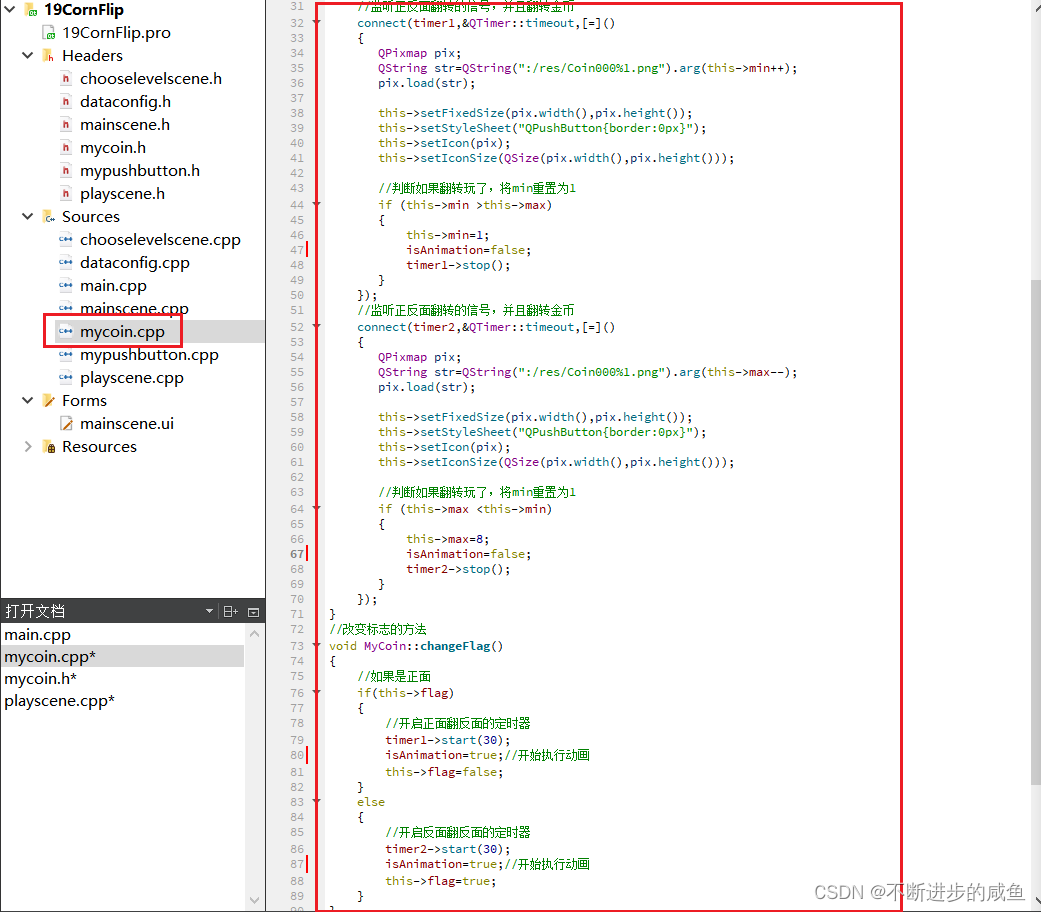
(2)在mycoin.cpp中实现方法
#include "mycoin.h"

//MyCoin::MyCoin(QWidget *parent) : QPushButton(parent)
//{

//}

#include <QPixmap>
#include <QDebug>

MyCoin::MyCoin(QString btnImg)
{
    //加载图片
    QPixmap pix;
    bool ret=pix.load(btnImg);
    if(!ret)
    {
        QString str =QString("图片加载失败");
        qDebug()<<str;
        return ;
    }
    this->setFixedSize(pix.width(),pix.height());
    this->setStyleSheet("QPushButton{border:0px}");
    this->setIcon(pix);
    this->setIconSize(QSize(pix.width(),pix.height()));

    //初始化定时器对象
    timer1=new QTimer(this);
    timer2=new QTimer(this);

    //监听正反面翻转的信号,并且翻转金币
    connect(timer1,&QTimer::timeout,[=]()
    {
       QPixmap pix;
       QString str=QString(":/res/Coin000%1.png").arg(this->min++);
       pix.load(str);

       this->setFixedSize(pix.width(),pix.height());
       this->setStyleSheet("QPushButton{border:0px}");
       this->setIcon(pix);
       this->setIconSize(QSize(pix.width(),pix.height()));

       //判断如果翻转玩了,将min重置为1
       if (this->min >this->max)
       {
           this->min=1;
           isAnimation=false;
           timer1->stop();
       }
    });
    //监听正反面翻转的信号,并且翻转金币
    connect(timer2,&QTimer::timeout,[=]()
    {
       QPixmap pix;
       QString str=QString(":/res/Coin000%1.png").arg(this->max--);
       pix.load(str);

       this->setFixedSize(pix.width(),pix.height());
       this->setStyleSheet("QPushButton{border:0px}");
       this->setIcon(pix);
       this->setIconSize(QSize(pix.width(),pix.height()));

       //判断如果翻转玩了,将min重置为1
       if (this->max <this->min)
       {
           this->max=8;
           isAnimation=false;
           timer2->stop();
       }
    });
}
//改变标志的方法
void MyCoin::changeFlag()
{
    //如果是正面
    if(this->flag)
    {
        //开启正面翻反面的定时器
        timer1->start(30);
        isAnimation=true;//开始执行动画
        this->flag=false;
    }
    else
    {
        //开启反面翻反面的定时器
        timer2->start(30);
        isAnimation=true;//开始执行动画
        this->flag=true;
    }
}
(3)在翻金币场景中,使用翻转特效:playscene.cpp
PlayScene::PlayScene(int levelNum)
{
    qDebug()<<QString("进入第%1关").arg(levelNum);
    this->levelIndex=levelNum;

    //翻金币场景基本配置
    this->setFixedSize(320,588);//设置窗口大小
    this->setWindowIcon(QPixmap(":/res/Coin0001.png"));//窗口图标
    this->setWindowTitle("翻金币场景");//窗口标题
    QMenuBar *bar=menuBar();//创建菜单栏
    setMenuBar(bar);
    QMenu *startMenu=bar->addMenu("开始");//创建菜单
    QAction *quitAction=startMenu->addAction("退出");//创建菜单项
    connect(quitAction,&QAction::triggered,[=]()
    {
       this->close();
    });//点击退出,退出游戏


    //返回按钮#include "mypushbutton.h"
    MyPushButton *backBtn=new MyPushButton(":/res/BackButton.png",
                                        ":/res/BackButtonSelected.png");
    backBtn->setParent(this);
    backBtn->move(this->width()-backBtn->width(),
                  this->height()-backBtn->height());
    connect (backBtn,&QPushButton::clicked,[=]()
    {
        qDebug()<<"点击返回按钮";
        //告诉主场景,按了返回按钮,主场景监听ChooseLevelScene的返回按钮
        emit this->ChooseSceneBack();
    });


    //显示选择的关卡号#include "QLabel"
    QLabel *label=new QLabel;
    label->setParent(this);
    QFont font;
    font.setFamily("华文新魏");//#include <QFont>
    font.setPointSize(20);
    label->setFont(font);
    QString str2 =QString("Level:%1").arg(this->levelIndex);
    label->setText(str2);
    label->setGeometry(30,this->height()-50,120,50);


    //初始化关卡的二维数组
    dataConfig config;
    for(int i=0;i<4;i++)
    {
        for (int j=0;j<4;j++)
        {
            //#include "dataconfig.h"
            this->gameArray[i][j]=config.mData[this->levelIndex][i][j];
        }
    }
    //创建金币背景图片
    for (int i=0;i<4;i++)
    {
        for(int j=0;j<4;j++)
        {
            //绘制金币背景图片
            QLabel *label =new QLabel;
            label->setGeometry(0,0,50,50);
            label->setPixmap(QPixmap(":/res/BoardNode.png"));
            label->setParent(this);
            label->move(57+i*50,200+j*50);
            //创建金币(根据关卡的二维数组创建)
            QString str;
            if(this->gameArray[i][j]==1)
            {
                str=":/res/Coin0001.png";
            }
            else
            {
                str=":/res/Coin0008.png";
            }
            MyCoin *coin =new MyCoin(str);
            coin->setParent(this);
            coin->move(59+i*50,204+j*50);
            //给金币属性赋值
            coin->posX=i;
            coin->posY=j;
            coin->flag=this->gameArray[i][j];

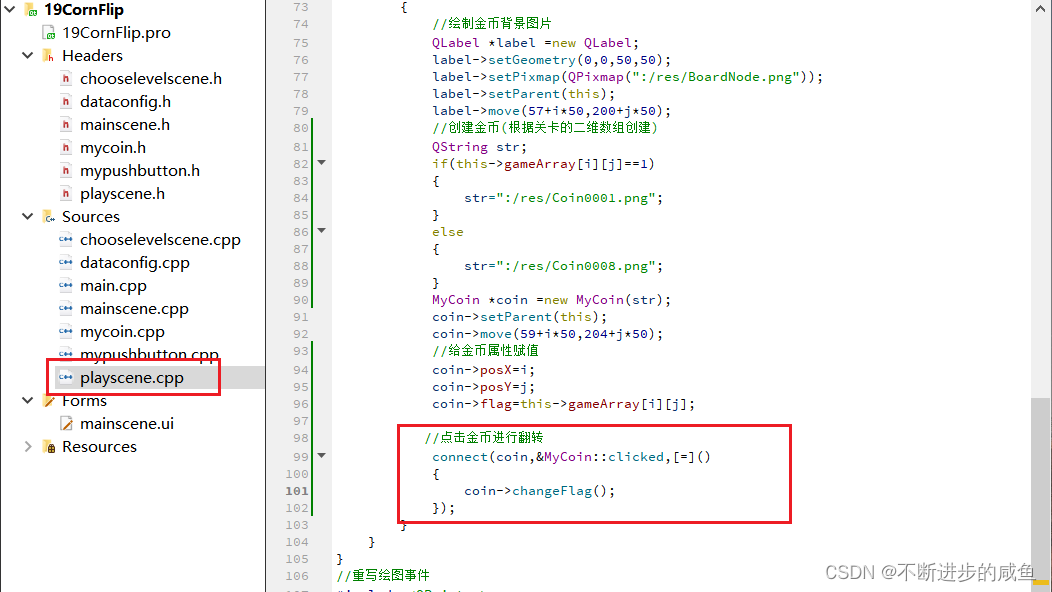
           //点击金币进行翻转
            connect(coin,&MyCoin::clicked,[=]()
            {
                coin->changeFlag();
            });
        }
    }
}
4.9.2 重写按下事件
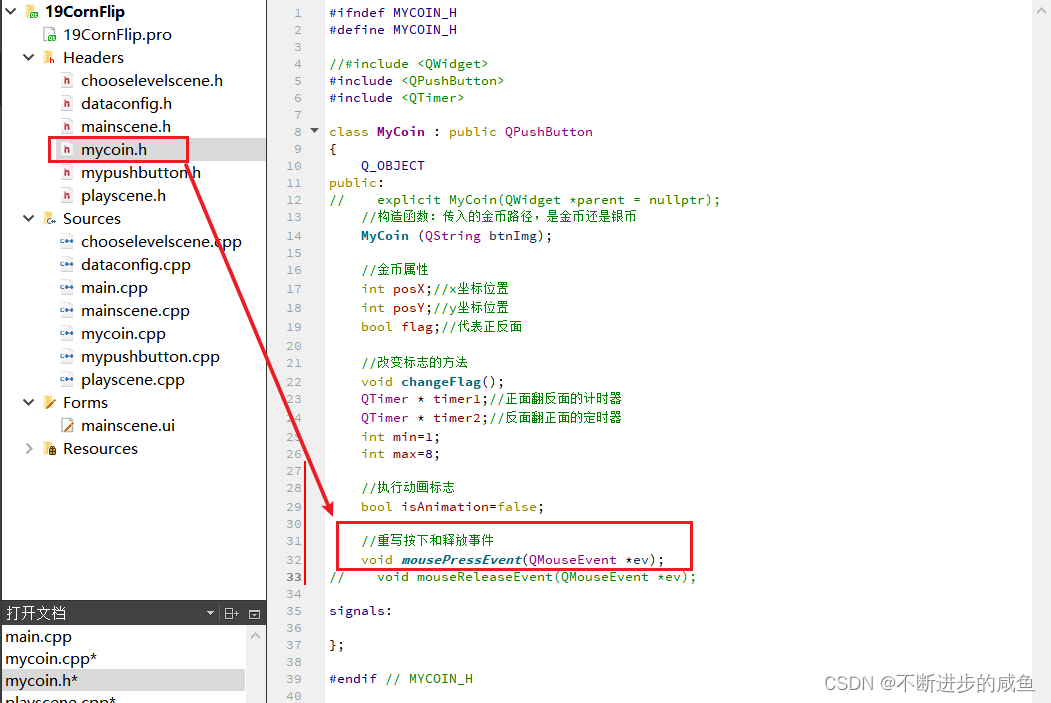
(1)鼠标按下事件操作声明
#ifndef MYCOIN_H
#define MYCOIN_H

//#include <QWidget>
#include <QPushButton>
#include <QTimer>

class MyCoin : public QPushButton
{
    Q_OBJECT
public:
//    explicit MyCoin(QWidget *parent = nullptr);
    //构造函数:传入的金币路径,是金币还是银币
    MyCoin (QString btnImg);

    //金币属性
    int posX;//x坐标位置
    int posY;//y坐标位置
    bool flag;//代表正反面

    //改变标志的方法
    void changeFlag();
    QTimer * timer1;//正面翻反面的计时器
    QTimer * timer2;//反面翻正面的定时器
    int min=1;
    int max=8;

    //执行动画标志
    bool isAnimation=false;

    //重写按下和释放事件
    void mousePressEvent(QMouseEvent *ev);
//    void mouseReleaseEvent(QMouseEvent *ev);

signals:

};

#endif // MYCOIN_H
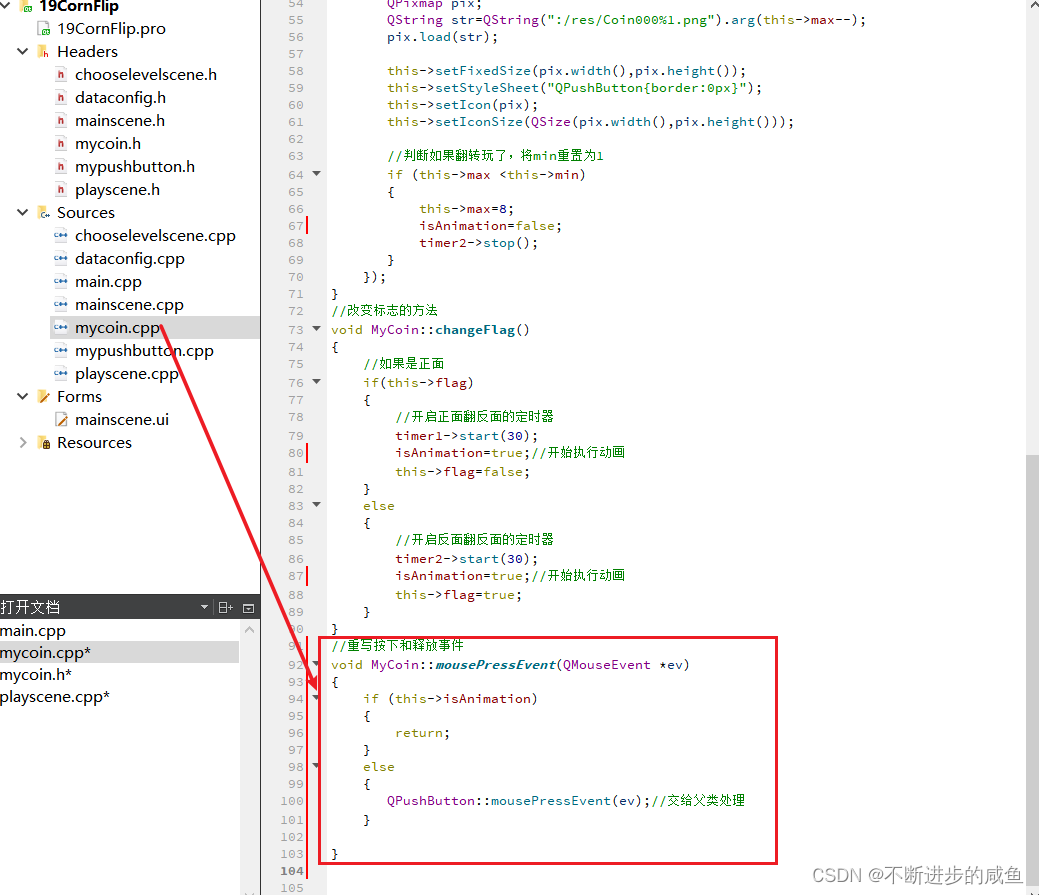
(2)鼠标按下事件实现
//重写按下和释放事件
void MyCoin::mousePressEvent(QMouseEvent *ev)
{
    if (this->isAnimation)
    {
        return;
    }
    else
    {
       QPushButton::mousePressEvent(ev);//交给父类处理
    }

}
4.10 周围金币翻转
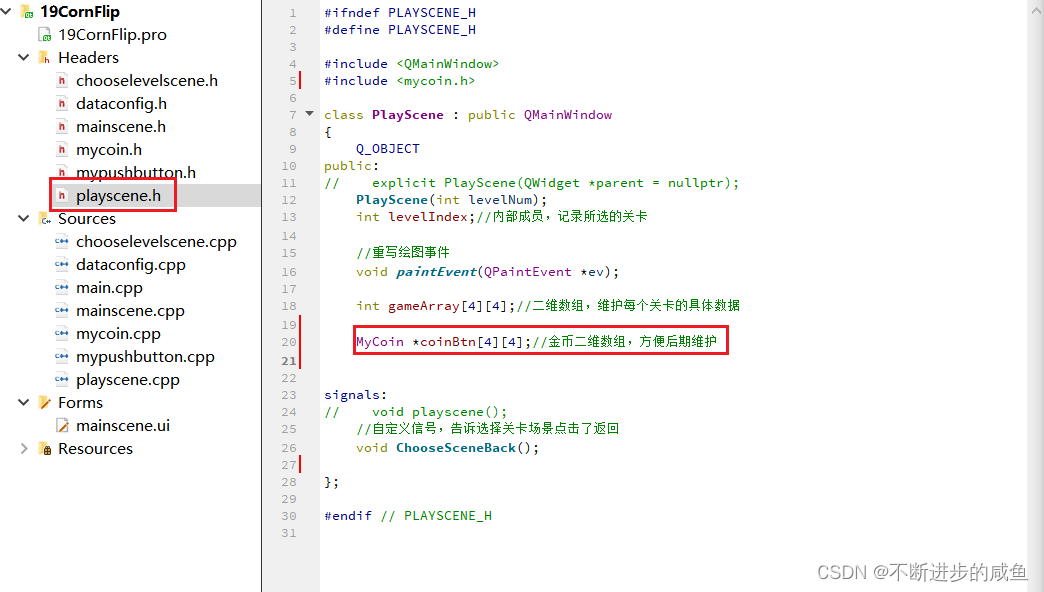
(1)创建金币(硬币)二维数组,维护金币(硬币)
#ifndef PLAYSCENE_H
#define PLAYSCENE_H

#include <QMainWindow>
#include <mycoin.h>

class PlayScene : public QMainWindow
{
    Q_OBJECT
public:
//    explicit PlayScene(QWidget *parent = nullptr);
    PlayScene(int levelNum);
    int levelIndex;//内部成员,记录所选的关卡

    //重写绘图事件
    void paintEvent(QPaintEvent *ev);

    int gameArray[4][4];//二维数组,维护每个关卡的具体数据

    MyCoin *coinBtn[4][4];//金币二维数组,方便后期维护


signals:
//    void playscene();
    //自定义信号,告诉选择关卡场景点击了返回
    void ChooseSceneBack();

};

#endif // PLAYSCENE_H
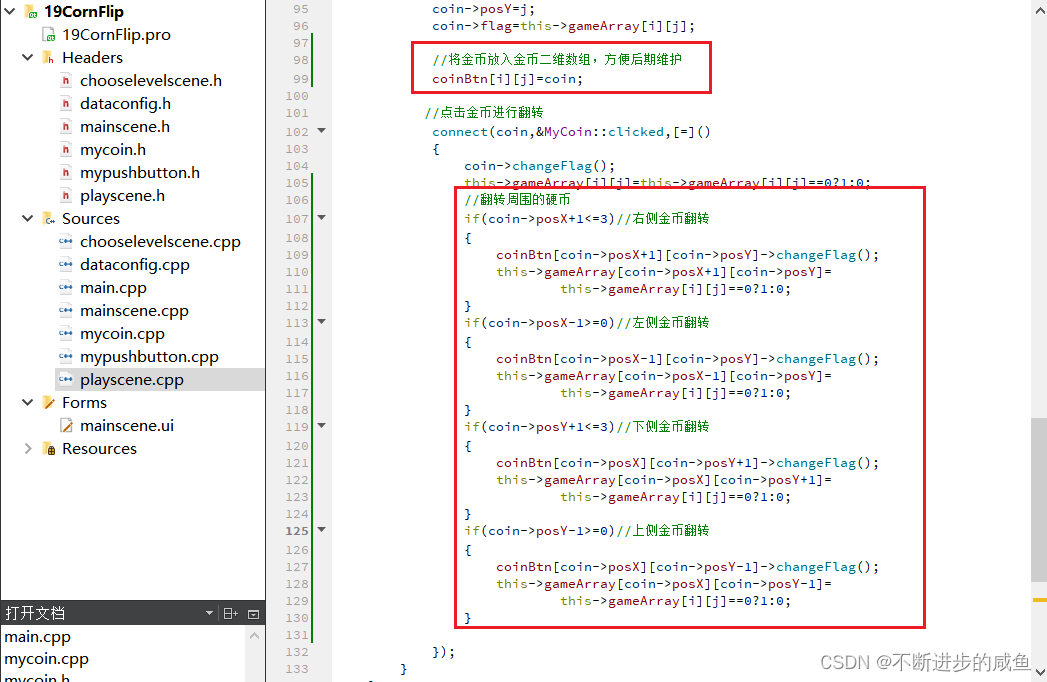
(2)将金币放入金币二维数组,以便后期维护,并进行金币翻转的关联:palyscene.cpp
PlayScene::PlayScene(int levelNum)
{
    qDebug()<<QString("进入第%1关").arg(levelNum);
    this->levelIndex=levelNum;

    //翻金币场景基本配置
    this->setFixedSize(320,588);//设置窗口大小
    this->setWindowIcon(QPixmap(":/res/Coin0001.png"));//窗口图标
    this->setWindowTitle("翻金币场景");//窗口标题
    QMenuBar *bar=menuBar();//创建菜单栏
    setMenuBar(bar);
    QMenu *startMenu=bar->addMenu("开始");//创建菜单
    QAction *quitAction=startMenu->addAction("退出");//创建菜单项
    connect(quitAction,&QAction::triggered,[=]()
    {
       this->close();
    });//点击退出,退出游戏


    //返回按钮#include "mypushbutton.h"
    MyPushButton *backBtn=new MyPushButton(":/res/BackButton.png",
                                        ":/res/BackButtonSelected.png");
    backBtn->setParent(this);
    backBtn->move(this->width()-backBtn->width(),
                  this->height()-backBtn->height());
    connect (backBtn,&QPushButton::clicked,[=]()
    {
        qDebug()<<"点击返回按钮";
        //告诉主场景,按了返回按钮,主场景监听ChooseLevelScene的返回按钮
        emit this->ChooseSceneBack();
    });


    //显示选择的关卡号#include "QLabel"
    QLabel *label=new QLabel;
    label->setParent(this);
    QFont font;
    font.setFamily("华文新魏");//#include <QFont>
    font.setPointSize(20);
    label->setFont(font);
    QString str2 =QString("Level:%1").arg(this->levelIndex);
    label->setText(str2);
    label->setGeometry(30,this->height()-50,120,50);


    //初始化关卡的二维数组
    dataConfig config;
    for(int i=0;i<4;i++)
    {
        for (int j=0;j<4;j++)
        {
            //#include "dataconfig.h"
            this->gameArray[i][j]=config.mData[this->levelIndex][i][j];
        }
    }
    //创建金币背景图片
    for (int i=0;i<4;i++)
    {
        for(int j=0;j<4;j++)
        {
            //绘制金币背景图片
            QLabel *label =new QLabel;
            label->setGeometry(0,0,50,50);
            label->setPixmap(QPixmap(":/res/BoardNode.png"));
            label->setParent(this);
            label->move(57+i*50,200+j*50);
            //创建金币(根据关卡的二维数组创建)
            QString str;
            if(this->gameArray[i][j]==1)
            {
                str=":/res/Coin0001.png";
            }
            else
            {
                str=":/res/Coin0008.png";
            }
            MyCoin *coin =new MyCoin(str);
            coin->setParent(this);
            coin->move(59+i*50,204+j*50);
            //给金币属性赋值
            coin->posX=i;
            coin->posY=j;
            coin->flag=this->gameArray[i][j];

            //将金币放入金币二维数组,方便后期维护
            coinBtn[i][j]=coin;

           //点击金币进行翻转
            connect(coin,&MyCoin::clicked,[=]()
            {
                coin->changeFlag();
                this->gameArray[i][j]=this->gameArray[i][j]==0?1:0;
                //翻转周围的硬币
                if(coin->posX+1<=3)//右侧金币翻转
                {
                    coinBtn[coin->posX+1][coin->posY]->changeFlag();
                    this->gameArray[coin->posX+1][coin->posY]=
                            this->gameArray[i][j]==0?1:0;
                }
                if(coin->posX-1>=0)//左侧金币翻转
                {
                    coinBtn[coin->posX-1][coin->posY]->changeFlag();
                    this->gameArray[coin->posX-1][coin->posY]=
                            this->gameArray[i][j]==0?1:0;
                }
                if(coin->posY+1<=3)//下侧金币翻转
                {
                    coinBtn[coin->posX][coin->posY+1]->changeFlag();
                    this->gameArray[coin->posX][coin->posY+1]=
                            this->gameArray[i][j]==0?1:0;
                }
                if(coin->posY-1>=0)//上侧金币翻转
                {
                    coinBtn[coin->posX][coin->posY-1]->changeFlag();
                    this->gameArray[coin->posX][coin->posY-1]=
                            this->gameArray[i][j]==0?1:0;
                }

            });
        }
    }
}
4.11 判断游戏胜利并且禁用按钮
4.11.1 判断游戏是否胜利
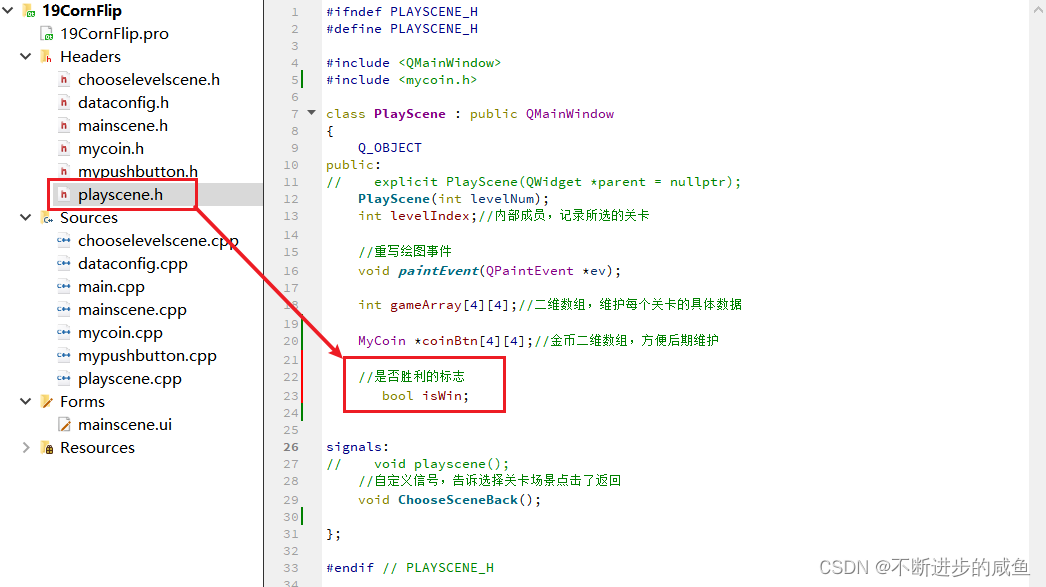
(1)添加是否胜利的标志:playscene.h
#ifndef PLAYSCENE_H
#define PLAYSCENE_H

#include <QMainWindow>
#include <mycoin.h>

class PlayScene : public QMainWindow
{
    Q_OBJECT
public:
//    explicit PlayScene(QWidget *parent = nullptr);
    PlayScene(int levelNum);
    int levelIndex;//内部成员,记录所选的关卡

    //重写绘图事件
    void paintEvent(QPaintEvent *ev);

    int gameArray[4][4];//二维数组,维护每个关卡的具体数据

    MyCoin *coinBtn[4][4];//金币二维数组,方便后期维护

    //是否胜利的标志
       bool isWin;


signals:
//    void playscene();
    //自定义信号,告诉选择关卡场景点击了返回
    void ChooseSceneBack();

};

#endif // PLAYSCENE_H
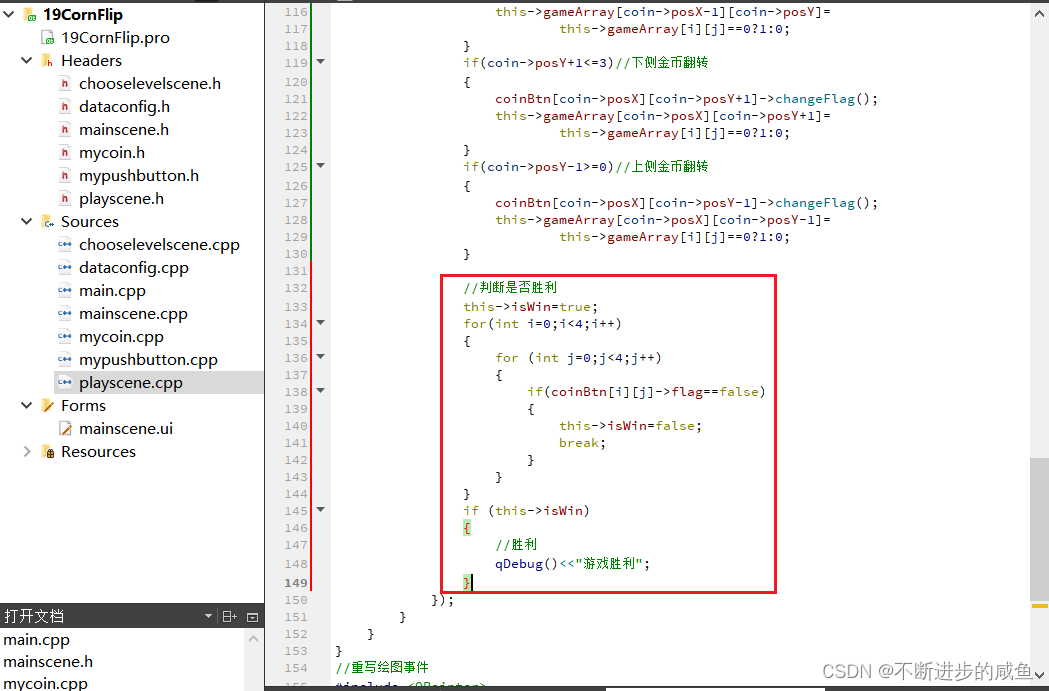
(2)判断游戏是否胜利:playscene.cpp
PlayScene::PlayScene(int levelNum)
{
    qDebug()<<QString("进入第%1关").arg(levelNum);
    this->levelIndex=levelNum;

    //翻金币场景基本配置
    this->setFixedSize(320,588);//设置窗口大小
    this->setWindowIcon(QPixmap(":/res/Coin0001.png"));//窗口图标
    this->setWindowTitle("翻金币场景");//窗口标题
    QMenuBar *bar=menuBar();//创建菜单栏
    setMenuBar(bar);
    QMenu *startMenu=bar->addMenu("开始");//创建菜单
    QAction *quitAction=startMenu->addAction("退出");//创建菜单项
    connect(quitAction,&QAction::triggered,[=]()
    {
       this->close();
    });//点击退出,退出游戏


    //返回按钮#include "mypushbutton.h"
    MyPushButton *backBtn=new MyPushButton(":/res/BackButton.png",
                                        ":/res/BackButtonSelected.png");
    backBtn->setParent(this);
    backBtn->move(this->width()-backBtn->width(),
                  this->height()-backBtn->height());
    connect (backBtn,&QPushButton::clicked,[=]()
    {
        qDebug()<<"点击返回按钮";
        //告诉主场景,按了返回按钮,主场景监听ChooseLevelScene的返回按钮
        emit this->ChooseSceneBack();
    });


    //显示选择的关卡号#include "QLabel"
    QLabel *label=new QLabel;
    label->setParent(this);
    QFont font;
    font.setFamily("华文新魏");//#include <QFont>
    font.setPointSize(20);
    label->setFont(font);
    QString str2 =QString("Level:%1").arg(this->levelIndex);
    label->setText(str2);
    label->setGeometry(30,this->height()-50,120,50);


    //初始化关卡的二维数组
    dataConfig config;
    for(int i=0;i<4;i++)
    {
        for (int j=0;j<4;j++)
        {
            //#include "dataconfig.h"
            this->gameArray[i][j]=config.mData[this->levelIndex][i][j];
        }
    }
    //创建金币背景图片
    for (int i=0;i<4;i++)
    {
        for(int j=0;j<4;j++)
        {
            //绘制金币背景图片
            QLabel *label =new QLabel;
            label->setGeometry(0,0,50,50);
            label->setPixmap(QPixmap(":/res/BoardNode.png"));
            label->setParent(this);
            label->move(57+i*50,200+j*50);
            //创建金币(根据关卡的二维数组创建)
            QString str;
            if(this->gameArray[i][j]==1)
            {
                str=":/res/Coin0001.png";
            }
            else
            {
                str=":/res/Coin0008.png";
            }
            MyCoin *coin =new MyCoin(str);
            coin->setParent(this);
            coin->move(59+i*50,204+j*50);
            //给金币属性赋值
            coin->posX=i;
            coin->posY=j;
            coin->flag=this->gameArray[i][j];

            //将金币放入金币二维数组,方便后期维护
            coinBtn[i][j]=coin;

           //点击金币进行翻转
            connect(coin,&MyCoin::clicked,[=]()
            {
                coin->changeFlag();
                this->gameArray[i][j]=this->gameArray[i][j]==0?1:0;
                //翻转周围的硬币
                if(coin->posX+1<=3)//右侧金币翻转
                {
                    coinBtn[coin->posX+1][coin->posY]->changeFlag();
                    this->gameArray[coin->posX+1][coin->posY]=
                            this->gameArray[i][j]==0?1:0;
                }
                if(coin->posX-1>=0)//左侧金币翻转
                {
                    coinBtn[coin->posX-1][coin->posY]->changeFlag();
                    this->gameArray[coin->posX-1][coin->posY]=
                            this->gameArray[i][j]==0?1:0;
                }
                if(coin->posY+1<=3)//下侧金币翻转
                {
                    coinBtn[coin->posX][coin->posY+1]->changeFlag();
                    this->gameArray[coin->posX][coin->posY+1]=
                            this->gameArray[i][j]==0?1:0;
                }
                if(coin->posY-1>=0)//上侧金币翻转
                {
                    coinBtn[coin->posX][coin->posY-1]->changeFlag();
                    this->gameArray[coin->posX][coin->posY-1]=
                            this->gameArray[i][j]==0?1:0;
                }

                //判断是否胜利
                this->isWin=true;
                for(int i=0;i<4;i++)
                {
                    for (int j=0;j<4;j++)
                    {
                        if(coinBtn[i][j]->flag==false)
                        {
                            this->isWin=false;
                            break;
                        }
                    }
                }
                if (this->isWin)
                {
                    //胜利
                    qDebug()<<"游戏胜利";
                }
            });
        }
    }
}
4.11.2 游戏胜利禁用按钮
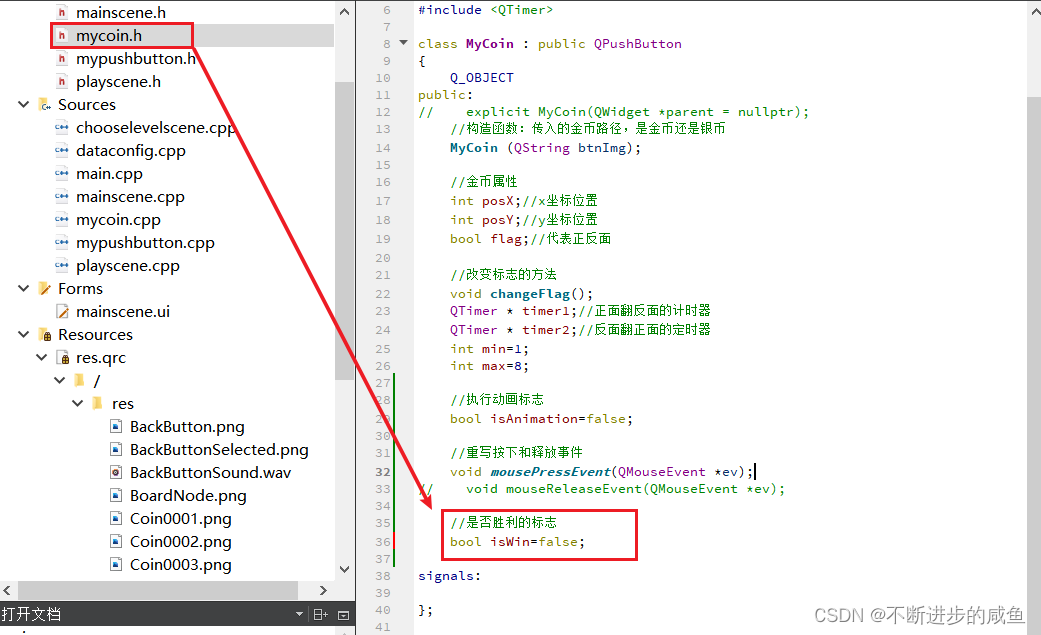
(1)按钮类增加是否胜利的标志:mycoin.h
#ifndef MYCOIN_H
#define MYCOIN_H

//#include <QWidget>
#include <QPushButton>
#include <QTimer>

class MyCoin : public QPushButton
{
    Q_OBJECT
public:
//    explicit MyCoin(QWidget *parent = nullptr);
    //构造函数:传入的金币路径,是金币还是银币
    MyCoin (QString btnImg);

    //金币属性
    int posX;//x坐标位置
    int posY;//y坐标位置
    bool flag;//代表正反面

    //改变标志的方法
    void changeFlag();
    QTimer * timer1;//正面翻反面的计时器
    QTimer * timer2;//反面翻正面的定时器
    int min=1;
    int max=8;

    //执行动画标志
    bool isAnimation=false;

    //重写按下和释放事件
    void mousePressEvent(QMouseEvent *ev);
//    void mouseReleaseEvent(QMouseEvent *ev);

    //是否胜利的标志
    bool isWin=false;
signals:
};
#endif // MYCOIN_H
(2)游戏胜利后,将所有按钮的胜利标志改为true:palyscene.cpp
PlayScene::PlayScene(int levelNum)
{
    qDebug()<<QString("进入第%1关").arg(levelNum);
    this->levelIndex=levelNum;

    //翻金币场景基本配置
    this->setFixedSize(320,588);//设置窗口大小
    this->setWindowIcon(QPixmap(":/res/Coin0001.png"));//窗口图标
    this->setWindowTitle("翻金币场景");//窗口标题
    QMenuBar *bar=menuBar();//创建菜单栏
    setMenuBar(bar);
    QMenu *startMenu=bar->addMenu("开始");//创建菜单
    QAction *quitAction=startMenu->addAction("退出");//创建菜单项
    connect(quitAction,&QAction::triggered,[=]()
    {
       this->close();
    });//点击退出,退出游戏


    //返回按钮#include "mypushbutton.h"
    MyPushButton *backBtn=new MyPushButton(":/res/BackButton.png",
                                        ":/res/BackButtonSelected.png");
    backBtn->setParent(this);
    backBtn->move(this->width()-backBtn->width(),
                  this->height()-backBtn->height());
    connect (backBtn,&QPushButton::clicked,[=]()
    {
        qDebug()<<"点击返回按钮";
        //告诉主场景,按了返回按钮,主场景监听ChooseLevelScene的返回按钮
        emit this->ChooseSceneBack();
    });


    //显示选择的关卡号#include "QLabel"
    QLabel *label=new QLabel;
    label->setParent(this);
    QFont font;
    font.setFamily("华文新魏");//#include <QFont>
    font.setPointSize(20);
    label->setFont(font);
    QString str2 =QString("Level:%1").arg(this->levelIndex);
    label->setText(str2);
    label->setGeometry(30,this->height()-50,120,50);


    //初始化关卡的二维数组
    dataConfig config;
    for(int i=0;i<4;i++)
    {
        for (int j=0;j<4;j++)
        {
            //#include "dataconfig.h"
            this->gameArray[i][j]=config.mData[this->levelIndex][i][j];
        }
    }
    //创建金币背景图片
    for (int i=0;i<4;i++)
    {
        for(int j=0;j<4;j++)
        {
            //绘制金币背景图片
            QLabel *label =new QLabel;
            label->setGeometry(0,0,50,50);
            label->setPixmap(QPixmap(":/res/BoardNode.png"));
            label->setParent(this);
            label->move(57+i*50,200+j*50);
            //创建金币(根据关卡的二维数组创建)
            QString str;
            if(this->gameArray[i][j]==1)
            {
                str=":/res/Coin0001.png";
            }
            else
            {
                str=":/res/Coin0008.png";
            }
            MyCoin *coin =new MyCoin(str);
            coin->setParent(this);
            coin->move(59+i*50,204+j*50);
            //给金币属性赋值
            coin->posX=i;
            coin->posY=j;
            coin->flag=this->gameArray[i][j];

            //将金币放入金币二维数组,方便后期维护
            coinBtn[i][j]=coin;

           //点击金币进行翻转
            connect(coin,&MyCoin::clicked,[=]()
            {
                coin->changeFlag();
                this->gameArray[i][j]=this->gameArray[i][j]==0?1:0;
                //翻转周围的硬币
                if(coin->posX+1<=3)//右侧金币翻转
                {
                    coinBtn[coin->posX+1][coin->posY]->changeFlag();
                    this->gameArray[coin->posX+1][coin->posY]=
                            this->gameArray[i][j]==0?1:0;
                }
                if(coin->posX-1>=0)//左侧金币翻转
                {
                    coinBtn[coin->posX-1][coin->posY]->changeFlag();
                    this->gameArray[coin->posX-1][coin->posY]=
                            this->gameArray[i][j]==0?1:0;
                }
                if(coin->posY+1<=3)//下侧金币翻转
                {
                    coinBtn[coin->posX][coin->posY+1]->changeFlag();
                    this->gameArray[coin->posX][coin->posY+1]=
                            this->gameArray[i][j]==0?1:0;
                }
                if(coin->posY-1>=0)//上侧金币翻转
                {
                    coinBtn[coin->posX][coin->posY-1]->changeFlag();
                    this->gameArray[coin->posX][coin->posY-1]=
                            this->gameArray[i][j]==0?1:0;
                }

                //判断是否胜利
                this->isWin=true;
                for(int i=0;i<4;i++)
                {
                    for (int j=0;j<4;j++)
                    {
                        if(coinBtn[i][j]->flag==false)
                        {
                            this->isWin=false;
                            break;
                        }
                    }
                }
                if (this->isWin)
                {
                    //胜利
                    qDebug()<<"游戏胜利";
                    //将所有按钮的胜利标志改为true
                    for(int i=0;i<4;i++)
                    {
                        for (int j=0;j<4;j++)
                        {
                            coinBtn[i][j]->isWin=true;
                        }
                    }
                }
            });
        }
    }
}
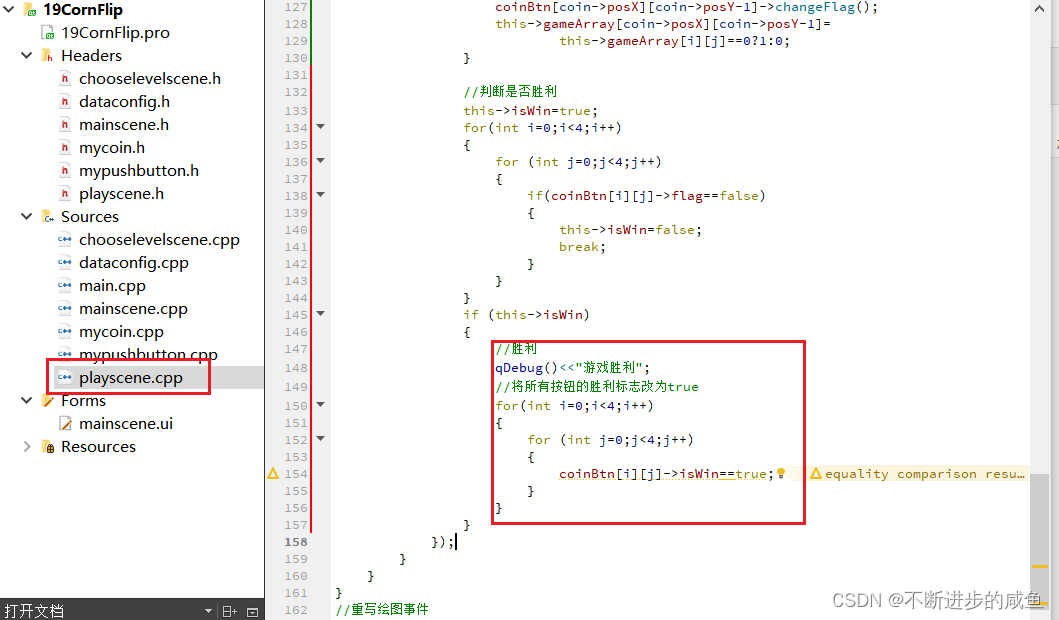
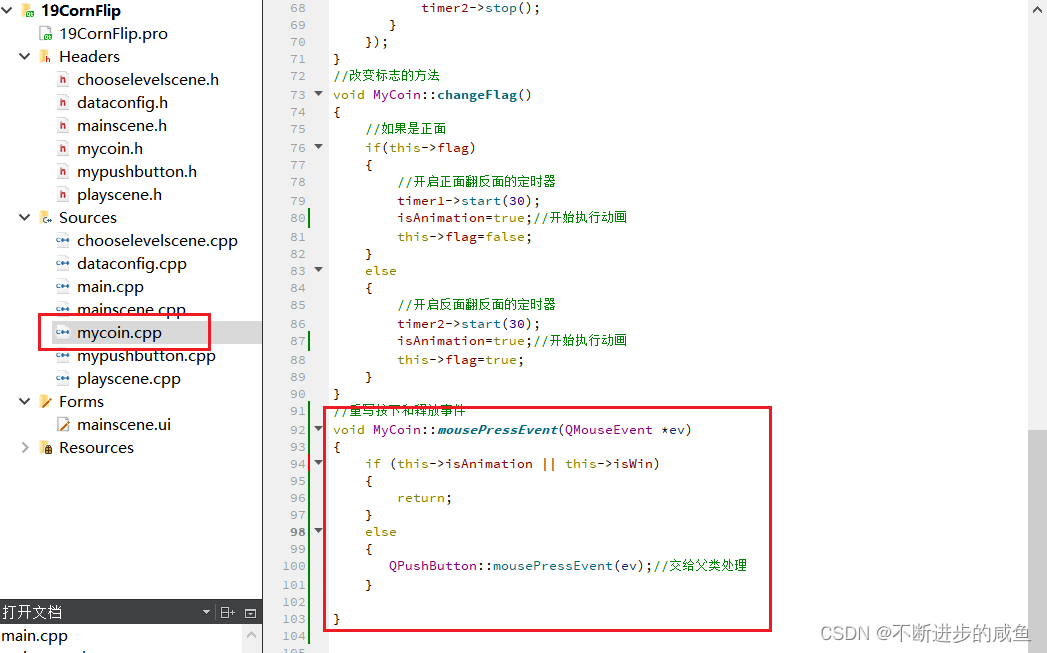
(3)修改按钮类的按下事件,通过判断按钮是否胜利,来禁止或允许按钮可以按下:mycoin.cpp
//重写按下和释放事件
void MyCoin::mousePressEvent(QMouseEvent *ev)
{
    if (this->isAnimation || this->isWin)
    {
        return;
    }
    else
    {
       QPushButton::mousePressEvent(ev);//交给父类处理
    }

}
4.12 胜利图片显示
(1)胜利图片创建——》利用Qlabel,但是隐藏显示
PlayScene::PlayScene(int levelNum)
{
    qDebug()<<QString("进入第%1关").arg(levelNum);
    this->levelIndex=levelNum;

    //翻金币场景基本配置
    this->setFixedSize(320,588);//设置窗口大小
    this->setWindowIcon(QPixmap(":/res/Coin0001.png"));//窗口图标
    this->setWindowTitle("翻金币场景");//窗口标题
    QMenuBar *bar=menuBar();//创建菜单栏
    setMenuBar(bar);
    QMenu *startMenu=bar->addMenu("开始");//创建菜单
    QAction *quitAction=startMenu->addAction("退出");//创建菜单项
    connect(quitAction,&QAction::triggered,[=]()
    {
       this->close();
    });//点击退出,退出游戏


    //返回按钮#include "mypushbutton.h"
    MyPushButton *backBtn=new MyPushButton(":/res/BackButton.png",
                                        ":/res/BackButtonSelected.png");
    backBtn->setParent(this);
    backBtn->move(this->width()-backBtn->width(),
                  this->height()-backBtn->height());
    connect (backBtn,&QPushButton::clicked,[=]()
    {
        qDebug()<<"点击返回按钮";
        //告诉主场景,按了返回按钮,主场景监听ChooseLevelScene的返回按钮
        emit this->ChooseSceneBack();
    });


    //显示选择的关卡号#include "QLabel"
    QLabel *label=new QLabel;
    label->setParent(this);
    QFont font;
    font.setFamily("华文新魏");//#include <QFont>
    font.setPointSize(20);
    label->setFont(font);
    QString str2 =QString("Level:%1").arg(this->levelIndex);
    label->setText(str2);
    label->setGeometry(30,this->height()-50,120,50);


    //初始化关卡的二维数组
    dataConfig config;
    for(int i=0;i<4;i++)
    {
        for (int j=0;j<4;j++)
        {
            //#include "dataconfig.h"
            this->gameArray[i][j]=config.mData[this->levelIndex][i][j];
        }
    }


    //胜利图片显示
    QLabel *winLabel=new QLabel;
    QPixmap tmpPix;
    tmpPix.load(":/res/LevelCompleteDialogBg.png");
    winLabel->setGeometry(0,0,tmpPix.width(),tmpPix.height());
    winLabel->setPixmap(tmpPix);
    winLabel->setParent(this);
    winLabel->move((this->width()-tmpPix.width())*0.5,-tmpPix.height());


    //创建金币背景图片
    for (int i=0;i<4;i++)
    {
        for(int j=0;j<4;j++)
        {
            //绘制金币背景图片
            QLabel *label =new QLabel;
            label->setGeometry(0,0,50,50);
            label->setPixmap(QPixmap(":/res/BoardNode.png"));
            label->setParent(this);
            label->move(57+i*50,200+j*50);
            //创建金币(根据关卡的二维数组创建)
            QString str;
            if(this->gameArray[i][j]==1)
            {
                str=":/res/Coin0001.png";
            }
            else
            {
                str=":/res/Coin0008.png";
            }
            MyCoin *coin =new MyCoin(str);
            coin->setParent(this);
            coin->move(59+i*50,204+j*50);
            //给金币属性赋值
            coin->posX=i;
            coin->posY=j;
            coin->flag=this->gameArray[i][j];

            //将金币放入金币二维数组,方便后期维护
            coinBtn[i][j]=coin;

           //点击金币进行翻转
            connect(coin,&MyCoin::clicked,[=]()
            {
                coin->changeFlag();
                this->gameArray[i][j]=this->gameArray[i][j]==0?1:0;
                //翻转周围的硬币
                if(coin->posX+1<=3)//右侧金币翻转
                {
                    coinBtn[coin->posX+1][coin->posY]->changeFlag();
                    this->gameArray[coin->posX+1][coin->posY]=
                            this->gameArray[i][j]==0?1:0;
                }
                if(coin->posX-1>=0)//左侧金币翻转
                {
                    coinBtn[coin->posX-1][coin->posY]->changeFlag();
                    this->gameArray[coin->posX-1][coin->posY]=
                            this->gameArray[i][j]==0?1:0;
                }
                if(coin->posY+1<=3)//下侧金币翻转
                {
                    coinBtn[coin->posX][coin->posY+1]->changeFlag();
                    this->gameArray[coin->posX][coin->posY+1]=
                            this->gameArray[i][j]==0?1:0;
                }
                if(coin->posY-1>=0)//上侧金币翻转
                {
                    coinBtn[coin->posX][coin->posY-1]->changeFlag();
                    this->gameArray[coin->posX][coin->posY-1]=
                            this->gameArray[i][j]==0?1:0;
                }

                //判断是否胜利
                this->isWin=true;
                for(int i=0;i<4;i++)
                {
                    for (int j=0;j<4;j++)
                    {
                        if(coinBtn[i][j]->flag==false)
                        {
                            this->isWin=false;
                            break;
                        }
                    }
                }
                if (this->isWin==true)
                {
                    //胜利
                    qDebug()<<"游戏胜利";
                    //将所有按钮的胜利标志改为true
                    for(int i=0;i<4;i++)
                    {
                        for (int j=0;j<4;j++)
                        {
                            coinBtn[i][j]->isWin=true;
                        }
                    }
                    //显示胜利图片

                }
            });
        }
    }
}
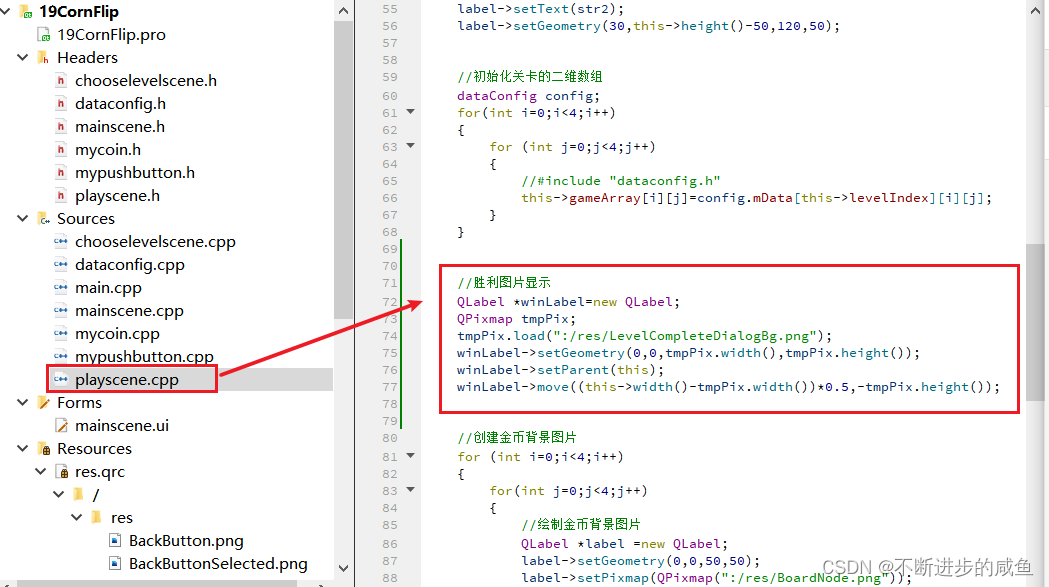
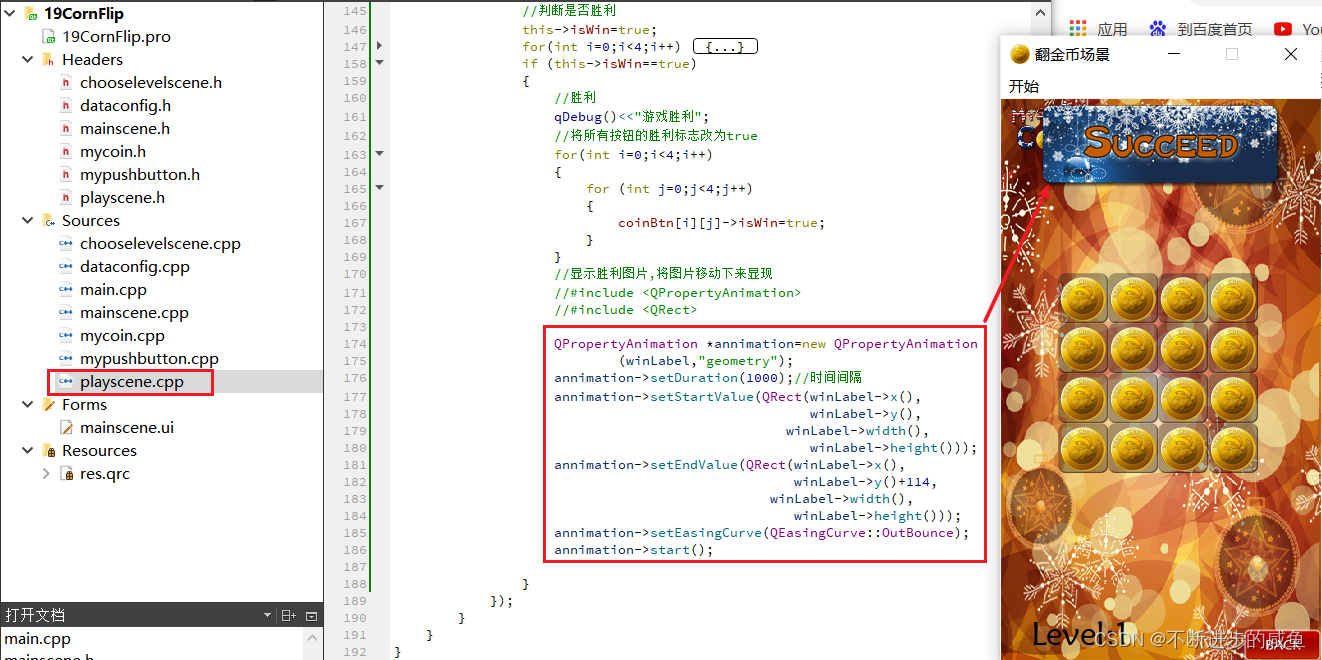
(2)当胜利的时候,显现胜利图片
PlayScene::PlayScene(int levelNum)
{
    qDebug()<<QString("进入第%1关").arg(levelNum);
    this->levelIndex=levelNum;

    //翻金币场景基本配置
    this->setFixedSize(320,588);//设置窗口大小
    this->setWindowIcon(QPixmap(":/res/Coin0001.png"));//窗口图标
    this->setWindowTitle("翻金币场景");//窗口标题
    QMenuBar *bar=menuBar();//创建菜单栏
    setMenuBar(bar);
    QMenu *startMenu=bar->addMenu("开始");//创建菜单
    QAction *quitAction=startMenu->addAction("退出");//创建菜单项
    connect(quitAction,&QAction::triggered,[=]()
    {
       this->close();
    });//点击退出,退出游戏


    //返回按钮#include "mypushbutton.h"
    MyPushButton *backBtn=new MyPushButton(":/res/BackButton.png",
                                        ":/res/BackButtonSelected.png");
    backBtn->setParent(this);
    backBtn->move(this->width()-backBtn->width(),
                  this->height()-backBtn->height());
    connect (backBtn,&QPushButton::clicked,[=]()
    {
        qDebug()<<"点击返回按钮";
        //告诉主场景,按了返回按钮,主场景监听ChooseLevelScene的返回按钮
        emit this->ChooseSceneBack();
    });


    //显示选择的关卡号#include "QLabel"
    QLabel *label=new QLabel;
    label->setParent(this);
    QFont font;
    font.setFamily("华文新魏");//#include <QFont>
    font.setPointSize(20);
    label->setFont(font);
    QString str2 =QString("Level:%1").arg(this->levelIndex);
    label->setText(str2);
    label->setGeometry(30,this->height()-50,120,50);


    //初始化关卡的二维数组
    dataConfig config;
    for(int i=0;i<4;i++)
    {
        for (int j=0;j<4;j++)
        {
            //#include "dataconfig.h"
            this->gameArray[i][j]=config.mData[this->levelIndex][i][j];
        }
    }


    //胜利图片显示
    QLabel *winLabel=new QLabel;
    QPixmap tmpPix;
    tmpPix.load(":/res/LevelCompleteDialogBg.png");
    winLabel->setGeometry(0,0,tmpPix.width(),tmpPix.height());
    winLabel->setParent(this);
    winLabel->move((this->width()-tmpPix.width())*0.5,-tmpPix.height());


    //创建金币背景图片
    for (int i=0;i<4;i++)
    {
        for(int j=0;j<4;j++)
        {
            //绘制金币背景图片
            QLabel *label =new QLabel;
            label->setGeometry(0,0,50,50);
            label->setPixmap(QPixmap(":/res/BoardNode.png"));
            label->setParent(this);
            label->move(57+i*50,200+j*50);
            //创建金币(根据关卡的二维数组创建)
            QString str;
            if(this->gameArray[i][j]==1)
            {
                str=":/res/Coin0001.png";
            }
            else
            {
                str=":/res/Coin0008.png";
            }
            MyCoin *coin =new MyCoin(str);
            coin->setParent(this);
            coin->move(59+i*50,204+j*50);
            //给金币属性赋值
            coin->posX=i;
            coin->posY=j;
            coin->flag=this->gameArray[i][j];

            //将金币放入金币二维数组,方便后期维护
            coinBtn[i][j]=coin;

           //点击金币进行翻转
            connect(coin,&MyCoin::clicked,[=]()
            {
                coin->changeFlag();
                this->gameArray[i][j]=this->gameArray[i][j]==0?1:0;
                //翻转周围的硬币
                if(coin->posX+1<=3)//右侧金币翻转
                {
                    coinBtn[coin->posX+1][coin->posY]->changeFlag();
                    this->gameArray[coin->posX+1][coin->posY]=
                            this->gameArray[i][j]==0?1:0;
                }
                if(coin->posX-1>=0)//左侧金币翻转
                {
                    coinBtn[coin->posX-1][coin->posY]->changeFlag();
                    this->gameArray[coin->posX-1][coin->posY]=
                            this->gameArray[i][j]==0?1:0;
                }
                if(coin->posY+1<=3)//下侧金币翻转
                {
                    coinBtn[coin->posX][coin->posY+1]->changeFlag();
                    this->gameArray[coin->posX][coin->posY+1]=
                            this->gameArray[i][j]==0?1:0;
                }
                if(coin->posY-1>=0)//上侧金币翻转
                {
                    coinBtn[coin->posX][coin->posY-1]->changeFlag();
                    this->gameArray[coin->posX][coin->posY-1]=
                            this->gameArray[i][j]==0?1:0;
                }

                //判断是否胜利
                this->isWin=true;
                for(int i=0;i<4;i++)
                {
                    for (int j=0;j<4;j++)
                    {
                        if(coinBtn[i][j]->flag==false)
                        {
                            this->isWin=false;
                            break;
                        }
                    }
                }
                if (this->isWin==true)
                {
                    //胜利
                    qDebug()<<"游戏胜利";
                    //将所有按钮的胜利标志改为true
                    for(int i=0;i<4;i++)
                    {
                        for (int j=0;j<4;j++)
                        {
                            coinBtn[i][j]->isWin=true;
                        }
                    }
                    //显示胜利图片,将图片移动下来显现
                    //#include <QPropertyAnimation>
                    //#include <QRect>

                    QPropertyAnimation *annimation=new QPropertyAnimation
                            (winLabel,"geometry");
                    annimation->setDuration(1000);//时间间隔
                    annimation->setStartValue(QRect(winLabel->x(),
                                                    winLabel->y(),
                                                 winLabel->width(),
                                                    winLabel->height()));
                    annimation->setEndValue(QRect(winLabel->x(),
                                                  winLabel->y()+114,
                                               winLabel->width(),
                                                  winLabel->height()));
                    annimation->setEasingCurve(QEasingCurve::OutBounce);
                    annimation->start();

                }
            });
        }
    }
}
5 音效添加
5.1 开始游戏音效
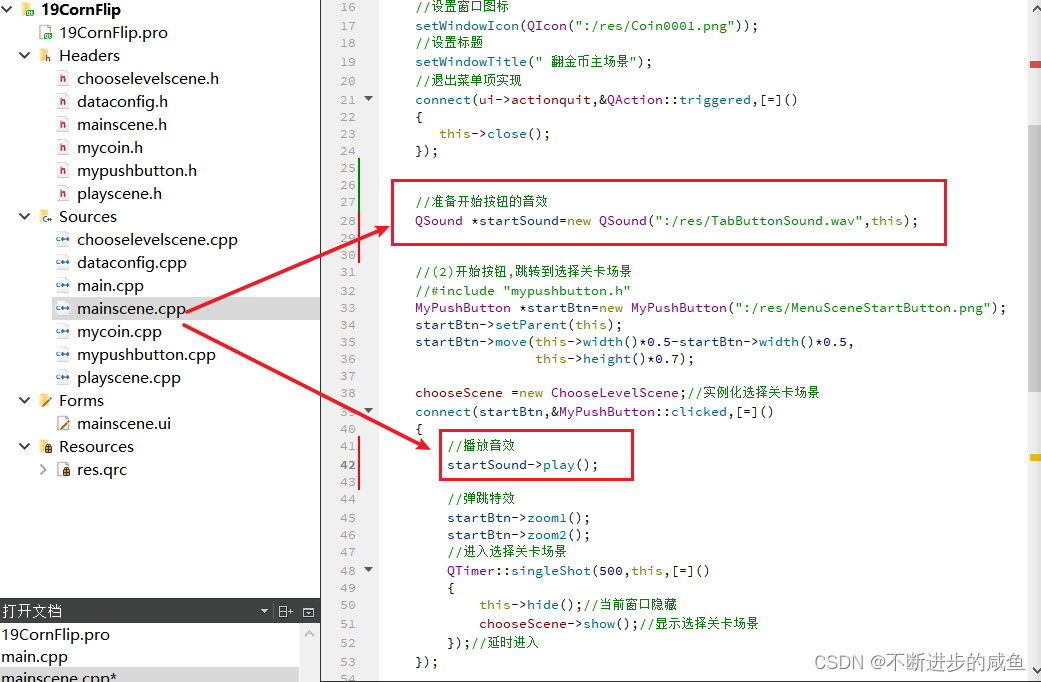
主场景中,点击开始按钮,播放音效:mainscene.cpp
(1)在项目配置文件(.pro)中包含音效的库(媒体)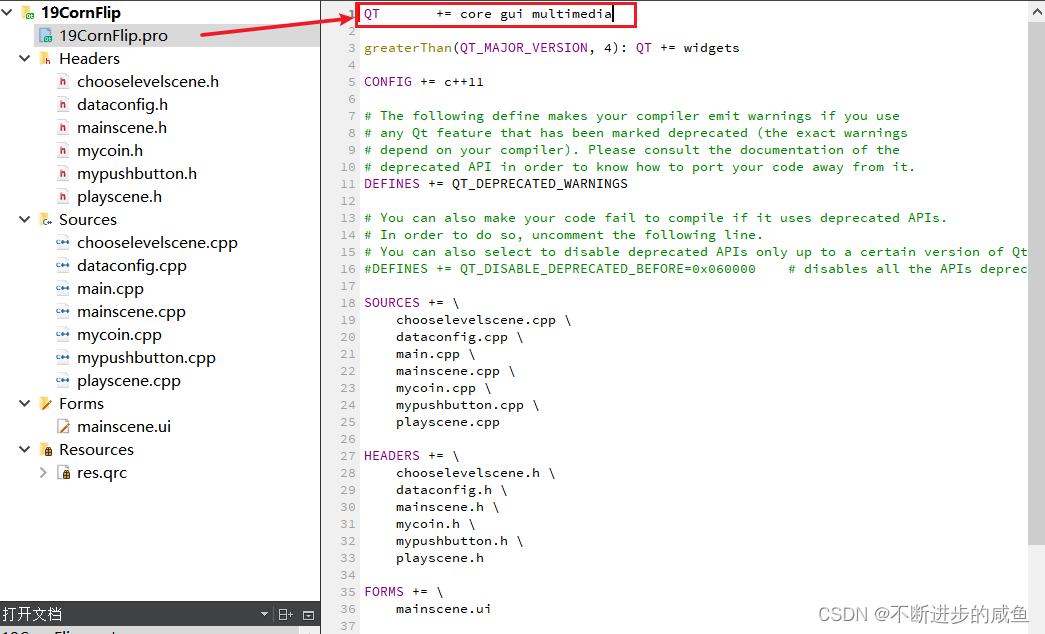
(2)开始按钮的特效:mainscene.cpp
MainScene::MainScene(QWidget *parent)
    : QMainWindow(parent)
    , ui(new Ui::MainScene)
{
    ui->setupUi(this);
    //(1)配置主场景
    //设置固定大小
    setFixedSize(320,588);
    //设置窗口图标
    setWindowIcon(QIcon(":/res/Coin0001.png"));
    //设置标题
    setWindowTitle(" 翻金币主场景");
    //退出菜单项实现
    connect(ui->actionquit,&QAction::triggered,[=]()
    {
       this->close();
    });


    //准备开始按钮的音效
    QSound *startSound=new QSound(":/res/TapButtonSound.wav",this);


    //(2)开始按钮,跳转到选择关卡场景
    //#include "mypushbutton.h"
    MyPushButton *startBtn=new MyPushButton(":/res/MenuSceneStartButton.png");
    startBtn->setParent(this);
    startBtn->move(this->width()*0.5-startBtn->width()*0.5,
                   this->height()*0.7);

    chooseScene =new ChooseLevelScene;//实例化选择关卡场景
    connect(startBtn,&MyPushButton::clicked,[=]()
    {
        //播放音效
        startSound->play();

        //弹跳特效
        startBtn->zoom1();
        startBtn->zoom2();
        //进入选择关卡场景
        QTimer::singleShot(500,this,[=]()
        {
            this->hide();//当前窗口隐藏
            chooseScene->show();//显示选择关卡场景
        });//延时进入
    });

    //(3)监听选择关卡场景的信号#include <chooselevelscene.h>
    connect(chooseScene,&ChooseLevelScene::ChooseSceneBack,[=]()
    {
        chooseScene->hide();
        this->show();
    });
}
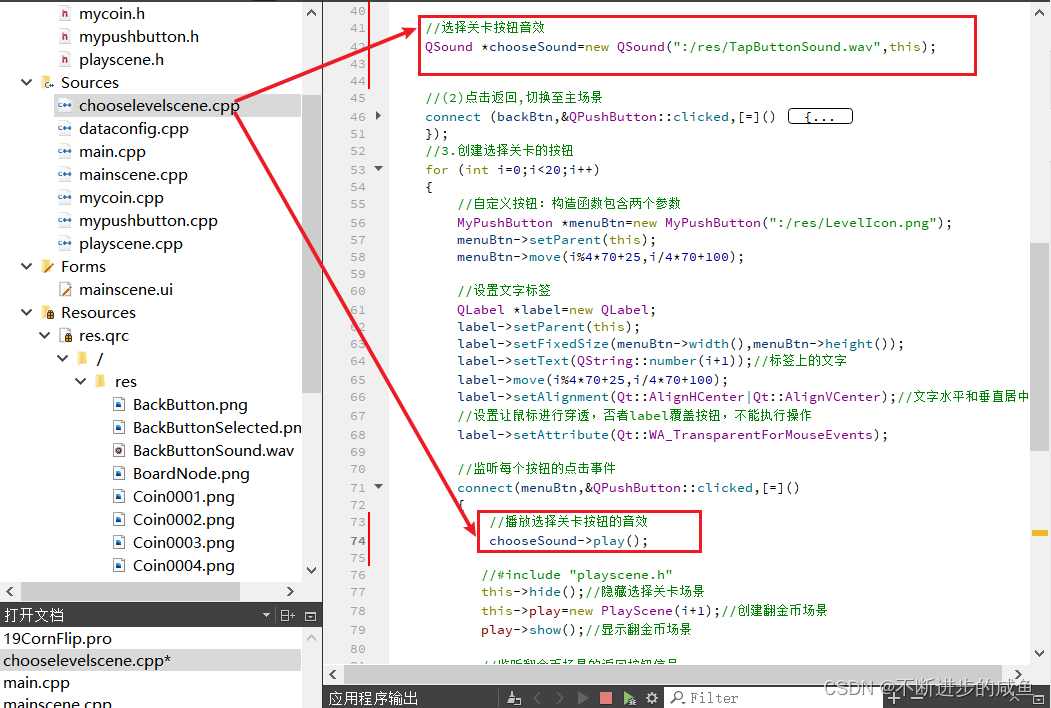
5.2 选择关卡音效
选择关卡场景中,点击关卡按钮,播放音效:chooselevelscene.cpp
ChooseLevelScene::ChooseLevelScene(QWidget *parent) : QMainWindow(parent)
{
    //1.配置选择关卡场景
    //(1)设置场景界面大小
    this->setFixedSize(320,588);
    //(2)设置图标
    this->setWindowIcon(QPixmap(":/res/Coin0001.png"));
    //(3)设置标题
    this->setWindowTitle("选择关卡场景");
    //(4)创建菜单栏   #include <QMenuBar>
    QMenuBar *bar=menuBar();
    setMenuBar(bar);
    //(5)创建开始菜单 #include <QMenu>
    QMenu *startMenu=bar->addMenu("开始");
    //(6)创建菜单项
    QAction *quitAction=startMenu->addAction("退出");
    //(7)点击退出,实现退出游戏
    connect(quitAction,&QAction::triggered,[=]()
    {
       this->close();
    });


    //2.返回按钮
    //#include "mypushbutton.h"
    MyPushButton *backBtn=new MyPushButton(":/res/BackButton.png",
                                        ":/res/BackButtonSelected.png");
    backBtn->setParent(this);
    backBtn->move(this->width()-backBtn->width(),
                  this->height()-backBtn->height());

    //选择关卡按钮音效
    QSound *chooseSound=new QSound(":/res/TapButtonSound.wav",this);


    //(2)点击返回,切换至主场景
    connect (backBtn,&QPushButton::clicked,[=]()
    {
        qDebug()<<"点击返回按钮";
        //告诉主场景,按了返回按钮,主场景监听ChooseLevelScene的返回按钮
        emit this->ChooseSceneBack();
    });
    //3.创建选择关卡的按钮
    for (int i=0;i<20;i++)
    {
        //自定义按钮:构造函数包含两个参数
        MyPushButton *menuBtn=new MyPushButton(":/res/LevelIcon.png");
        menuBtn->setParent(this);
        menuBtn->move(i%4*70+25,i/4*70+100);

        //设置文字标签
        QLabel *label=new QLabel;
        label->setParent(this);
        label->setFixedSize(menuBtn->width(),menuBtn->height());
        label->setText(QString::number(i+1));//标签上的文字
        label->move(i%4*70+25,i/4*70+100);
        label->setAlignment(Qt::AlignHCenter|Qt::AlignVCenter);//文字水平和垂直居中
        //设置让鼠标进行穿透,否者label覆盖按钮,不能执行操作
        label->setAttribute(Qt::WA_TransparentForMouseEvents);

        //监听每个按钮的点击事件
        connect(menuBtn,&QPushButton::clicked,[=]()
        {
            //播放选择关卡按钮的音效
            chooseSound->play();

           //#include "playscene.h"
           this->hide();//隐藏选择关卡场景
           this->play=new PlayScene(i+1);//创建翻金币场景
           play->show();//显示翻金币场景

           //监听翻金币场景的返回按钮信号
           connect(play,&PlayScene::ChooseSceneBack,[=]()
           {
               play->hide();
               delete play;
               play=NULL;
               this->show();
           });
        });

    }

}
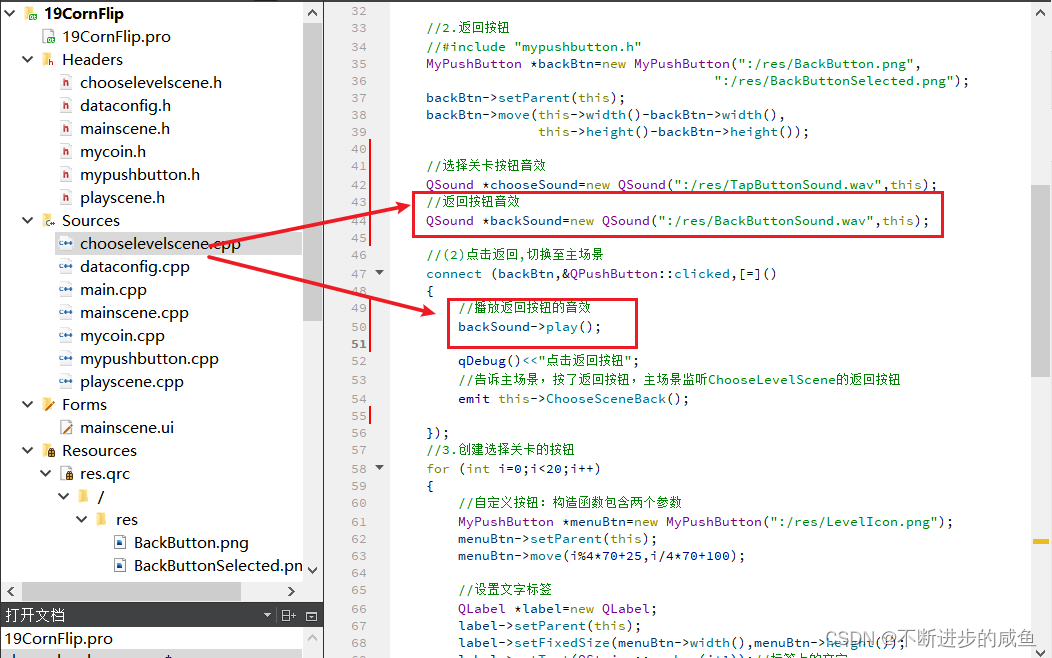
5.3 返回按钮音效
选择关卡场景中,点击返回按钮,播放音效:chooselevelscene.cpp
ChooseLevelScene::ChooseLevelScene(QWidget *parent) : QMainWindow(parent)
{
    //1.配置选择关卡场景
    //(1)设置场景界面大小
    this->setFixedSize(320,588);
    //(2)设置图标
    this->setWindowIcon(QPixmap(":/res/Coin0001.png"));
    //(3)设置标题
    this->setWindowTitle("选择关卡场景");
    //(4)创建菜单栏   #include <QMenuBar>
    QMenuBar *bar=menuBar();
    setMenuBar(bar);
    //(5)创建开始菜单 #include <QMenu>
    QMenu *startMenu=bar->addMenu("开始");
    //(6)创建菜单项
    QAction *quitAction=startMenu->addAction("退出");
    //(7)点击退出,实现退出游戏
    connect(quitAction,&QAction::triggered,[=]()
    {
       this->close();
    });


    //2.返回按钮
    //#include "mypushbutton.h"
    MyPushButton *backBtn=new MyPushButton(":/res/BackButton.png",
                                        ":/res/BackButtonSelected.png");
    backBtn->setParent(this);
    backBtn->move(this->width()-backBtn->width(),
                  this->height()-backBtn->height());

    //选择关卡按钮音效
    QSound *chooseSound=new QSound(":/res/TapButtonSound.wav",this);
    //返回按钮音效
    QSound *backSound=new QSound(":/res/BackButtonSound.wav",this);

    //(2)点击返回,切换至主场景
    connect (backBtn,&QPushButton::clicked,[=]()
    {
        //播放返回按钮的音效
        backSound->play();

        qDebug()<<"点击返回按钮";
        //告诉主场景,按了返回按钮,主场景监听ChooseLevelScene的返回按钮
        emit this->ChooseSceneBack();

    });
    //3.创建选择关卡的按钮
    for (int i=0;i<20;i++)
    {
        //自定义按钮:构造函数包含两个参数
        MyPushButton *menuBtn=new MyPushButton(":/res/LevelIcon.png");
        menuBtn->setParent(this);
        menuBtn->move(i%4*70+25,i/4*70+100);

        //设置文字标签
        QLabel *label=new QLabel;
        label->setParent(this);
        label->setFixedSize(menuBtn->width(),menuBtn->height());
        label->setText(QString::number(i+1));//标签上的文字
        label->move(i%4*70+25,i/4*70+100);
        label->setAlignment(Qt::AlignHCenter|Qt::AlignVCenter);//文字水平和垂直居中
        //设置让鼠标进行穿透,否者label覆盖按钮,不能执行操作
        label->setAttribute(Qt::WA_TransparentForMouseEvents);

        //监听每个按钮的点击事件
        connect(menuBtn,&QPushButton::clicked,[=]()
        {
            //播放选择关卡按钮的音效
            chooseSound->play();

           //#include "playscene.h"
           this->hide();//隐藏选择关卡场景
           this->play=new PlayScene(i+1);//创建翻金币场景
           play->show();//显示翻金币场景

           //监听翻金币场景的返回按钮信号
           connect(play,&PlayScene::ChooseSceneBack,[=]()
           {
               play->hide();
               delete play;
               play=NULL;
               this->show();
           });
        });
    }
}
5.4 翻金币与胜利音效
翻金币场景中,点击金币按钮、以及胜利,播放音效:playscene.cpp
(1)返回按钮音效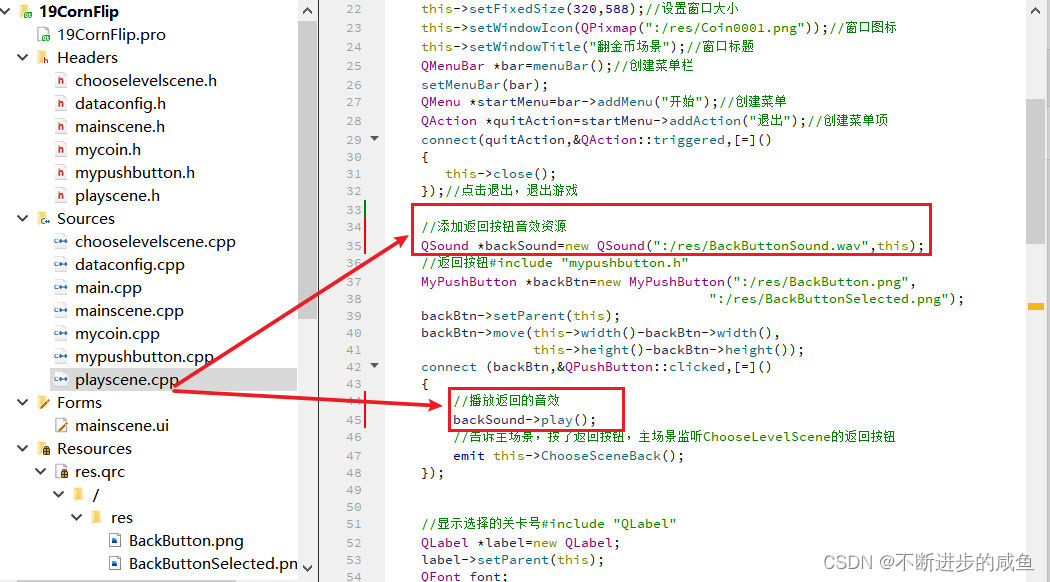
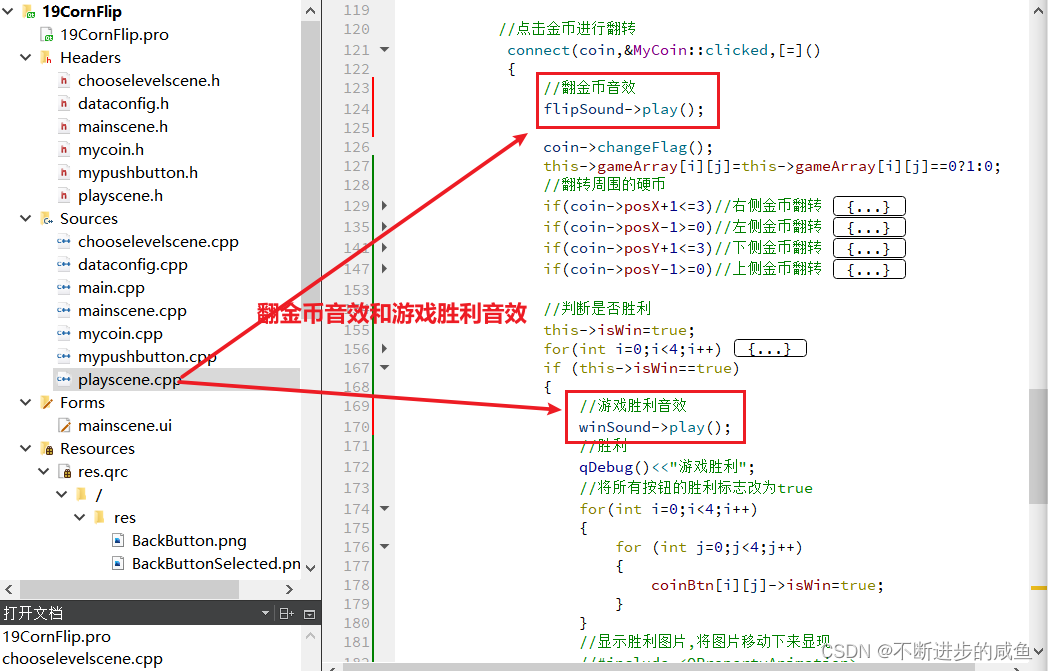
(2) 翻金币与游戏胜利音效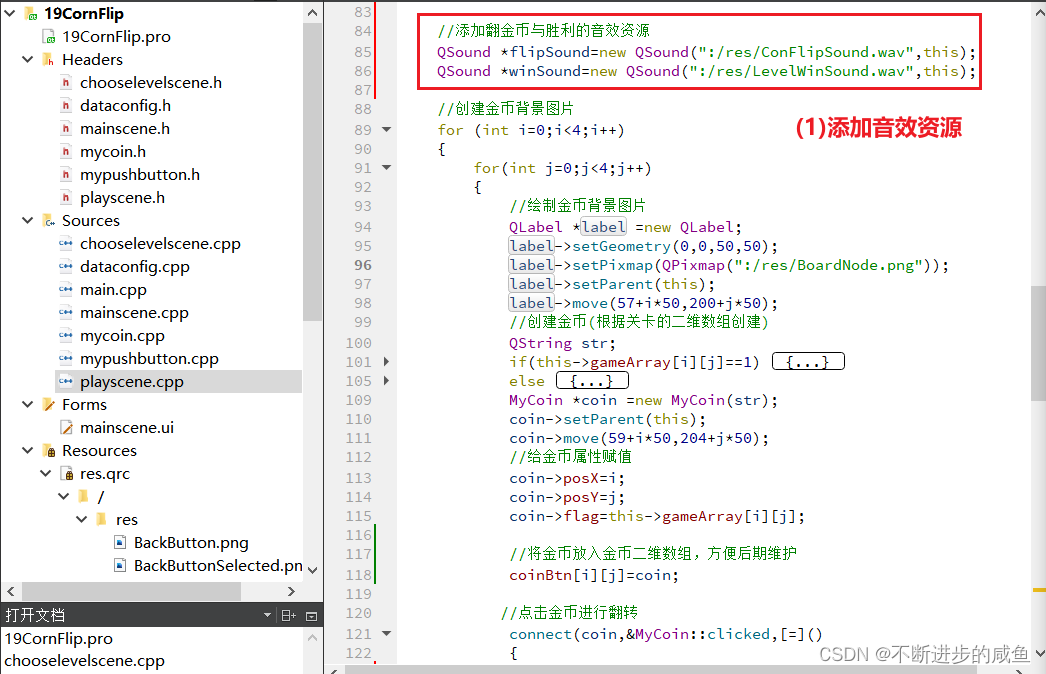
PlayScene::PlayScene(int levelNum)
{
    qDebug()<<QString("进入第%1关").arg(levelNum);
    this->levelIndex=levelNum;

    //翻金币场景基本配置
    this->setFixedSize(320,588);//设置窗口大小
    this->setWindowIcon(QPixmap(":/res/Coin0001.png"));//窗口图标
    this->setWindowTitle("翻金币场景");//窗口标题
    QMenuBar *bar=menuBar();//创建菜单栏
    setMenuBar(bar);
    QMenu *startMenu=bar->addMenu("开始");//创建菜单
    QAction *quitAction=startMenu->addAction("退出");//创建菜单项
    connect(quitAction,&QAction::triggered,[=]()
    {
       this->close();
    });//点击退出,退出游戏

    //添加返回按钮音效资源
    QSound *backSound=new QSound(":/res/BackButtonSound.wav",this);
    //返回按钮#include "mypushbutton.h"
    MyPushButton *backBtn=new MyPushButton(":/res/BackButton.png",
                                        ":/res/BackButtonSelected.png");
    backBtn->setParent(this);
    backBtn->move(this->width()-backBtn->width(),
                  this->height()-backBtn->height());
    connect (backBtn,&QPushButton::clicked,[=]()
    {
        //播放返回的音效
        backSound->play();
        //告诉主场景,按了返回按钮,主场景监听ChooseLevelScene的返回按钮
        emit this->ChooseSceneBack();
    });


    //显示选择的关卡号#include "QLabel"
    QLabel *label=new QLabel;
    label->setParent(this);
    QFont font;
    font.setFamily("华文新魏");//#include <QFont>
    font.setPointSize(20);
    label->setFont(font);
    QString str2 =QString("Level:%1").arg(this->levelIndex);
    label->setText(str2);
    label->setGeometry(30,this->height()-50,120,50);


    //初始化关卡的二维数组
    dataConfig config;
    for(int i=0;i<4;i++)
    {
        for (int j=0;j<4;j++)
        {
            //#include "dataconfig.h"
            this->gameArray[i][j]=config.mData[this->levelIndex][i][j];
        }
    }


    //胜利图片显示
    QLabel *winLabel=new QLabel;
    QPixmap tmpPix;
    tmpPix.load(":/res/LevelCompletedDialogBg.png");
    winLabel->setGeometry(0,0,tmpPix.width(),tmpPix.height());
    winLabel->setPixmap(tmpPix);
    winLabel->setParent(this);
    winLabel->move((this->width()-tmpPix.width())*0.5,-tmpPix.height());

    //添加翻金币与胜利的音效资源
    QSound *flipSound=new QSound(":/res/ConFlipSound.wav",this);
    QSound *winSound=new QSound(":/res/LevelWinSound.wav",this);

    //创建金币背景图片
    for (int i=0;i<4;i++)
    {
        for(int j=0;j<4;j++)
        {
            //绘制金币背景图片
            QLabel *label =new QLabel;
            label->setGeometry(0,0,50,50);
            label->setPixmap(QPixmap(":/res/BoardNode.png"));
            label->setParent(this);
            label->move(57+i*50,200+j*50);
            //创建金币(根据关卡的二维数组创建)
            QString str;
            if(this->gameArray[i][j]==1)
            {
                str=":/res/Coin0001.png";
            }
            else
            {
                str=":/res/Coin0008.png";
            }
            MyCoin *coin =new MyCoin(str);
            coin->setParent(this);
            coin->move(59+i*50,204+j*50);
            //给金币属性赋值
            coin->posX=i;
            coin->posY=j;
            coin->flag=this->gameArray[i][j];

            //将金币放入金币二维数组,方便后期维护
            coinBtn[i][j]=coin;

           //点击金币进行翻转
            connect(coin,&MyCoin::clicked,[=]()
            {
                //翻金币音效
                flipSound->play();

                coin->changeFlag();
                this->gameArray[i][j]=this->gameArray[i][j]==0?1:0;
                //翻转周围的硬币
                if(coin->posX+1<=3)//右侧金币翻转
                {
                    coinBtn[coin->posX+1][coin->posY]->changeFlag();
                    this->gameArray[coin->posX+1][coin->posY]=
                            this->gameArray[i][j]==0?1:0;
                }
                if(coin->posX-1>=0)//左侧金币翻转
                {
                    coinBtn[coin->posX-1][coin->posY]->changeFlag();
                    this->gameArray[coin->posX-1][coin->posY]=
                            this->gameArray[i][j]==0?1:0;
                }
                if(coin->posY+1<=3)//下侧金币翻转
                {
                    coinBtn[coin->posX][coin->posY+1]->changeFlag();
                    this->gameArray[coin->posX][coin->posY+1]=
                            this->gameArray[i][j]==0?1:0;
                }
                if(coin->posY-1>=0)//上侧金币翻转
                {
                    coinBtn[coin->posX][coin->posY-1]->changeFlag();
                    this->gameArray[coin->posX][coin->posY-1]=
                            this->gameArray[i][j]==0?1:0;
                }

                //判断是否胜利
                this->isWin=true;
                for(int i=0;i<4;i++)
                {
                    for (int j=0;j<4;j++)
                    {
                        if(coinBtn[i][j]->flag==false)
                        {
                            this->isWin=false;
                            break;
                        }
                    }
                }
                if (this->isWin==true)
                {
                    //游戏胜利音效
                    winSound->play();
                    //胜利
                    qDebug()<<"游戏胜利";
                    //将所有按钮的胜利标志改为true
                    for(int i=0;i<4;i++)
                    {
                        for (int j=0;j<4;j++)
                        {
                            coinBtn[i][j]->isWin=true;
                        }
                    }
                    //显示胜利图片,将图片移动下来显现
                    //#include <QPropertyAnimation>
                    //#include <QRect>

                    QPropertyAnimation *annimation=new QPropertyAnimation
                            (winLabel,"geometry");
                    annimation->setDuration(1000);//时间间隔
                    annimation->setStartValue(QRect(winLabel->x(),
                                                    winLabel->y(),
                                                 winLabel->width(),
                                                    winLabel->height()));
                    annimation->setEndValue(QRect(winLabel->x(),
                                                  winLabel->y()+114,
                                               winLabel->width(),
                                                  winLabel->height()));
                    annimation->setEasingCurve(QEasingCurve::OutBounce);
                    annimation->start();

                }
            });
        }
    }
}
6 项目优化场景切换的位置保持一致
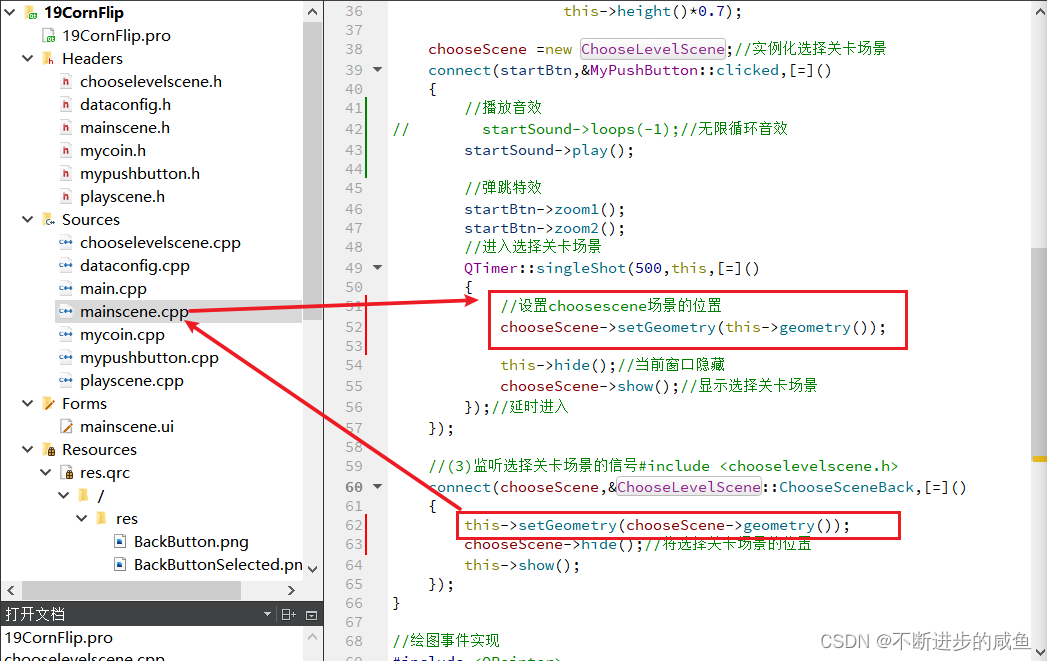
(1)主场景与选择关卡场景保持位置一致
MainScene::MainScene(QWidget *parent)
    : QMainWindow(parent)
    , ui(new Ui::MainScene)
{
    ui->setupUi(this);
    //(1)配置主场景
    //设置固定大小
    setFixedSize(320,588);
    //设置窗口图标
    setWindowIcon(QIcon(":/res/Coin0001.png"));
    //设置标题
    setWindowTitle(" 翻金币主场景");
    //退出菜单项实现
    connect(ui->actionquit,&QAction::triggered,[=]()
    {
       this->close();
    });


    //准备开始按钮的音效
    QSound *startSound=new QSound(":/res/TapButtonSound.wav",this);


    //(2)开始按钮,跳转到选择关卡场景
    //#include "mypushbutton.h"
    MyPushButton *startBtn=new MyPushButton(":/res/MenuSceneStartButton.png");
    startBtn->setParent(this);
    startBtn->move(this->width()*0.5-startBtn->width()*0.5,
                   this->height()*0.7);

    chooseScene =new ChooseLevelScene;//实例化选择关卡场景
    connect(startBtn,&MyPushButton::clicked,[=]()
    {
        //播放音效
//        startSound->loops(-1);//无限循环音效
        startSound->play();

        //弹跳特效
        startBtn->zoom1();
        startBtn->zoom2();
        //进入选择关卡场景
        QTimer::singleShot(500,this,[=]()
        {
            //设置choosescene场景的位置
            chooseScene->setGeometry(this->geometry());

            this->hide();//当前窗口隐藏
            chooseScene->show();//显示选择关卡场景
        });//延时进入
    });

    //(3)监听选择关卡场景的信号#include <chooselevelscene.h>
    connect(chooseScene,&ChooseLevelScene::ChooseSceneBack,[=]()
    {
        this->setGeometry(chooseScene->geometry());
        chooseScene->hide();//将选择关卡场景的位置
        this->show();
    });
}
(2)选择关卡场景与关卡场景保持位置一致
ChooseLevelScene::ChooseLevelScene(QWidget *parent) : QMainWindow(parent)
{
    //1.配置选择关卡场景
    //(1)设置场景界面大小
    this->setFixedSize(320,588);
    //(2)设置图标
    this->setWindowIcon(QPixmap(":/res/Coin0001.png"));
    //(3)设置标题
    this->setWindowTitle("选择关卡场景");
    //(4)创建菜单栏   #include <QMenuBar>
    QMenuBar *bar=menuBar();
    setMenuBar(bar);
    //(5)创建开始菜单 #include <QMenu>
    QMenu *startMenu=bar->addMenu("开始");
    //(6)创建菜单项
    QAction *quitAction=startMenu->addAction("退出");
    //(7)点击退出,实现退出游戏
    connect(quitAction,&QAction::triggered,[=]()
    {
       this->close();
    });


    //2.返回按钮
    //#include "mypushbutton.h"
    MyPushButton *backBtn=new MyPushButton(":/res/BackButton.png",
                                        ":/res/BackButtonSelected.png");
    backBtn->setParent(this);
    backBtn->move(this->width()-backBtn->width(),
                  this->height()-backBtn->height());

    //选择关卡按钮音效
    QSound *chooseSound=new QSound(":/res/TapButtonSound.wav",this);
    //返回按钮音效
    QSound *backSound=new QSound(":/res/BackButtonSound.wav",this);

    //(2)点击返回,切换至主场景
    connect (backBtn,&QPushButton::clicked,[=]()
    {
        //播放返回按钮的音效
        backSound->play();

//        qDebug()<<"点击返回按钮";
        //告诉主场景,按了返回按钮,主场景监听ChooseLevelScene的返回按钮
        emit this->ChooseSceneBack();

    });
    //3.创建选择关卡的按钮
    for (int i=0;i<20;i++)
    {
        //自定义按钮:构造函数包含两个参数
        MyPushButton *menuBtn=new MyPushButton(":/res/LevelIcon.png");
        menuBtn->setParent(this);
        menuBtn->move(i%4*70+25,i/4*70+100);

        //设置文字标签
        QLabel *label=new QLabel;
        label->setParent(this);
        label->setFixedSize(menuBtn->width(),menuBtn->height());
        label->setText(QString::number(i+1));//标签上的文字
        label->move(i%4*70+25,i/4*70+100);
        label->setAlignment(Qt::AlignHCenter|Qt::AlignVCenter);//文字水平和垂直居中
        //设置让鼠标进行穿透,否者label覆盖按钮,不能执行操作
        label->setAttribute(Qt::WA_TransparentForMouseEvents);

        //监听每个按钮的点击事件
        connect(menuBtn,&QPushButton::clicked,[=]()
        {
            //播放选择关卡按钮的音效
            chooseSound->play();

           //#include "playscene.h"
           this->hide();//隐藏选择关卡场景
           this->play=new PlayScene(i+1);//创建翻金币场景
            //设置游戏场景的初始位置
           play->setGeometry(this->geometry());
           play->show();//显示翻金币场景

           //监听翻金币场景的返回按钮信号
           connect(play,&PlayScene::ChooseSceneBack,[=]()
           {
               this->setGeometry(play->geometry());
               play->hide();
               delete play;
               play=NULL;
               this->show();
           });
        });

    }

}
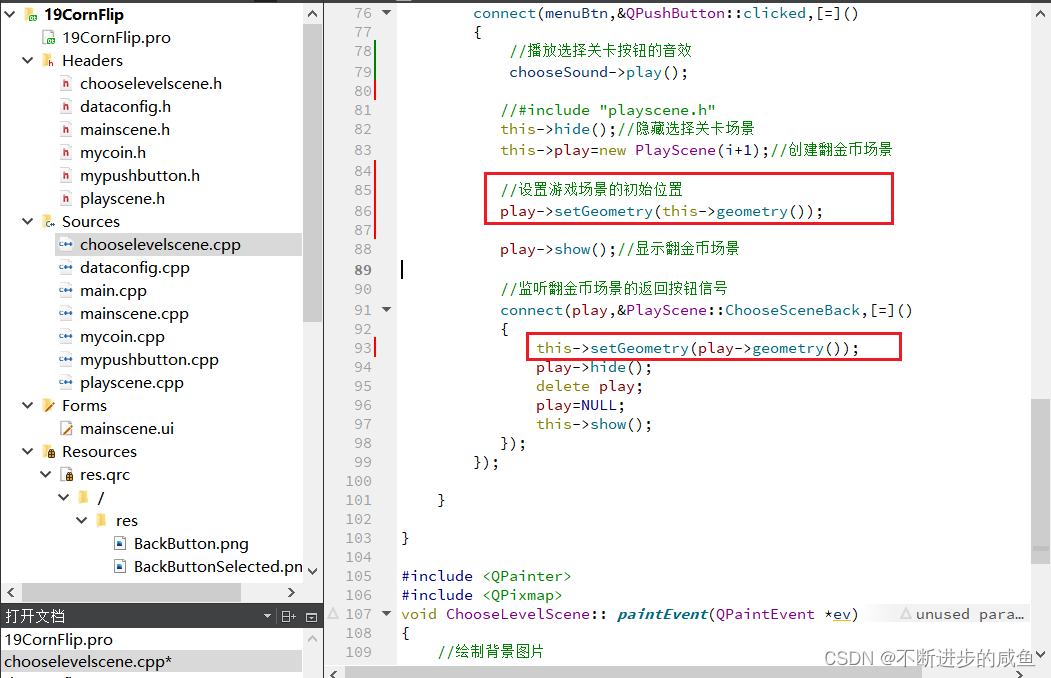
7 项目打包及游戏扩展
7.1 项目打包
(1)设置程序发布状态:将Debug状态修改为程序发布状态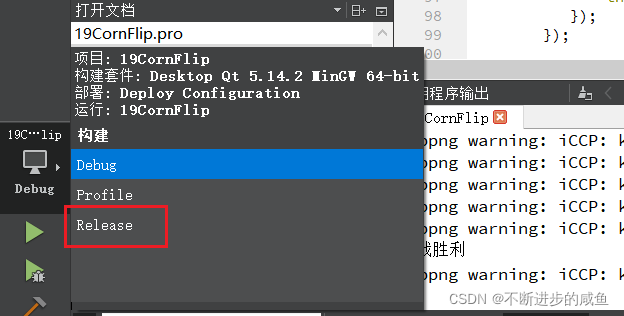
(2)重新编译项目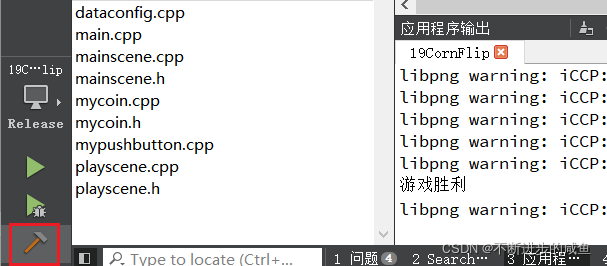
(3)打开项目所在文件,找到release版本的项目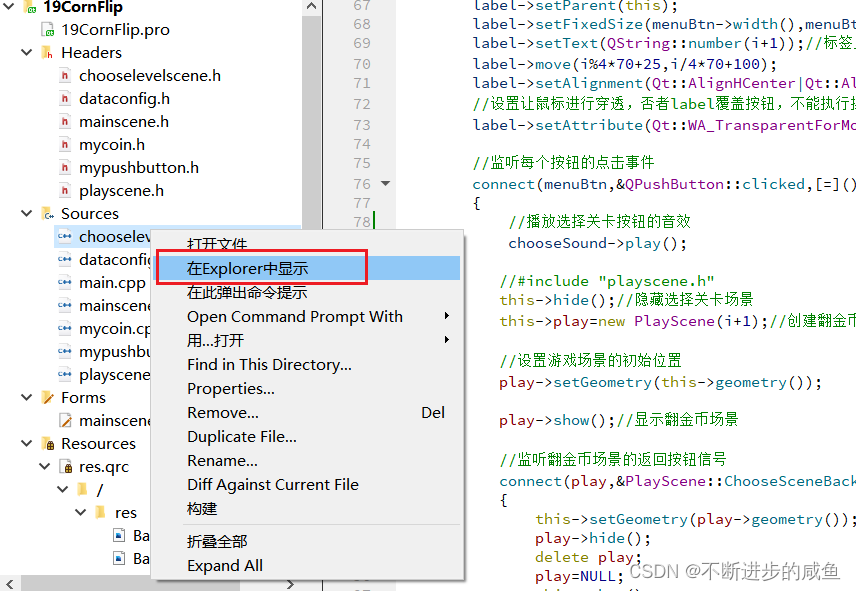
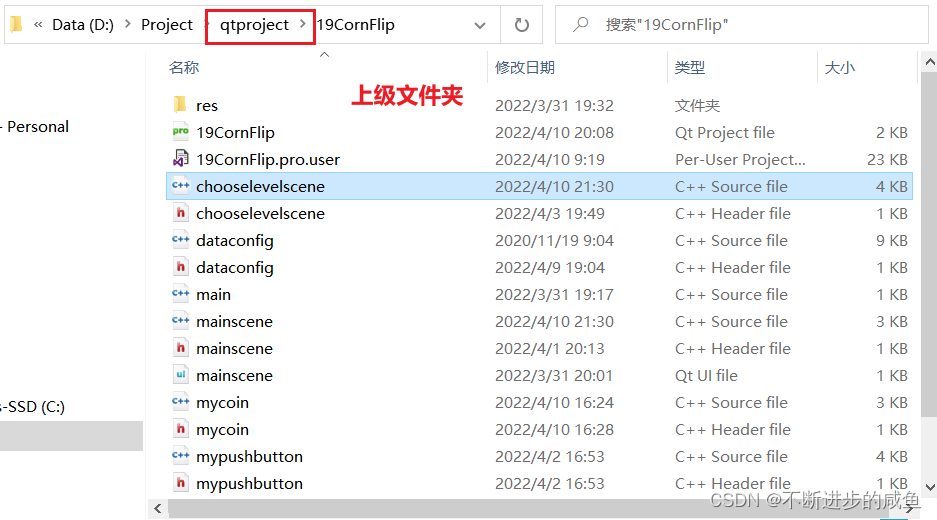
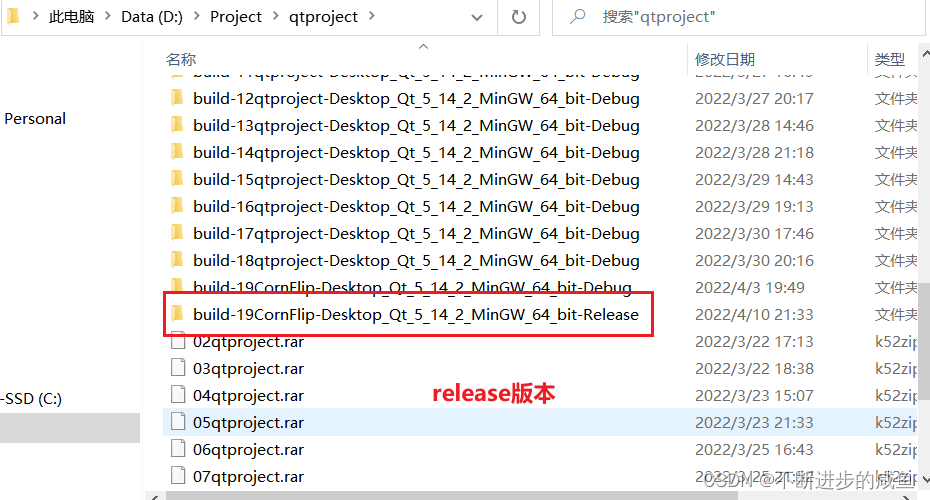
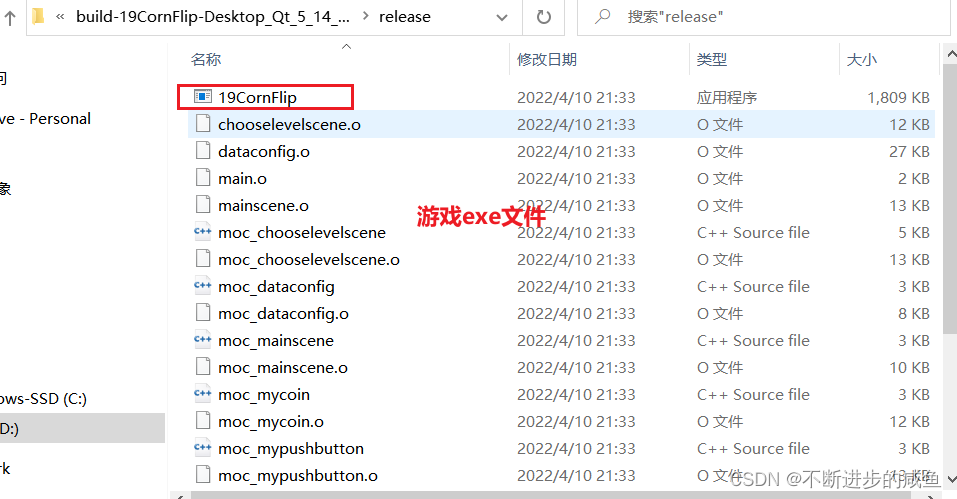
7.2 游戏扩展
项目打包后生成的exe文件,要想使用,必须保持本机有qt的环境,因此为了扩展游戏,使得普通的电脑也可以运行程序,需要进行扩展。
(1)新建文件夹,并且将项目打包的exe文件复制到该文件夹内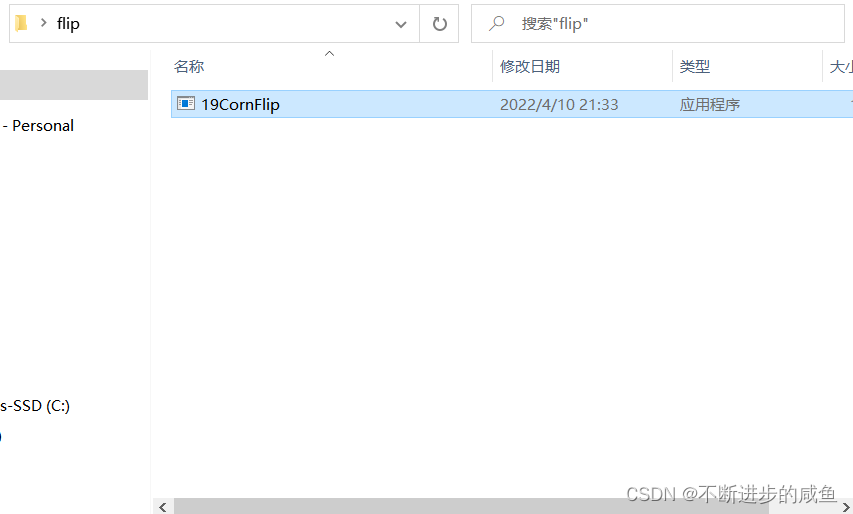
(2)在文件夹内打开cmd命令窗口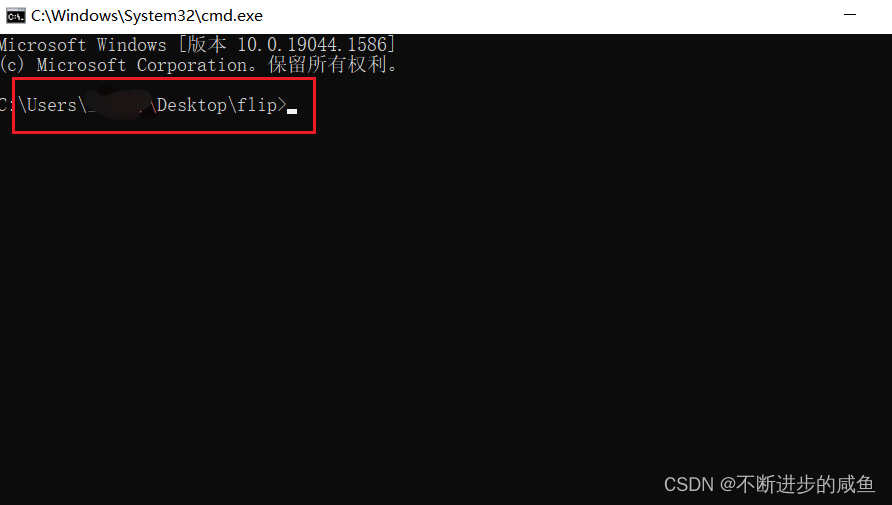
(3)使用windeployqt 命令运行exe程序:生成打包项目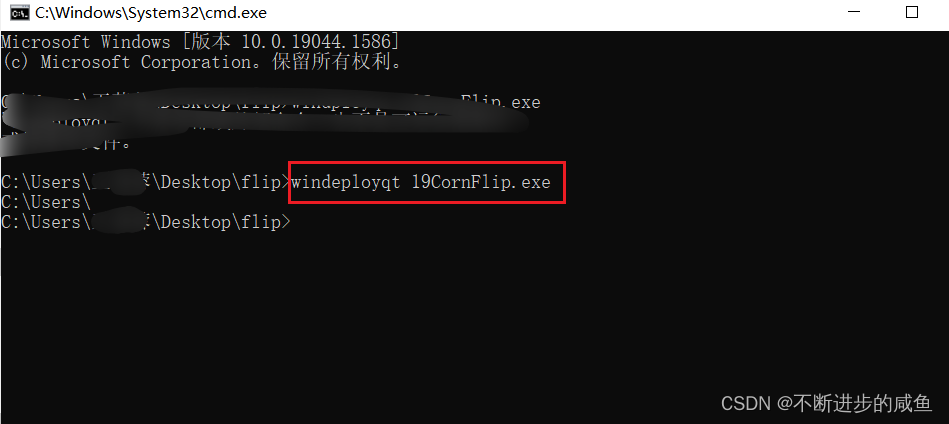
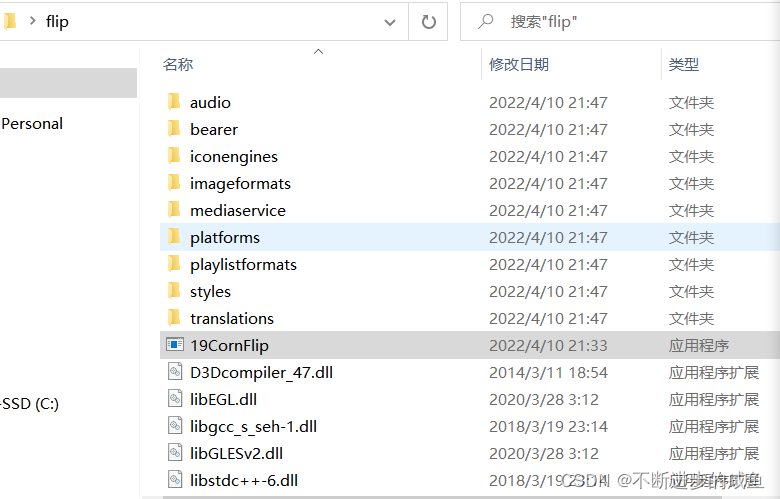
7.3 游戏打包nsis安装包(更深层拓展)
将游戏更深入打包,生成压缩包:参考:https://blog.csdn.net/signjing/article/details/7855855