上拉刷新:
参考文档:https://uniapp.dcloud.io/api/ui/pulldown?id=onpulldownrefresh
在 js 中定义 onPullDownRefresh 处理函数(和onLoad等生命周期函数同级),监听该页面用户下拉刷新事件。
- 需要在
pages.json里,找到的当前页面的pages节点,并在style选项中开启enablePullDownRefresh
pages.json
"pages": [{
	"path": "pages/index/index",
	"style": {
		"navigationBarTitleText": "uni-app",
		"enablePullDownRefresh": true
	}
}],
index.vue
onLoad() {
	this.getmsg()
	setTimeout(function() {
		console.log('start pulldown');
	}, 1000);
	uni.startPullDownRefresh();//开始下拉刷新
},
// 下拉刷新
onPullDownRefresh() {
	let _self = this
	console.log('refresh');
	setTimeout(function() {
		uni.stopPullDownRefresh();//停止当前页面下拉刷新
		_self.page=1;
		_self.getmsg();
	}, 1000);
},
// 上拉加载
onReachBottom() {
	let _self = this
	uni.showNavigationBarLoading()
	console.log('reach');
	setTimeout(function() {
		_self.page++;
		_self.getmsg();
		uni.hideNavigationBarLoading()
	}, 2000);
},
请求接口后:
success: (res) => {
	console.log(res);
	if(res.data.data.length==0){
		_self.contentText='没有更多了'
		uni.showToast({title:'没有更多数据了',icon:"none"});
	}
	if(_self.page!=1){
	_self.datas =_self.datas.concat(res.data.data)
	}else{
		_self.datas =res.data.data
	}
}
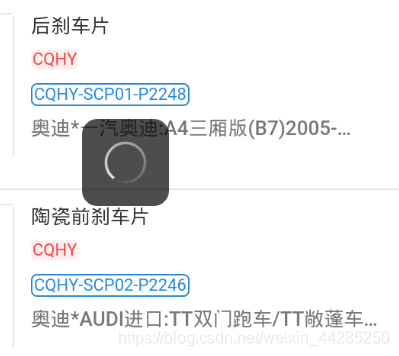
uni.showNavigationBarLoading()    //打开加载更多动画

uni.hideNavigationBarLoading()    //关闭加载更多动画


this.msglist =this.msglist.concat(res.data.data)    //concat()方法连接两个或多个数组


//屏幕到底部时候触发此事件(和methods同级)可搭配成上拉刷新
onReachBottom() {
	console.log('reach');
}
版权声明:本文为weixin_44285250原创文章,遵循CC 4.0 BY-SA版权协议,转载请附上原文出处链接和本声明。