MySQL基本功能
一.基础操作
1.进入数据库
Mysql -uroot -p 回车后输入数据库密码

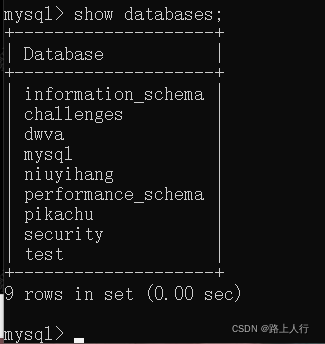
2.查询数据库
show databases;
3.创建数据库student
create database student;

4.删除数据库
drop database 数据库名

5.使用数据库student
use student;
6.创建表
create table aa(id int(10),name varchar(20),city varchar(20));

7.写入数据
insert into aa(id,name,city) values(1,"wang","beijing");

8.查询表数据
select * from aa; 查询所有数据

select id,name from aa; 查询id 和name 字段

select city from aa where name="wang";查询name为wang的city

9.修改数据
update aa set name="song" where id=1;

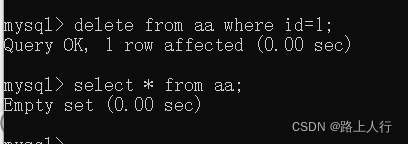
10.删除数据
delete from aa where id=1;
- 进阶操作
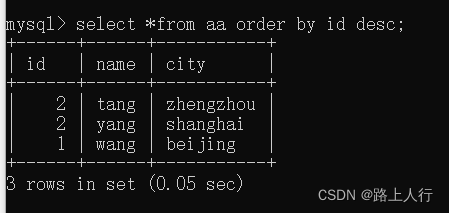
- order by 用法
select *from aa order by id desc; 按照id从高到低排序
select id,name from aa order by 1;以id进行排序

select id,name from aa order by 2;以name进行排序

2.limit用法
Limit M,N
//表示从第M+1条数据开始,顺序往下查询N条数据
Limit M
//表示查询前M条数据
select * from aa limit 2,2; 查询表的3,4条数据

select id,name from aa limit 1,3; 查询id name 的234条数据

3.union select的用法
select * from aa union select 1,2,3; 查询三列并在每列最下方显示

当表的列和查询的列不一致时,就会报错,也就会暴露该字段的值

4.union select 结合information_schema数据库
MySQL5.0以上版本存在一个叫information_schema的数据库,它存储着数据库的所有信息,其中保存着关于MySQL服务器所维护的所有其他数据库的信息。如数据库名,数据库的表,表栏的数据类型和访问权限等。而5.0以下没有。
show databases;

select schema_name from information_schema.schemata;
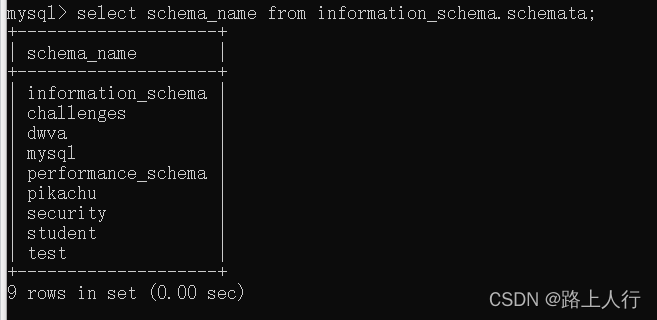
两句语句执行结果一样
use student;
show tables;
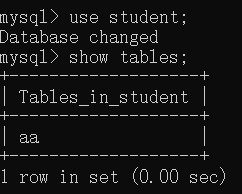
select table_name from information_schema.tables where table_schema='student';

发现也相同。