asp.net core 高级封装 SharpBoot
初衷:asp.net core IOC AOP Configuration 等等均不够简洁,起码不够“一键搞定”
目的:一切为了“快”,“约定大于配置”
其他:优秀的框架还有很多,均是为了.net core平台贡献一份力量,在此,我感谢所有.net core平台开发者为社区所做的贡献!有人说这跟java的SpringBoot有何区别? 没错,我就是喜欢SpringBoot的理念(如果对Spring框架产生了影响或抄袭等,请麻烦告知,无意冒犯),以及C#的语法,再次将两者结合起来,或许会产生不一样的效果,或许会被笑“javaer”,其实只要能提升开发效率,也就够了
SharpBoot.Starter.XXX
redis: https://blog.csdn.net/meizihuai/article/details/127802581
caching: https://blog.csdn.net/meizihuai/article/details/118678987
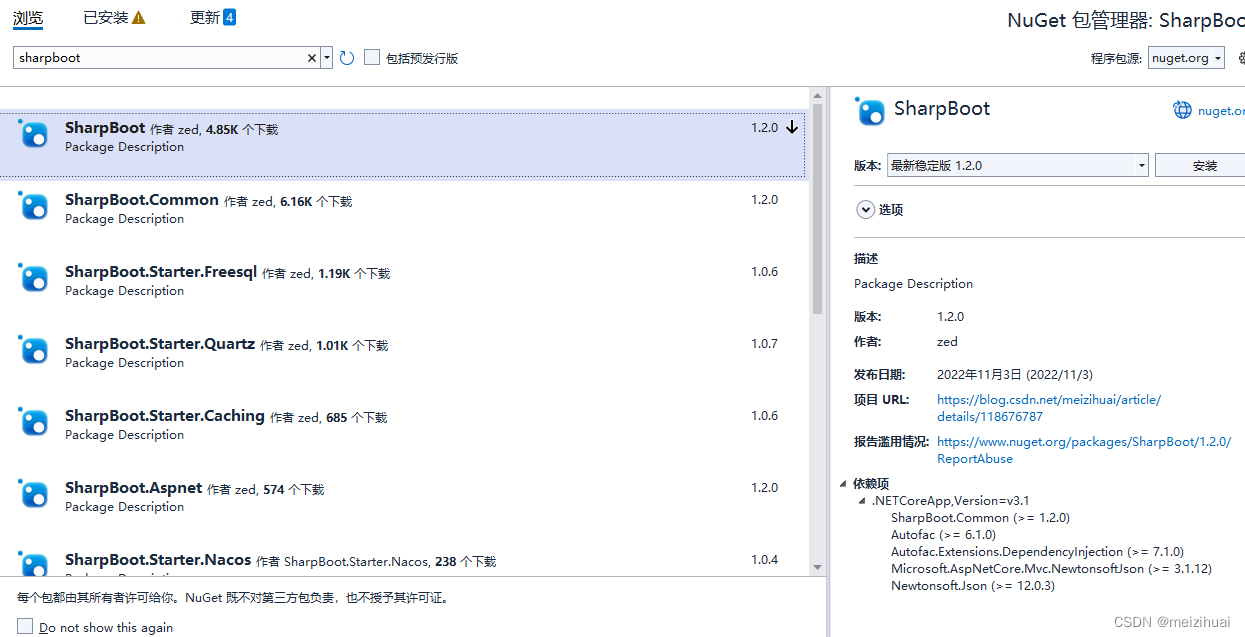
rabbitmq: https://blog.csdn.net/meizihuai/article/details/118678729下载:nuget搜索SharpBoot,作者zed
启动
新建.net core 3.1 及以上版本ConsoleApp控制台应用,记住,不用选择Asp.netCore模板,空白控制台项目即可
public class Program
    {
        static void Main(string[] args)
        {
            SharpBootApplication.Run<Program>(args);
        }
    }
Startup?
SharpBootApplication.Run已经做了一切,无需使用Startup,当然实在要配置自己的Startup类,SharpBoot也留有方法
 [Order] //为你的Startup排序,你想放到第几个执行
 [Component]
 public class MyStartup : IStartupConfig
 {
     public void Configure(IApplicationBuilder app)
     {
        //执行你的操作
     }

     public void ConfigureServices(IServiceCollection services)
     {
       //执行你的操作
     }
 }
控制器?
SharpBoot已经引用了Asp.netCore所需的一切包,因此,controller/route/apicontroller等一切原框架所熟悉的东西,SharpBoot同样方法使用
IOC
SharpBoot无需services.AddSingleton() , 知道java SpringBoot框架的都知道 @Service/@Component等等。 SharpBoot提供了 [Component] 特性,并支持原生 Singleton/Transient/Scoped 三种生命周期,通过 Component 特性中的LifeTime属性实现三种不同生命周期的bean注入。
SharpBoot使用Autofac代替原生IOC容器,兼容原生外,功能更加丰富
    [Order]  //实现类排序,取List时,按照Order排序
    [Component(LifeTime=ComponentLifeTime.Scoped, Primary=true)]  //支持生命周期、Primary
    public class CheckControllcerImpl : ICheckControllerService
    {
        [Autowired]
        public IList<IUserService> UserServices { get; set; }

        public object Get()
        {
            return UserServices.ToList()[0].Get();
        }
    }
同样,注入时,除了原生构造函数依赖注入,还支持 [Autowried] 特性注入,参考SpringBoot
 [Autowired] IUserService userService { get; set; }  //property注入
 [Autowired] IUserService userService;               //field注入
 [Autowired] List<UserService> userServices;         //list注入
 [Autowired(Name="UserService-02")] IUserService userService;    //精准注入 对应[Component(Name="UserService-02")]
Bean?
//方式一
[Import(typeof(UserInfo), LifeTime = Common.Enums.ComponentLifeTime.Singleton)]
[Component]
public class UserInjecter
{
}

//方式二
[Component]
public class UserInjecter
{
    [Bean]  //bean同样支持生命周期、Primary、Order、Name(精准注入) 等
    public UserInfo GetUserInfo()
    {
       return new UserInfo();
    }
}
AOP
定义一个拦截器
 [Component]
    public class TestInterceptor : IInterceptor
    {
        public void Intercept(IInvocation invocation)
        {
            Console.WriteLine(invocation.Method.Name + " invoked");
            invocation.Proceed();
        }
    }
需要被拦截的bean
    [Component]
    [Intercepter(typeof(TestInterceptor))]
    public class ProxyTester
    {
        public virtual void Test()
        {
            Hander();
        }

        public virtual void Hander()
        {
            Hander2();
        }

        public virtual void Hander2()
        {

        }
    }
配置注入
application.json配置文件中
 {
   "ServiceName":"测试服务",
   "ConfigTest":{
       "User": {
           "Name": "zed-1",
           "Id": 18
        }
   }
 }
方式一:bean中
[Value("ConfigTest:User")] UserInfo user;
方式二:ConfigProperty注入到容器中
    [ConfigProperty("ConfigTest:User")]
    public class UserInfo
    {
        public int Id { get; set; }
        public string Name { get; set; }
    }

    [Component]
    public class UserInfoService
    {
        [Autowried] UserInfo userInfo;
    }
约定大于配置?
你想使用HTTPS?
appsetting.json文件
 {
   "SSL": {
    "Enable": true, //开启https
    "PfxPath": "ssl/myssl.pfx",
    "KeyPath": "ssl/myssl.txt",  //key写文件中
    "Key": ""   //key直接固定到配置中 (优先)
  },
 }
再举个例子,你想配置Redis ?
appsetting.json文件
 {
    "Redis": {
       "Configname": "sharpboot-redis",
       "Connection": ""
       "DefaultDatabase": 0,
       "InstanceName": "test:sharpboot"
    }
 }
SharpBoot.Starter.XXX
SharpBoot提供了各种starter,方便扩展