#C0203
沧海茫茫千钟粟,且拾吾昧一微尘
——《沧海拾昧集》@CuPhoenix
【阅前敬告】
沧海拾昧集仅做个人学习笔记之用,所述内容不专业不严谨不成体系
如有问题必是本集记录有谬,切勿深究
目录
一、基本方法
- 定义一个继承 Button 控件的新类,增加一些功能;
- 使用二维数组管理矩阵;
- 将 Button 矩阵布置在一个 Panel 中;
二、具体实现
- 定义新类
类里包括了 button 在矩阵中的 X 、Y 坐标,大小,间距,颜色,状态标志等。
using System;
using System.Collections.Generic;
using System.Drawing;
using System.Text;
using System.Windows.Forms;

namespace Course_Assignment
{
    public class myButton:Button
    {
        public myButton()
        {
            PlaceSize = new Size(40, 40);
            PlaceBackColor = PlaceColor[1];
        }
        public static Color[] PlaceColor = new Color[]{
            Color.FromArgb(0x7f, 0xff, 0xff, 0xff),  // 半透明白色
            Color.FromArgb(0x7f, 0x00, 0x00, 0x00),  // 半透明黑色
        };
        public int X { get; set; }
        public int Y { get; set; }
        public Size PlaceSize {
            get {
                return Size;
            }
            set {
                Size = value;
            }
        }
        public int Gap { get; set; } = 0;
        public Color PlaceBackColor
        {
            get
            {
                return BackColor;
            }
            set
            {
                BackColor = value;
            }
        }
        public int State { get; set; } = 0;
    }
}
- 界面绘制
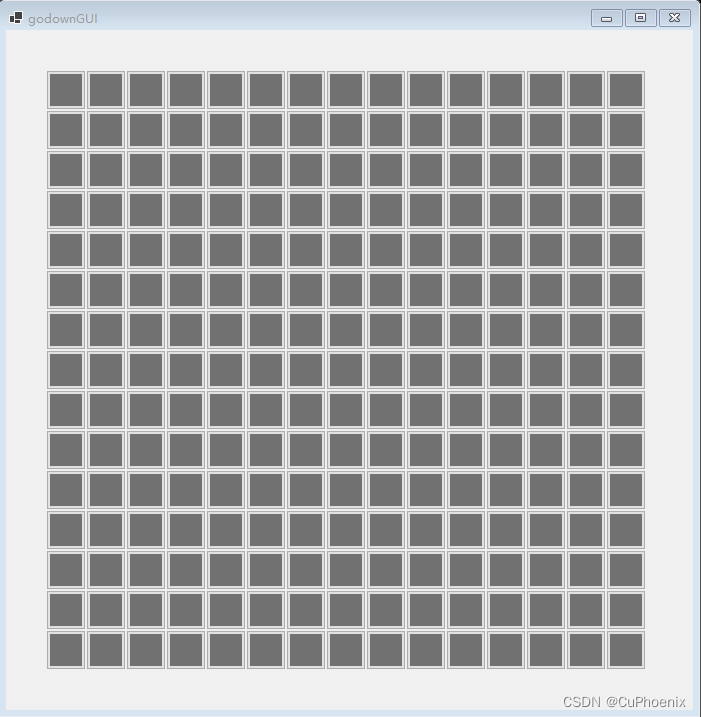
建立二维数组,然后依次实例化 button ,计算其位置,然后将其用 Add 方法加入 Panel。
using System;
using System.Collections.Generic;
using System.ComponentModel;
using System.Data;
using System.Drawing;
using System.Text;
using System.Windows.Forms;

namespace Course_Assignment
{
    public partial class godownGUI_Form2 : Form
    {
        public godownGUI_Form2()
        {
            InitializeComponent();
            GoDownPlace_Init(15, 15);
            panel1.Location = new Point(20, 20);

            /* 双缓冲,与本例无关 */
            SetStyle(ControlStyles.UserPaint, true);
            SetStyle(ControlStyles.AllPaintingInWmPaint, true);
            SetStyle(ControlStyles.DoubleBuffer, true);
        }
        private void GoDownPlace_Init(int x, int y)
        {
            myButton[,] myButtons = new myButton[x, y];
            for(int i = 0; i < x; i++)
            {
                for(int j = 0; j < y; j++)
                {
                    myButton[i, j] = new myButton();
                    myButton[i, j].X = i;
                    myButton[i, j].Y = j;
                    myButton[i, j].Location = new Point(myButtons[i, j].Size.Width * i + myButtons[i, j].Gap * i + 20, myButtons[i, j].Size.Height * j + myButtons[i, j].Gap * j + 20);
                    panel1.Controls.Add(myButtons[i, j]);
                }
            }
            panel1.Size = new Size(myButtons[0, 0].Size.Width * x + myButtons[0, 0].Gap * x + 40, myButtons[0, 0].Size.Height * y + myButtons[0, 0].Gap * y + 40);
        }
    }
}
三 、实现效果
敬谢诸君。
京华西山之巅。
版权声明:本文为CuPhoenix原创文章,遵循CC 4.0 BY-SA版权协议,转载请附上原文出处链接和本声明。