ros之odom的发布
odom就是所谓的里程计,是根据你所获得的线速度,角速度,积分获得机器人实际走的距离,里程计存在累计误差,用于后面多传感器输入,为建图,导航提供参数。
odom最重要的是积分和发布,下面是部分代码
while(1)
		{
			current_time=ros::Time::now().toSec();
			current_time1=ros::Time::now();
			dt=(current_time-last_time);
			de_th=vth*dt;//积分
			de_x=(vx*cos(th)-vy*sin(th))*dt;
	   		de_y=(vx*sin(th)-vy*cos(th))*dt;
			x+=de_x;
			y+=de_y;
			th+=de_th;
			last_time=current_time;
			usleep(1000);
		     	geometry_msgs::Quaternion odom_quat =tf::createQuaternionMsgFromYaw(th);
		        geometry_msgs::TransformStamped transform;
		        transform.transform.rotation=odom_quat;
		        transform.header.stamp=current_time1;
		        transform.header.frame_id="odom";
		        transform.child_frame_id="base_footprint";
		        transform.transform.translation.x=x;
		        transform.transform.translation.y=y;
		        transform.transform.translation.z=0.0;
		        br.sendTransform(transform);


	       		nav_msgs::Odometry odom;


		   odom.header.stamp=current_time1;
		   odom.header.frame_id="odom";
		   odom.child_frame_id="base_footprint";


		   odom.pose.pose.position.x=x;
		   odom.pose.pose.position.y=y;
		   odom.pose.pose.position.z=0.0;

	           odom.pose.pose.orientation=odom_quat;

	       	   odom.twist.twist.linear.x=vx;
		   odom.twist.twist.linear.y=vy;
		   odom.twist.twist.angular.z=vth;

	           odom_pub.publish(odom);

		   last_time=current_time;
		   ros::spinOnce();
		}
大概就是获得速度,然后当前时间减去过去时间,然后进行速度积分,然后累加获得数据。下面是完整代码
	#include "ros/ros.h"
	#include <geometry_msgs/Twist.h>
	#include <iostream>
	#include <tf/transform_broadcaster.h>
	#include <nav_msgs/Odometry.h>
	#include <pthread.h>

	double x=0,y=0,th=0,de_th,de_x,de_y,vx,vy,vth;
	double current_time,last_time,dt;
	ros::Time current_time1;
	ros::Publisher odom_pub;

	class TT
	{
		public:
		ros::NodeHandle n;
		ros::Subscriber sub;

		TT();
		void callback(const geometry_msgs::Twist::ConstPtr& msg);
	};

	TT::TT()
	{

	   sub=n.subscribe<geometry_msgs::Twist>("/cmd_vel2",10,&TT::callback,this);
	   odom_pub=n.advertise<nav_msgs::Odometry>("odom", 10);


	}
	void TT::callback(const geometry_msgs::Twist::ConstPtr& msg)
	{
		vx=msg->linear.x;
		vy=msg->linear.y;
		vth=msg->angular.z;
	//从之前的正反解读出速度

	}
	void* creat_thread(void*)
	{
		tf::TransformBroadcaster br;
		while(1)
		{
			current_time=ros::Time::now().toSec();
			current_time1=ros::Time::now();
			dt=(current_time-last_time);
			de_th=vth*dt;//积分
			de_x=(vx*cos(th)-vy*sin(th))*dt;
	   		de_y=(vx*sin(th)-vy*cos(th))*dt;
			x+=de_x;
			y+=de_y;
			th+=de_th;
			last_time=current_time;
			usleep(1000);
		     	geometry_msgs::Quaternion odom_quat =tf::createQuaternionMsgFromYaw(th);
		        geometry_msgs::TransformStamped transform;
		        transform.transform.rotation=odom_quat;
		        transform.header.stamp=current_time1;
		        transform.header.frame_id="odom";
		        transform.child_frame_id="base_footprint";
		        transform.transform.translation.x=x;
		        transform.transform.translation.y=y;
		        transform.transform.translation.z=0.0;
		        br.sendTransform(transform);


	       		nav_msgs::Odometry odom;


		   odom.header.stamp=current_time1;
		   odom.header.frame_id="odom";
		   odom.child_frame_id="base_footprint";


		   odom.pose.pose.position.x=x;
		   odom.pose.pose.position.y=y;
		   odom.pose.pose.position.z=0.0;

	           odom.pose.pose.orientation=odom_quat;

	       	   odom.twist.twist.linear.x=vx;
		   odom.twist.twist.linear.y=vy;
		   odom.twist.twist.angular.z=vth;

	           odom_pub.publish(odom);

		   last_time=current_time;
		   ros::spinOnce();
		}
	}


	int main(int argc,char** argv)
	{
	  ros::init(argc,argv,"chantf");

	  TT chh;
	  pthread_t my_thread;//声明一个多线程
	  pthread_create(&my_thread,NULL,creat_thread,NULL);
	  ros::spin();

	}
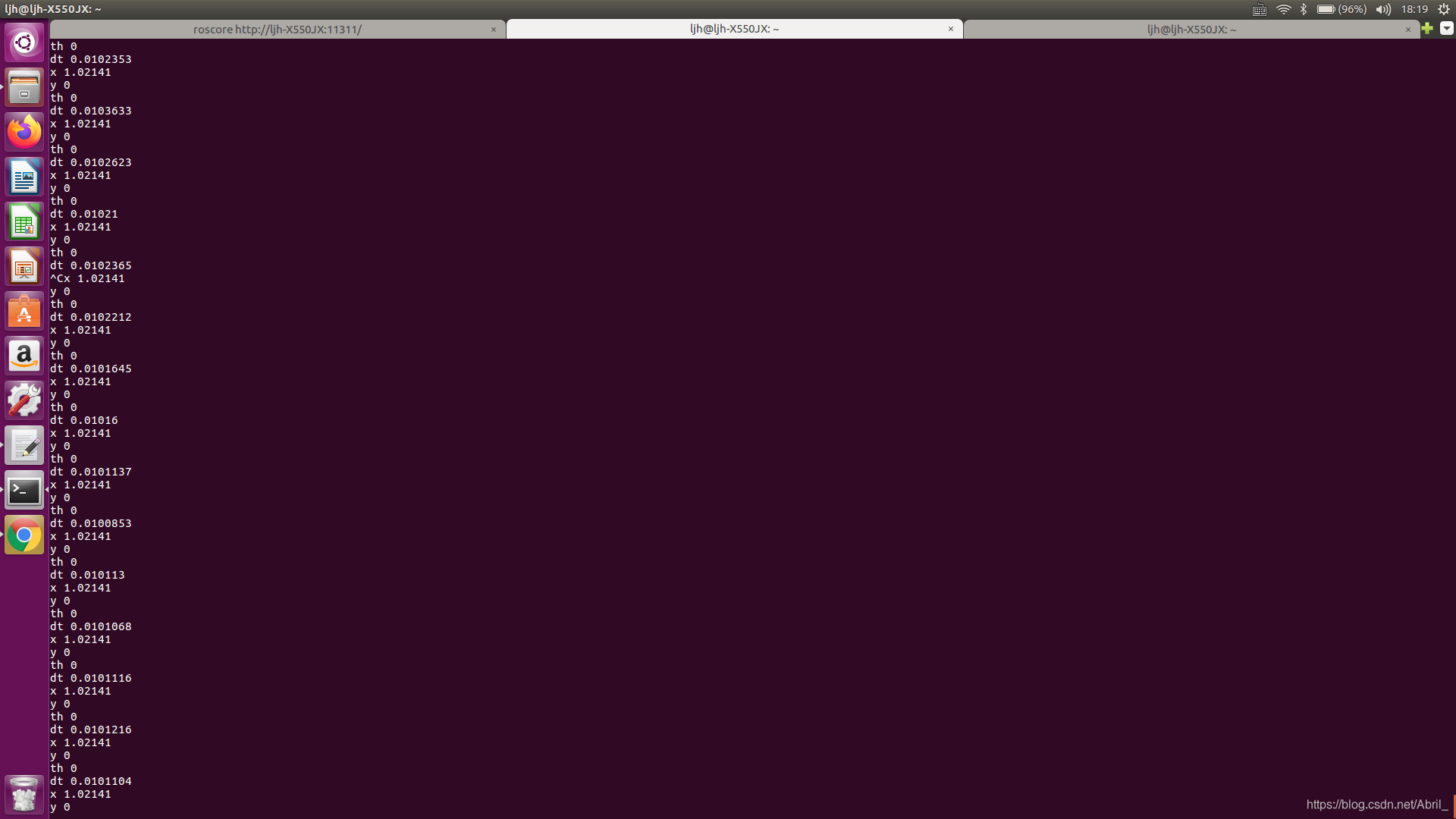
此代码是根据网上的教程进行整合,自己的改写出来的。如有出错,请您谅解。
下一篇准备写用手柄控制机器人行走
版权声明:本文为Abril_原创文章,遵循CC 4.0 BY-SA版权协议,转载请附上原文出处链接和本声明。