AndroidWM

简介:A lightweight android image watermark library that supports invisible digital watermarks. :foggy: (轻量级安卓水印框架,支持隐形数字水印)
标签:





A lightweight android image watermark library that supports encrypted watermarks. 中文版本

Download Library
Gradle:
For androidWM supports the invisible digital watermarks (package size: 1Mb):
implementation 'com.huangyz0918:androidwm:0.2.3'
For androidWM-light only supports the visible watermarks (package size: 28Kb):
implementation 'com.huangyz0918:androidwm-light:0.1.2'
Quick Start
Build a Watermark
After downloading the library and adding it into your project, You can create a WatermarkImage or WatermarkText and do some pre-settings with their instance.
    WatermarkText watermarkText = new WatermarkText(inputText)
            .setPositionX(0.5)
            .setPositionY(0.5)
            .setTextColor(Color.WHITE)
            .setTextFont(R.font.champagne)
            .setTextShadow(0.1f, 5, 5, Color.BLUE)
            .setTextAlpha(150)
            .setRotation(30)
            .setTextSize(20);
There are many attributes that can help you to make a customization with a text watermark or an image watermark. You can get more information from the documentation section that follows.
After the preparation is complete, you need a WatermarkBuilder to create a watermark image. You can get an instance from the create method of WatermarkBuilder, and, you need to put a Bitmap or an int Drawable as the background image first.
    WatermarkBuilder
            .create(context, backgroundBitmap)
            .loadWatermarkText(watermarkText) // use .loadWatermarkImage(watermarkImage) to load an image.
            .getWatermark()
            .setToImageView(imageView);

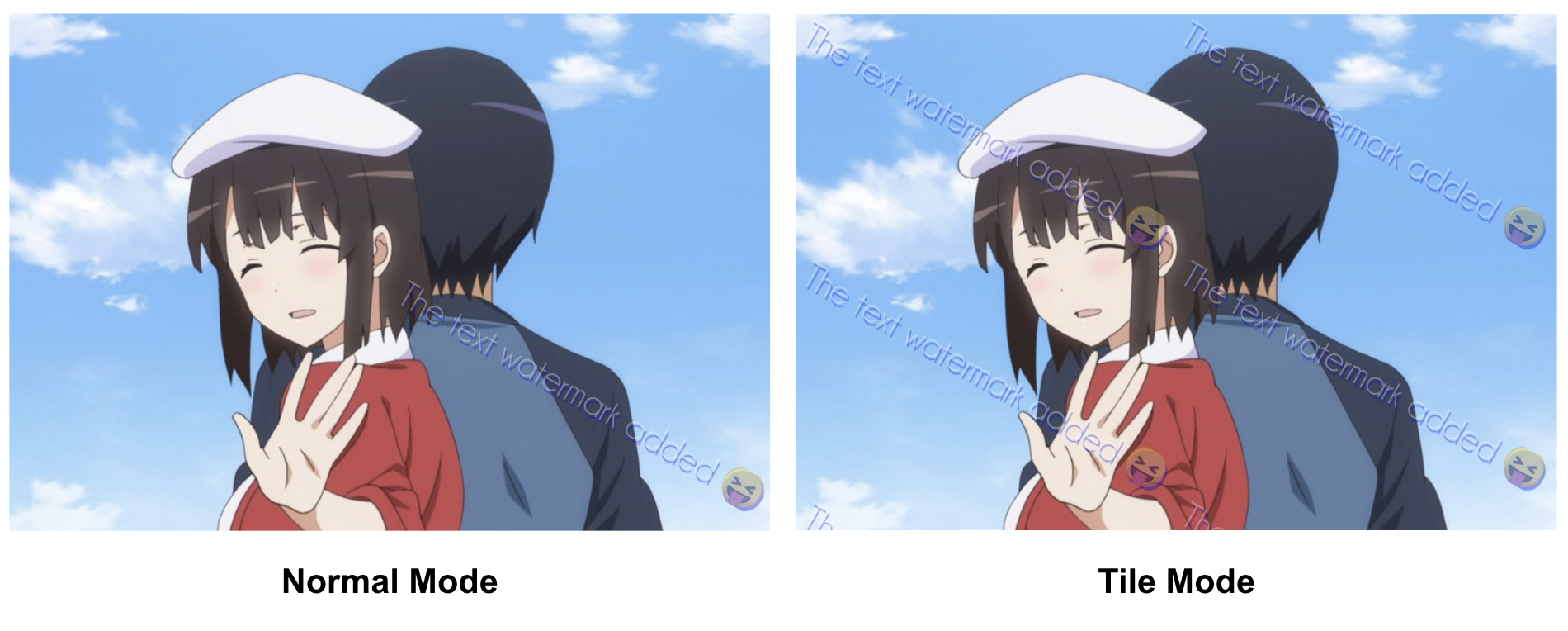
Select the Drawing Mode
You can select normal mode (default) or tile mode in WatermarkBuilder.setTileMode():
    WatermarkBuilder
            .create(this, backgroundBitmap)
            .loadWatermarkText(watermarkText)
            .setTileMode(true) // select different drawing mode.
            .getWatermark()
            .setToImageView(backgroundView);
Boom! the watermark has been drawed now: