一、创建pay.properties文件(注意放在resources文件夹下)
两种方式:
第一种:Controller直接引用
第二种:编写配置类
第一种
二、添加引用注释:@PropertySource
代码:
@RestController
@RequestMapping("/api/v1/pub/test")
@PropertySource(value = "classpath:pay.properties")
public class TestController {
    @Value("${wxpay.appid}")
    private String payAppid;
    @Value("${wxpay.secret}")
    private String paySecret;
    @Value("${wxpay.mechid}")
    private String payMechid;

    @GetMapping("listpay")
    public JsonData listpay(){
        Map<String,String> map=new HashMap<>();
        map.put("wxpay.appid",payAppid);
        map.put("wxpay.secret",paySecret);
        map.put("wxpay.mechid",payMechid);
        return JsonData.buildSuccess(map);
    }
}
运行截图: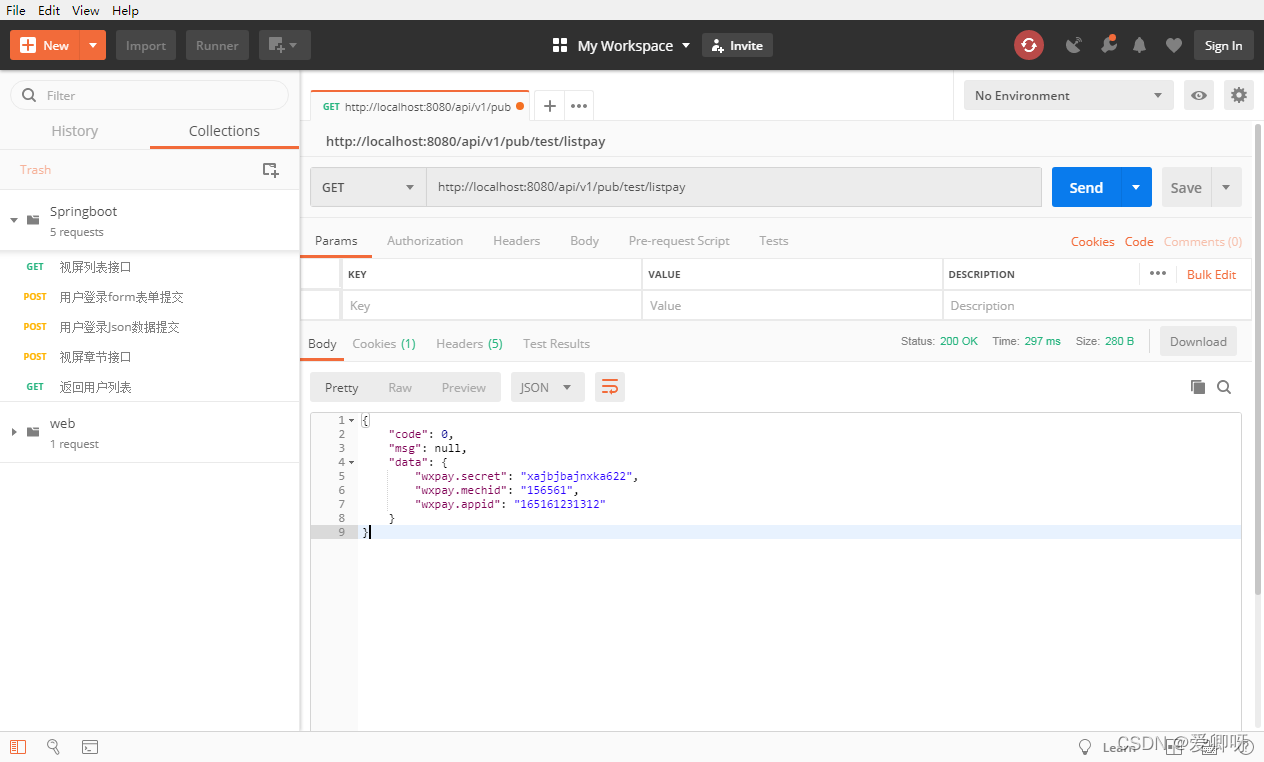
第二种:
1.编写配置类,添加配置文件注释:@Configuration
2.配置类,添加引用注释@PropertySource(value=“classpath:xxxx.properties”)
3.Contoller调用配置类获取数据
代码:配置类
@Configuration
/**
*@PropertySource(value = "classpath:pay.properties")
*使用 @ConfigurationProperties 注解,设置相关属性;当配置文件很多时使用
*/
@ConfigurationProperties(prefix="test")
public class PayConfig_test {
    @Value("${wxpay.appid}")
    private  String payAppid;
    @Value("${wxpay.secret}")
    private  String paySecret;
    @Value("${wxpay.mechid}")
    private  String paymechid;

    public String getPayAppid() {
        return payAppid;
    }

    public void setPayAppid(String payAppid) {
        this.payAppid = payAppid;
    }

    public String getPaySecret() {
        return paySecret;
    }

    public void setPaySecret(String paySecret) {
        this.paySecret = paySecret;
    }

    public String getPaymechid() {
        return paymechid;
    }

    public void setPaymechid(String paymechid) {
        this.paymechid = paymechid;
    }
}
代码:Controller
@RestController
@RequestMapping("/api/v1/pub/test")
@PropertySource(value = "classpath:pay.properties")
public class TestController {
    @Autowired
    private PayConfig_test payConfig_test;
    @GetMapping("listpay")
    public JsonData listpay(){
        Map<String,String> map=new HashMap<>();
        map.put("wxpay.appid",payConfig_test.getPayAppid());
        map.put("wxpay.secret",payConfig_test.getPaySecret());
        map.put("wxpay.wechid",payConfig_test.getPaymechid());
        return JsonData.buildSuccess(map);
    }
}
运行结果:
------------------------------------------------------------------------------------------------------------------------------------------------------------------------自学习
版权声明:本文为weixin_43432438原创文章,遵循CC 4.0 BY-SA版权协议,转载请附上原文出处链接和本声明。