项目场景:
问题一:API请求swagger正常本地也正常,上线使用不正常,返回400和415Unsupported Media Type和 A non-empty request body is required.
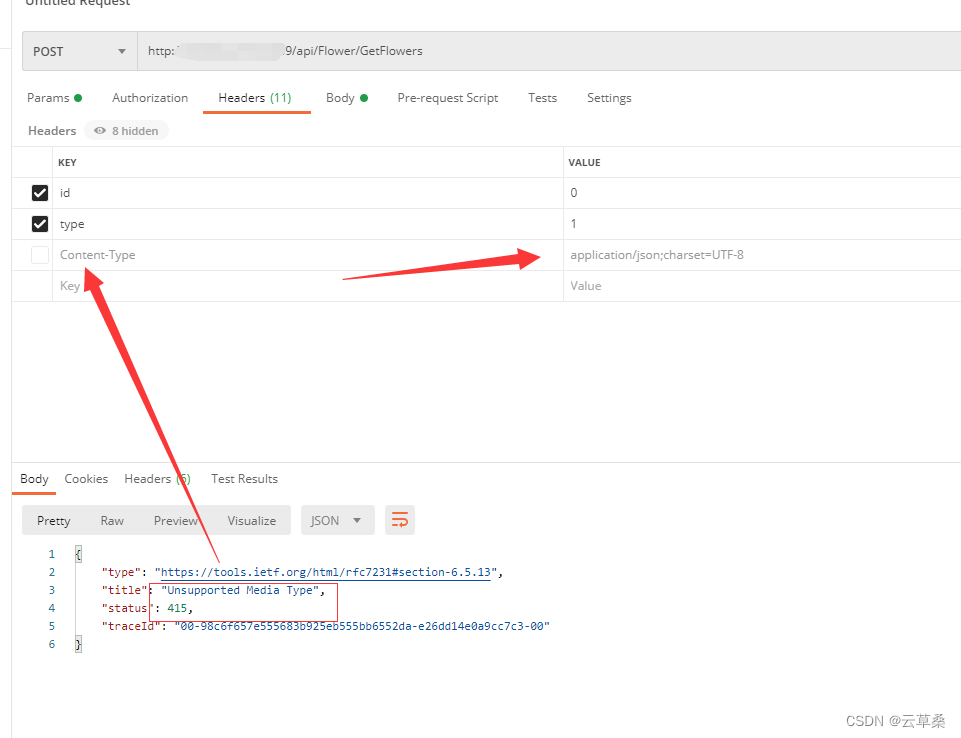
问题二:API请求swagger正常本地也正常,上线使用不正常,返回400和415Unsupported Media Type和 A non-empty request body is required.
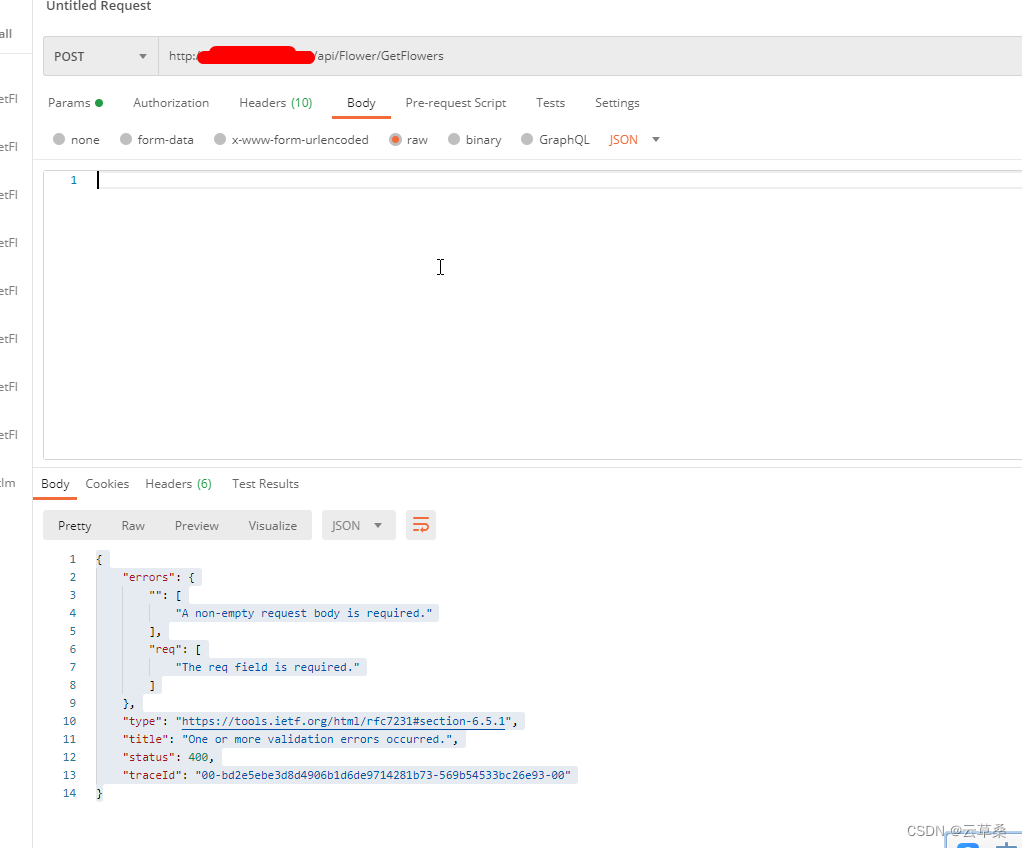
问题描述
提示:API请求swagger正常本地也正常,上线使用不正常,返回400和415Unsupported Media Type和 A non-empty request body is required.
{

    "type": "https://tools.ietf.org/html/rfc7231#section-6.5.13",

    "title": "Unsupported Media Type",

    "status": 415,

    "traceId": "00-98c6f657e555683b925eb555bb6552da-e26dd14e0a9cc7c3-00"

}
{
"errors": {
"": [
"A non-empty request body is required."
],
"req": [
"The req field is required."
]
},
"type": "https://tools.ietf.org/html/rfc7231#section-6.5.1",
"title": "One or more validation errors occurred.",
"status": 400,
"traceId": "00-bd2e5ebe3d8d4906b1d6de9714281b73-569b54533bc26e93-00"
}原因分析:
报(Unsupported Media Type)异常主要原因为,前端工具请求接口的类型和后端服务器定义的类型不一致造成,
一般工具请求类型和后端保持一致后,即可正常请求。
需要在Headers中添加content-type:application/json。
vue3.2实现方式
错误方式
axios.defaults.headers.common['Content-Type'] = "application/json;charset=UTF-8";

解决方案:
这句话规定请求的数据为json所导致的。
请求post的代码如下:
提示:这里填写该问题的具体解决方案:
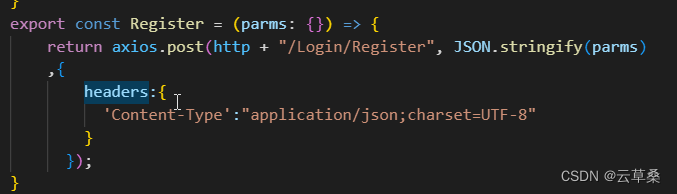
export const Register = (parms: {}) => { return axios.post(http + "/Login/Register", JSON.stringify(parms) ,{ headers:{ 'Content-Type':"application/json;charset=UTF-8" } }); }
export const Register = (parms: {}) => {
return axios.post(http + "/Login/Register", JSON.stringify(parms)
,{
headers:{
'Content-Type':"application/json;charset=UTF-8"
}
});
}
{
    "errors": {
        "": [
            "A non-empty request body is required."
        ],
        "req": [
            "The req field is required."
        ]
    },
    "type": "https://tools.ietf.org/html/rfc7231#section-6.5.1",
    "title": "One or more validation errors occurred.",
    "status": 400,
    "traceId": "00-bd2e5ebe3d8d4906b1d6de9714281b73-569b54533bc26e93-00"
}
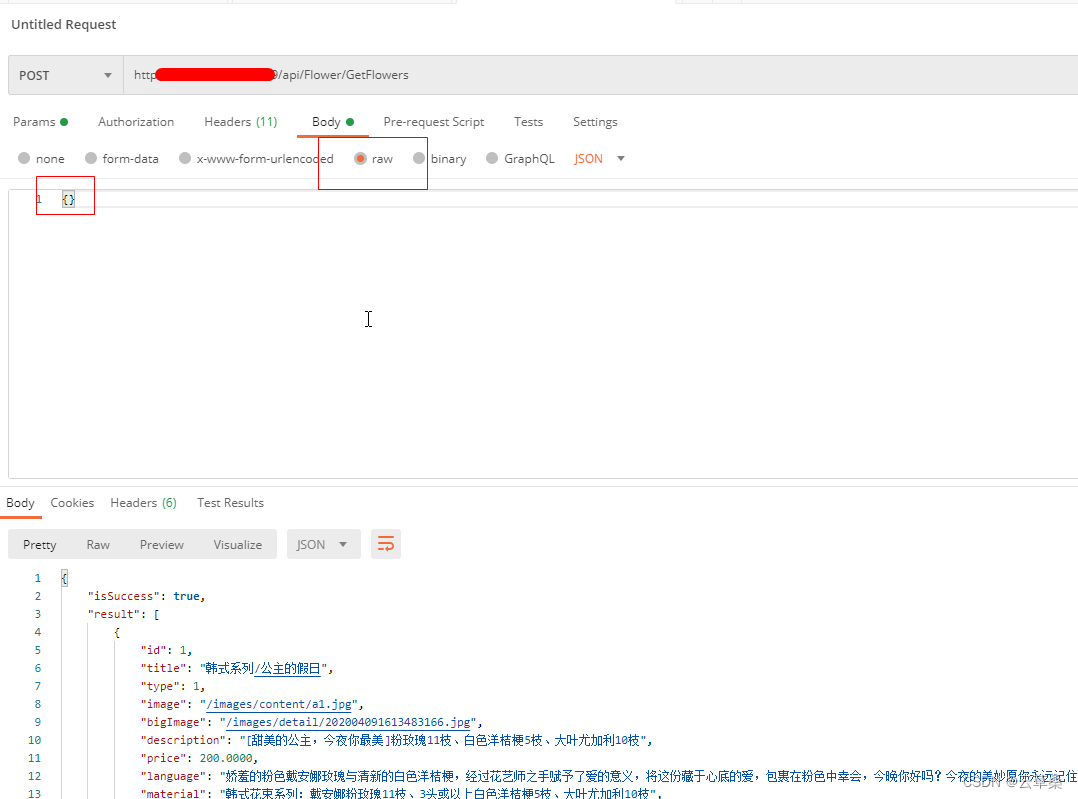
错误说明需要添加一个空的请求体,根据提示修改。在Body中,选择raw,输入{},再Send即可。
代码怎么实现呢
这个坑就只能靠运气了
JSON.stringify( str )
具体怎么试出来的 说多了都是泪