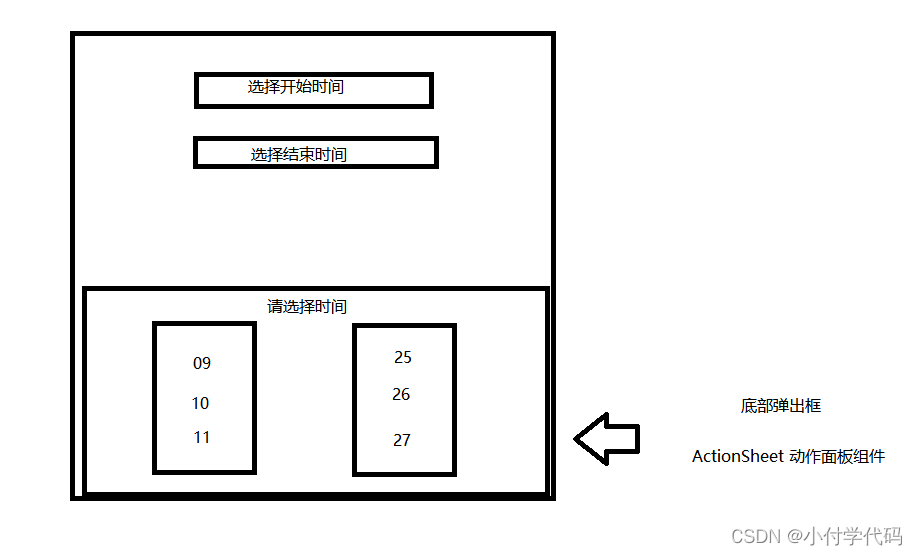
使用Vant中的两个组件 自定义 ActionSheet 动作面板 与 DatetimePicker 时间选择
 https://vant-contrib.gitee.io/vant-weapp/#/datetime-picker
不知道如何使用这个UI库的可以看前边的博客这个:
即拿即用,直接复制粘贴代码:
<template>

	<button @click="clickOnWork">{{onWorkTime}}</button>
	<button @click="clickOffWork">{{offWorkTime}}</button>

	<view>
		<van-action-sheet :show="show" title="选择上下班时间" @close="onClose" :closeable="false" safe-area-inset-bottom>
			<!-- 放入时间选择器 -->
			<view class="time">
				<van-datetime-picker type="time" :value="onWorkTime" :min-hour="minHour" :max-hour="maxHour"
					@confirm="myConfirm" @cancel="mycancel" visible-item-count=5
					confirm-button-text="确定"
					cancel-button-text="取消" />
			</view>
		</van-action-sheet>
	</view>

</template>

<script>
	import {
		sentence
	} from "../../api/goods.js"

	export default {
		data() {
			return {
				//上班时间
				onWorkTime: '09:00',
				//下班时间
				offWorkTime: '18:00',
				//seltime=1选择上班时间  seltime=2选择下班时间
				seltime: 0,
				minHour: 0,
				maxHour: 23,
				show: false,
			}
		},
		onLoad() {

		},
		methods: {
			// onInput(event) {
			// 	this.currentDate = event.detail
			// 	console.log("方法调用");
			// 	console.log(this.currentDate);
			// },
			myConfirm(event) {
				console.log("拿到选择的时间", event.detail);
				//把value给了 onWork
				//seltime=1选择上班时间  seltime=2选择下班时间
				if (this.seltime == 1) {
					this.onWorkTime = event.detail
				}

				if (this.seltime == 2) {
					this.offWorkTime = event.detail
				}

				//选择后把actionsheet给关了
				this.onClose()
			},
			mycancel() {
				//取消就直接关闭下拉框即可
				this.onClose()
			},
			//关闭actionsheet的方法
			onClose() {
				this.show = false
			},
			clickOnWork() {
				this.seltime = 1
				this.show = true
			},
			clickOffWork() {
				this.seltime = 2
				this.show = true
			}
		}

	}
</script>

<style lang="scss" scoped>


</style>
版权声明:本文为ONLYSRY原创文章,遵循CC 4.0 BY-SA版权协议,转载请附上原文出处链接和本声明。