Oracle Cloud(甲骨文)开启root登录
柒柒
2020-02-19发布在 Linux
830 0 1
方法1:
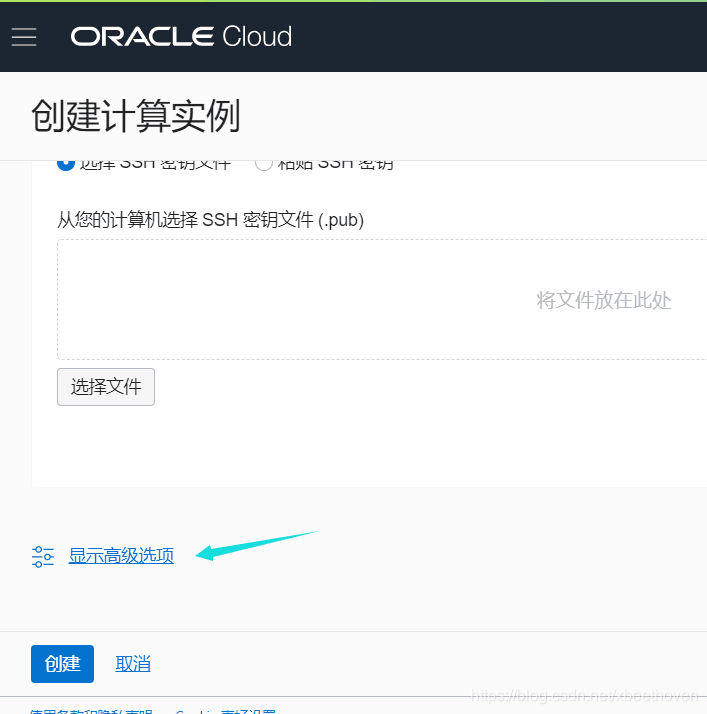
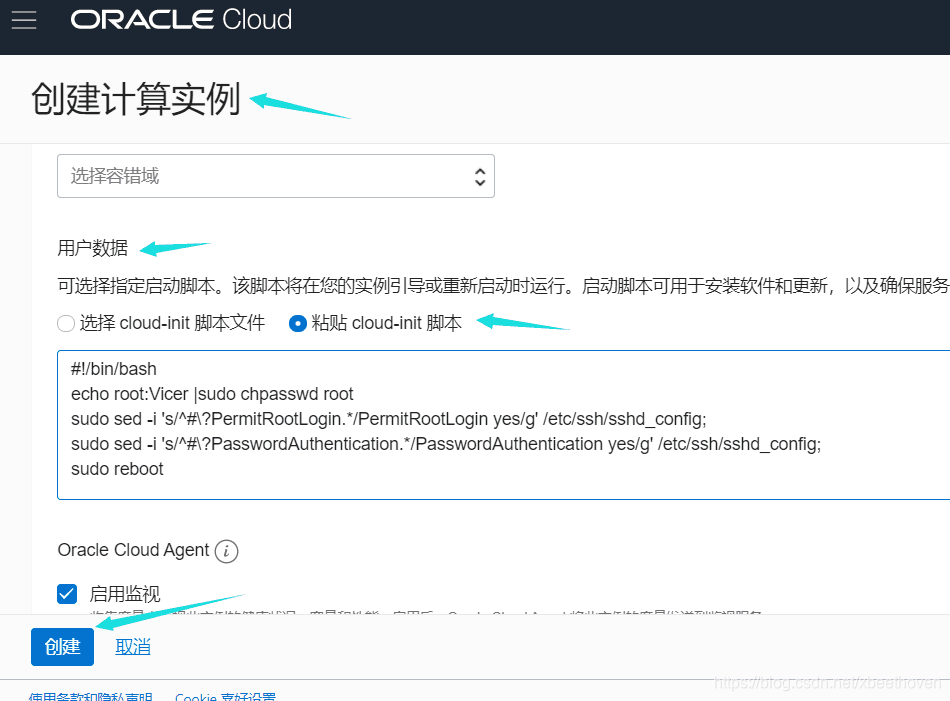
创建实例时候添加命令
在创建实例的时候,一定要输入SSH密钥
如果你怕那个比较麻烦!那么利用 cloud-init脚本来开启root账号密码登录!
方法2:
使用密钥登录系统以后
执行如下命令
sudo -i
passwd
按提示刷入密码,重复输入密码。
接着输入
echo root:vipkj.net |sudo chpasswd root
sudo sed -i ‘s/^#?PermitRootLogin./PermitRootLogin yes/g’ /etc/ssh/sshd_config;
sudo sed -i 's/^#?PasswordAuthentication./PasswordAuthentication yes/g’ /etc/ssh/sshd_config;
sudo service sshd restart
重启sshd服务
sudo service sshd restart
LinuxOracle
版权声明:本文为xbeethoven原创文章,遵循CC 4.0 BY-SA版权协议,转载请附上原文出处链接和本声明。