这里是Vant的官方文档https://youzan.github.io/vant-weapp/#/intro
第一步 使用终端安装Vant
npm i vant -S
第二步 使用终端安装babel-plugin-import(在编译过程中将 import 的写法自动转换为按需引入的方式)
npm i babel-plugin-import -D
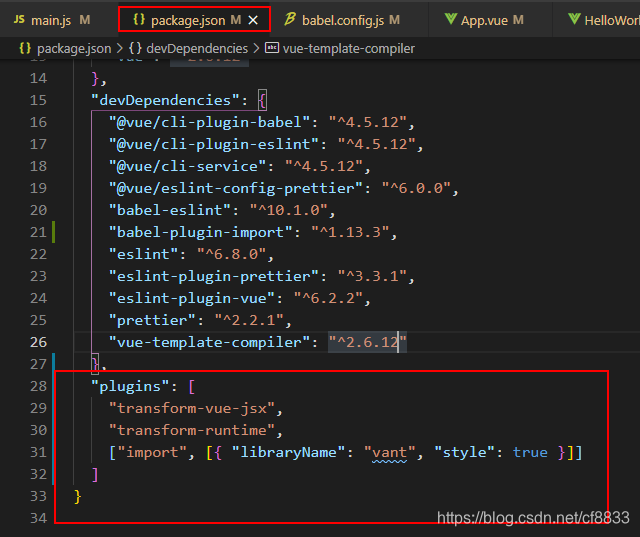
第三步 在.babelrc文件中配置plugins(插件)
备注: 因为windows环境下一直找不到.babelrc文件,通过package.json配置过后结合楼主的方法,成功引入!感谢
"plugins": [
    "transform-vue-jsx",
    "transform-runtime",
    ["import", [{ "libraryName": "vant", "style": true }]]
  ],
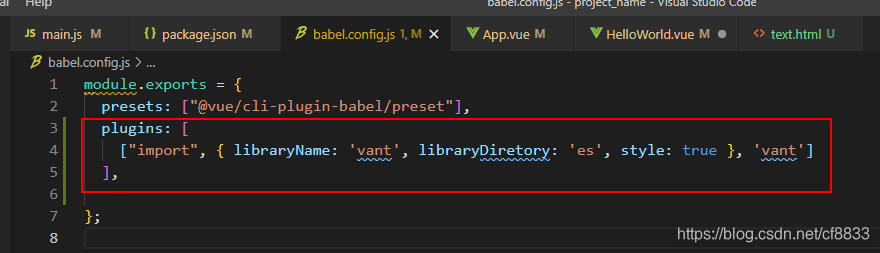
第四步 按需要引入vant组件
第五步 HelloWorld.vue 实践
<template>
  <div class="hello">
    <h1>{{ msg }}</h1>
    <van-button square type="primary">主要按钮</van-button>
  </div>
</template>

<script>

import Vue from 'vue';
import { Button } from 'vant';

Vue.use(Button);

export default {
  name: "HelloWorld",
  props: {
    msg: String,
  },
};
</script>

<!-- Add "scoped" attribute to limit CSS to this component only -->
<style scoped>
h3 {
  margin: 40px 0 0;
}
ul {
  list-style-type: none;
  padding: 0;
}
li {
  display: inline-block;
  margin: 0 10px;
}
a {
  color: #42b983;
}
</style>
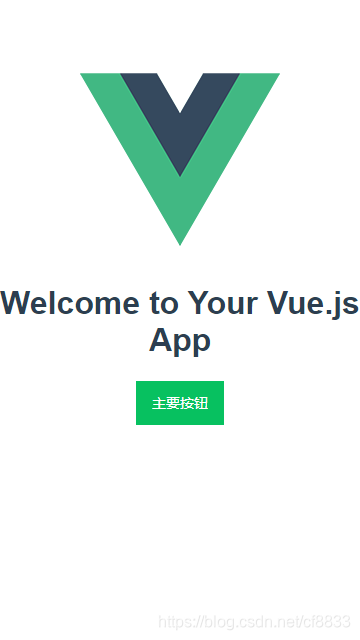
效果图:
end
版权声明:本文为cf8833原创文章,遵循CC 4.0 BY-SA版权协议,转载请附上原文出处链接和本声明。