谷歌浏览器插件制作
教程
教程1:https://blog.csdn.net/github_35631540/article/details/89845684
教程2:https://www.cnblogs.com/liuxianan/p/chrome-plugin-develop.html
示例:https://gitee.com/xueyedangkong/my-plugin.git 我自己按教程做的一个示例
更多配置:http://blog.haoji.me/chrome-plugin-develop.html#webRequest
实现步骤
- 添加Json文件:manifest.json
{
  "manifest_version": 2,
  "name": "PoetryTab",
  "version": "1.0",
  "description": "PoetryTab:为你的浏览增加诗意",
  "author": "Fizz",
  "icons": {
    "16": "img/cadillac.png",
    "48": "img/cadillac.png",
    "128": "img/cadillac.png"
  },
  "chrome_url_overrides": {
    "newtab": "PoetryTab.html"
  }
}
- 添加html文件
<!DOCTYPE html>
<html>
<head>
	<meta charset="utf-8"/>
	<title>五行缺诗</title>
</head>
<body>五行缺诗</body>
</html>
- 在浏览器访问:chrome中访问 chrome://extensions/
然后加载已解压的扩展程序,选中文件夹根目录即可。
然后打开新标签页,即可看到效果
成功示例

问题
未封装的扩展程序
在浏览器把自己写的插件加载以后,在程序左上角,会显示这个信息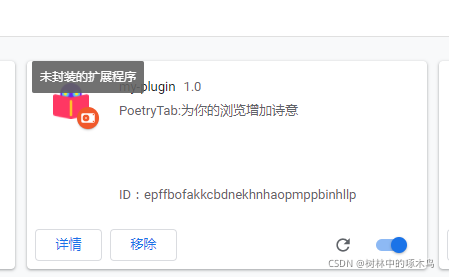
解决办法:点击详情,然后点击左上角打包扩展程序,选中文件夹根目录,不用输入秘钥,点击确定,即可生成.crx文件。然后把现在的扩展程序移除,再把新生成的crx文件拖入进来,即可。

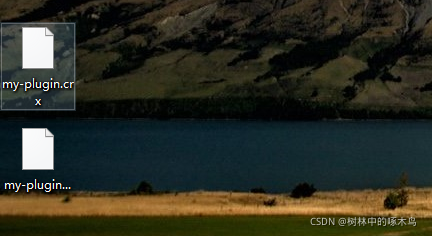

并非来自 Chrome 网上应用商店
个人插件注册到谷歌网上应用商店:https://www.cnplugins.com/tool/publish-chrome-plugins.html
谷歌网上应用商店:https://chrome.google.com/webstore/category/extensions