下载homebrew(如果没有的话)
/bin/zsh -c "$(curl -fsSL https://gitee.com/cunkai/HomebrewCN/raw/master/Homebrew.sh)"
参考来源: Homebrew国内如何自动安装(国内地址) - 知乎
下载lrzsz
brew install lrzsz下载iterm2
brew install --cask iterm2创建iterm2-*.sh
在 /usr/local/bin下,添加两个文件,内容如下
(务必给这两个文件提升权限)
提升权限命令
cd /usr/local/binchmod +x iterm2-*
iterm2-recv-zmodem.sh
#!/bin/bash
osascript -e 'tell application "iTerm2" to version' > /dev/null 2>&1 && NAME=iTerm2 || NAME=iTerm
if [[ $NAME = "iTerm" ]]; then
FILE=$(osascript -e 'tell application "iTerm" to activate' -e 'tell application "iTerm" to set thefile to choose folder with prompt "Choose a folder to place received files in"' -e "do shell script (\"echo \"&(quoted form of POSIX path of thefile as Unicode text)&\"\")")
else
FILE=$(osascript -e 'tell application "iTerm2" to activate' -e 'tell application "iTerm2" to set thefile to choose folder with prompt "Choose a folder to place received files in"' -e "do shell script (\"echo \"&(quoted form of POSIX path of thefile as Unicode text)&\"\")")
fiif [[ $FILE = "" ]]; then
echo Cancelled.
# Send ZModem cancel
echo -e \\x18\\x18\\x18\\x18\\x18
sleep 1
echo
echo \# Cancelled transfer
else
cd "$FILE"
/opt/homebrew/Cellar/lrzsz/0.12.20_1/bin/rz -E -e -b --bufsize 4096
sleep 1
echo
echo
echo \# Sent \-\> $FILE
fi
iterm2-send-zmodem.sh
#!/bin/bash
osascript -e 'tell application "iTerm2" to version' > /dev/null 2>&1 && NAME=iTerm2 || NAME=iTerm
if [[ $NAME = "iTerm" ]]; then
FILE=`osascript -e 'tell application "iTerm" to activate' -e 'tell application "iTerm" to set thefile to choose file with prompt "Choose a file to send"' -e "do shell script (\"echo \"&(quoted form of POSIX path of thefile as Unicode text)&\"\")"`
else
FILE=`osascript -e 'tell application "iTerm2" to activate' -e 'tell application "iTerm2" to set thefile to choose file with prompt "Choose a file to send"' -e "do shell script (\"echo \"&(quoted form of POSIX path of thefile as Unicode text)&\"\")"`
fi
if [[ $FILE = "" ]]; then
echo Cancelled.
# Send ZModem cancel
echo -e \\x18\\x18\\x18\\x18\\x18
sleep 1
echo
echo \# Cancelled transfer
else
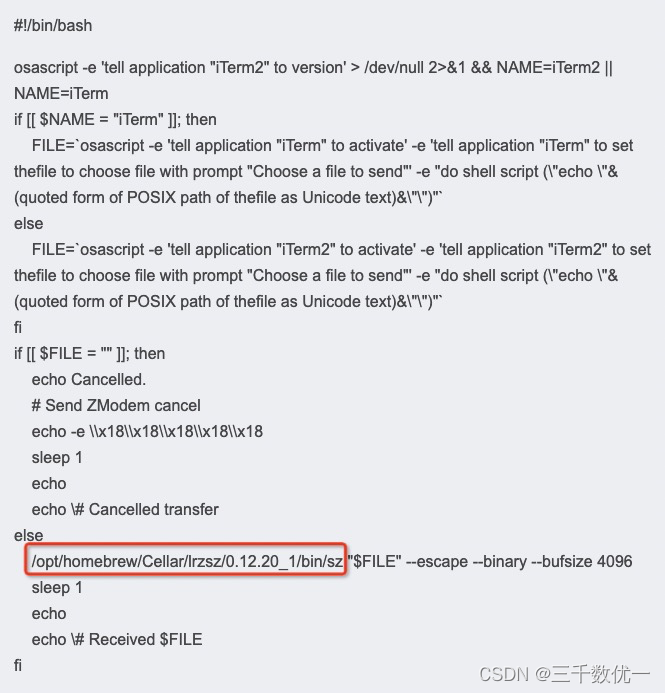
/opt/homebrew/Cellar/lrzsz/0.12.20_1/bin/sz "$FILE" --escape --binary --bufsize 4096
sleep 1
echo
echo \# Received $FILE
fi
配置profiles
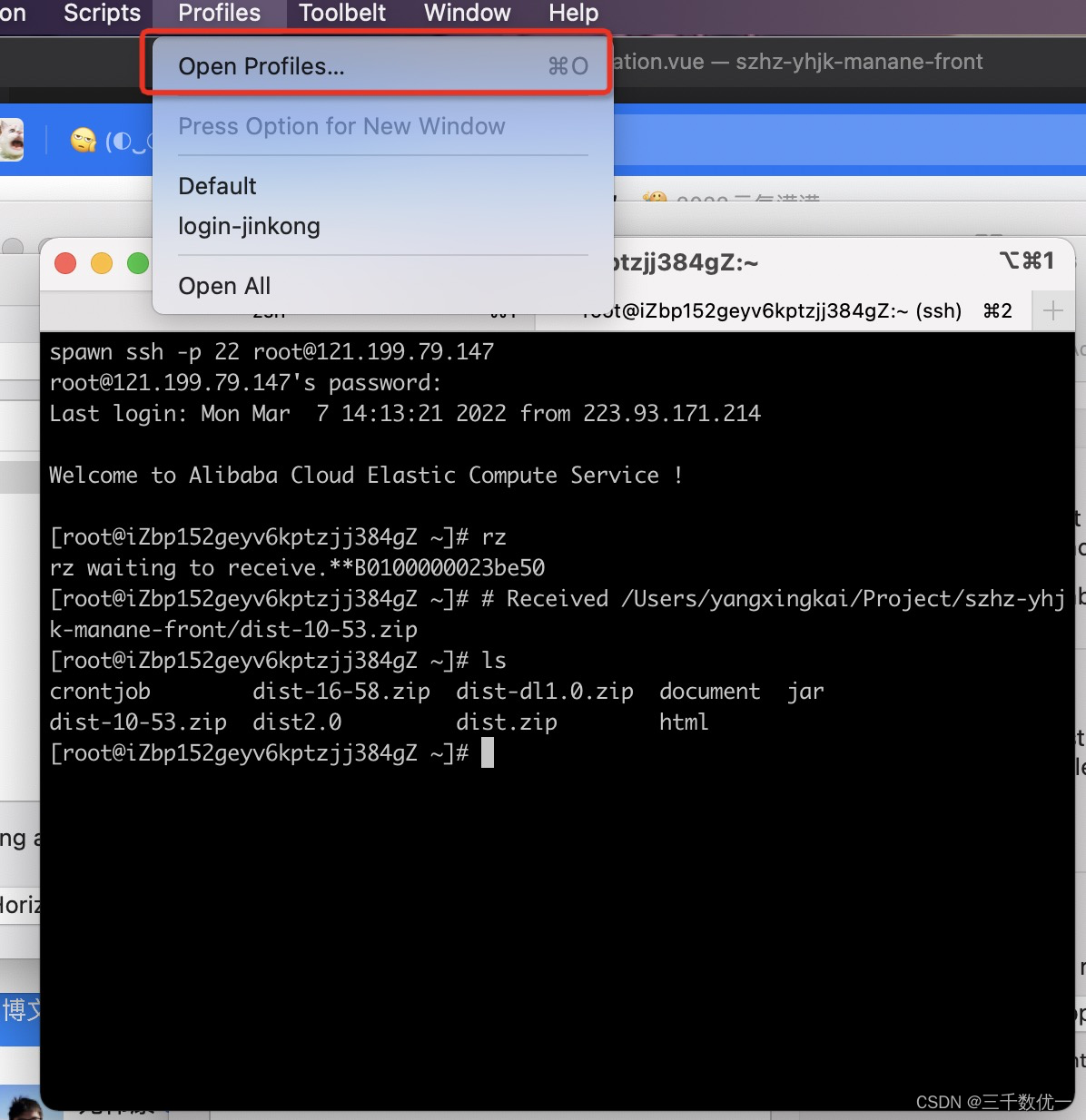
打开Profiles
选择Edit Profiles 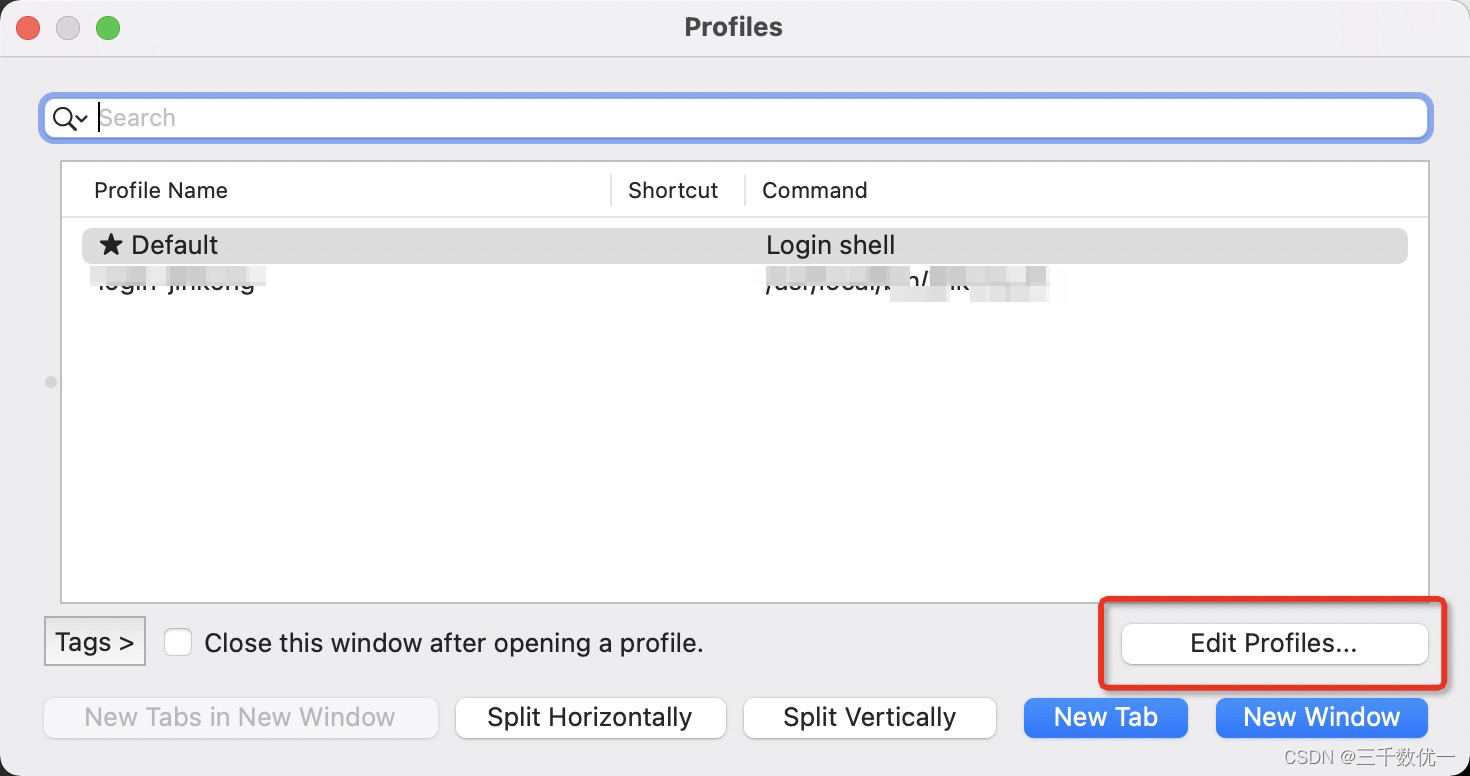
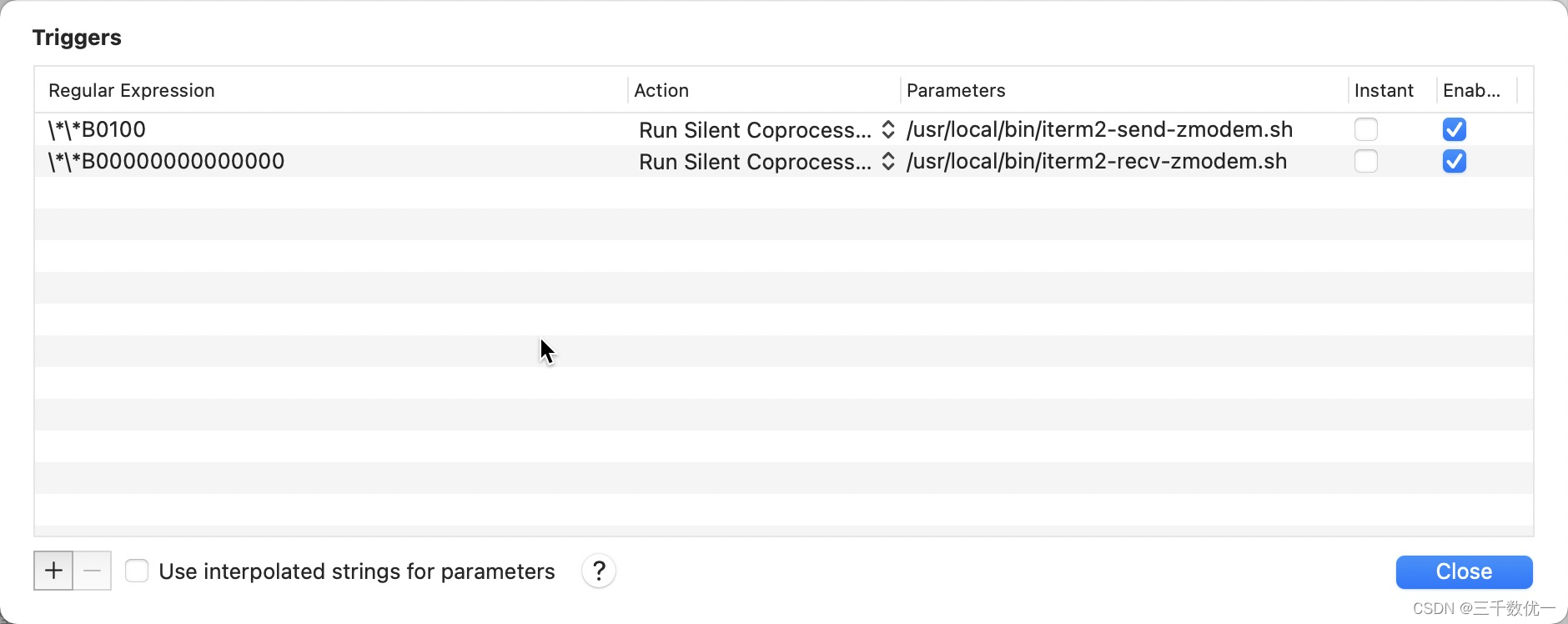
选择Default => Advanced => Triggers => Edit
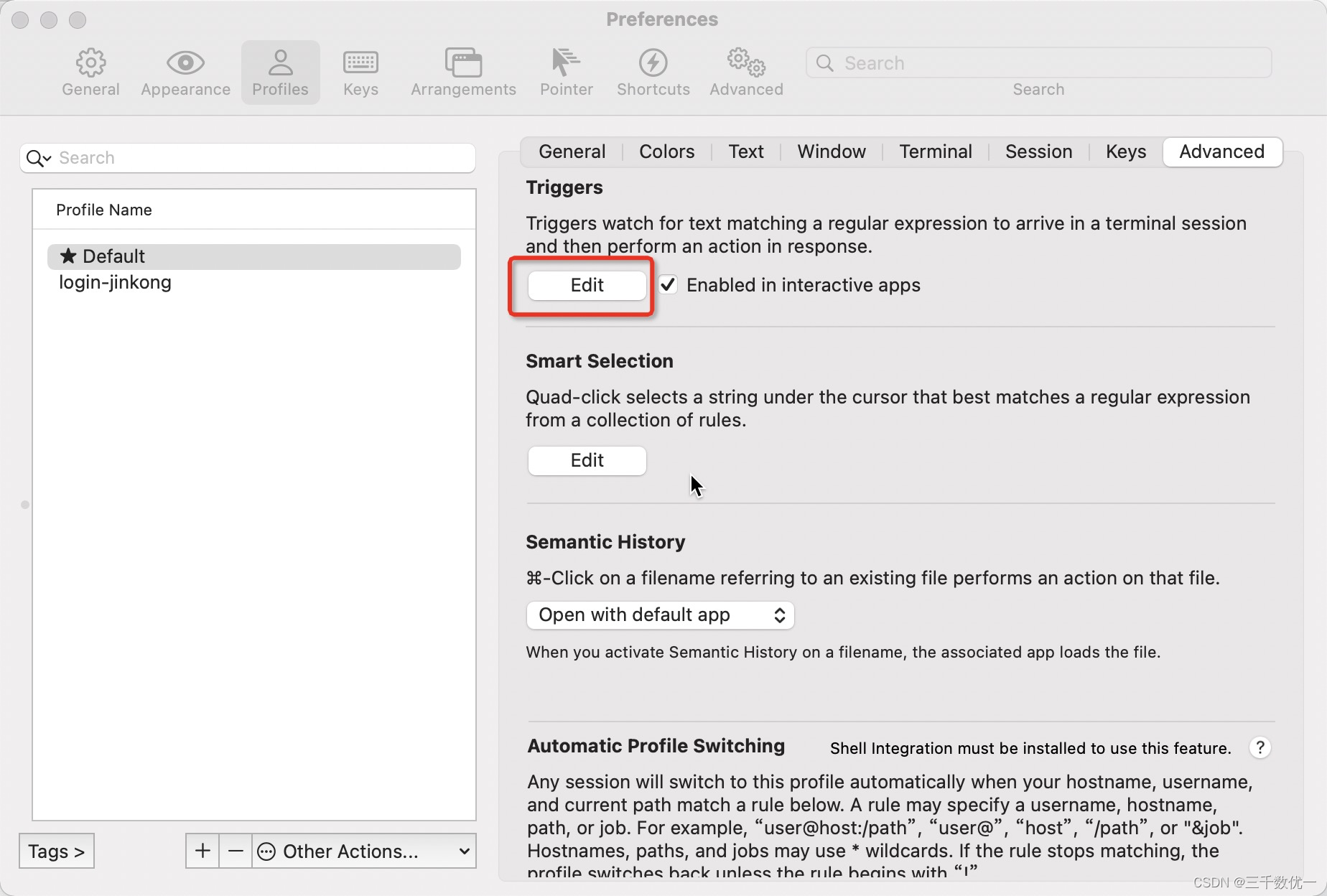
添加如下内容
| \*\*B0100 | /usr/local/bin/iterm2-send-zmodem.sh |
| \*\*B00000000000000 | /usr/local/bin/iterm2-recv-zmodem.sh |
Q&A:如果rz命令无限弹窗
确认 iterm2-*.sh 两个文件是否给了权限
试着将 iterm2-*.sh 两个文件中的这一段内容替换为 brew list lrzsz 命令查询出来的路径
或者是 "${HOMEBREW_PREFIX:-/usr/local}/bin/sz“ "${HOMEBREW_PREFIX:-/usr/local}/bin/rz"