opencv的blob分析找圆(C++)
实现目的
对于一些定位场景,产品上有圆形Mark点,怎么使用免费的opencv算法库取代商用的halcon算法库,下面让我们一起看看实现的过程。
效果图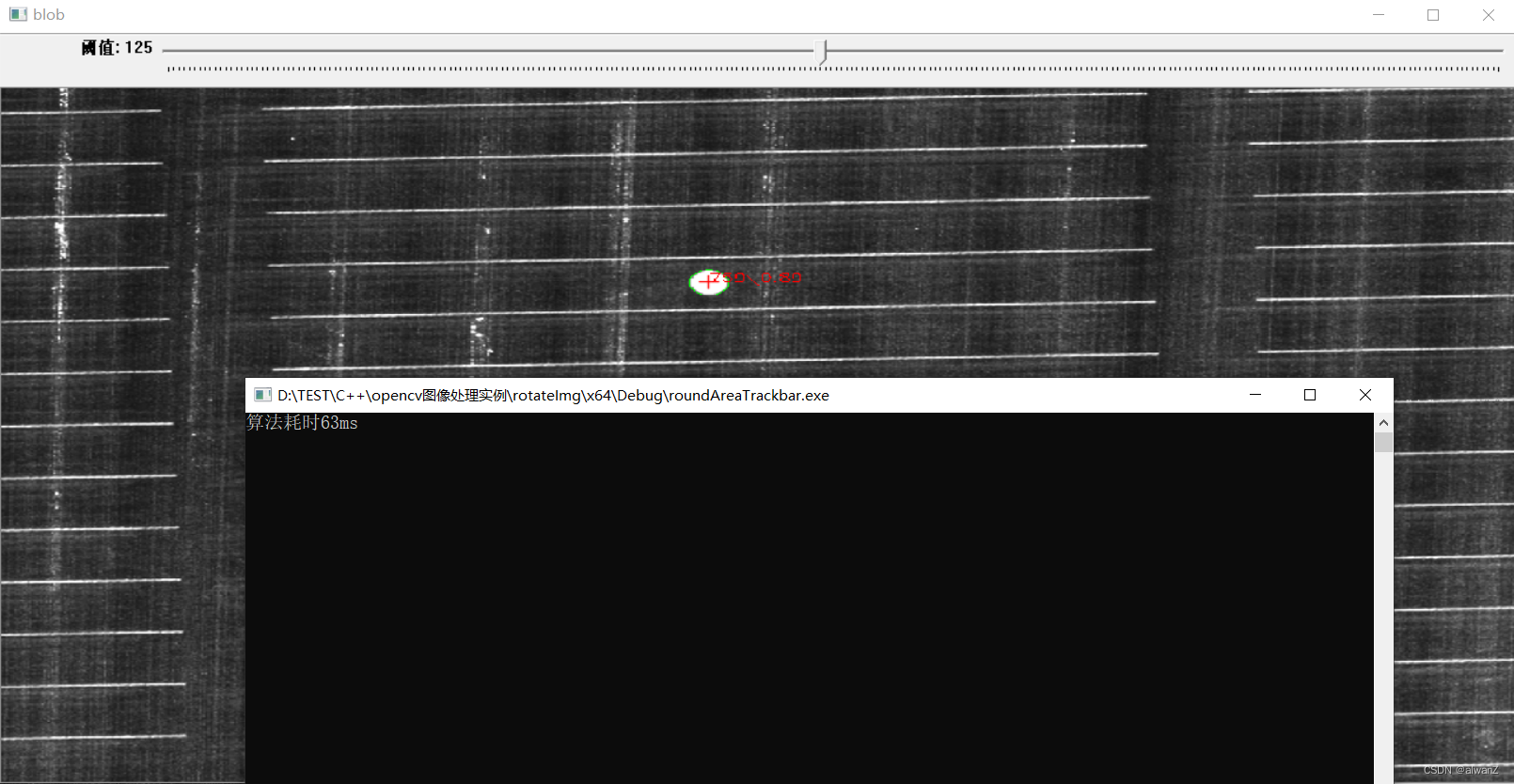 ## 代码实现```
// C++
#include <opencv2/opencv.hpp>
#include <iostream>
#include <cstring>
#include <windows.h>
using namespace std;
using namespace cv;
// 全局变量
Mat srcImage;
Mat dstImage;
Mat binImage;
int thresholdValue =176;
// 算法
void ChangeThresholdValue(int , void*)
//void ChangeThresholdValue()
{
	double start = GetTickCount();
	dstImage = srcImage.clone();
	threshold(dstImage, binImage, thresholdValue,255, THRESH_BINARY_INV);
	vector<vector<Point>> contours;
	cvtColor(binImage, binImage, COLOR_BGR2GRAY);
	findContours(binImage,contours,RETR_TREE,CHAIN_APPROX_SIMPLE);

	system("cls");
	for (int i=0;i<contours.size();++i)
	{
		RotatedRect rotateRect = cv::minAreaRect(contours[i]);//轮廓最小外接矩形
		Point pnt = Point(rotateRect.center.x, rotateRect.center.y);//最小外接矩形的中心点坐标
		string info;
		double area = contourArea(contours[i]);
		double rudis = sqrt(area / CV_PI);
		double length = arcLength(contours[i],true);
		double round = 4 * CV_PI*area / length / length;
		info = to_string((int)area)+"\\"+ DoubleToString(round, 2);
		DoubleToString(round,1);
		if (round>0.85&& area>700)
		{
			drawContours(dstImage, contours, i, Scalar(0, 255, 0));
			putText(dstImage, info, pnt, FONT_HERSHEY_SIMPLEX, 0.5, Scalar(0, 0, 255), 0.2, 0.2);
			//绘制横线
			cv::line(dstImage, cv::Point2d(pnt.x - rudis / 2, pnt.y), cv::Point2d(pnt.x + rudis / 2, pnt.y),Scalar(0, 0, 255), 1, cv::LINE_AA, 0);
			//绘制竖线
			cv::line(dstImage, cv::Point2d(pnt.x, pnt.y - rudis / 2), cv::Point2d(pnt.x, pnt.y + rudis / 2), Scalar(0, 0, 255), 1, cv::LINE_AA, 0);
		}
	}
	double end = GetTickCount();
	cout << "算法耗时" << end-start <<  "ms" << endl;
	imshow("blob", dstImage);
}
// main函数
int main()
{
	namedWindow("blob", WINDOW_GUI_NORMAL);
	srcImage = imread("./blob2.jpg");
	if (srcImage.empty())
	{
		cout << "not load image..." << endl;
	}
	createTrackbar("阈值", "blob", &thresholdValue, 255, ChangeThresholdValue, 0);
	waitKey(0);

}
版权声明:本文为weixin_46021786原创文章,遵循CC 4.0 BY-SA版权协议,转载请附上原文出处链接和本声明。