手写一个简单的SpringBoot Starter
首先通过maven建立一个空项目;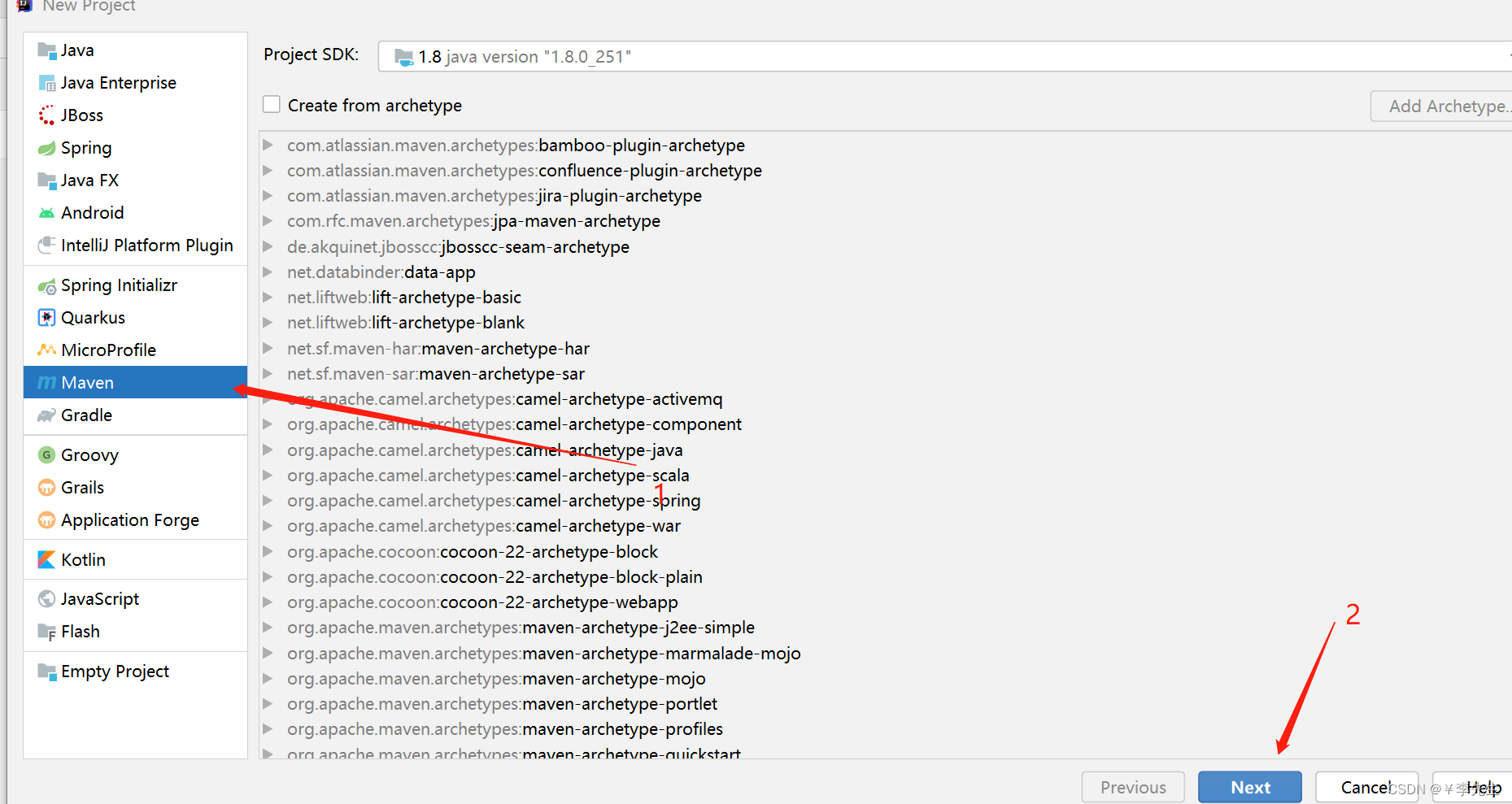
建立好一个空的项目以后进行一个pom.xml 文件的导入
   <dependencies>
        <dependency>
            <groupId>org.springframework.boot</groupId>
            <artifactId>spring-boot-starter</artifactId>
        </dependency>
        <dependency>
            <groupId>org.springframework.boot</groupId>
            <artifactId>spring-boot-configuration-processor</artifactId>
            <!--  防止传递依赖-->
            <optional>true</optional>
        </dependency>
    </dependencies>
然后进行一个文件的建立
目录结构如上图;
首先我们先建立对应的文件然后对TestConfiguration进行编写
//标记为配置类
@Configuration
//启动配置属性
@EnableConfigurationProperties(TestProperties.class)
@ConditionalOnClass(TestService.class)
@ConditionalOnProperty(prefix = "test", value = "enabled", matchIfMissing = true)
public class TestConfiguration {
    @Autowired
    TestProperties testProperties;

    @Bean
    public  TestService TestService(){
        TestService service = new TestService();
        service.setName(testProperties.getName());
        return service;
    }

}
然后对TestProperties文件进行编写
@ConfigurationProperties(prefix = "test")
public class TestProperties {
    private static final String DEFAULT_NAME = "lht";

    private String name = DEFAULT_NAME;
    public String getName() {
        return name;
    }
    public void setName(String name) {
        this.name = name;
    }
}
然后对TestService文件进行编写
public class TestService {

    private String name ;
    public String hello(){
        return "starter-name:"+getName();
    }
    public String getName() {
        return name;
    }
    public void setName(String name) {
        this.name = name;
    }
}
上面写好以后,在 resources 文件夹下创建 META-INF/spring.factories 文件,通过上面的代码,Spring Boot 在启动的时候就是读取该文件下的配置类,从而将 Bean 加载到容器中。
org.springframework.boot.autoconfigure.EnableAutoConfiguration= \
  com.lht.TestConfiguration
然后通过mvn install 进行一个打包。
在新建maven工程
将自定义的starter进行导入`
   <dependency>
            <groupId>org.example</groupId>
            <artifactId>test-starter</artifactId>
            <version>1.0-SNAPSHOT</version>
   </dependency>
然后建立一个SpringBoot的启动类
@SpringBootApplication
@RestController
public class StarterTestApplicationTest{

    @Autowired
    TestService testService;

    @GetMapping("/a")
    public String index(){
        System.out.println(testService.getName());
        return testService.getName();
    }

    public static void main(String[] args) {
        SpringApplication.run(StarterTestApplicationTest.class, args);
    }
}
在application.yml中进行属性的配置
test:
  name: 111111
然后启动项目 对这个路径进行访问:
版权声明:本文为weixin_46034642原创文章,遵循CC 4.0 BY-SA版权协议,转载请附上原文出处链接和本声明。