
基础不好的同学可以试试看一下我的《目标检测蓝皮书》?,里面包含超多目标检测实用知识,想速通目标检测,看这本就对了!
想了解YOLO系列算法进阶教程的同学可以关注这个专栏YOLOv5/v7 进阶实战 | 安卓部署 | PyQt5页面 | 剪枝✂️ | 蒸馏⚗️ | Flask Web部署 | 改进教程,里面包含多种手把手的部署压缩教程,除此之外还有大量的改进~
Yolov5提供了很多种数据增强的方式,一些基本的缩放、裁剪、旋转等我在之前的博文里介绍过了,这篇博文就主要讨论一下Mosaic数据增强
前些天发现了一个巨牛的人工智能学习网站,通俗易懂,风趣幽默,忍不住分享一下给大家。点击跳转到网站。
Mosaic数据增强概念
要获得一个表现良好的神经网络模型,往往需要大量的数据作支撑,然而获取新的数据这项工作往往需要花费大量的时间与人工成本。使用数据增强技术,可以充分利用计算机来生成数据,增加数据量,如采用缩放、平移、旋转、色彩变换等方法增强数据,数据增强的好处是能够增加训练样本的数量,同时添加合适的噪声数据,能够提高模型的泛化力。
在 YOLOv5 中除了使用最基本的数据增强方法外,还使用了 Mosaic 数据增强方法,其主要思想就是将 4 张图片进行随机裁剪、缩放后,再随机排列拼接形成一张图片,实现丰富数据集的同时,增加了小样本目标,提升网络的训练速度。在进行归一化操作时会一次性计算 4 张图片的数据,因此模型对内存的需求降低。Mosaic 数据增强的流程如图所示。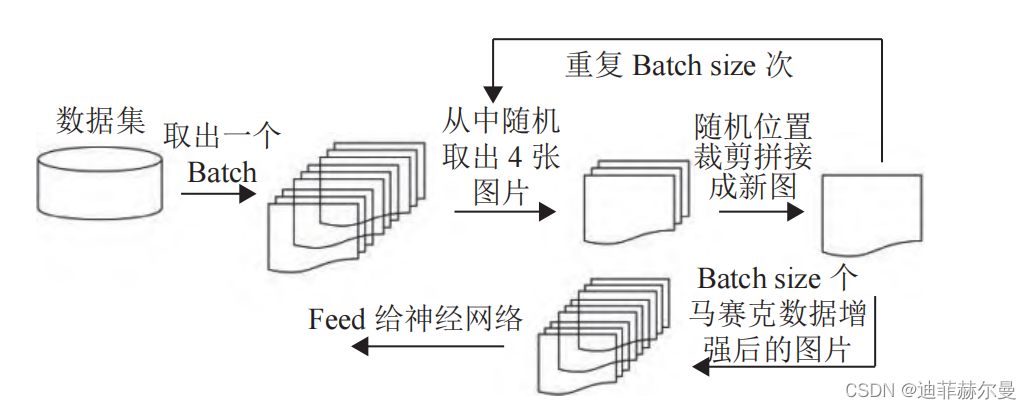
yolov5有关数据增强的参数都写到了data/hyps/hyp.scratch-med.yaml文件里,如果想关闭mosaic数据增强就直接可以把mosaic的参数设置为0
hsv_h: 0.015  # image HSV-Hue augmentation (fraction)色相
hsv_s: 0.7  # image HSV-Saturation augmentation (fraction)饱和度
hsv_v: 0.4  # image HSV-Value augmentation (fraction)亮度
degrees: 0.0  # image rotation (+/- deg)旋转角度
translate: 0.1  # image translation (+/- fraction)
scale: 0.5  # image scale (+/- gain)
shear: 0.0  # image shear (+/- deg)
perspective: 0.0  # image perspective (+/- fraction), range 0-0.001
flipud: 0.0  # image flip up-down (probability)
fliplr: 0.5  # image flip left-right (probability)

mosaic: 1.0  # image mosaic (probability)

mixup: 0.0  # image mixup (probability)
copy_paste: 0.0  # segment copy-paste (probability)
但是我在源码中看到了两种mosaic数据增强代码,一个是4-mosaic数据增强,另一个是9-mosaic数据增强
如果想换成9-mosaic数据增强可以将load_mosaic9()改成oad_mosaic(),然后将原本的load_mosaic()注释掉
或者干脆把两个名字换一下
 def load_mosaic(self, index):
        # YOLOv5 4-mosaic loader. Loads 1 image + 3 random images into a 4-image mosaic
        labels4, segments4 = [], []
        s = self.img_size
        yc, xc = (int(random.uniform(-x, 2 * s + x)) for x in self.mosaic_border)  # mosaic center x, y
        indices = [index] + random.choices(self.indices, k=3)  # 3 additional image indices
        random.shuffle(indices)
        for i, index in enumerate(indices):
            # Load image
            img, _, (h, w) = self.load_image(index)

            # place img in img4
            if i == 0:  # top left
                img4 = np.full((s * 2, s * 2, img.shape[2]), 114, dtype=np.uint8)  # base image with 4 tiles
                x1a, y1a, x2a, y2a = max(xc - w, 0), max(yc - h, 0), xc, yc  # xmin, ymin, xmax, ymax (large image)
                x1b, y1b, x2b, y2b = w - (x2a - x1a), h - (y2a - y1a), w, h  # xmin, ymin, xmax, ymax (small image)
            elif i == 1:  # top right
                x1a, y1a, x2a, y2a = xc, max(yc - h, 0), min(xc + w, s * 2), yc
                x1b, y1b, x2b, y2b = 0, h - (y2a - y1a), min(w, x2a - x1a), h
            elif i == 2:  # bottom left
                x1a, y1a, x2a, y2a = max(xc - w, 0), yc, xc, min(s * 2, yc + h)
                x1b, y1b, x2b, y2b = w - (x2a - x1a), 0, w, min(y2a - y1a, h)
            elif i == 3:  # bottom right
                x1a, y1a, x2a, y2a = xc, yc, min(xc + w, s * 2), min(s * 2, yc + h)
                x1b, y1b, x2b, y2b = 0, 0, min(w, x2a - x1a), min(y2a - y1a, h)

            img4[y1a:y2a, x1a:x2a] = img[y1b:y2b, x1b:x2b]  # img4[ymin:ymax, xmin:xmax]
            padw = x1a - x1b
            padh = y1a - y1b

            # Labels
            labels, segments = self.labels[index].copy(), self.segments[index].copy()
            if labels.size:
                labels[:, 1:] = xywhn2xyxy(labels[:, 1:], w, h, padw, padh)  # normalized xywh to pixel xyxy format
                segments = [xyn2xy(x, w, h, padw, padh) for x in segments]
            labels4.append(labels)
            segments4.extend(segments)

        # Concat/clip labels
        labels4 = np.concatenate(labels4, 0)
        for x in (labels4[:, 1:], *segments4):
            np.clip(x, 0, 2 * s, out=x)  # clip when using random_perspective()
        # img4, labels4 = replicate(img4, labels4)  # replicate

        # Augment
        img4, labels4, segments4 = copy_paste(img4, labels4, segments4, p=self.hyp['copy_paste'])
        img4, labels4 = random_perspective(img4, labels4, segments4,
                                           degrees=self.hyp['degrees'],
                                           translate=self.hyp['translate'],
                                           scale=self.hyp['scale'],
                                           shear=self.hyp['shear'],
                                           perspective=self.hyp['perspective'],
                                           border=self.mosaic_border)  # border to remove

        return img4, labels4
    def load_mosaic9(self, index):
        # YOLOv5 9-mosaic loader. Loads 1 image + 8 random images into a 9-image mosaic
        labels9, segments9 = [], []
        s = self.img_size
        indices = [index] + random.choices(self.indices, k=8)  # 8 additional image indices
        random.shuffle(indices)
        hp, wp = -1, -1  # height, width previous
        for i, index in enumerate(indices):
            # Load image
            img, _, (h, w) = self.load_image(index)

            # place img in img9
            if i == 0:  # center
                img9 = np.full((s * 3, s * 3, img.shape[2]), 114, dtype=np.uint8)  # base image with 4 tiles
                h0, w0 = h, w
                c = s, s, s + w, s + h  # xmin, ymin, xmax, ymax (base) coordinates
            elif i == 1:  # top
                c = s, s - h, s + w, s
            elif i == 2:  # top right
                c = s + wp, s - h, s + wp + w, s
            elif i == 3:  # right
                c = s + w0, s, s + w0 + w, s + h
            elif i == 4:  # bottom right
                c = s + w0, s + hp, s + w0 + w, s + hp + h
            elif i == 5:  # bottom
                c = s + w0 - w, s + h0, s + w0, s + h0 + h
            elif i == 6:  # bottom left
                c = s + w0 - wp - w, s + h0, s + w0 - wp, s + h0 + h
            elif i == 7:  # left
                c = s - w, s + h0 - h, s, s + h0
            elif i == 8:  # top left
                c = s - w, s + h0 - hp - h, s, s + h0 - hp

            padx, pady = c[:2]
            x1, y1, x2, y2 = (max(x, 0) for x in c)  # allocate coords

            # Labels
            labels, segments = self.labels[index].copy(), self.segments[index].copy()
            if labels.size:
                labels[:, 1:] = xywhn2xyxy(labels[:, 1:], w, h, padx, pady)  # normalized xywh to pixel xyxy format
                segments = [xyn2xy(x, w, h, padx, pady) for x in segments]
            labels9.append(labels)
            segments9.extend(segments)

            # Image
            img9[y1:y2, x1:x2] = img[y1 - pady:, x1 - padx:]  # img9[ymin:ymax, xmin:xmax]
            hp, wp = h, w  # height, width previous

        # Offset
        yc, xc = (int(random.uniform(0, s)) for _ in self.mosaic_border)  # mosaic center x, y
        img9 = img9[yc:yc + 2 * s, xc:xc + 2 * s]

        # Concat/clip labels
        labels9 = np.concatenate(labels9, 0)
        labels9[:, [1, 3]] -= xc
        labels9[:, [2, 4]] -= yc
        c = np.array([xc, yc])  # centers
        segments9 = [x - c for x in segments9]

        for x in (labels9[:, 1:], *segments9):
            np.clip(x, 0, 2 * s, out=x)  # clip when using random_perspective()
        # img9, labels9 = replicate(img9, labels9)  # replicate

        # Augment
        img9, labels9 = random_perspective(img9, labels9, segments9,
                                           degrees=self.hyp['degrees'],
                                           translate=self.hyp['translate'],
                                           scale=self.hyp['scale'],
                                           shear=self.hyp['shear'],
                                           perspective=self.hyp['perspective'],
                                           border=self.mosaic_border)  # border to remove

        return img9, labels9
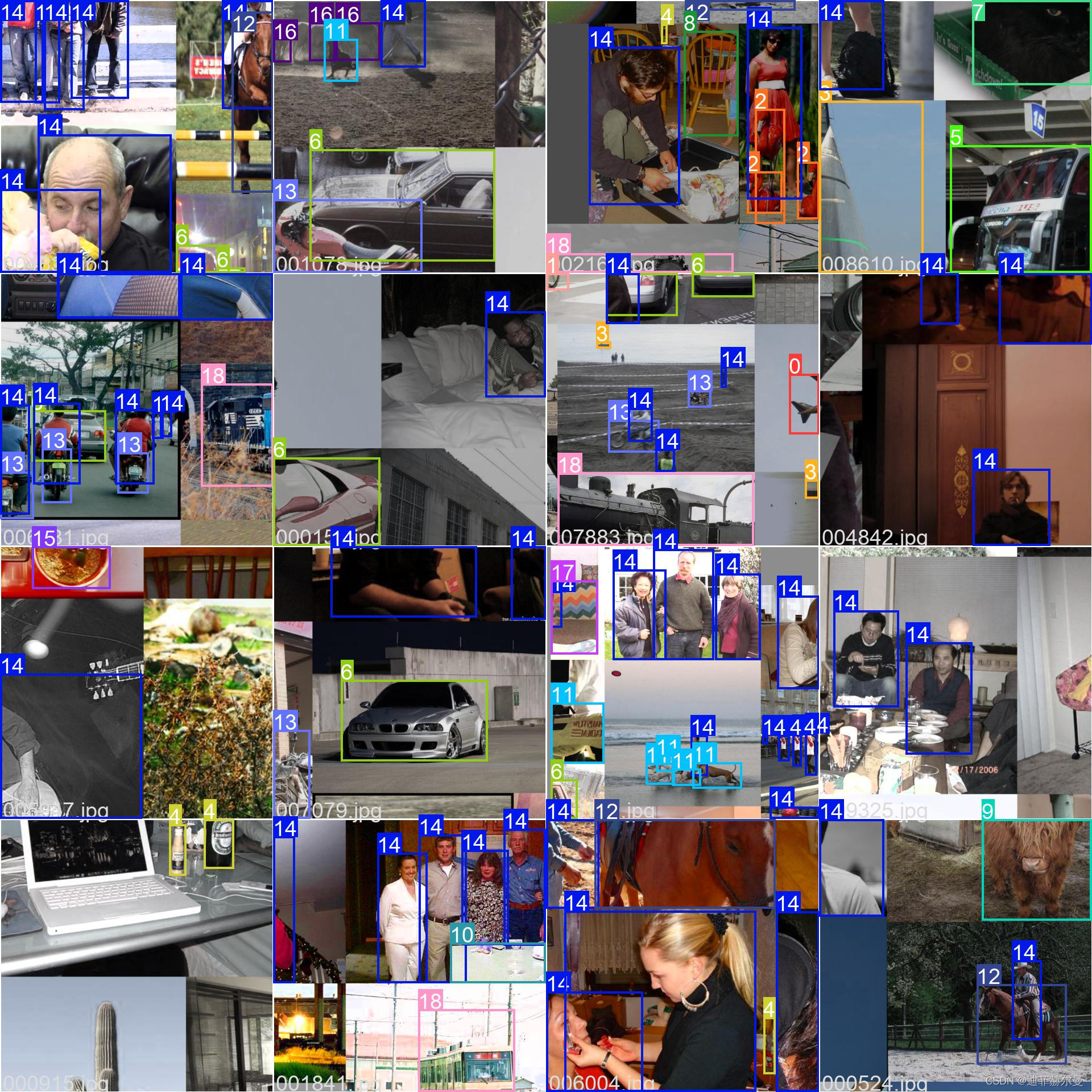
最后放上我在实际训练过程中的一些Mosaic数据增强后的图片,这几张是4-mosaic数据增强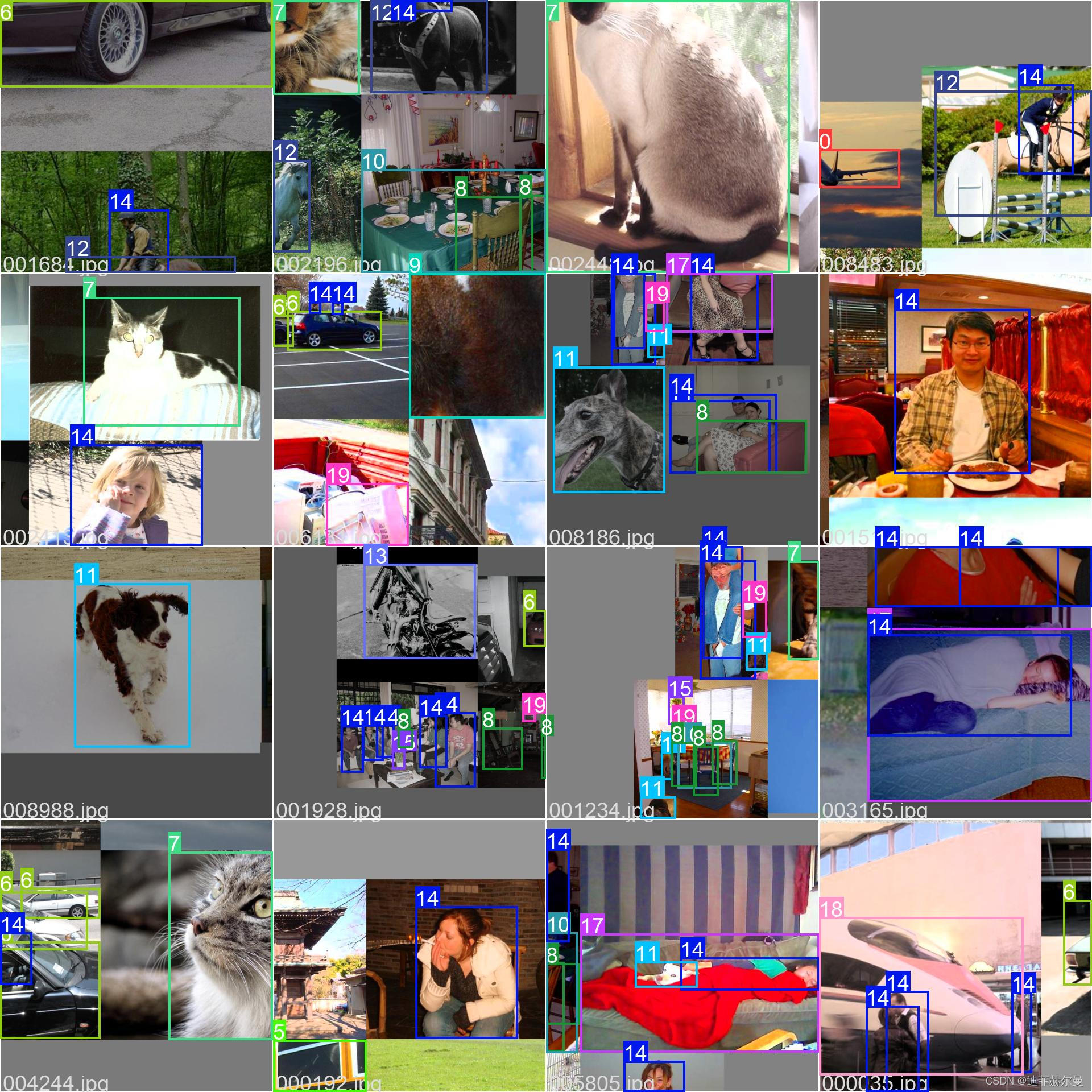
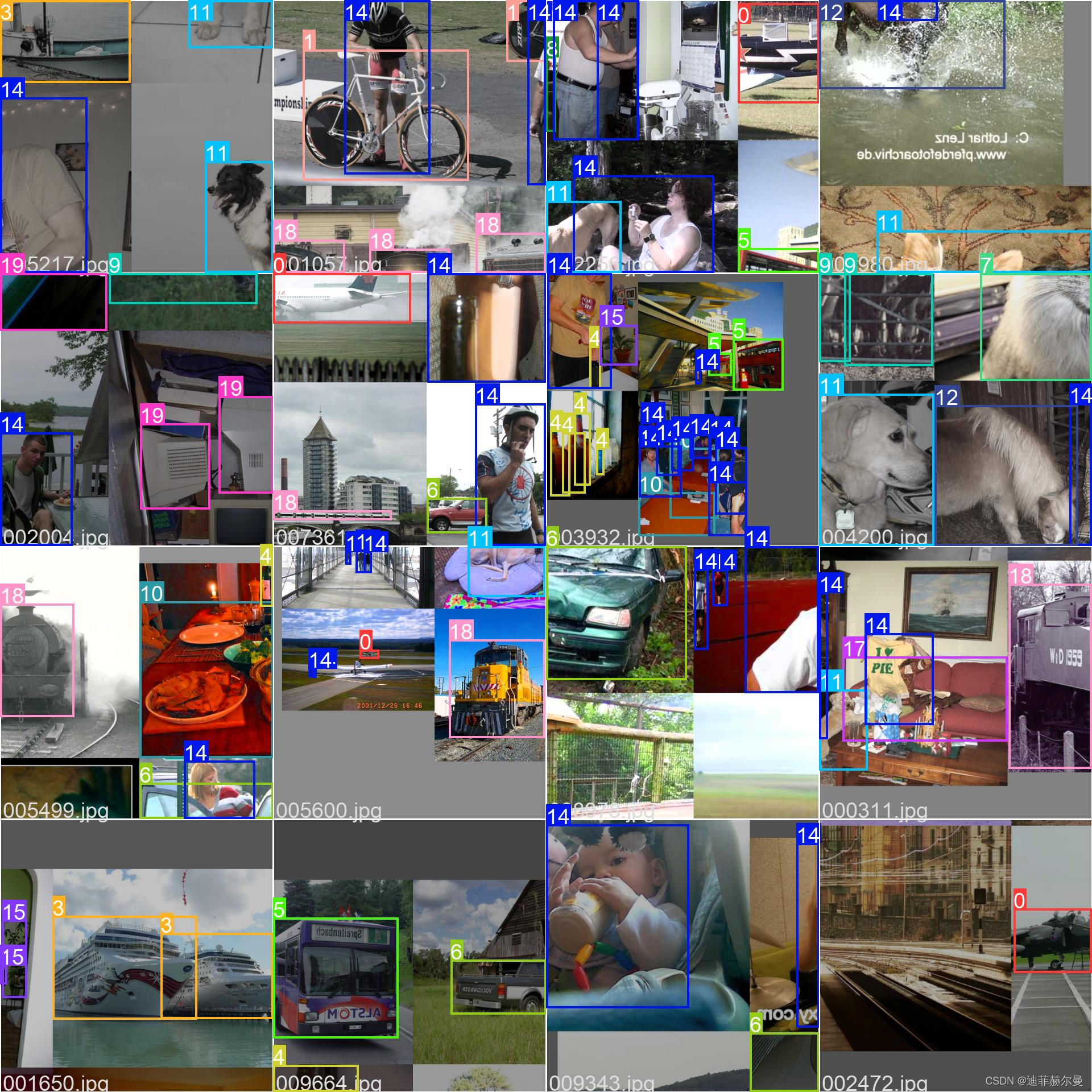
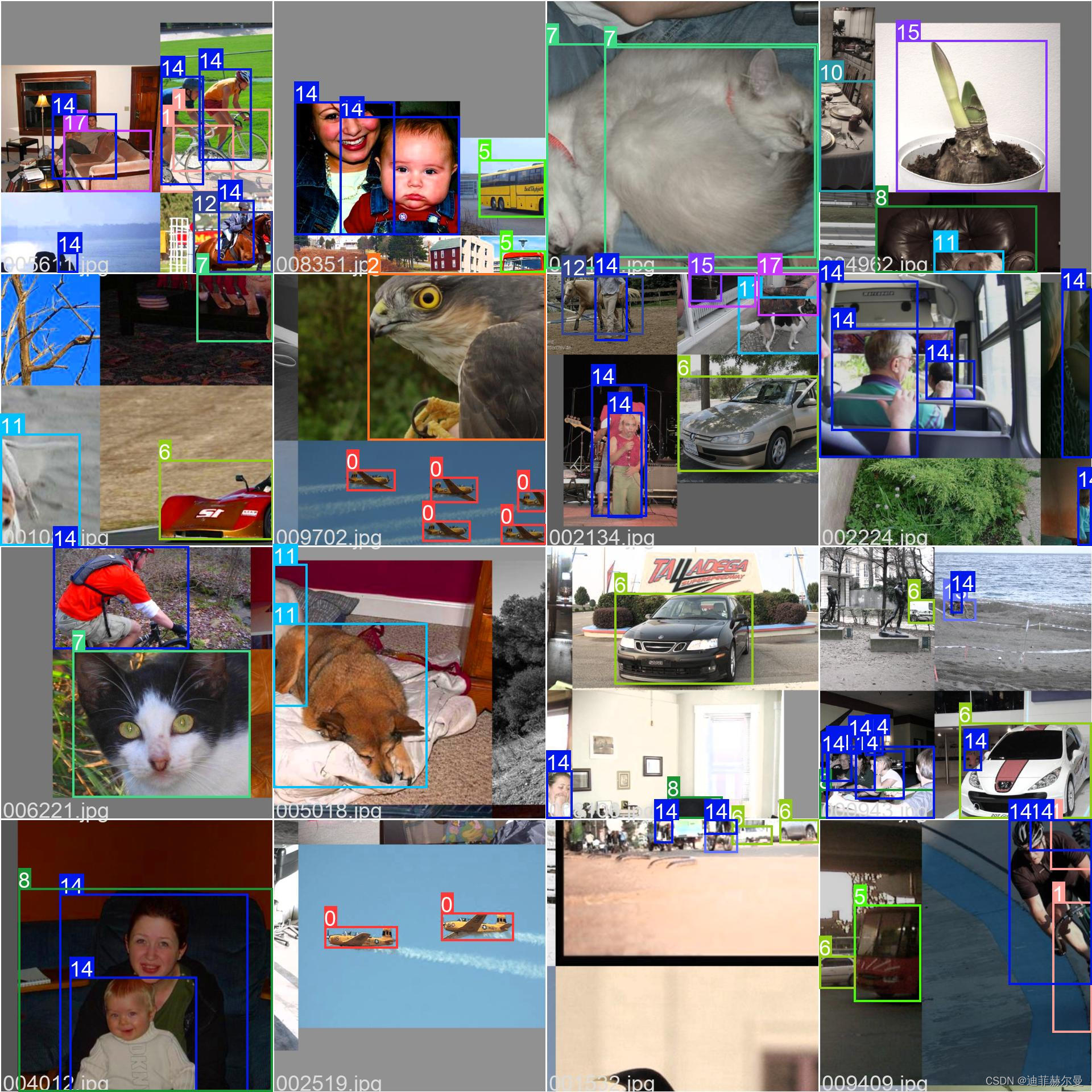
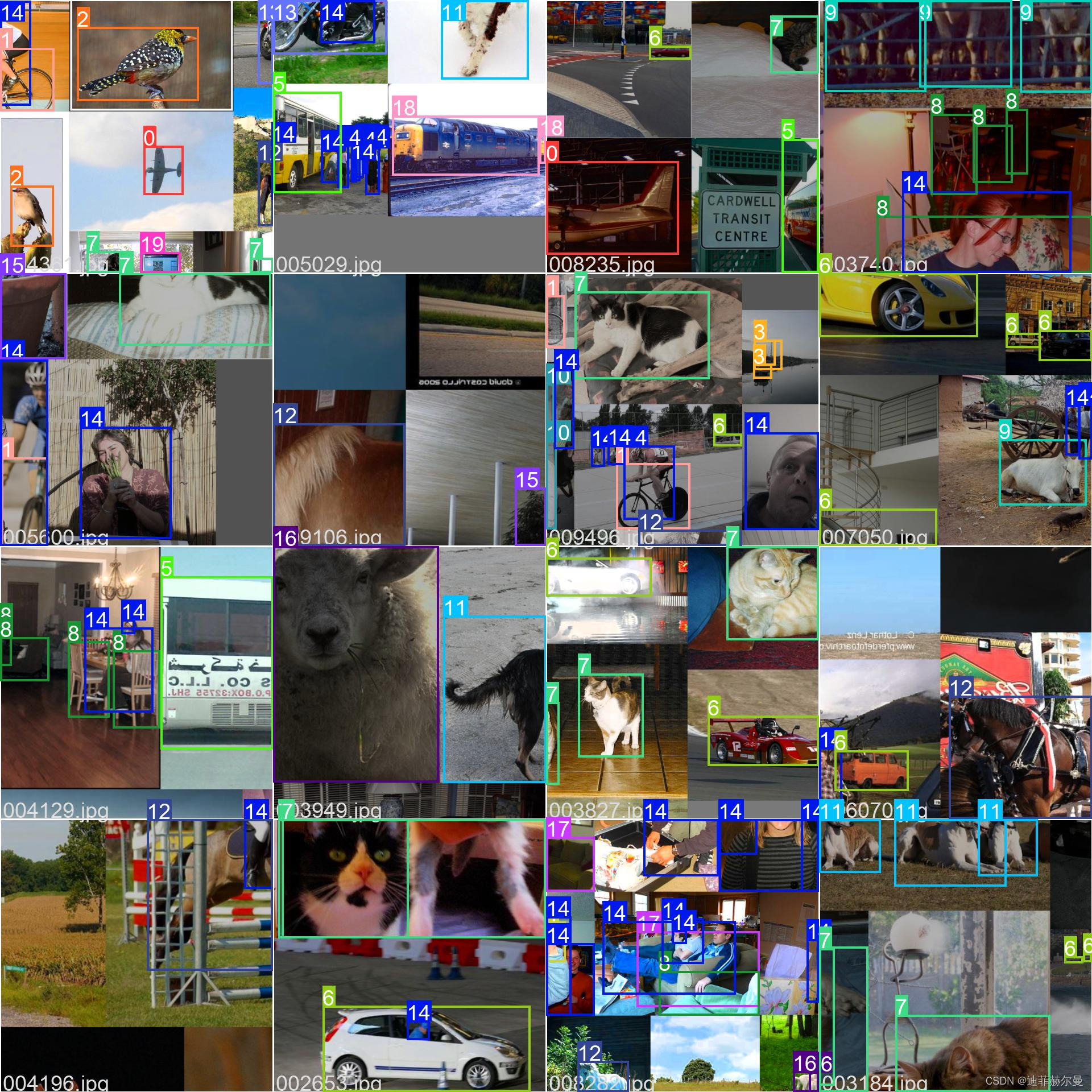
这几张是9-mosaic数据增强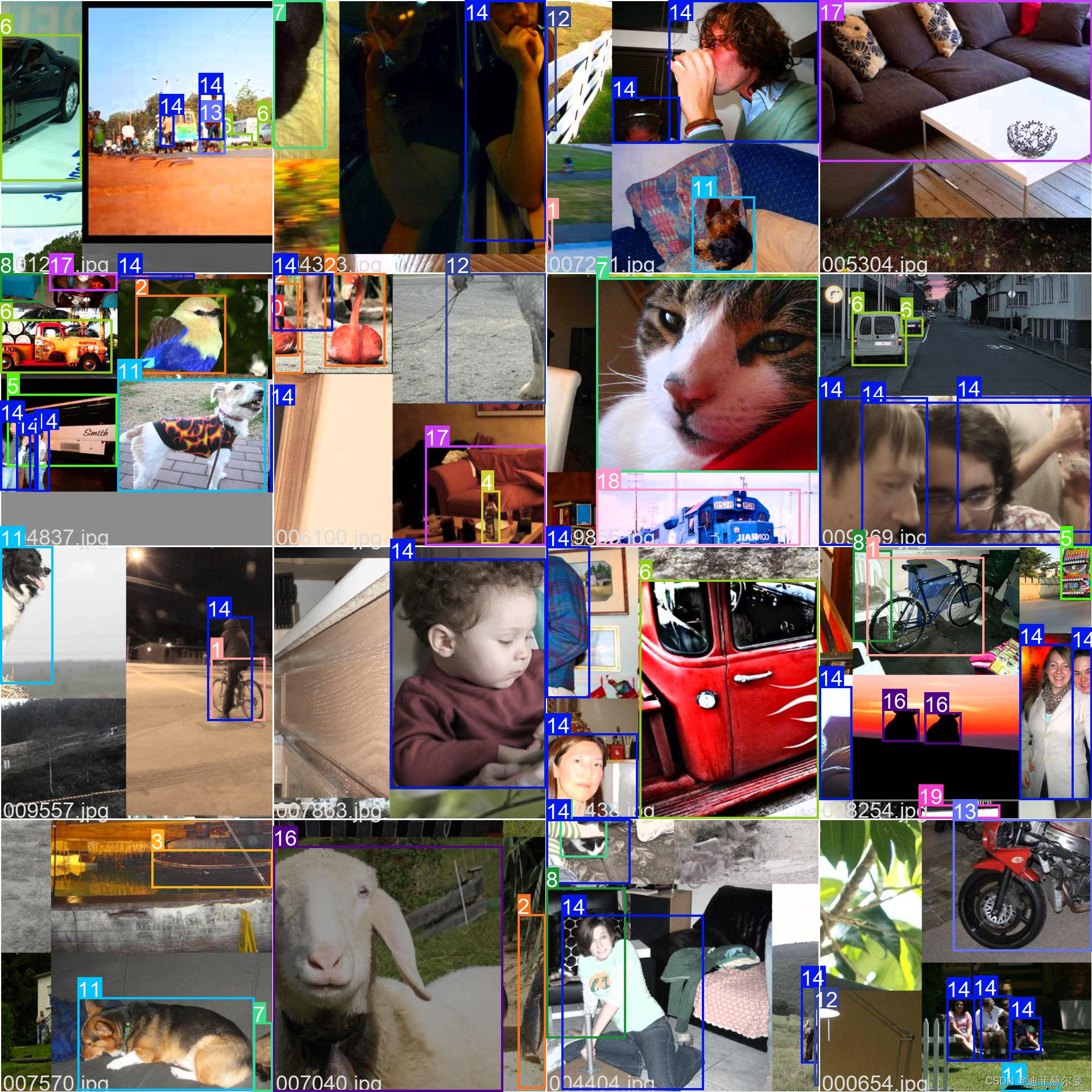
本人更多YOLOv5实战内容导航???
手把手带你Yolov5 (v6.2)添加注意力机制(一)(并附上30多种顶会Attention原理图)?强烈推荐?新增8种
空间金字塔池化改进 SPP / SPPF / SimSPPF / ASPP / RFB / SPPCSPC / SPPFCSPC?