学会Spring Boot+Vue前后端分离开发(4)之前后端分离的数据对接
前后端分离数据对接 简单说 就是把数据从数据库通过后端调用传到前端 再将其显示出来即可
该视频主要实现的是两个功能: 数据对接和分页
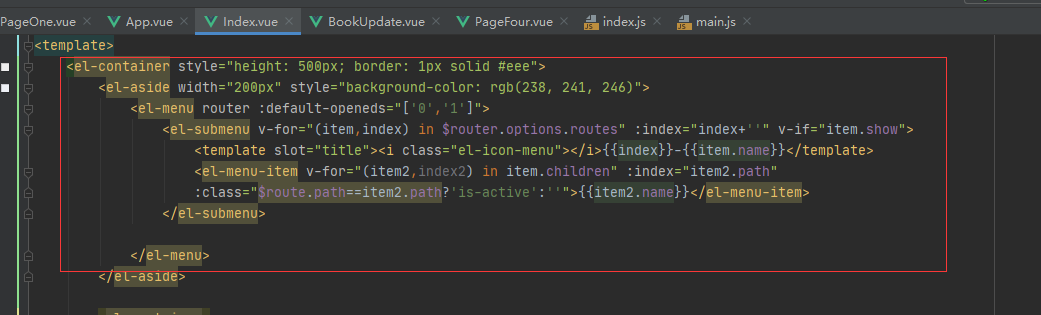
1 动态实现标题栏
2.展示管理界面:
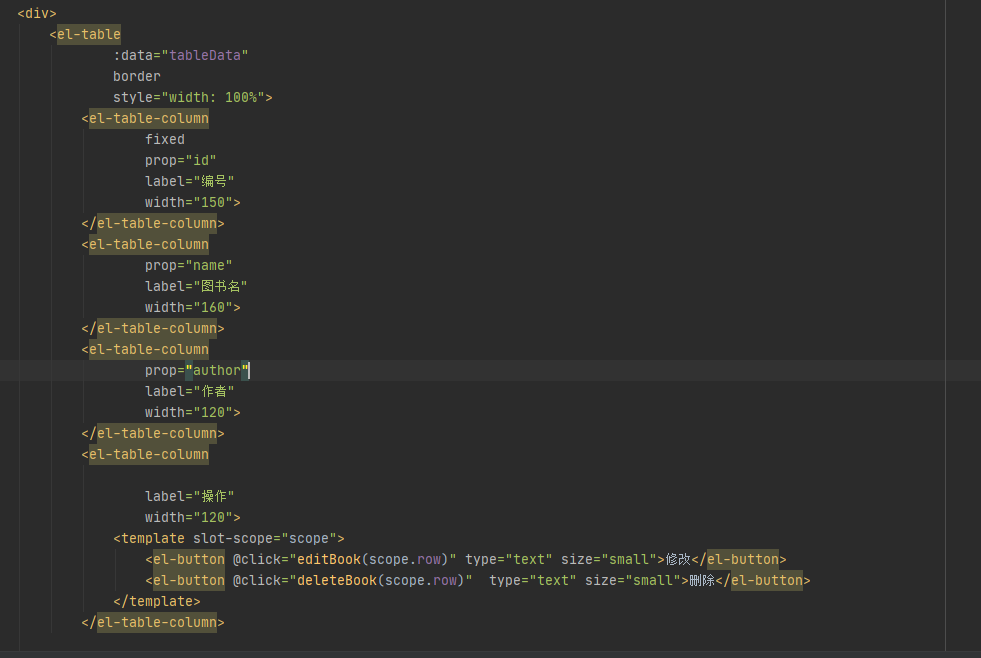 3
3
分页:完整代码如下:PageOne.vue
<template>
    <div>
        <el-table
                :data="tableData"
                border
                style="width: 100%">
            <el-table-column
                    fixed
                    prop="id"
                    label="编号"
                    width="150">
            </el-table-column>
            <el-table-column
                    prop="name"
                    label="图书名"
                    width="160">
            </el-table-column>
            <el-table-column
                    prop="author"
                    label="作者"
                    width="120">
            </el-table-column>
            <el-table-column

                    label="操作"
                    width="120">
                <template slot-scope="scope">
                    <el-button @click="editBook(scope.row)" type="text" size="small">修改</el-button>
                    <el-button @click="deleteBook(scope.row)"  type="text" size="small">删除</el-button>
                </template>
            </el-table-column>

        </el-table>
        <el-pagination
                background
                layout="prev, pager, next"
                page-size="6"
                :total="100"
                @current-change="page" >
        </el-pagination>
    </div>

</template>

<script>
    export default {
        methods: {
            editBook(row) {
                this.$router.push({
                    path:'/update',
                    query:{
                        id:row.id
                    }
                })
                // this.$prompt('请输入邮箱', '提示', {
                //     confirmButtonText: '确定',
                //     cancelButtonText: '取消',
                //     inputPattern: /[\w!#$%&'*+/=?^_`{|}~-]+(?:\.[\w!#$%&'*+/=?^_`{|}~-]+)*@(?:[\w](?:[\w-]*[\w])?\.)+[\w](?:[\w-]*[\w])?/,
                //     inputErrorMessage: '邮箱格式不正确'
                // }).then(({ value }) => {
                //     this.$message({
                //         type: 'success',
                //         message: '你的邮箱是: ' + value
                //     });
                // }).catch(() => {
                //     this.$message({
                //         type: 'info',
                //         message: '取消输入'
                //     });
                // });
            },
            deleteBook (row){
                const _this=this
                axios.delete('http://localhost:8181/book/deleteById/'+row.id).then(function (resp) {

                       //  alert("删除成功")
                        _this.$alert('《'+row.name+'》删除成功!','删除图书',{
                            confirmButtonText:'确定',
                            callback:action => {
                                //_this.$router.push('/pageOne')
                                window.location.reload()

                            }
                        })
                        _this.$message('删除图书成功!')


                })

            },
            page(currentPage){
                const _this=this
                axios.get('http://localhost:8181/book/findAll/'+currentPage+'/6').then(function (resp) {
                    _this.tableData=resp.data.content
                    _this.total=resp.data.totalElements
                })

            }
        },
        created(){
            const _this=this
            axios.get('http://localhost:8181/book/findAll/1/6').then(function (resp) {
                _this.tableData=resp.data.content
                _this.total=resp.data.totalElements
            })

        },


        data() {
            return {
                total:null,
                tableData: null
            }
        }
    }
</script>
后端主要实现3个接口:
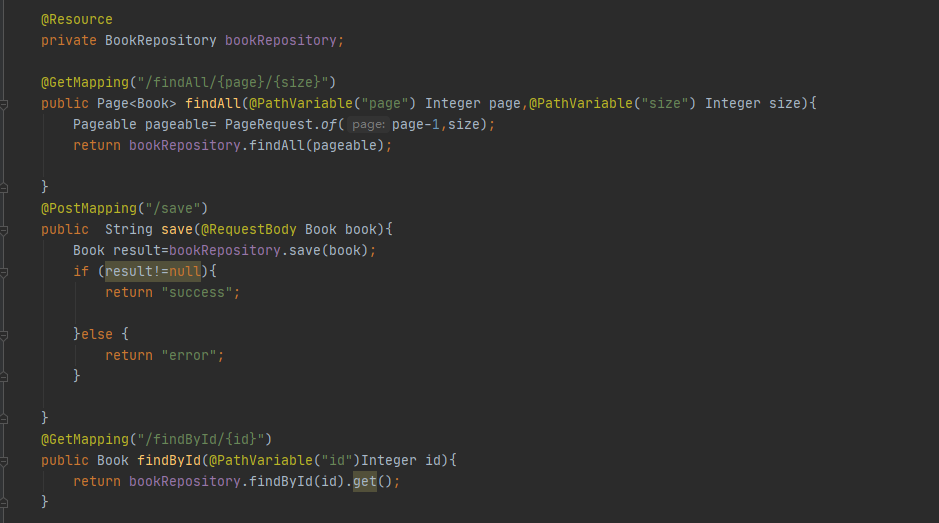
完整代码如下:BookHandle
package com.lin.springbootvuetest.controller;

import com.lin.springbootvuetest.entity.Book;
import com.lin.springbootvuetest.repository.BookRepository;
import org.springframework.beans.factory.annotation.Autowired;
import org.springframework.data.domain.Page;
import org.springframework.data.domain.PageRequest;
import org.springframework.data.domain.Pageable;
import org.springframework.web.bind.annotation.*;

import javax.annotation.Resource;
import javax.persistence.GeneratedValue;
import java.util.List;

@RestController
@RequestMapping("/book")
public class BookHandler {

    @Resource
    private BookRepository bookRepository;

    @GetMapping("/findAll/{page}/{size}")
    public Page<Book> findAll(@PathVariable("page") Integer page,@PathVariable("size") Integer size){
        Pageable pageable= PageRequest.of(page-1,size);
        return bookRepository.findAll(pageable);

    }
    @PostMapping("/save")
    public  String save(@RequestBody Book book){
        Book result=bookRepository.save(book);
        if (result!=null){
            return "success";

        }else {
            return "error";
        }

    }
    @GetMapping("/findById/{id}")
    public Book findById(@PathVariable("id")Integer id){
        return bookRepository.findById(id).get();
    }

    @PutMapping("/update")
    public String update(@RequestBody Book book){
        Book result=bookRepository.save(book);
        if (result!=null){
            return "success";

        }else {
            return "error";
        }

    }
    @DeleteMapping("/deleteById/{id}")
    public void deleteById(@PathVariable("id") Integer id){
        bookRepository.deleteById(id);


    }
}
实现的结果:
