通过ax.scatter3D()来使用Matplotlib的mplot3d工具包,创建一个3D散点图
示例1:
# Import libraries
from mpl_toolkits import mplot3d
import numpy as np
import matplotlib.pyplot as plt

# Creating dataset
z = np.random.randint(100, size=(300))
x = np.random.randint(80, size=(300))
y = np.random.randint(60, size=(300))

# Creating figure
fig = plt.figure(figsize=(10, 7))
ax = plt.axes(projection="3d")

# Creating plot
ax.scatter3D(x, y, z, color="green")
plt.title("simple 3D scatter plot")

# show plot
plt.show()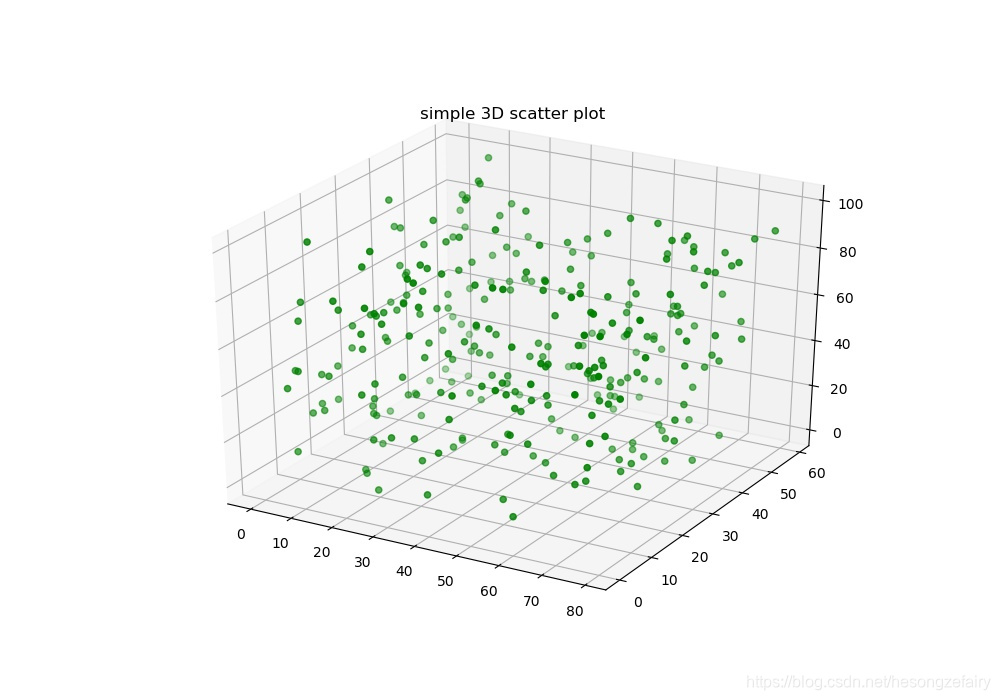
示例2:
# Import libraries
from mpl_toolkits import mplot3d
import numpy as np
import matplotlib.pyplot as plt


# Creating dataset
z = 4 * np.tan(np.random.randint(10, size =(500))) + np.random.randint(100, size =(500))
x = 4 * np.cos(z) + np.random.normal(size = 500)
y = 4 * np.sin(z) + 4 * np.random.normal(size = 500)

# Creating figure
fig = plt.figure(figsize = (16, 9))
ax = plt.axes(projection ="3d")

# Add x, y gridlines
ax.grid(b = True, color ='grey',
		linestyle ='-.', linewidth = 0.3,
		alpha = 0.2)


# Creating color map
my_cmap = plt.get_cmap('hsv')

# Creating plot
sctt = ax.scatter3D(x, y, z,
					alpha = 0.8,
					c = (x + y + z),
					cmap = my_cmap,
					marker ='^')

plt.title("simple 3D scatter plot")
ax.set_xlabel('X-axis', fontweight ='bold')
ax.set_ylabel('Y-axis', fontweight ='bold')
ax.set_zlabel('Z-axis', fontweight ='bold')
fig.colorbar(sctt, ax = ax, shrink = 0.5, aspect = 5)

# show plot
plt.show()
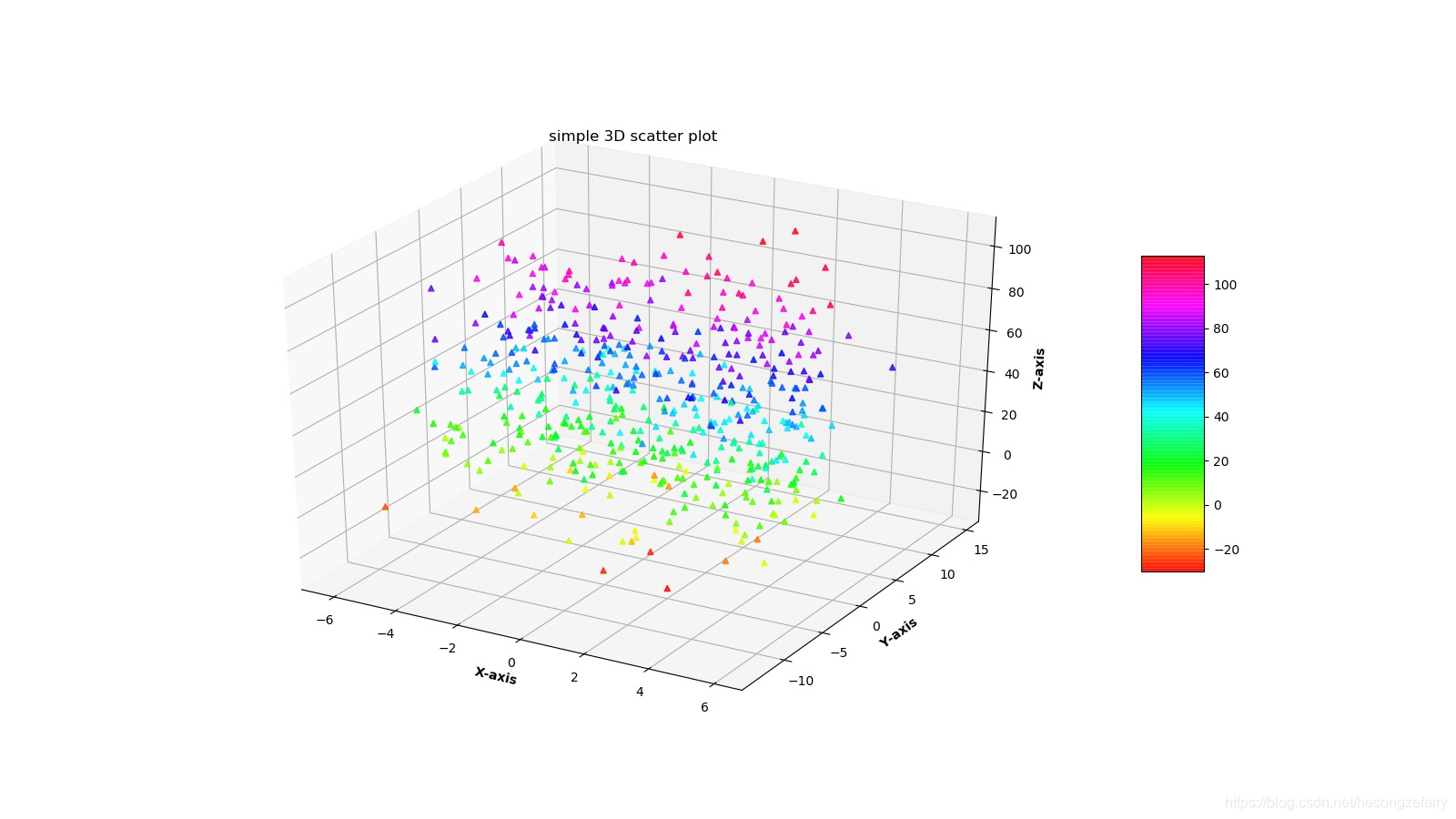

版权声明:本文为hesongzefairy原创文章,遵循CC 4.0 BY-SA版权协议,转载请附上原文出处链接和本声明。