前言
本节教程演示UUV的一些玩法,基于开源项目UUV,官方介绍文档uuvsimulator https://uuvsimulator.github.io/packages/uuv_simulator/intro/
仿真环境
系统:ubuntu16.04
软件:ROS – kinetic
仿真:gazebo7
安装仿真软件
官网介绍目前支持的版本有三个:kunetic、lunar、melodic
安装命令:
kinetic版本:sudo apt install ros-kinetic-uuv-simulatorlunar版本:sudo apt install ros-lunar-uuv-simulatormelodic版本:sudo apt install ros-melodic-uuv-simulator如果希望从源码安装的朋友参考这里:
源码安装教程 https://uuvsimulator.github.io/installation/
这里不推荐源码安装,因为看了下github项目的issue中很多人显示安装报错,所以emmm省的折腾。
启动AUV海底世界
启动带海底的世界执行命令:
roslaunch uuv_gazebo_worlds auv_underwater_world.launch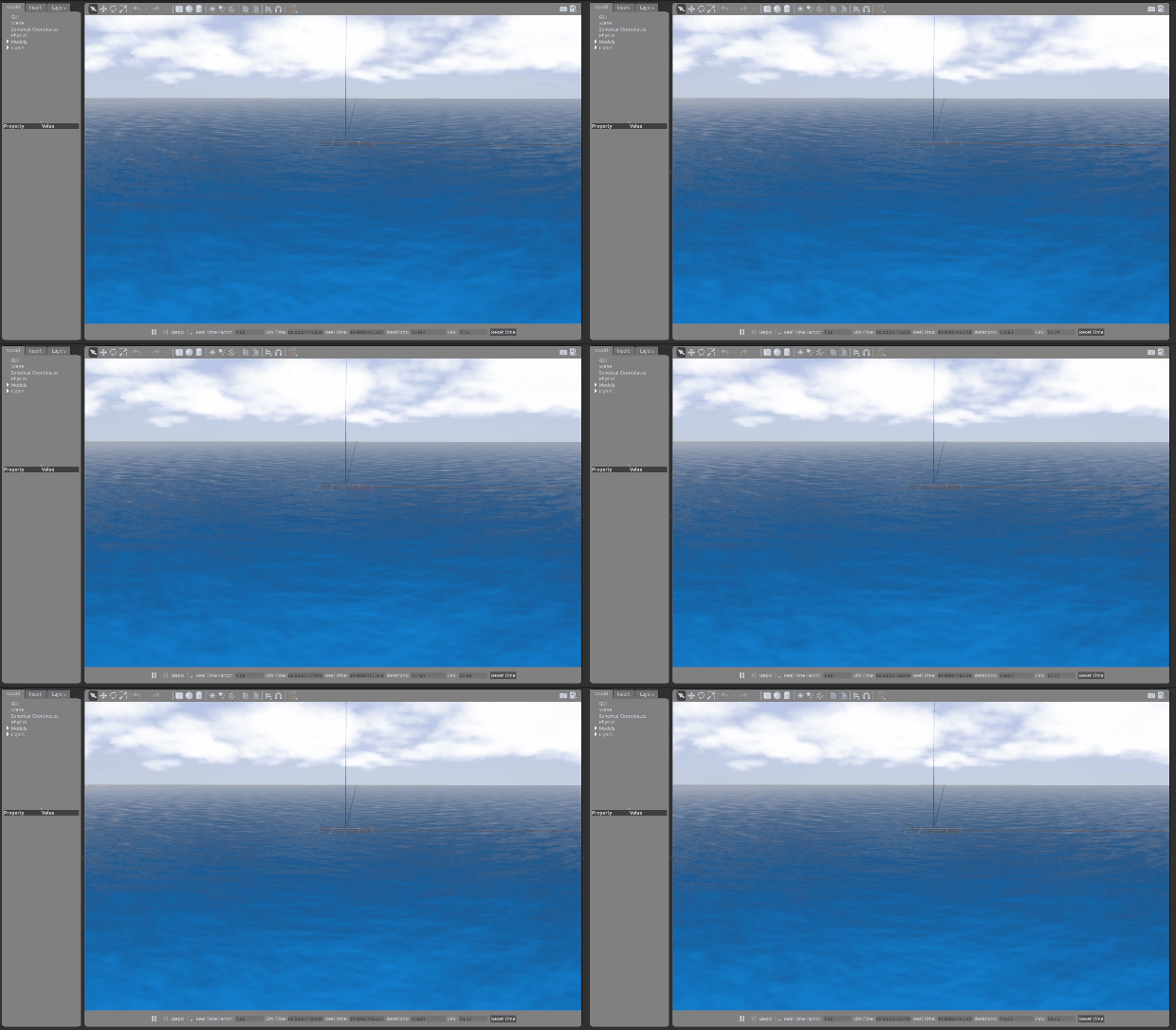
roslaunch uuv_gazebo_worlds herkules_ship_wreck.launch 启 动湖 泊
roslaunch uuv_gazebo_worlds lake.launch
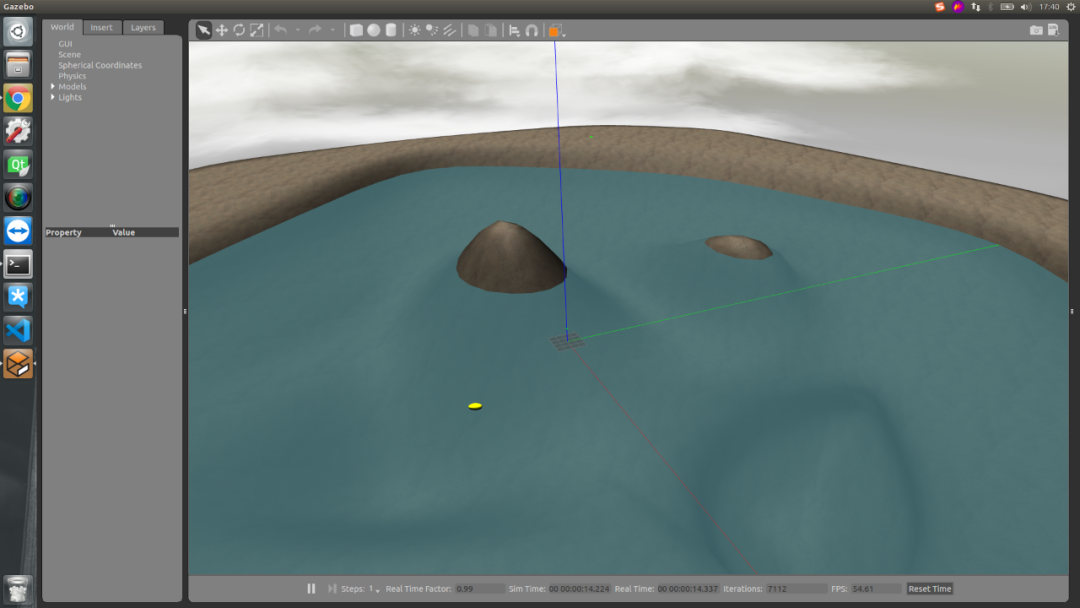
roslaunch uuv_gazebo_worlds mangalia.launchroslaunch uuv_gazebo_worlds munkholmen.launchroslaunch uuv_gazebo_worlds ocean_waves.launch!注意这里的海浪都只是视觉效果不会将波浪的载荷加载在水下机器人上
水下机器人运动控制
启动环境和水下机器人pid控制
执行命令:roslaunch uuv_gazebo start_pid_demo_with_teleop.launch这里机器人的速度控制还是经典的cmd_vel话题,我们可以自己创建速度控制脚本teletop.py:#!/usr/bin/env pythonimport rospyfrom geometry_msgs.msg import Twistimport sys, select, osif os.name == 'nt': import msvcrtelse: import tty, termiosFETCH_MAX_LIN_VEL = 5FETCH_MAX_ANG_VEL = 2.84LIN_VEL_STEP_SIZE = 0.01ANG_VEL_STEP_SIZE = 0.1msg = """Control Your Robot!---------------------------Moving around: w a s d x"""e = """Communications Failed"""def getKey(): if os.name == 'nt': return msvcrt.getch() tty.setraw(sys.stdin.fileno()) rlist, _, _ = select.select([sys.stdin], [], [], 0.1) if rlist: key = sys.stdin.read(1) else: key = '' termios.tcsetattr(sys.stdin, termios.TCSADRAIN, settings) return keydef vels(target_linear_vel, target_angular_vel): return "currently:\tlinear vel %s\t angular vel %s " % (target_linear_vel,target_angular_vel)def makeSimpleProfile(output, input, slop): if input > output: output = min( input, output + slop ) elif input < output: output = max( input, output - slop ) else: output = input return outputdef constrain(input, low, high): if input < low: input = low elif input > high: input = high else: input = input return inputdef checkLinearLimitVelocity(vel): vel = constrain(vel, -FETCH_MAX_LIN_VEL, FETCH_MAX_LIN_VEL) return veldef checkAngularLimitVelocity(vel): vel = constrain(vel, -FETCH_MAX_ANG_VEL, FETCH_MAX_ANG_VEL) return velif __name__=="__main__": if os.name != 'nt': settings = termios.tcgetattr(sys.stdin) rospy.init_node('fetch_teleop') pub = rospy.Publisher('/rexrov/cmd_vel', Twist, queue_size=10) status = 0 target_linear_vel = 0.0 target_angular_vel = 0.0 control_linear_vel = 0.0 control_angular_vel = 0.0 try: print(msg) while(1): key = getKey() if key == 'w' : target_linear_vel = checkLinearLimitVelocity(target_linear_vel + LIN_VEL_STEP_SIZE) status = status + 1 print(vels(target_linear_vel,target_angular_vel)) elif key == 'x' : target_linear_vel = checkLinearLimitVelocity(target_linear_vel - LIN_VEL_STEP_SIZE) status = status + 1 print(vels(target_linear_vel,target_angular_vel)) elif key == 'a' : target_angular_vel = checkAngularLimitVelocity(target_angular_vel + ANG_VEL_STEP_SIZE) status = status + 1 print(vels(target_linear_vel,target_angular_vel)) elif key == 'd' : target_angular_vel = checkAngularLimitVelocity(target_angular_vel - ANG_VEL_STEP_SIZE) status = status + 1 print(vels(target_linear_vel,target_angular_vel)) elif key == ' ' or key == 's' : target_linear_vel = 0.0 control_linear_vel = 0.0 target_angular_vel = 0.0 control_angular_vel = 0.0 print(vels(target_linear_vel, target_angular_vel)) else: if (key == '\x03'): break if status == 20 : print(msg) status = 0 twist = Twist() control_linear_vel = makeSimpleProfile(control_linear_vel, target_linear_vel, (LIN_VEL_STEP_SIZE/2.0)) twist.linear.x = control_linear_vel; twist.linear.y = 0.0; twist.linear.z = 0.0 control_angular_vel = makeSimpleProfile(control_angular_vel, target_angular_vel, (ANG_VEL_STEP_SIZE/2.0)) twist.angular.x = 0.0; twist.angular.y = 0.0; twist.angular.z = control_angular_vel pub.publish(twist) except: print(e) finally: twist = Twist() twist.linear.x = 0.0; twist.linear.y = 0.0; twist.linear.z = 0.0 twist.angular.x = 0.0; twist.angular.y = 0.0; twist.angular.z = 0.0 pub.publish(twist) if os.name != 'nt': termios.tcsetattr(sys.stdin, termios.TCSADRAIN, settings)python teletop.py生成螺旋线控制水下机器人运动roslaunch uuv_gazebo start_pid_demo_with_teleop.launchroslaunch uuv_control_utils start_helical_trajectory.launch uuv_name:=rexrov n_turns:=2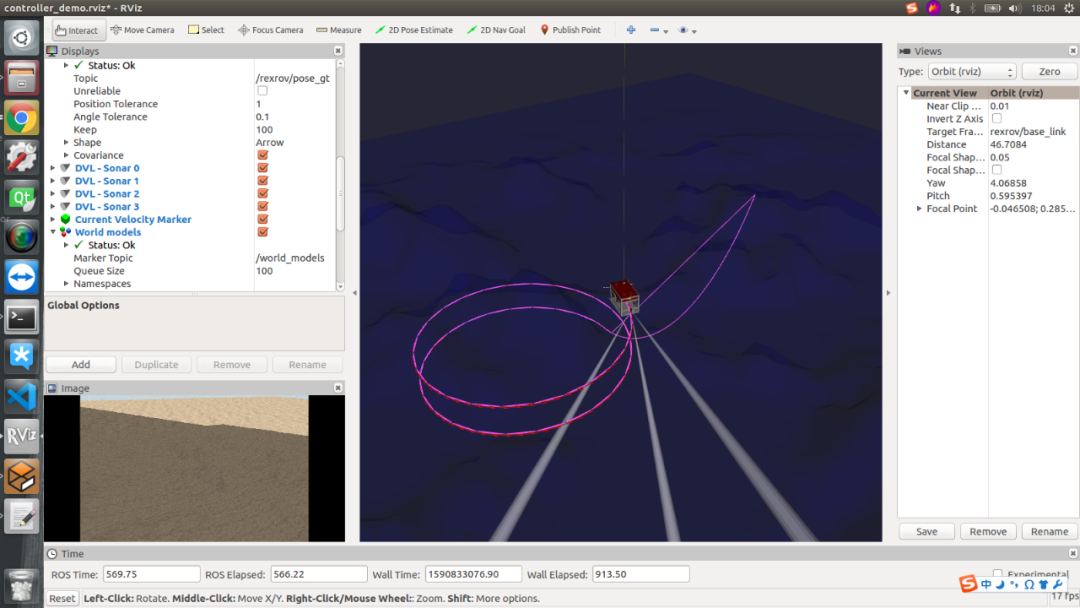
roslaunch uuv_gazebo start_pid_demo_with_teleop.launchroslaunch uuv_control_utils send_waypoints_file.launch uuv_name:=rexrov interpolator:=linear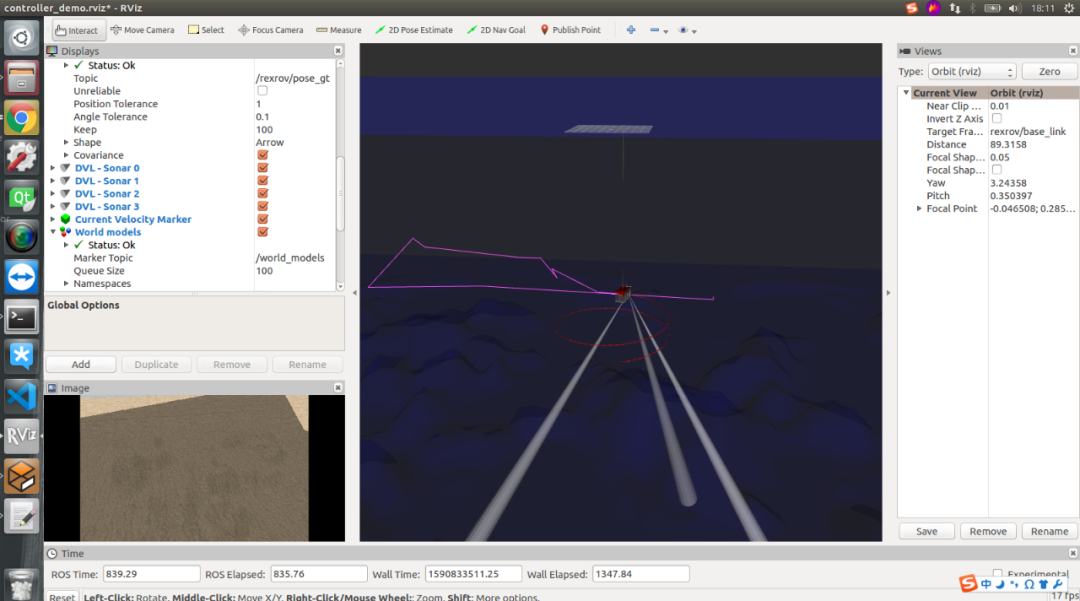
机器人路径根据贝塞尔曲线原理生成,可以保证轨迹上的点速度方向是连续的,并且规定路径点生成的整条路径是必过路径点的。
小编这里写了个二维三阶贝赛尔曲线的路径生成的代码: https://github.com/xmy0916/bezier 大家可以参考参考!执行命令生成三维贝赛尔曲线路径:
roslaunch uuv_control_utils send_waypoints_file.launch uuv_name:=rexrov interpolator:=cubic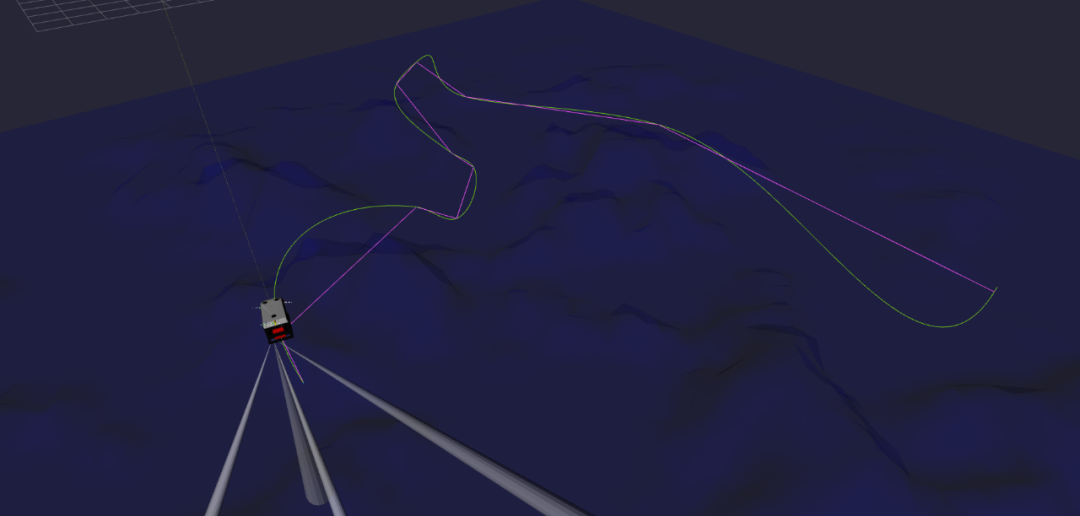 更多操作参考: 项目官方文档 https://uuvsimulator.github.io/packages/uuv_simulator/intro/ 项目github地址 https://github.com/uuvsimulator/
古月居原创作者签约计划已开启,网站(guyuehome.com)已上线【投稿】功能,欢迎大家积极投稿,原创优质文章作者将有机会成为古月居签约作者。


版权声明:本文为weixin_36098127原创文章,遵循CC 4.0 BY-SA版权协议,转载请附上原文出处链接和本声明。