第一步 下载第三方包
使用compose下载 "bower-asset/echarts": "2.2.1";
以及php插件composer require"hisune/echarts-php"
第二步 创建asset bunnle类。
①
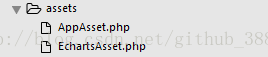
②
namespace app\assets;
use yii\web\AssetBundle;
class EchartsAsset extends AssetBundle
{
public $sourcePath = '@bower/echarts/dist';
public $js = [
'echarts.js',
];
}
第三步 控制器传递数据
//学校经费使用情况
$fees = Fee::find()->asArray()->all();
$typename = ArrayHelper::getColumn($fees,'name');
$typeamount = ArrayHelper::getColumn($fees,'amount');
$typeusedamount = ArrayHelper::getColumn($fees,'userAmount');
return $this->render('index', [
'typename' => $typename,
'typeamount' => $typeamount,
'typeusedamount' => $typeusedamount
]);
第四步 view视图渲染
use Hisune\EchartsPHP\ECharts;
?>
$chart = new ECharts();
$chart->title->text = '学校下批各类经费使用情况';
$chart->title->left= 'center';
$chart->tooltip->show = true;
$chart->legend->data[] = '总金额';
$chart->legend->data[] = '使用金额';
$chart->legend->left= 'right';
$chart->xAxis[] = array(
'type' => 'category',
'data' => $typename
);
$chart->yAxis[] = array(
'type' => 'value'
);
$chart->series[] = array(
'name' => '总金额',
'type' => 'bar',
'data' => $typeamount
);
$chart->series[] = array(
'name' => '使用金额',
'type' => 'bar',
'data' => $typeusedamount
);
echo $chart->render('simple-custom-1');
?>
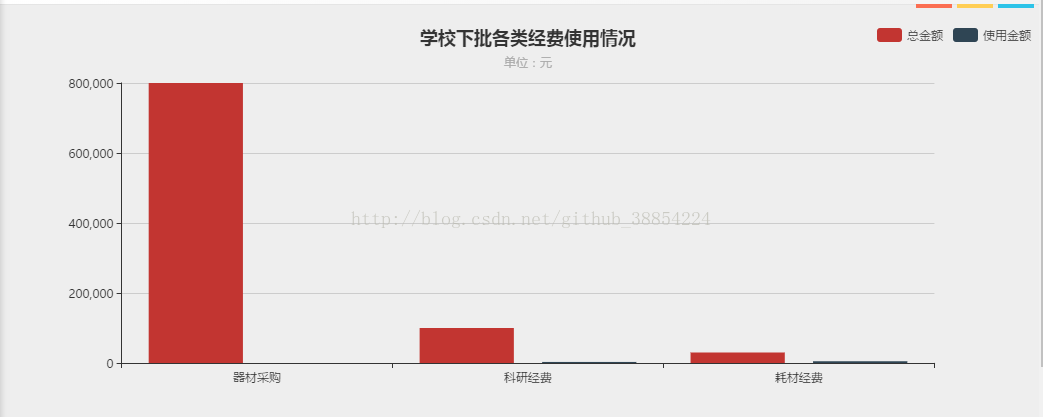
本文分享 CSDN - 阿……莫西林。
如有侵权,请联系 support@oschina.cn 删除。
本文参与“OSC源创计划”,欢迎正在阅读的你也加入,一起分享。