一,下载,安装
nginx 官网下载:http://nginx.org/en/download.html
wget http://nginx.org/download/nginx-1.20.2.tar.gz
安装https
yum -y install openssl openssl-devel
安装一个压缩和解压缩的环境。
yum -y install zlib zlib-devel
进入目录。
cd nginx-1.20.2
配置,开启nginx的gzip模块,在线实时压缩输出的数据流。
./configure --prefix=/usr/local/nginx --with-http_gzip_static_module

编译,安装
make && make install

二,systemctl配置。
1,nginx.service 文件创建。
vim /etc/systemd/system/nginx.service
2,写入脚本。
[Unit]
Description=nginx - high performance web server
Documentation=http://nginx.org/en/docs/
After=network-online.target remote-fs.target nss-lookup.target
Wants=network-online.target

[Service]
Type=forking
PIDFile=/usr/local/nginx/logs/nginx.pid
ExecStart=/usr/local/nginx/sbin/nginx -c /usr/local/nginx/conf/nginx.conf
ExecReload=/bin/kill -s HUP $MAINPID
ExecStop=/bin/kill -s TERM $MAINPID

[Install]
WantedBy=multi-user.target
3,重新加载配置
systemctl daemon-reload
4, 启动并查看。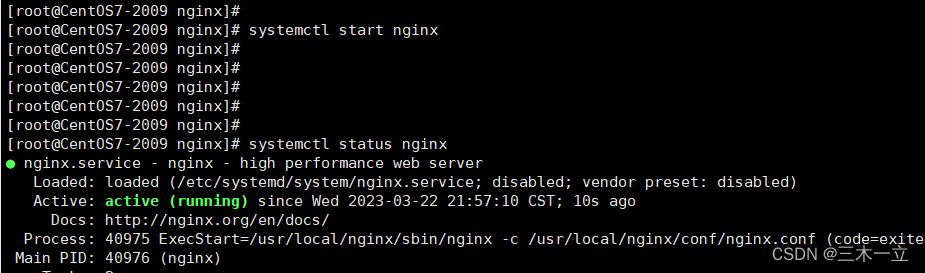
版权声明:本文为qq_45860901原创文章,遵循CC 4.0 BY-SA版权协议,转载请附上原文出处链接和本声明。