Win10 专业版 企业版
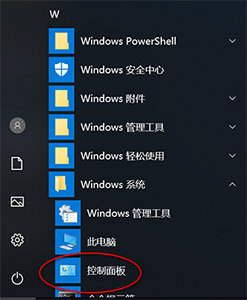
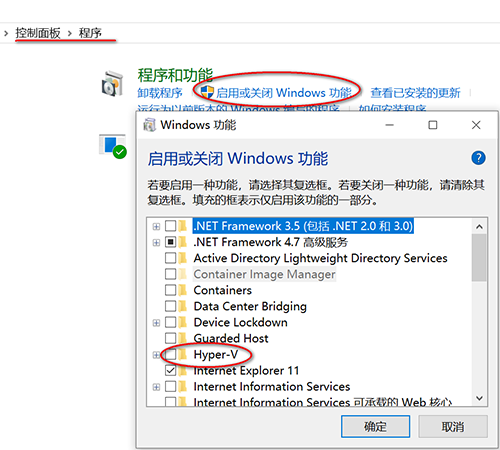
- 打开控制面板->程序->启用或关闭Windows的功能->勾选Hyper-v即可

Win10家庭版
- 新建一个文本文档 ,复制如下代码,保存为cmd文件
pushd "%~dp0"

dir /b %SystemRoot%\servicing\Packages\*Hyper-V*.mum >hyper-v.txt

for /f %%i in ('findstr /i . hyper-v.txt 2^>nul') do dism /online /norestart /add-package:"%SystemRoot%\servicing\Packages\%%i"

del hyper-v.txt

Dism /online /enable-feature /featurename:Microsoft-Hyper-V-All /LimitAccess /ALL
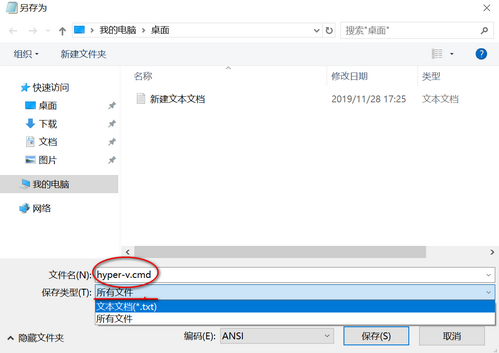
- 双击运行,等待程序完成,最后输入Y,重启电脑即可在Windows管理工具中找到Hyper-v。
版权声明:本文为qq_44365080原创文章,遵循CC 4.0 BY-SA版权协议,转载请附上原文出处链接和本声明。