【Apollo源码分析】系列的第二部分【perception】
perception
perception:感知模块 仍然是 处于待完善的状态。只有200行代码左右。
下面简单介绍一下。
perception模块的主要作用是根据激光雷达Lidar, 摄像机camera等传感器 sensors接收的数据来感知周围环境。
主要任务是对物体进行检测,对行人进行识别,对交通信号灯进行判断,对道路车辆进行感知判断。
感知模块与其他模块一样是一个独立的进程。与其他模块通过tcp/共享内存进行通信。
perception/perception.h
class Perception : public apollo::common::ApolloApp {public:std::string Name() const override;//模块名apollo::common::Status Init() override;//初始化步骤apollo::common::Status Start() override;//模块工作内容:主要是检测交通信号灯和障碍物等。void Stop() override; //清理函数};
using apollo::common::adapter::AdapterManager;using apollo::common::Status;std::string Perception::Name() const { return "perception"; }//模块名称Status Perception::Init() { //模块启动初始化AdapterManager::Init();return Status::OK();}
目前整个模块的核心:
Status Perception::Start() {ros::AsyncSpinner spinner(1);spinner.start();ros::waitForShutdown();spinner.stop();ros::Rate loop_rate(FLAGS_perception_loop_rate);//感知频率,默认是10hzwhile (ros::ok()) {AdapterManager::Observe();///进行一次感知测量/检测PerceptionObstacles perceptionObstacles;///检测障碍物实例对象AdapterManager::FillPerceptionObstaclesHeader(Name(), perceptionObstacles.mutable_header());AdapterManager::PublishPerceptionObstacles(perceptionObstacles);///向ROS发布检测到的障碍物对象TrafficLightDetection trafficLightDetection;///检测交通信号灯AdapterManager::FillTrafficLightDetectionHeader(Name(), trafficLightDetection.mutable_header());///向ROS发布检测到的交通信号灯结果AdapterManager::PublishTrafficLightDetection(trafficLightDetection);}return Status::OK();}
好了,现在可以看出perception的核心了。虽然有检测障碍物和交通信号灯的代码,但是却没有任何意义。
因为这2者的构造函数都执行默认构造函数,也就是说目前perception模块只是搭建了这样一个感知检测模块流程。但是如何检测障碍物和如何探知交通信号灯却没有任何实现。所以说Apollo 1.0 只能在封闭道路行驶。要是放到大马路上去,是100%要【撞行人+闯红灯】的。
perception/common/perception_gflags.*
DEFINE_int32(perception_loop_rate, 10, "Loop rate for perception node, in Hz.");//感知频率,10hzDEFINE_string(node_name, "perception", "The perception module name in proto");//模块名称
下面是障碍物的描述信息proto文件内容:
syntax = "proto2";package apollo.perception;import "modules/common/proto/error_code.proto";import "modules/common/proto/header.proto";//point是感知的三维点。三维坐标xyz单位是m。//如何感知Point?APollo没有给出。个人估计是激光雷达+VIO视觉算法(单目.双目.深度相机)message Point {optional double x = 1; // in meters.optional double y = 2;optional double z = 3;}//障碍物描述信息。//message PerceptionObstacle {optional int32 id = 1; // obstacle ID.障碍物标识idoptional Point position = 2; // obstacle position in the world coordinate// system.障碍物坐标optional double theta = 3; // 障碍物head角,heading in the world coordinate system.optional Point velocity = 4; // 障碍物移动速度。obstacle velocity.// Size of obstacle bounding box.//障碍物的AABB描述子optional double length = 5; // obstacle length.optional double width = 6; // obstacle width.optional double height = 7; // obstacle height.//障碍物的角点repeated Point polygon_point = 8; // obstacle corner points.//持续时间// duration of an obstacle since detection in s.optional double tracking_time = 9;//障碍物类型enum Type {UNKNOWN = 0;UNKNOWN_MOVABLE = 1;UNKNOWN_UNMOVABLE = 2;PEDESTRIAN = 3; // Pedestrian, usually determined by moving behaviour.BICYCLE = 4; // bike, motor bikeVEHICLE = 5; // Passenger car or truck.};optional Type type = 10; // obstacle type//测量时间optional double timestamp = 11; // GPS time in seconds.//debug使用的点云信息// Format like : [x0, y0, z0, x1, y1, z1...]repeated double point_cloud = 12 [packed = true];}//障碍物集合message PerceptionObstacles {repeated PerceptionObstacle perception_obstacle = 1; // An array of obstaclesoptional apollo.common.Header header = 2; // Headeroptional apollo.common.ErrorCode error_code = 3 [default = OK];}
交通信号灯检测内容:
syntax = "proto2";package apollo.perception;import "modules/common/proto/header.proto";//交通信号灯检测内容message TrafficLight {//交通信号状态,红绿蓝enum Color {UNKNOWN = 0;RED = 1;YELLOW = 2;GREEN = 3;};optional Color color = 1;//交通灯唯一标识符IDoptional string id = 2;//检测结果置信概率optional double confidence = 3 [default = 1.0];//检测持续时间optional double tracking_time = 4;}message TrafficLightDetection {optional apollo.common.Header header = 2;//head信息repeated TrafficLight traffic_light = 1;///检测对象内容}
地图描述文件:
syntax = "proto2";package apollo.perception;import "modules/common/proto/header.proto";import "modules/map/proto/map.proto";//地图感知信息message PerceptionMapROI {optional apollo.common.Header header = 1; // Header.optional apollo.hdmap.Header hdmap_header = 8; // HDMap header.//地图xy方向最小值optional double origin_x = 2;optional double origin_y = 3;//将地图均匀分割为小网格表示。//网格大小是grid_size,以米为单位。//num_rows是x方向网格数量。num_columns是y方向网格数量optional double grid_size = 4;optional int32 num_rows = 5;optional int32 num_columns = 6;// 网格中特定区域的位置描述.[x0,x1],[y0,y1]message Region {optional int32 start_x = 1;optional int32 end_x = 2;optional int32 start_y = 3;optional int32 end_y = 4;//路沿距离optional int32 extension_distance = 5;}//多个区域。repeated Region region = 7;}
perception/main.cc
APOLLO_MAIN(apollo::perception::Perception);注册一个模块并进行本模块的相关工作。
总结
目前来说,perception模块只是一个粗略的框架。 真正利用激光雷达Lidar, 摄像机camera来感知周围环境的算法仍然没有实现。目前只是对物体检测,通信号灯判断,道路行人感知进行了接口定义和属性描述。Apollo 1.0 只能说把框架搭好了,但是如何实现这个框架的内容目前仍然是一片空白。而这是无人驾驶的重中之重。缺少这个模块可以说距离无人车真正上路行驶还差的十分遥远。
我所知道的无人驾驶目前能做到的感知算法的能力:
图1:
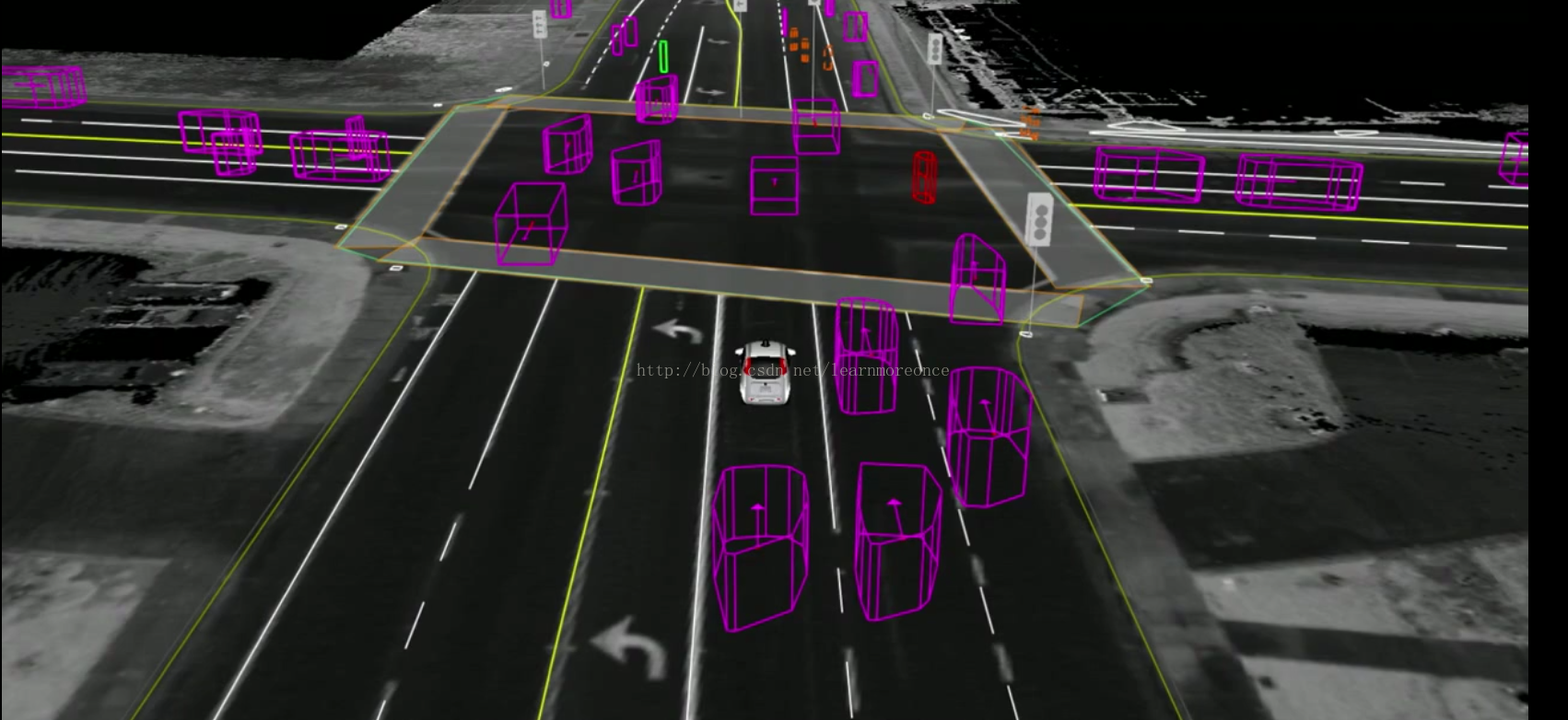
图2:
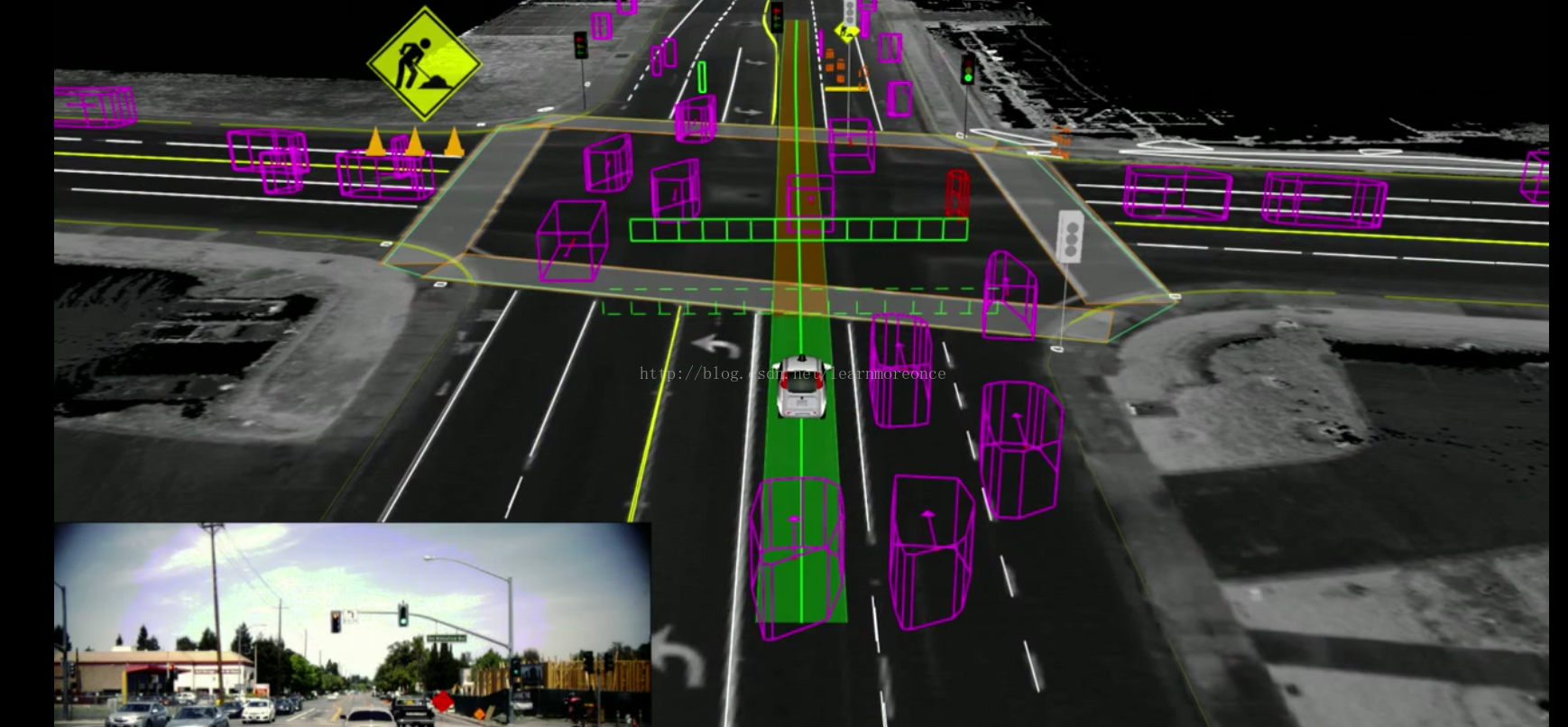
图3:
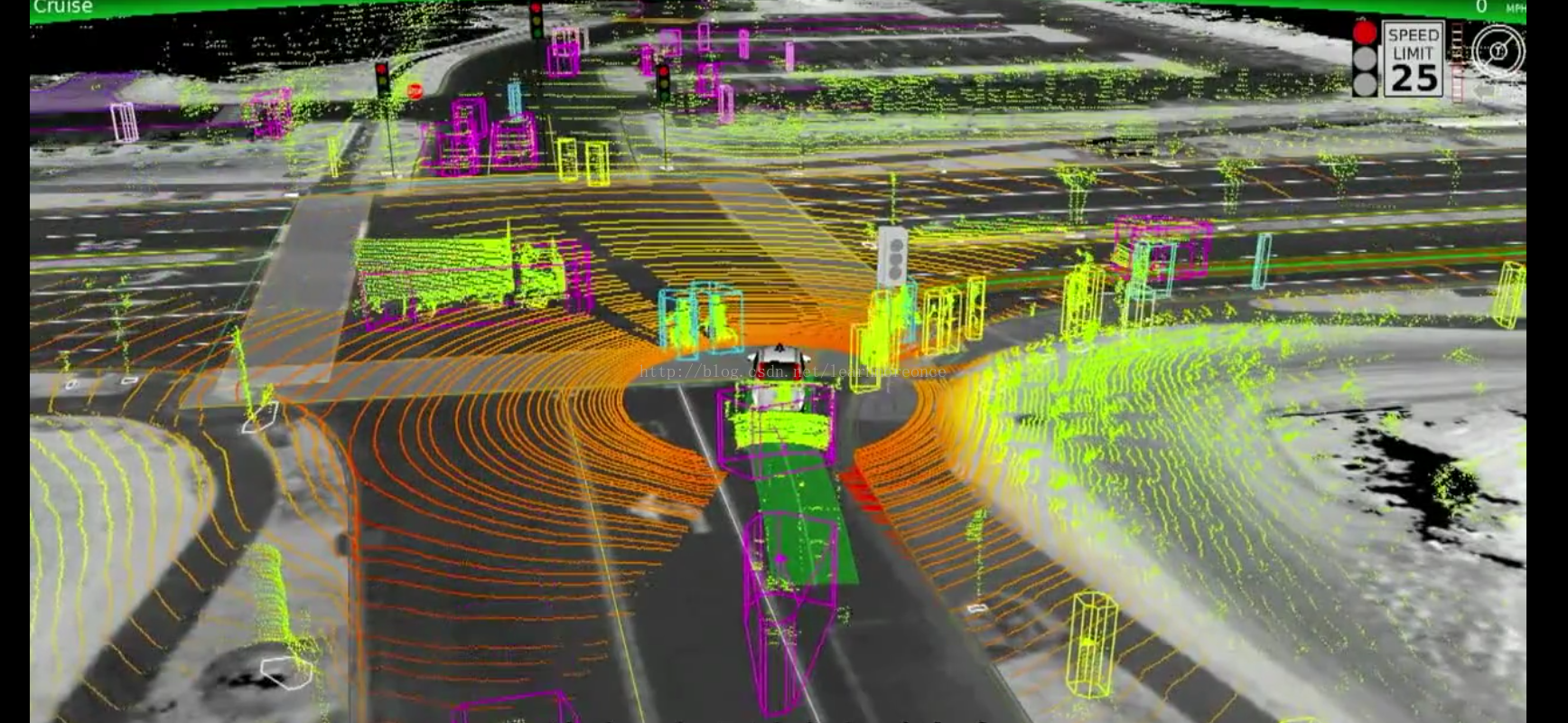
图4:
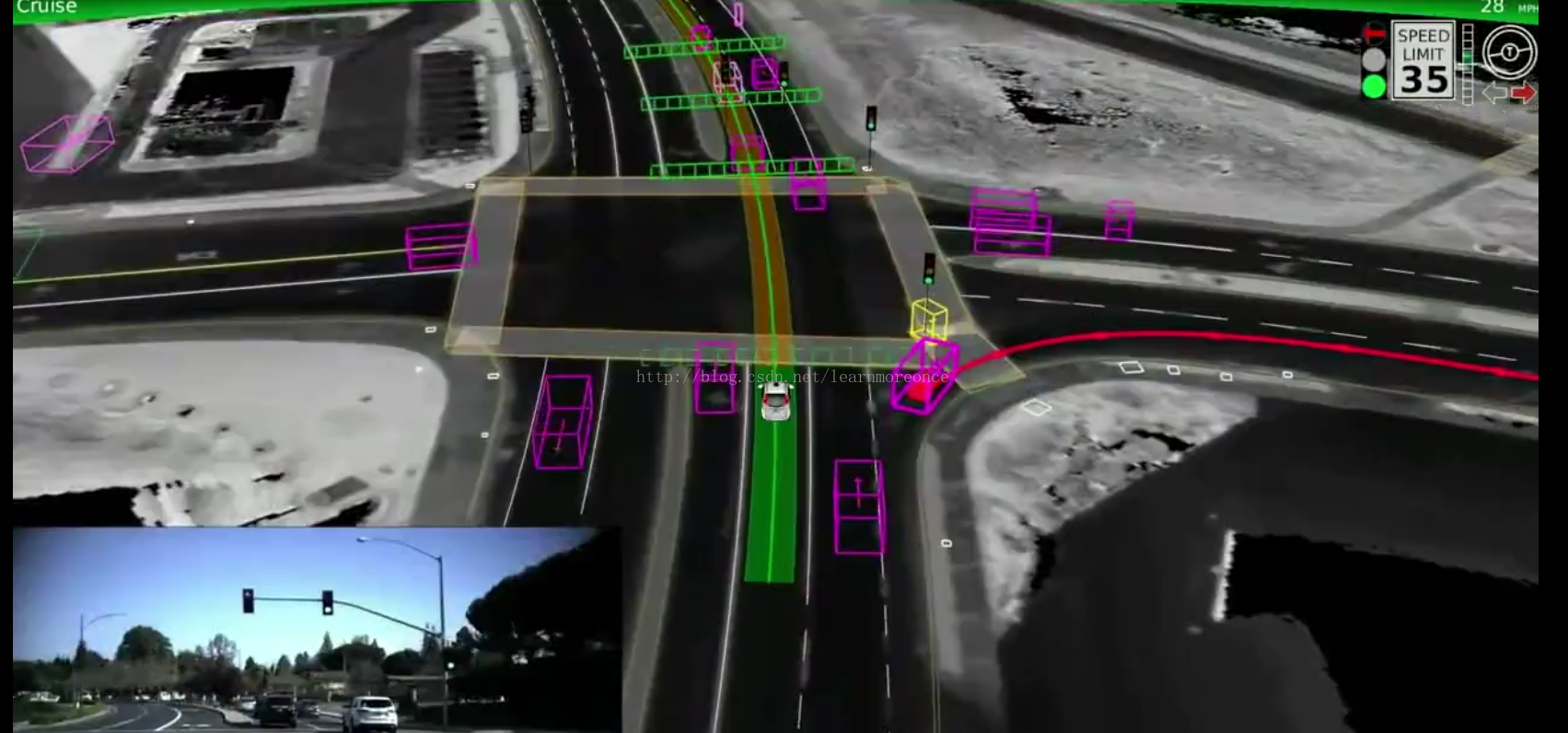
图5:
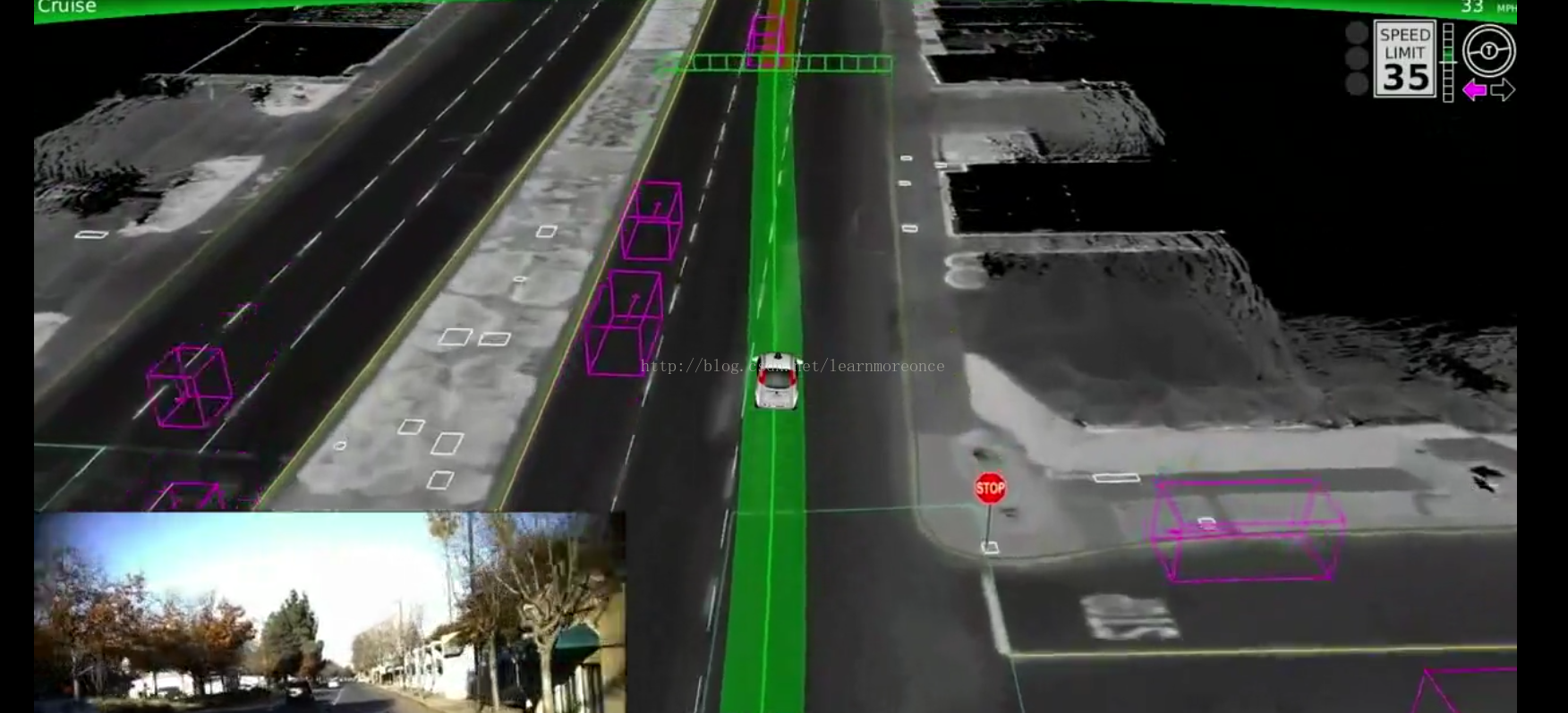
可见无人车的感知模块真的是一个非常复杂的系统工程。感知能力的强弱直接决定了一个无人车系统的核心竞争力。
本文首发于微信公众号slamcode。
在blog.csdn.net/learnmoreonce亦有连载。
注释版源码:源码
版权声明:本文为learnmoreonce原创文章,遵循CC 4.0 BY-SA版权协议,转载请附上原文出处链接和本声明。