1. 下载RDP Wrapper
https://github.com/stascorp/rdpwrap/releases
2. 解压 zip 文件
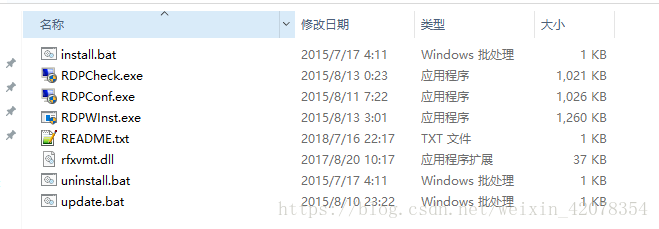
3. 运行intall.bat
4. 打开RDPConf.exe,如果全为绿色,远程桌面启用成功。可运行RDPCheck.exe验证。
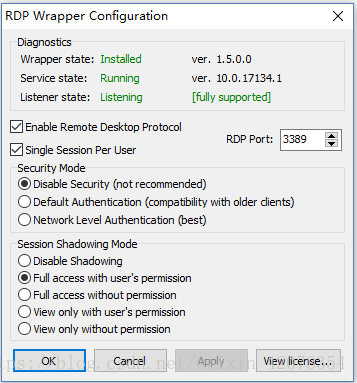
5. 如果显示红色'not listening' 或 'not supported'
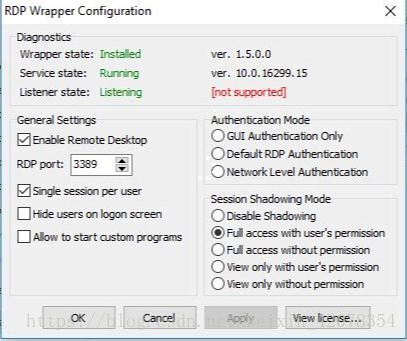
6. 将rfxvmt.dll复制到C盘Windows/System32下面。运行update.bat。之后重新打开RDPConf.exe便可正常显示。
版权声明:本文为weixin_42078354原创文章,遵循CC 4.0 BY-SA版权协议,转载请附上原文出处链接和本声明。