点击菜单栏,浏览器创建新窗口打开外链方法很多,
比如通过路由配置
    {
        path: "accessControlSystem",
        name: "AccessControlSystem",
        component: Layout,
        redirect: "noRedirect",
        alwaysShow: true,
        meta: {
            title: "门禁系统",
            icon: "system",

        },
        children: [{
            path: "https://www.baidu.com/",  // 这里将外链地址配置给path
            hidden: false,
            name: "AccessControl",
            meta: { title: "门禁" }
        }, ]
    },
如果需要在框架内展示外链内容,而不是新开窗口,可以借助iframe
路由配置文件正常配置
    {
        path: "/accessControlSystem",
        name: "AccessControlSystem",
        component: Layout,
        redirect: "noRedirect",
        alwaysShow: true,
        meta: {
            title: "门禁系统",
            icon: "system",

        },
        children: [{
            path: "accessControl",
            hidden: false,
            component: () =>
                import ("@/views/accessControlSystem/index"),
            name: "AccessControl",
            meta: { title: "门禁" }
        }, ]
    },
在accessControlSystem/index.vue文件中
<!--  -->
<template>
   <div id="historical">
      <iframe id="content" src="https://www.baidu.com/"  frameborder="0"></iframe>
  </div>
</template>

<script>
export default {
  name: '',
  data () {
    return {
    }
  },

  components: {},

  computed: {},

  methods: {}
}

</script>
<style lang='scss' scoped>
#historical {
    height: 100%;
    width: 100%;
    // padding: 10px 10px;
    box-sizing: border-box;
}
>>>.el-form-item__content {
    width: 80%;
}

#content {
    height: 100%;
    width: 100%;
}
</style>
效果如下—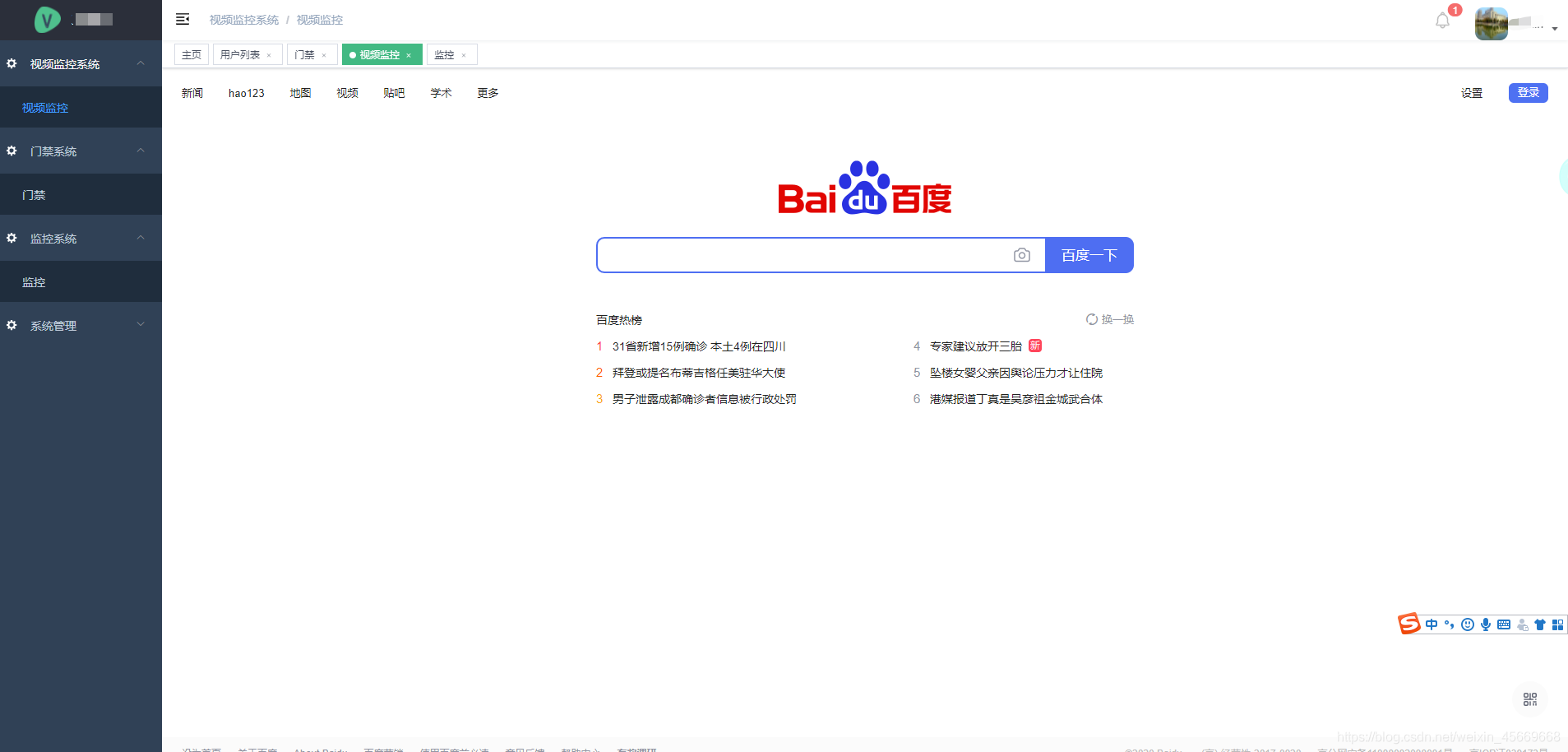
版权声明:本文为weixin_45669668原创文章,遵循CC 4.0 BY-SA版权协议,转载请附上原文出处链接和本声明。