最近公司有一个需求,获取服务器pdf数据之后存储在沙盒中,下载完成之后可以直接打开pdf文件。其实这个需求实现我也是研究了一会才完成,在这里我将实现步骤详细讲解一哈。
一: 首先导入三方库 https://github.com/Ink/ThatPDF/tree/develop/Sources
下载完所需要的文件中,就可以开始写代码了,这里必须是你下载pdf数据完成后将它写入到沙盒的Documents目录中的对应文件,不然就解析不了,
有两种方式可以打开已存储在沙盒或本工程中pdf文件
当然也得导入头文件
#import"ReaderDocument.h"
#import"ReaderViewController.h"
1:打开存储在Documents目录中的pdf文件
NSFileManager*fileManager = [NSFileManagerdefaultManager];
// 为什么路径要这么写呢?因为文件是存储在沙盒Documents目录下,,所以要获取打开的pdf文件就是获取已经下载到沙盒中的pdf
NSURL*pathURL = [fileManagerURLForDirectory:NSDocumentDirectoryinDomain:NSUserDomainMask appropriateForURL:nilcreate:YESerror:NULL];
NSString* path = [[pathURLpath]stringByAppendingPathComponent:@"fce228a21d6449bc935617af18525c07.pdf"];
NSString*phrase =nil; // Document password (for unlocking most encrypted PDF files)
ReaderDocument*document = [ReaderDocumentwithDocumentFilePath:pathpassword:phrase];
//标题
document.title = @"患者";
if(document !=nil) // Must have a valid ReaderDocument object in order to proceed with things
{
ReaderViewController*readerViewController = [[ReaderViewControlleralloc]initWithReaderDocument:document];
readerViewController.delegate=self; // Set the ReaderViewController delegate to self
//弹出的模式
readerViewController.modalTransitionStyle=UIModalTransitionStyleCrossDissolve;
readerViewController.modalPresentationStyle=UIModalPresentationFullScreen;
[selfpresentViewController:readerViewController animated:YEScompletion:NULL];
//监听readerViewController发出通知 这里我是修改了readerViewController控制中一个方法,发出通知 大家不需要知道
//[[NSNotificationCente defaultCenter addObserver:self selector:@selector(onBookMarkPatient:) name:@"123456"
// object:readerViewController];
// self.openedMaterial = item;
}else{
[MBProgressHUDshowError:@"文件已损坏,请重新下载"toView:self.view];
}
#pragma mark ReaderViewControllerDelegate
-(void)dismissReaderViewController:(ReaderViewController *)viewController{
[selfdismissViewControllerAnimated:YEScompletion:NULL];
}
2:打开工程中的pdf文件
需要注意,我之前说过pdf必须是存储在沙盒的Documents中才能打开,现在打开工程中的pdf文件,所以我的解决办法是移动,将工程中的pdf文件移动到沙盒目录中
//资源文件
NSString*defaultDBPath = [[[NSBundlemainBundle]resourcePath] stringByAppendingPathComponent:@"be03687cc64740e9903144402ea9a4f7.pdf"];
NSFileManager*fileManager = [NSFileManagerdefaultManager];
NSError *error;
//沙盒下的documents目录
NSArray*paths =NSSearchPathForDirectoriesInDomains(NSDocumentDirectory,NSUserDomainMask,YES);
NSString *documentsDirectory = [paths objectAtIndex:0];
//拼接文件名
NSString *writableDBPath = [documentsDirectory stringByAppendingPathComponent:@"be03687cc64740e9903144402ea9a4f7.pdf"];
//将资源文件移动到documents目录下
[fileManager copyItemAtPath:defaultDBPath toPath:writableDBPath error:&error];
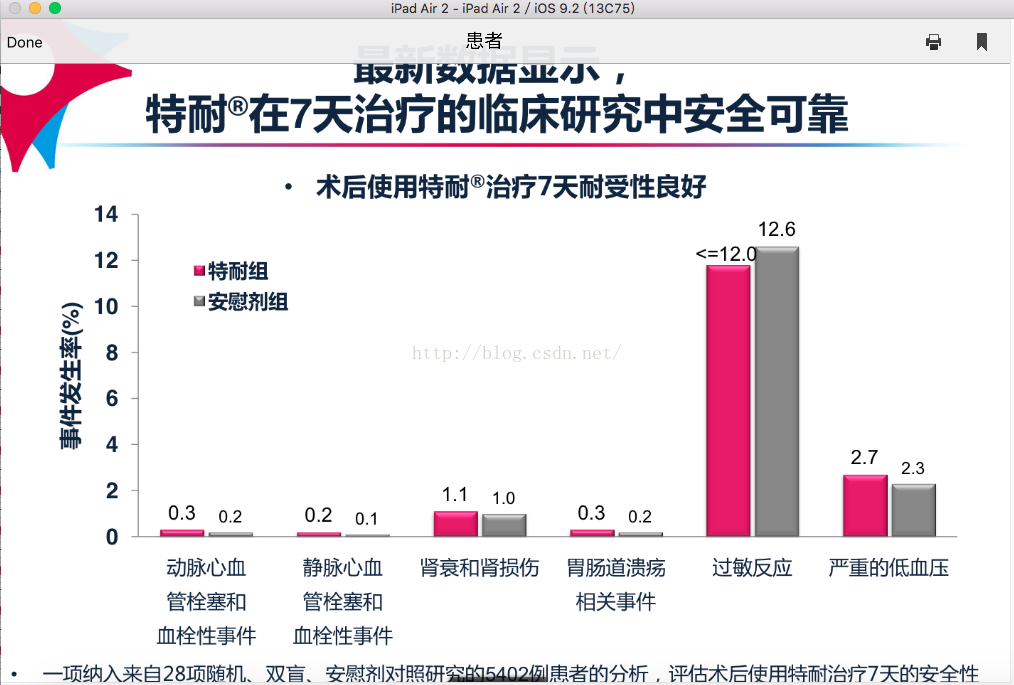
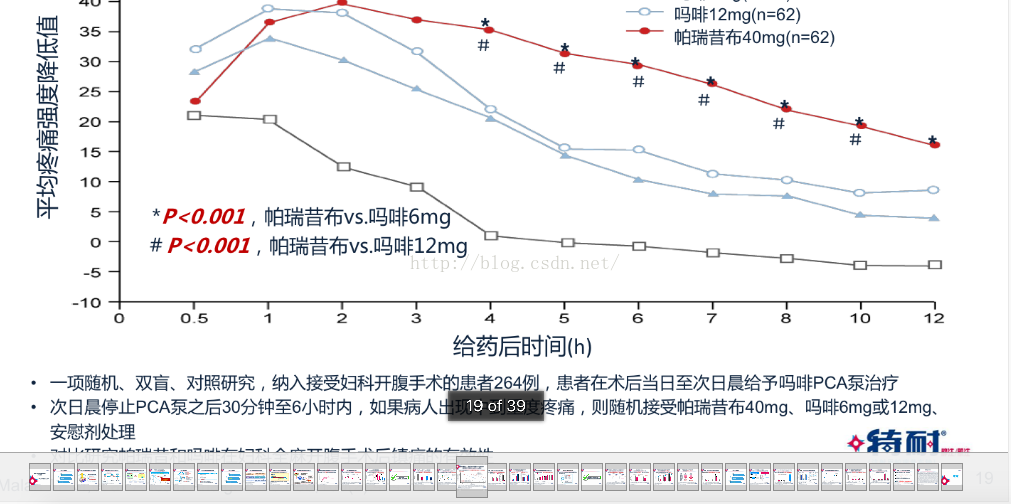
这就是打开pdf的界面,是不是很炫酷,其实打开pdf还有一种方法,就是利用WedView加载,但是加载出来的体验太差,大家还是看需求而定。