labelImg程序出错,界面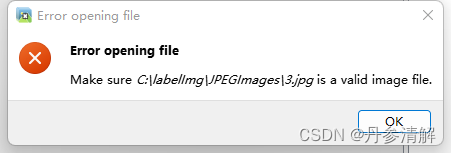
解决办法:将所有待打标图片按照下面程序重新保存
import os
from tqdm import tqdm
from PIL import Image

dir_origin_path = "图片存放地址"
dir_save_path = "图片重新保存地址"

img_names = os.listdir(dir_origin_path)
for img_name in tqdm(img_names):
    if img_name.lower().endswith(('.bmp', '.dib', '.png', '.jpg', '.jpeg', '.pbm', '.pgm', '.ppm', '.tif', '.tiff')):
        image_path = os.path.join(dir_origin_path, img_name)
        image = Image.open(image_path)
        image = image.convert('RGB')

        if not os.path.exists(dir_save_path):
            os.makedirs(dir_save_path)
        image.save(os.path.join(dir_save_path, img_name))
版权声明:本文为xuhong_001原创文章,遵循CC 4.0 BY-SA版权协议,转载请附上原文出处链接和本声明。