基于MVC设计----图书馆系统(登录设计)
这一学期学习了JavaWeb开发, 课程结束时老师给的任务是做一个课程设计,博主使用MVC(jsp、servlets、javabean)开发了一个简单的图书馆在线系统,其中也包含了一些html、css、JavaScript等知识,有兴趣的小伙伴可以参观参观。现在具体先给出运行截图,再给出具体项目的实现步骤。由于实现程序源代码较多,这次先讲此程序登录的MVC设计。
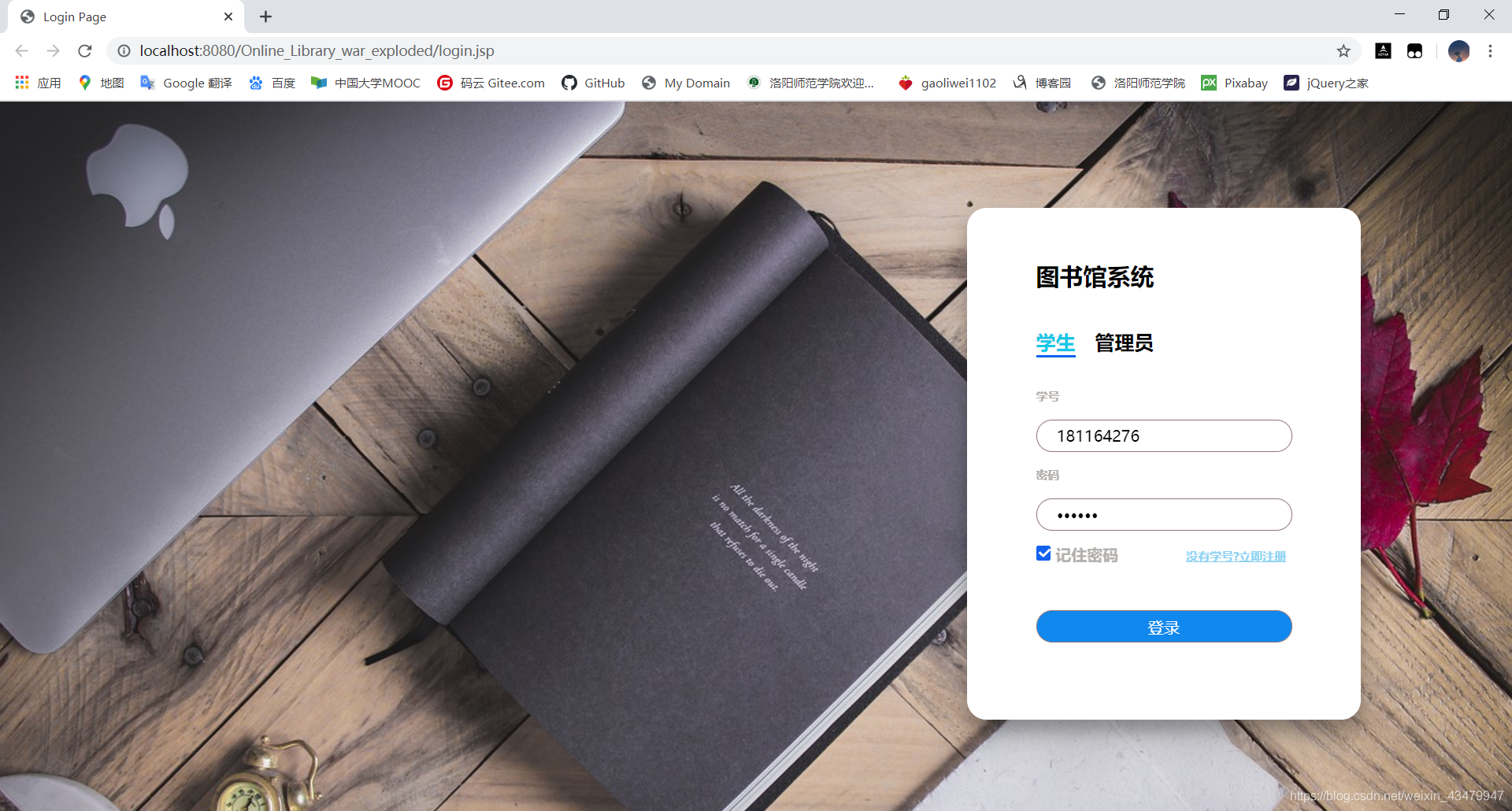
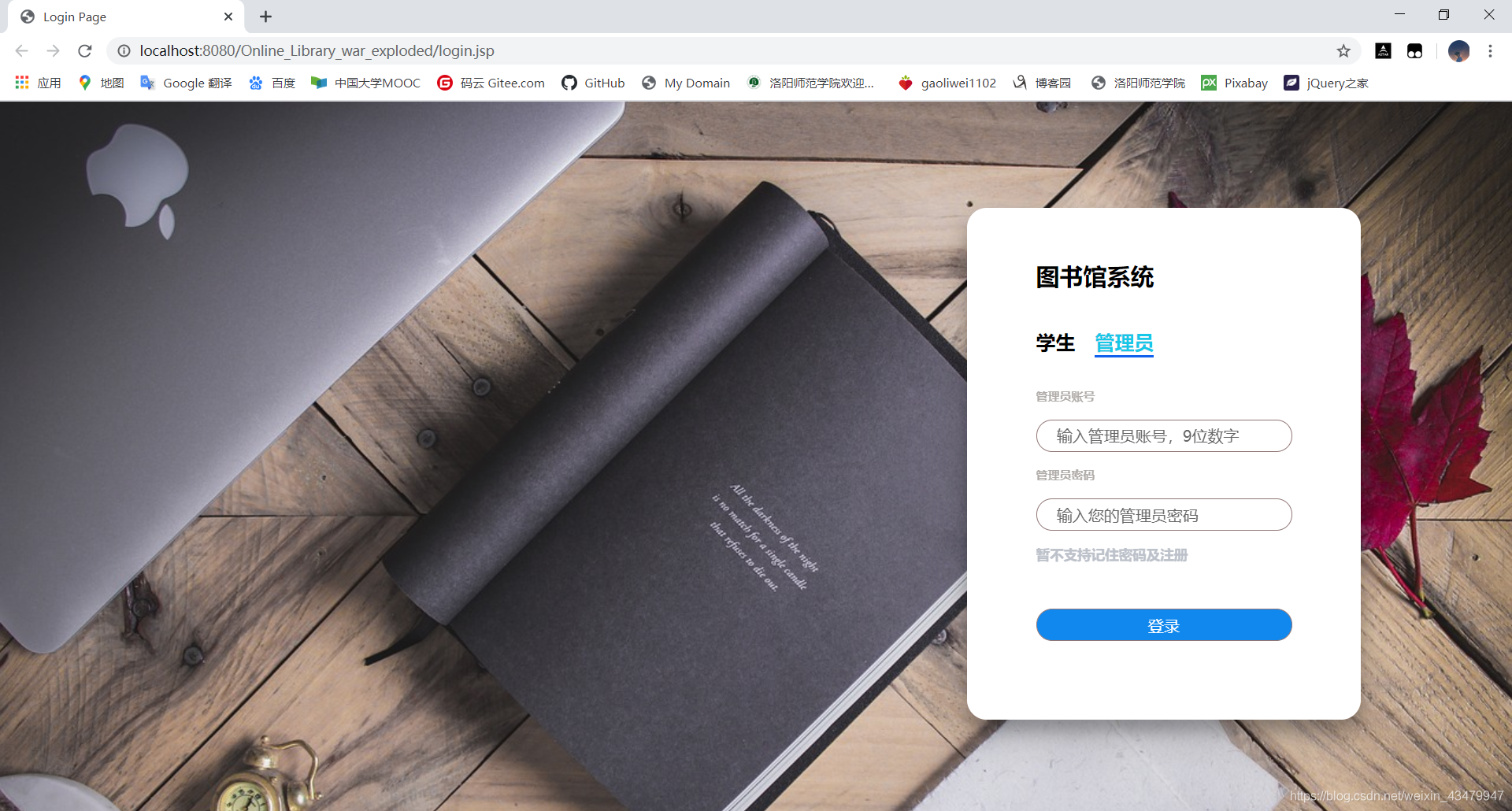
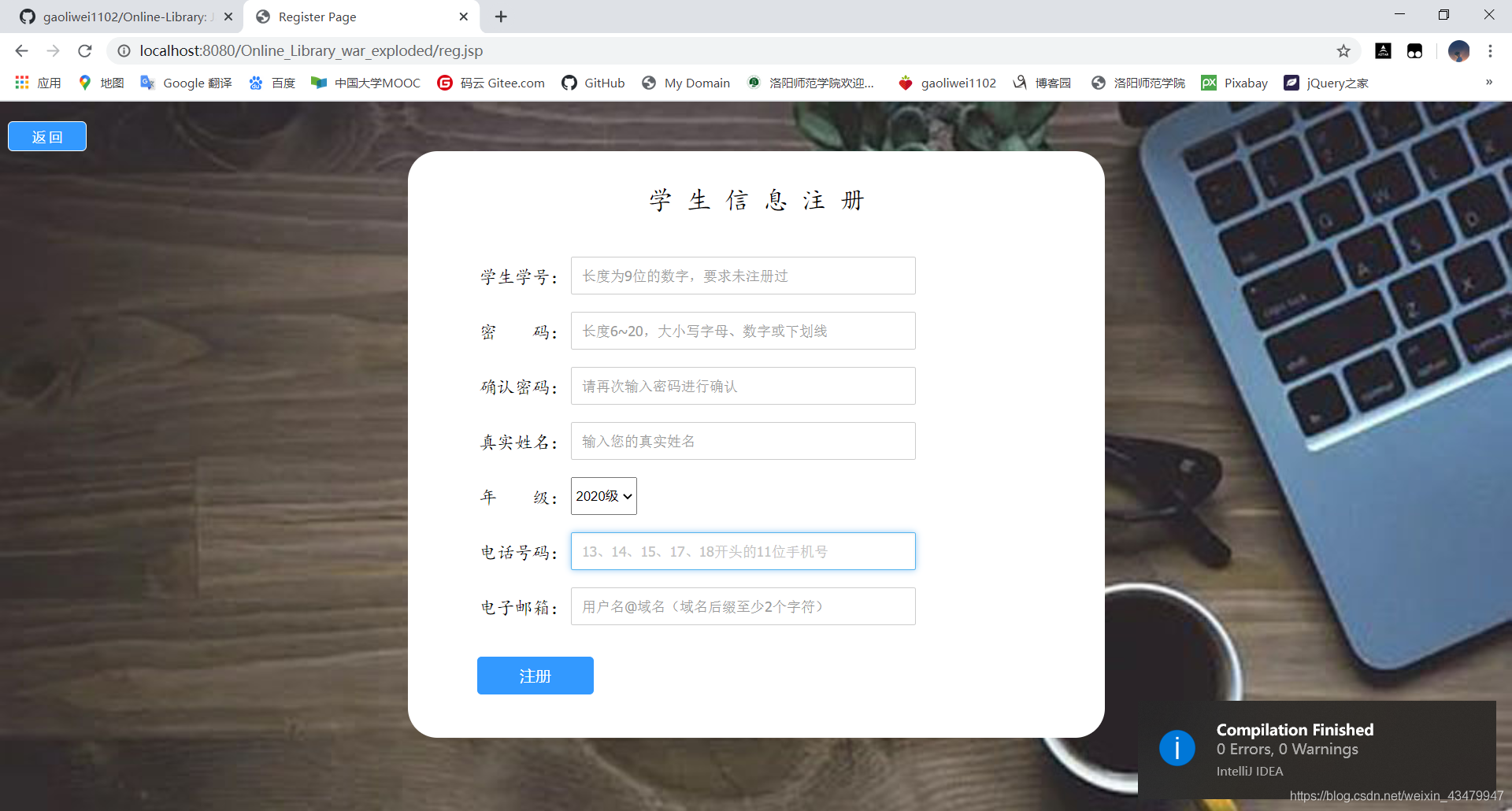
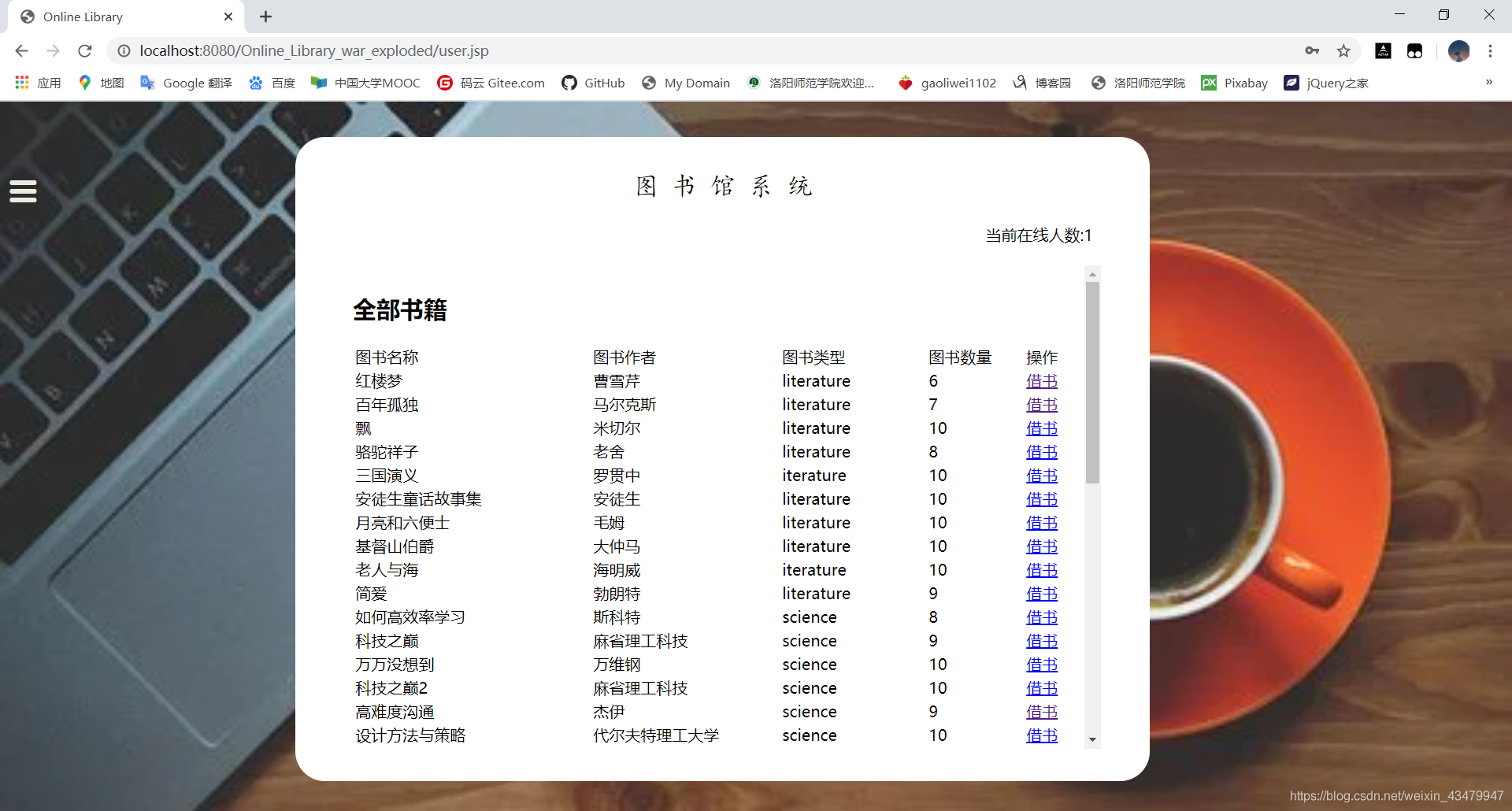
整体项目运行截图
用户登录界面
管理员登录界面
学生用户注册页面
用户操作界面(主页面)
用户操作页面(主菜单)
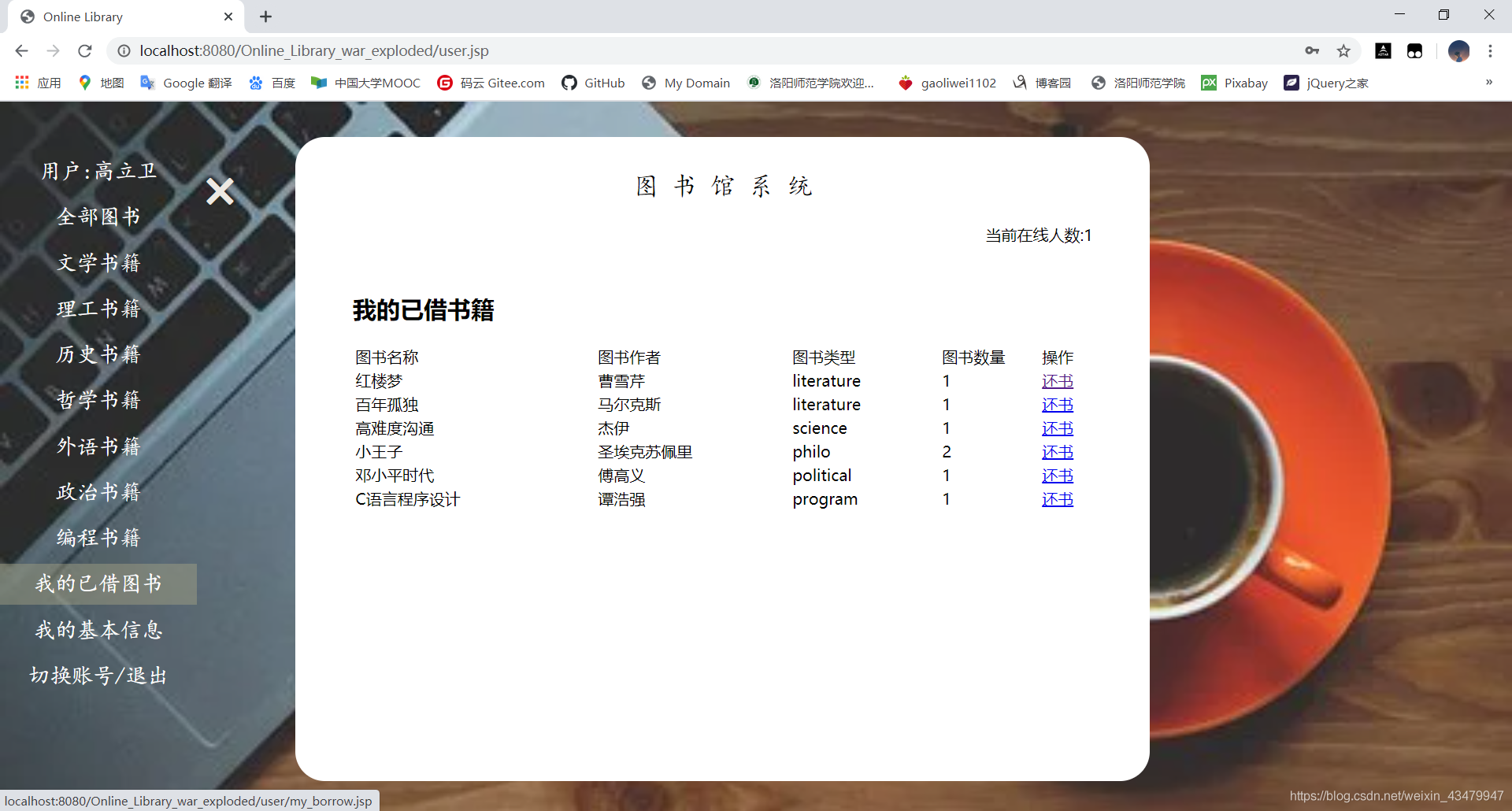
管理员操纵主页(主菜单)
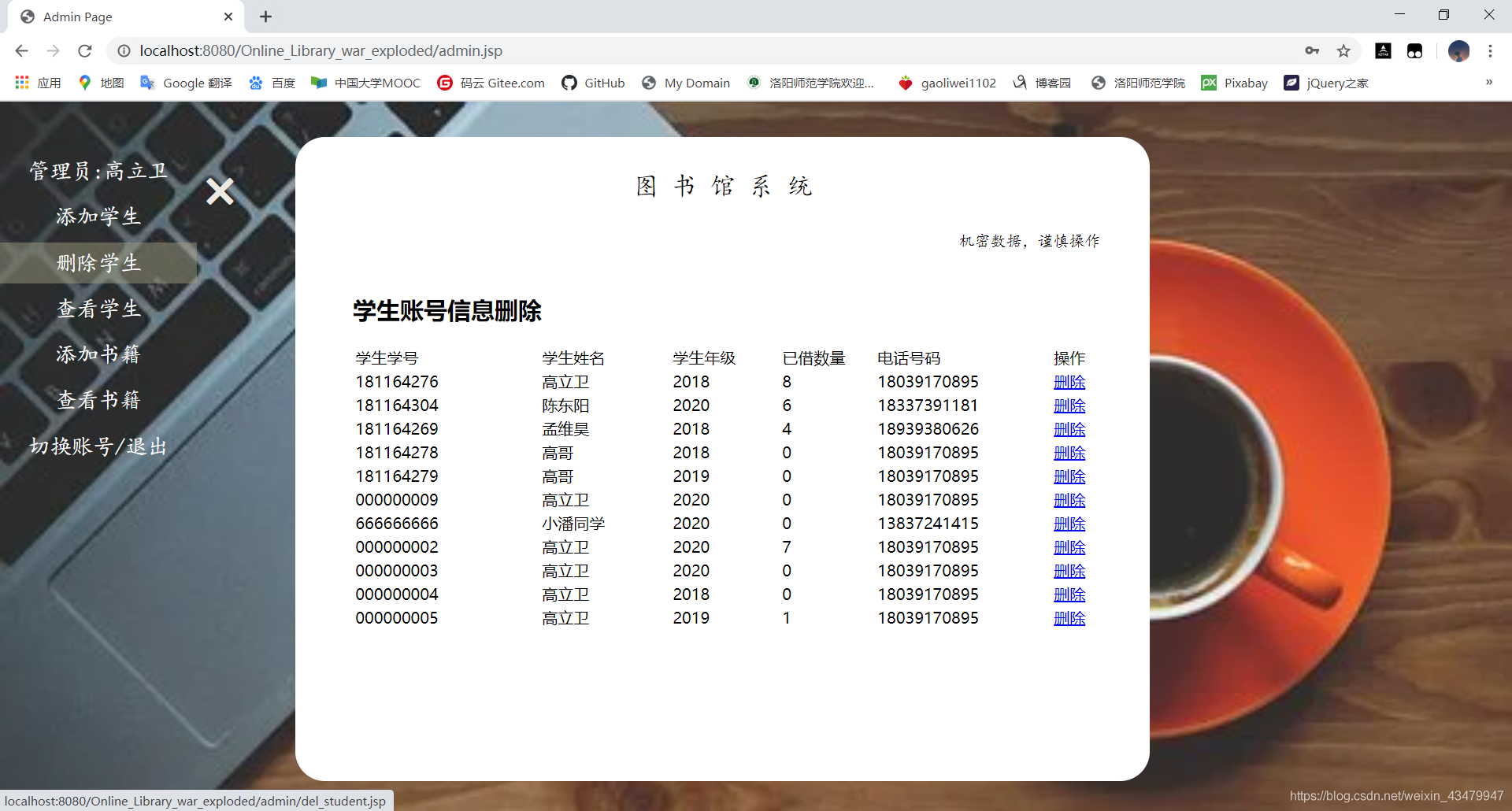
等界面运行截图。
登录设计(MVC设计模式)
请设想,如果用户想要登录,肯定要设计一个jsp页面,然后用户输入的数据提交给对应的servlet进行处理,servlet再通过访问数据库进行查询得出登录结果,返回给servler,servlet根据不同结果进行跳转或者错误信息提示。基本的步骤如下图所示(第一次画这种图,哈哈哈,逻辑可能有点小不清晰):
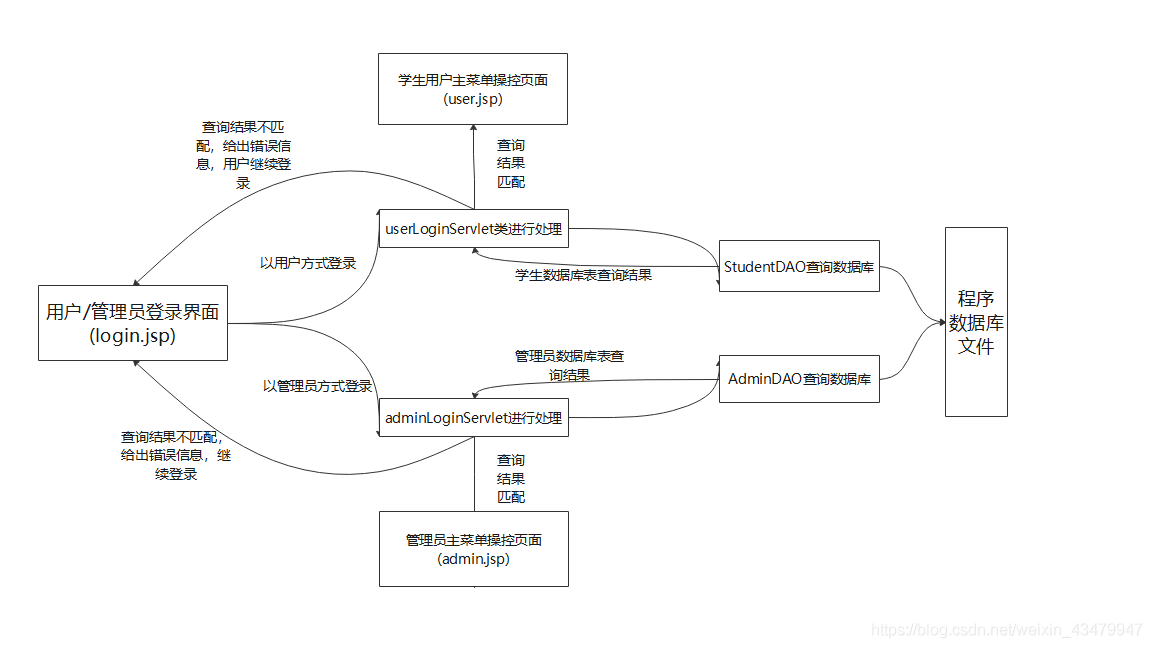
看着是不是有些复杂,哈哈哈,是我画的杂乱了,逻辑还是比较清楚的,下面给出各个部分的源代码,但由于关联数据较多(css、javascript、数据库文件等),可能效果并不完整,本项目的全部源代码博主会上传至github供大家参考使用,嘿嘿。
登录功能源代码
login.jsp
Created by IntelliJ IDEA.
User: Mr.Gao
Date: 2020/6/2
Time: 9:41
To change this template use File | Settings | File Templates.
--%>
Login PageCookie[] cookies = request.getCookies(); /*获取本机的cookie数据, 以cookie类型的数组返回*/
String user = ""; /*定义用户名字符串, 默认为空字符串*/
String password = ""; /* 定义用户密码字符串, 默认为空字符串密码*/
String check="checked"; /* 定义check数据表示用户上次登录选择的登录方式,默认为选中*/
if(cookies != null && cookies.length > 0){ /* 若成功获取cookie数组cookies,并且不为null且长度大于0*/
for(int i = 0; i < cookies.length; i++){ /* 对cookie内存放的所有数据进行循环遍历*/
if(cookies[i].getName().equals("user")){ /* 若匹配到键名为"user"的cookie数据,说明其存取的为该用户的账户数据*/
user = cookies[i].getValue(); /* 获取键值,获取该用户的账号 */
}
if(cookies[i].getName().equals("password")){ /*若匹配到键名为"password"的cookie数据,说明其存放的为该用户的密码数据*/
password = cookies[i].getValue(); /*获取键值,获取该用户的密码*/
}
if(cookies[i].getName().equals("check")){ /*若匹配到键名为"check"的cookie数据,为上次用户选择学生登录或管理员登录的信息*/
check = cookies[i].getValue(); /*获取键值,获取登录状态*/
}
}
}
Students student = (Students) session.getAttribute("student"); //每次返回登录界面都获取session对象中的学生用户
if(student != null){ //若student对象存在,说明此时为退出登录状态,则进行以下操作
session.removeAttribute("student"); //移除session对象中的用户信息
String person = (String)application.getAttribute("person"); //获取application对象中的所有用户数量,为字符串类型
application.setAttribute("person",(Integer.parseInt(person)-1) + ""); //重新设置application对象中的用户数量,为原来数据减1,字符串类型存入
}
%>
UserLoginServlet.java(用户提交servlet操作)
package servlets;
import dao.StudentDAO;
import vo.Students;
import javax.servlet.ServletContext;
import javax.servlet.ServletException;
import javax.servlet.annotation.WebServlet;
import javax.servlet.http.*;
import java.io.IOException;
@WebServlet(urlPatterns = "/userLoginServlet")
public class UserLoginServlet extends HttpServlet {
@Override //覆写Servlet类的doGet()方法
protected void doGet(HttpServletRequest req, HttpServletResponse resp) throws ServletException, IOException {
req.setCharacterEncoding("utf-8"); //设置req对象接收的数据以utf-8编码格式进行编码
String user = req.getParameter("user"); //获取提交的用户名
String password = req.getParameter("password"); //获取提交的密码
String check = req.getParameter("check"); //获取记住密码是否选中按钮状态
HttpSession session = req.getSession(); //获取session的对象
StudentDAO s_dao = new StudentDAO(); //实例化学生dao类对象,对学生数据库表中的学生信息进行操作
try{
if(s_dao.isExist(user,password)){ //通过调用dao对象的isExist()方法,判断此用户在学生数据库表中是否存在
//若存在,则进行以下操作
if(check != null){ //若check不为null,说明用户点击记住密码按钮
Cookie user_cookie = new Cookie("user",user); //将用户名、密码、选中状态存入cookie中,以便下次浏览器直接读取
Cookie password_cookie = new Cookie("password",password);
Cookie check_cookie = new Cookie("check","checked");
user_cookie.setMaxAge(7*24*60*60); //设置生存周期为1周
password_cookie.setMaxAge(7*24*60*60);
check_cookie.setMaxAge(7*24*60*60);
resp.addCookie(user_cookie); //存入resp对象中
resp.addCookie(password_cookie);
resp.addCookie(check_cookie);
}else{ //否则表示用户未选择记住密码
Cookie user_cookie = new Cookie("user",user);
Cookie password_cookie = new Cookie("password",password);
Cookie check_cookie = new Cookie("check","");
user_cookie.setMaxAge(0); //设置其生命周期为0,即无数据
password_cookie.setMaxAge(0);
check_cookie.setMaxAge(0);
resp.addCookie(user_cookie); //存入resp对象中
resp.addCookie(password_cookie);
resp.addCookie(check_cookie);
}
Students student = s_dao.getStudentByName(user); //通过学生学号,过去该学生对象
ServletContext application = this.getServletContext(); //获取服务器的application对象
String person = (String)application.getAttribute("person"); //取得application对象中的person数据,表示当前学生在线人数
if(person == null){ //若为null,表示此为第一个用户
person = "1"; //person初始化为1
}else{
person = (Integer.parseInt(person) + 1) + ""; //否则person累加,以字符串形式存储
}
session.setAttribute("student", student); //将用户信息存入session对象中
application.setAttribute("person",person); //将当前在线人数存入application对象中,供在线人数实时更新
resp.sendRedirect(req.getContextPath() + "/user.jsp"); //跳转到学生操纵主页
}else {
//若数据库中无该学生信息,说明登陆失败
String msg = (String)req.getAttribute("msg");
if(msg == null) msg = "账号或密码输入有误,请重试!"; //赋值错误信息
req.setAttribute("msg",msg); //存入req对象中,返还给用户提示
req.getRequestDispatcher("/login.jsp").forward(req,resp); //继续跳转到登录界面
}
}catch (Exception e){ //出现异常,数据库查询失败
System.out.println("数据库查询失败!");
}
}
@Override
protected void doPost(HttpServletRequest req, HttpServletResponse resp) throws ServletException, IOException {
this.doGet(req, resp);
}
}
AdminLoginServlet.java(管理员登录提交操作)
package servlets;
import com.sun.deploy.net.HttpRequest;
import dao.AdminDAO;
import vo.Admins;
import javax.servlet.ServletException;
import javax.servlet.annotation.WebServlet;
import javax.servlet.http.HttpServlet;
import javax.servlet.http.HttpServletRequest;
import javax.servlet.http.HttpServletResponse;
import javax.servlet.http.HttpSession;
import java.io.IOException;
@WebServlet(urlPatterns = "/adminLoginServlet")
public class AdminLoginServlet extends HttpServlet {
@Override//覆写doGet()方法
protected void doGet(HttpServletRequest req, HttpServletResponse resp) throws ServletException, IOException {
req.setCharacterEncoding("utf-8");
String a_user = req.getParameter("a_user"); //获取管理员提交的用户名、密码
String a_password = req.getParameter("a_password");
HttpSession session = req.getSession(); //获取session对象
AdminDAO a_dao = new AdminDAO(); //实例化管理员数据库表的操纵对象
Admins admin = null; //admin对象为null
try{
if(a_dao.isExist(a_user,a_password)){ //调用dao类判断该管理员在数据库管理员表中是否存在
admin = a_dao.getAdminByUser(a_user); //若存在,获取该管理员对象
session.setAttribute("admin",admin); //存入session对象中
resp.sendRedirect(req.getContextPath() + "/admin.jsp"); //跳转到管理员主页面
}else{
//若数据库管理员表中查询失败
String a_msg = (String) req.getAttribute("a_msg");
String check = (String) req.getAttribute("check");
a_msg = "管理员账户或密码输入错误!"; //设置查询失败信息
check = "checked"; //管理员登录方式锁定
req.setAttribute("a_msg",a_msg); //将它们存取req对象中,返回给客户端
req.setAttribute("check",check);
req.getRequestDispatcher("/login.jsp").forward(req,resp); //跳转到login.jsp登录界面
}
}catch (Exception e){ //出现异常状况,数据库查询失败
System.out.println("数据库管理员表查询错误!");
}
}
@Override
protected void doPost(HttpServletRequest req, HttpServletResponse resp) throws ServletException, IOException {
doGet(req,resp);
}
}
以上代码就是登录设计的主要jsp和java代码,其中涉及JavaBean的DAO操作类,由于代码过多,在此不过多进行展示,有兴趣的小伙伴可以下载本项目测试哦,哈哈!
总结
这就是图书馆系统的登陆界面设计,小伙伴只要掌握了MVC设计的这种原理,相信千千万万个系统都会做出来,哈哈哈,给自己充充电去!