Swagger使用
导入依赖
<!-- https://mvnrepository.com/artifact/io.springfox/springfox-swagger2 -->
<dependency>
    <groupId>io.springfox</groupId>
    <artifactId>springfox-swagger2</artifactId>
    <version>3.0.0</version>
</dependency>
<!-- https://mvnrepository.com/artifact/io.springfox/springfox-swagger-ui -->
<dependency>
    <groupId>io.springfox</groupId>
    <artifactId>springfox-swagger-ui</artifactId>
    <version>3.0.0</version>
</dependency>
<!--如果报错再导入下面依赖-->
<dependency>
    <groupId>io.springfox</groupId>
    <artifactId>springfox-boot-starter</artifactId>
    <version>3.0.0</version>
</dependency>
<!--如果还报错再改springboot版本-->
<parent>
    <groupId>org.springframework.boot</groupId>
    <artifactId>spring-boot-starter-parent</artifactId>
    <version>2.5.6</version>
    <relativePath/> <!-- lookup parent from repository -->
</parent>
Swagger装配
import org.springframework.context.annotation.Configuration;
import springfox.documentation.oas.annotations.EnableOpenApi;
import springfox.documentation.swagger2.annotations.EnableSwagger2;

@Configuration //加入配置
@EnableSwagger2//开启swagger
@EnableOpenApi //开启api
public class SwaggerConfig {


}
SwaggerAPI页面访问
注意点
- 因为装配的Swagger是3.0.0的版本,所以访问的网页有了变化
网页地址为:http://localhost:8080/swagger-ui/index.html - 如果是3.0.0以下版本
网页地址为:http://localhost:8080/swagger-ui.html
配置Swagger信息
重写,代替默认的Swagger实例 Docket。
CTRL点击Docket,发现需要一个文本类型类。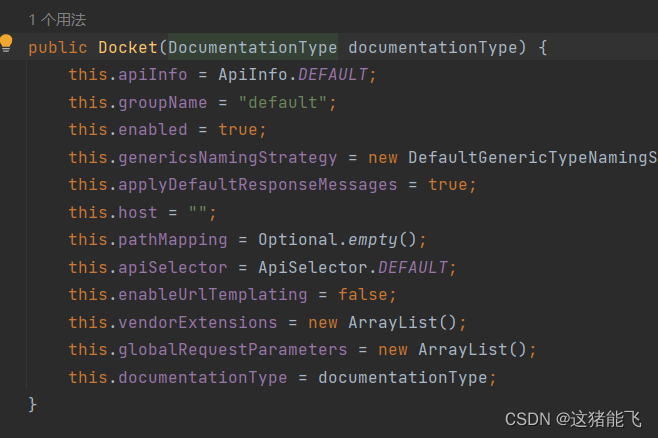
CTRL点击DocumentationType,探究这个玩意
发现有个SWAGGER_2的静态最终类,可以点出来。
又发现Docket还有一个ApiInfo的属性,它可以指定一些信息。
基本配置如下:
@Configuration
@EnableSwagger2
@EnableOpenApi
public class SwaggerConfig {

    @Bean
    public Docket docket(){
        return new Docket(DocumentationType.SWAGGER_2)
        		.apiInfo(apiInfo())
                .select()
                //配置自动扫描包获取接口
   			    .apis(RequestHandlerSelectors.basePackage("com.zhuli.controller"))
                .build();
    }

    public ApiInfo apiInfo(){
        return new ApiInfo(
                "my lover is zyp",
                "zhuli",
                "1.1",
                "urn:tos",
                new Contact("朱溧", "江苏省泰州市", "2122332078@qq.com"),
                "zhuli 2.0",
                "阿巴阿巴",
                new ArrayList<>()//这个地方我也不晓得啥东西
                );

    }

}
比较
原先swagger的网页: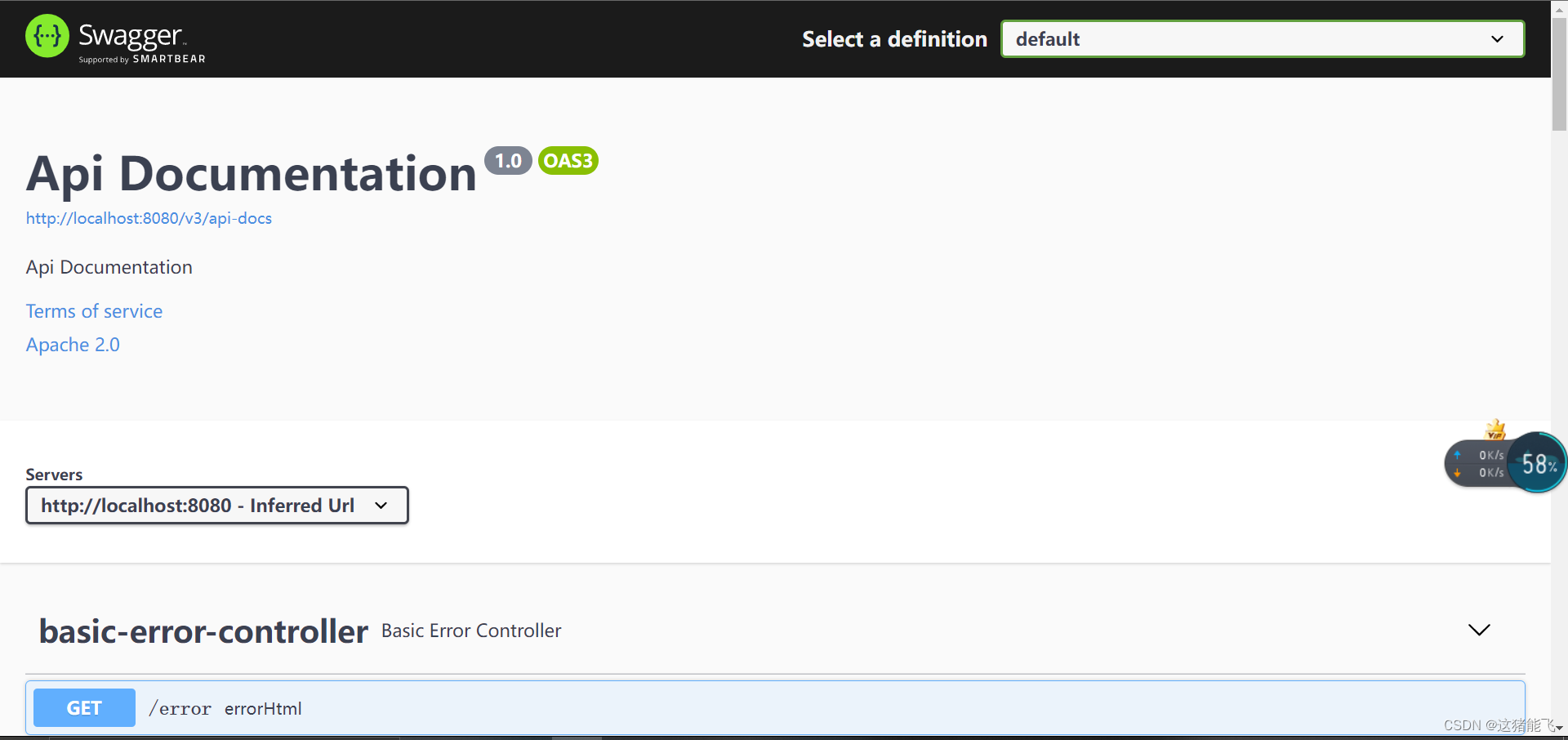
配置后: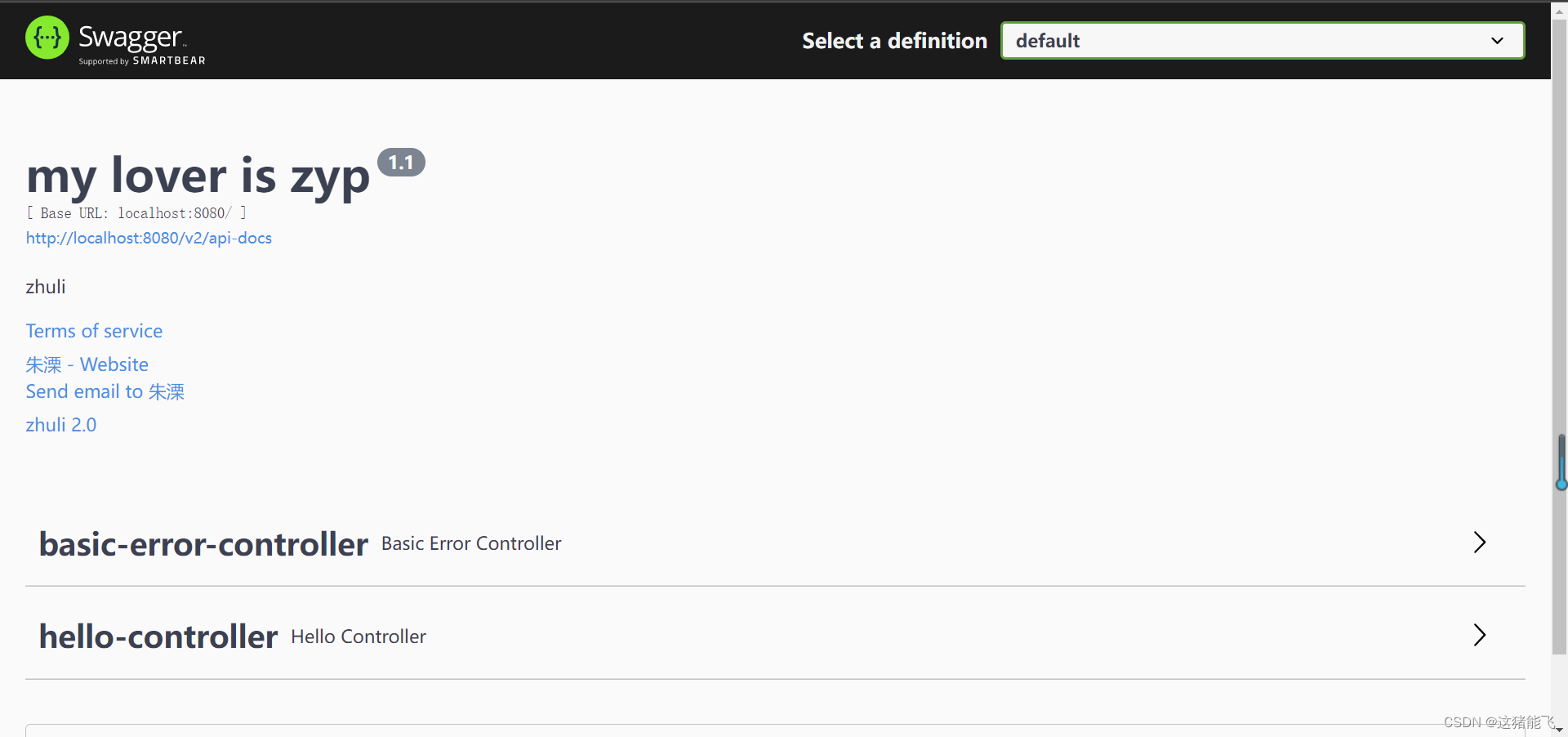
这里的groupname可以指定组名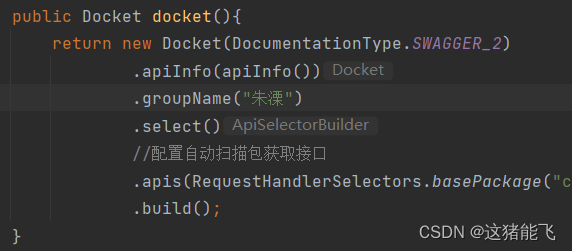
当有多个开发人员时,可以装配多个Docket。
对于不同环境是否需要swagger在下面也有显示。
别用错包
package com.zhuli.config;
import org.springframework.context.annotation.Bean;
import org.springframework.context.annotation.Configuration;
import org.springframework.core.env.Environment;
import org.springframework.core.env.Profiles;
import springfox.documentation.builders.RequestHandlerSelectors;
import springfox.documentation.oas.annotations.EnableOpenApi;
import springfox.documentation.service.ApiInfo;
import springfox.documentation.service.Contact;
import springfox.documentation.spi.DocumentationType;
import springfox.documentation.spring.web.plugins.Docket;
import springfox.documentation.swagger2.annotations.EnableSwagger2;
import java.util.*;
@Configuration
@EnableSwagger2
@EnableOpenApi
public class SwaggerConfig {
    @Bean
    public Docket docket(Environment environment){
        //环境名是否在of参数里
        Profiles dev = Profiles.of("dev");
        boolean b = environment.acceptsProfiles(dev);
        return new Docket(DocumentationType.SWAGGER_2)
                .apiInfo(apiInfo())
                .enable(b)//判断环境是否开启swagger
                .groupName("朱溧") //分组组名
                .select()
                //配置自动扫描包获取接口
                .apis(RequestHandlerSelectors.basePackage("com.zhuli.controller"))
                .build();
    }

    public ApiInfo apiInfo(){
        return new ApiInfo(
                "my lover is zyp",
                "zhuli",
                "1.1",
                "urn:tos",
                new Contact("朱溧", "江苏省泰州市", "2122332078@qq.com"),
                "zhuli 2.0",
                "阿巴阿巴",
                new ArrayList<>()//这个地方我也不晓得啥东西
                );

    }

}
对比学习!!!
版权声明:本文为zyp_zl原创文章,遵循CC 4.0 BY-SA版权协议,转载请附上原文出处链接和本声明。